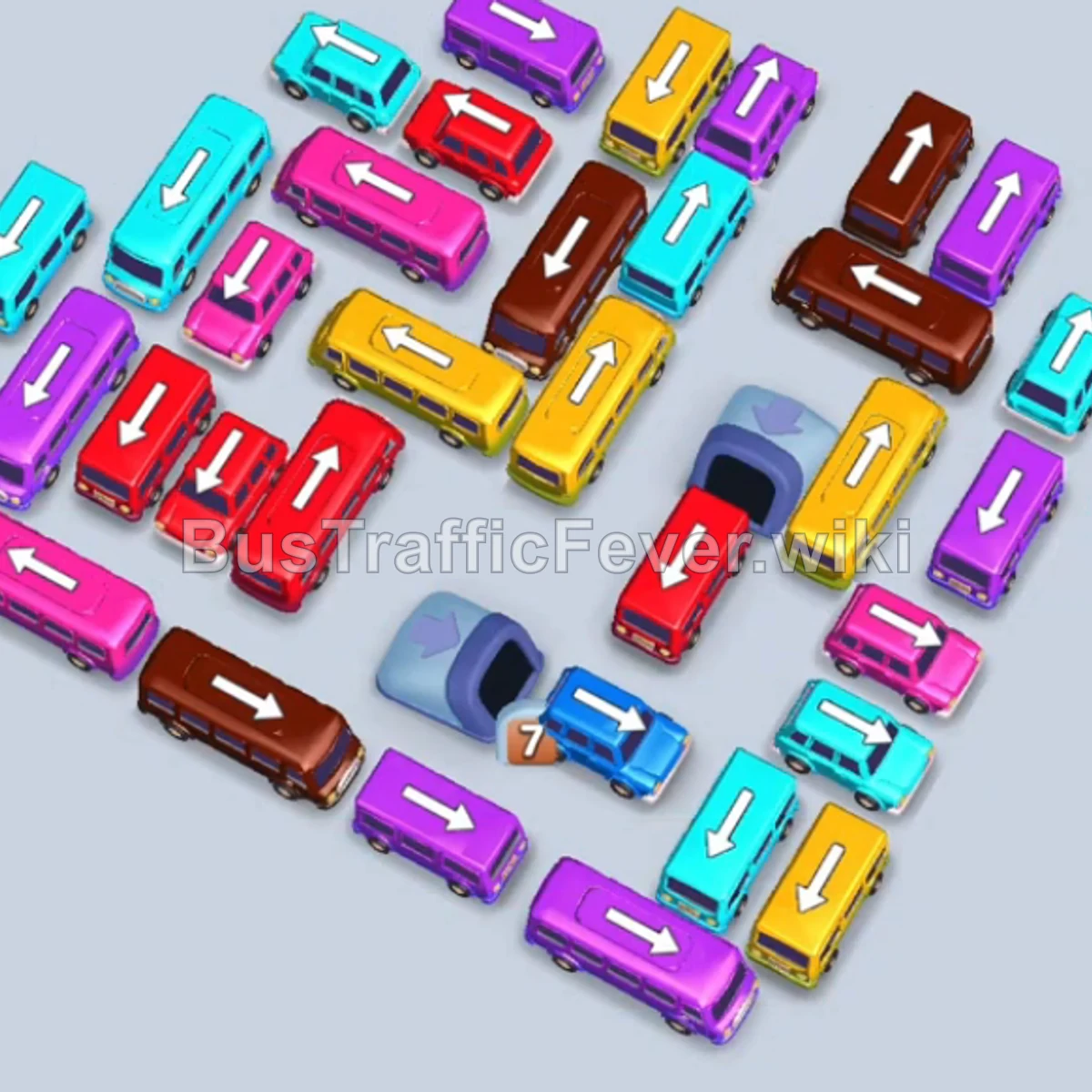
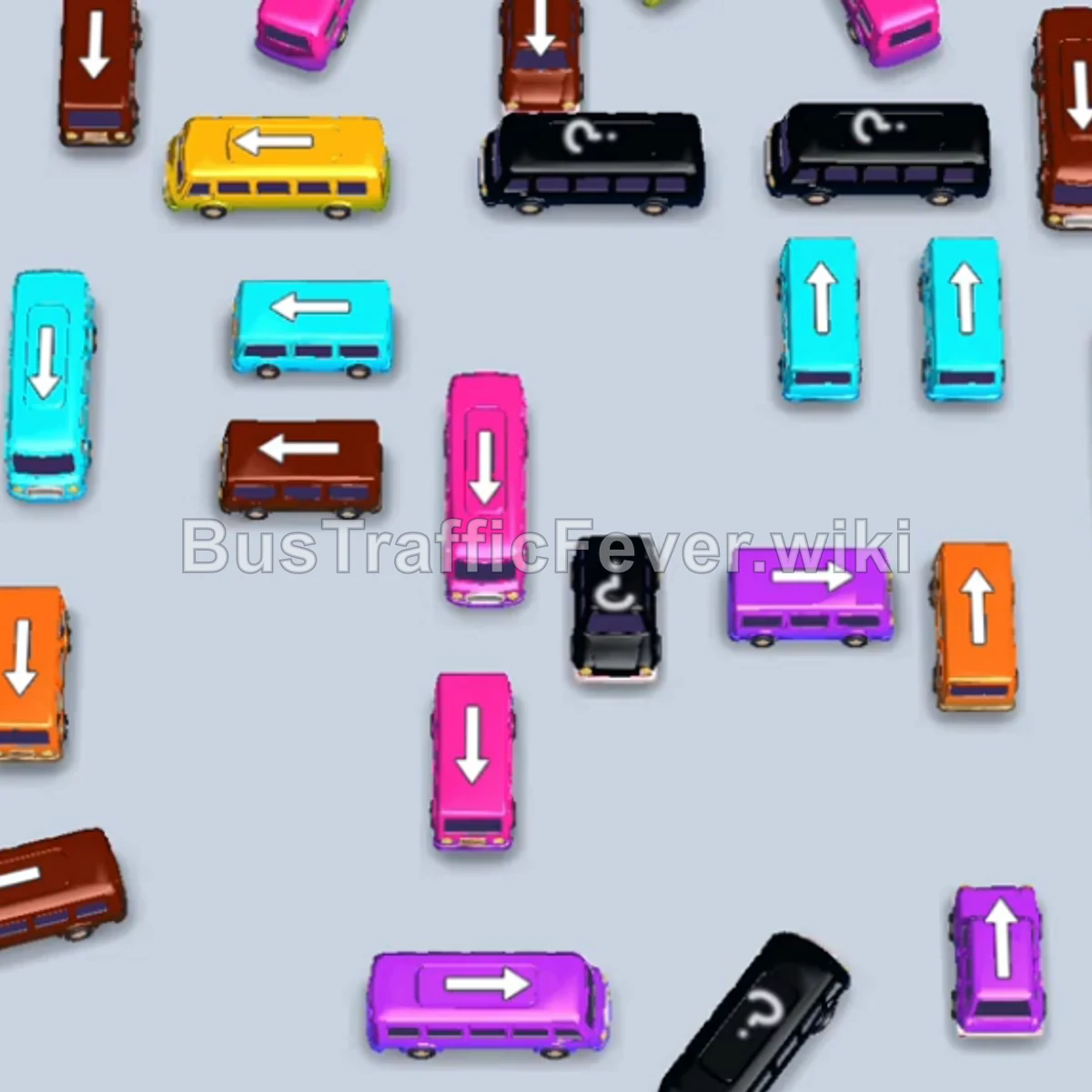
Bus Traffic Fever Level 108 Answer & Walkthrough Solution


Quick answer
Tap the Brown bus on the middle-left pointing downward to park and start boarding brown passengers. Tap the Yellow bus near the upper-middle pointing left. Yellow passengers will board and clear it. Tap the Purple bus on the bottom right pointing right to begin boarding purple passengers.
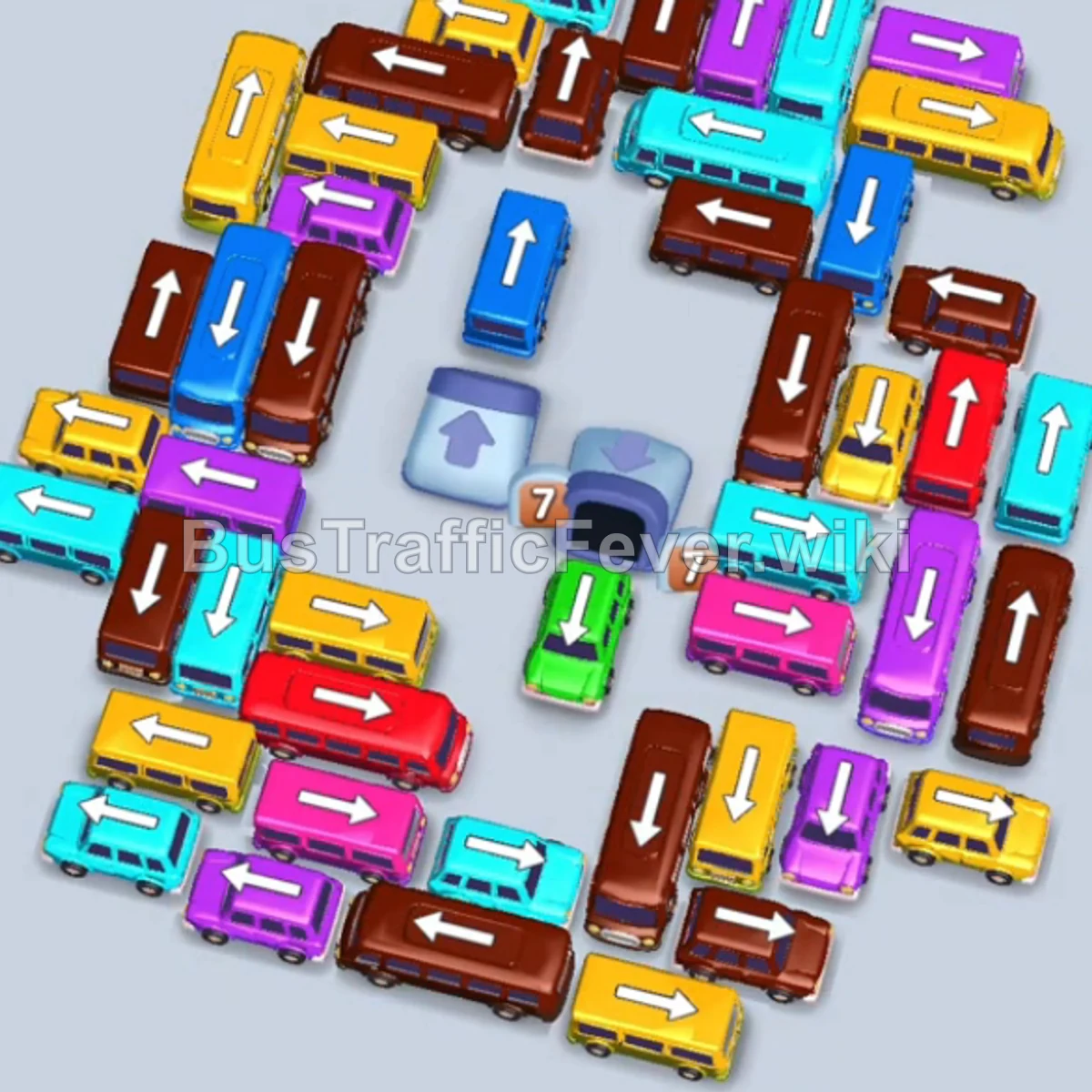
Step-by-step solution
Phase 1: Initial Boarding & Opening Paths
- Tap the Brown bus on the middle-left pointing downward to park and start boarding brown passengers.
- Tap the Yellow bus near the upper-middle pointing left. Yellow passengers will board and clear it.
- Tap the Purple bus on the bottom right pointing right to begin boarding purple passengers.
- Tap the Yellow bus near the top-center pointing left to board the remaining yellow passenger group.
Phase 2: Clearing Cyan, Purple, and Brown Groups
- Tap the Cyan bus on the far left pointing down to move it into an open waiting slot.
- Tap the Yellow bus at the bottom middle pointing downward.
- Tap the Purple bus in the center pointing right to fill up with purple passengers.
- Tap the Brown bus on the top right pointing upward.
- Tap the Purple bus near the bottom right.
- Tap the Cyan bus near the bottom left pointing upward.
Phase 3: Unraveling the Traffic Grid
- Tap the Brown bus in the upper-middle pointing left.
- Tap the Cyan bus on the left pointing upward.
- Tap the Green bus in the center-left pointing downward.
- Tap the Cyan bus in the middle row pointing right.
- Tap the Pink bus on the bottom-left pointing right.
- Tap the Yellow bus near the top pointing left.
- Tap the Brown bus in the center pointing upward.
- Tap the Cyan bus on the middle-right pointing downward.
- Tap the Purple bus on the bottom-right.
- Tap the Brown bus near the top.
- Tap the Purple bus in the middle.
- Tap the Yellow bus at the bottom.
- Tap the Purple bus in the center.
- Tap the Brown bus at the bottom-left.
Phase 4: Managing Mid-Game Flow
- Tap the Brown bus on the top-left pointing upward.
- Tap the Cyan bus in the middle-left pointing upward.
- Tap the Yellow bus at the bottom pointing right.
- Tap the Cyan bus on the far left pointing right.
- Tap the Yellow bus in the center pointing left.
- Tap the Brown bus on the left pointing upward.
- Tap the Purple bus on the upper-right pointing right.
Phase 5: Layered Multi-Bus Clearing
- Tap the Brown bus on the middle-left.
- Tap the Green bus on the upper-left pointing upward.
- Tap the Cyan bus on the upper-middle pointing upward.
- Tap the Brown bus at the bottom pointing right.
- Tap the Yellow bus at the bottom pointing left.
- Tap the Green bus in the center pointing down.
- Tap the Brown bus on the left pointing upward.
- Tap the Brown bus on the middle-right pointing down.
- Tap the Blue bus on the middle-right pointing left.
- Tap the Pink bus in the center pointing down.
- Tap the Purple bus in the middle pointing right.
- Tap the Purple bus in the center pointing up.
- Tap the Brown bus in the center pointing up.
- Tap the Brown bus at the bottom pointing right.
Phase 6: Final Sequence and Cleanup
- Tap the Pink bus in the center pointing right.
- Tap the Cyan bus at the top pointing left.
- Tap the Cyan bus on the far left pointing upward.
- Tap the Brown bus in the center pointing down.
- Tap the Purple bus in the lower-middle pointing left.
- Tap the Yellow bus on the top-left pointing right.
- Tap the Blue bus in the center pointing down.
- Tap the Brown bus on the right pointing up.
- Tap the Cyan bus at the top pointing right.
- Tap the Green bus on the upper-right pointing down.
- Tap the Cyan bus in the middle pointing left.
- Tap the Brown bus in the upper-middle pointing up.
- Tap the Red bus on the top-right pointing left.
- Tap the Blue bus in the center pointing down.
- Tap the Brown bus on the left pointing up.
- Tap the Red bus on the bottom-right pointing left.
- Tap the Yellow bus on the bottom-left pointing right.
- Finally, tap the Red bus at the far right pointing up to clear the remaining passengers and finish the level.
Tips for success
- Observe the Passenger Track: Look at the upcoming passenger color segments to avoid placing vehicles that will block parking slots unnecessarily.
- Prioritize High-Capacity Buses: Free up large buses (capacity 24–40) whenever a matching block of passengers approaches to clear crowds quickly.
- Manage Slot Space Carefully: Keep at least 1–2 parking slots open at all times to avoid complete gridlock while uncovering trapped vehicles.
More Bus Traffic Fever help
Continue with the Level 107 walkthrough, review the core rules in how to play Bus Traffic Fever, or browse all level solutions to jump to another number.