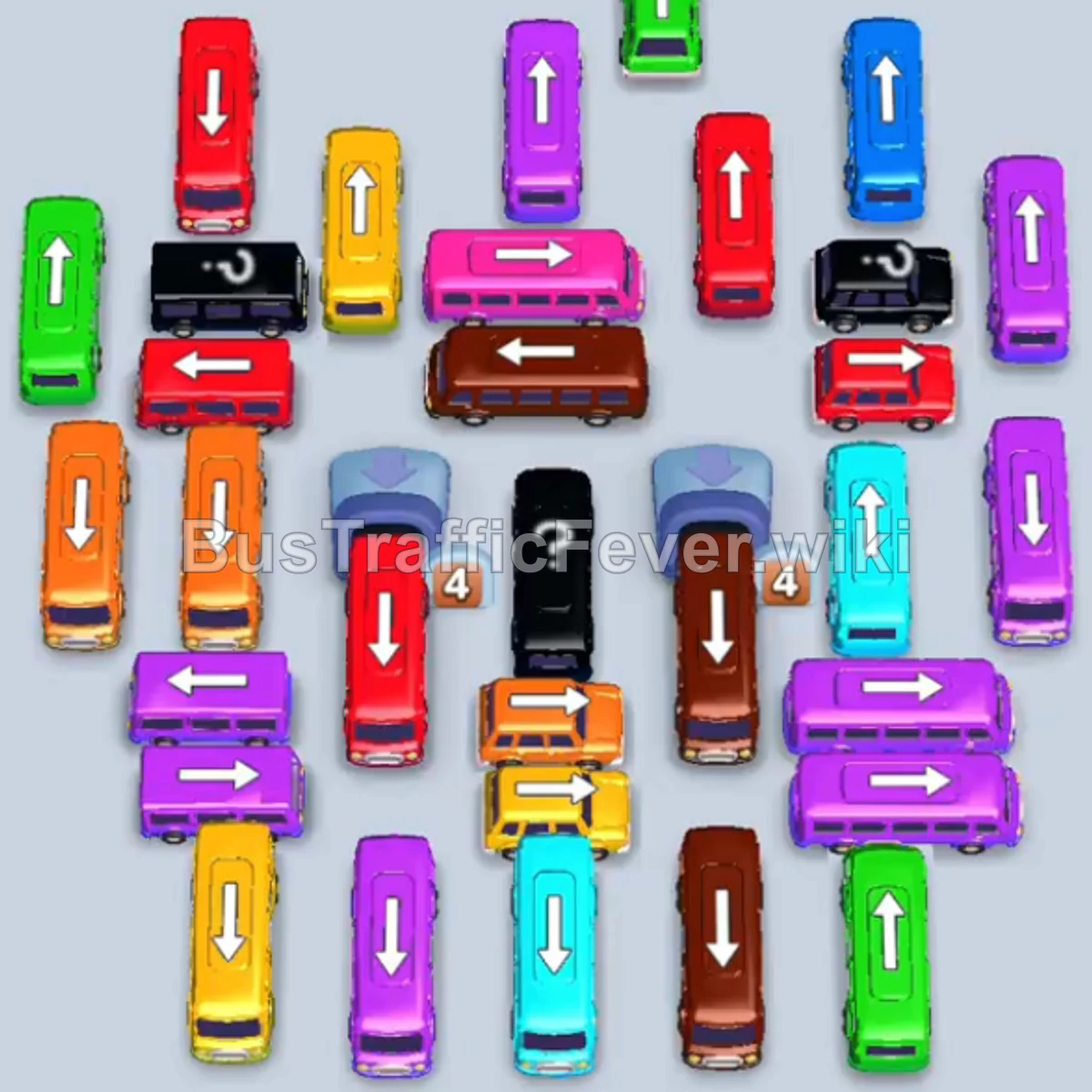
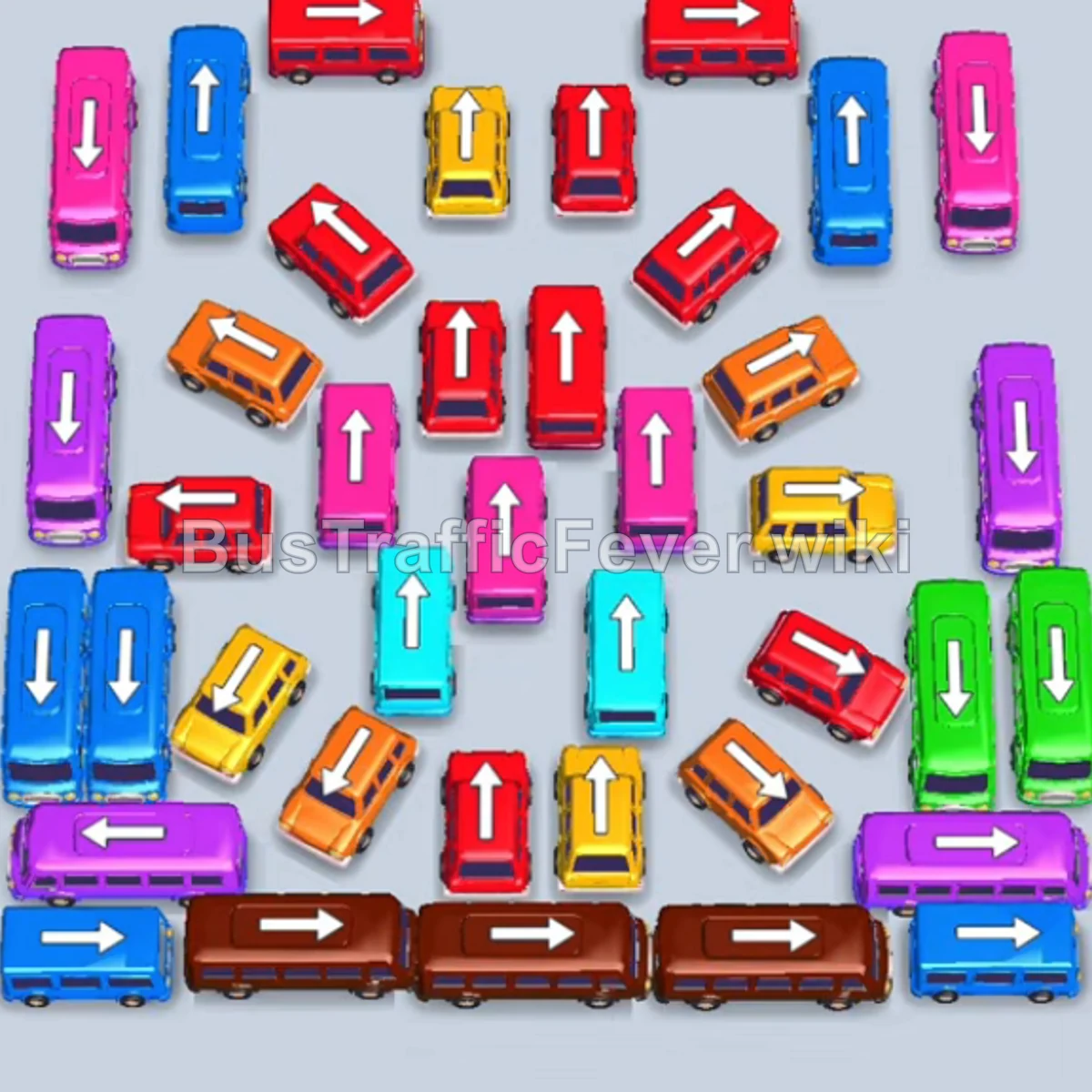
Bus Traffic Fever Level 72 Answer & Walkthrough Solution

Quick answer
Tap the Blue bus in the middle pointing right. It will enter the first parking slot. Tap the Yellow bus in the middle pointing right. Yellow passengers board immediately, and the bus departs. Tap the Blue bus at the top-left pointing right.
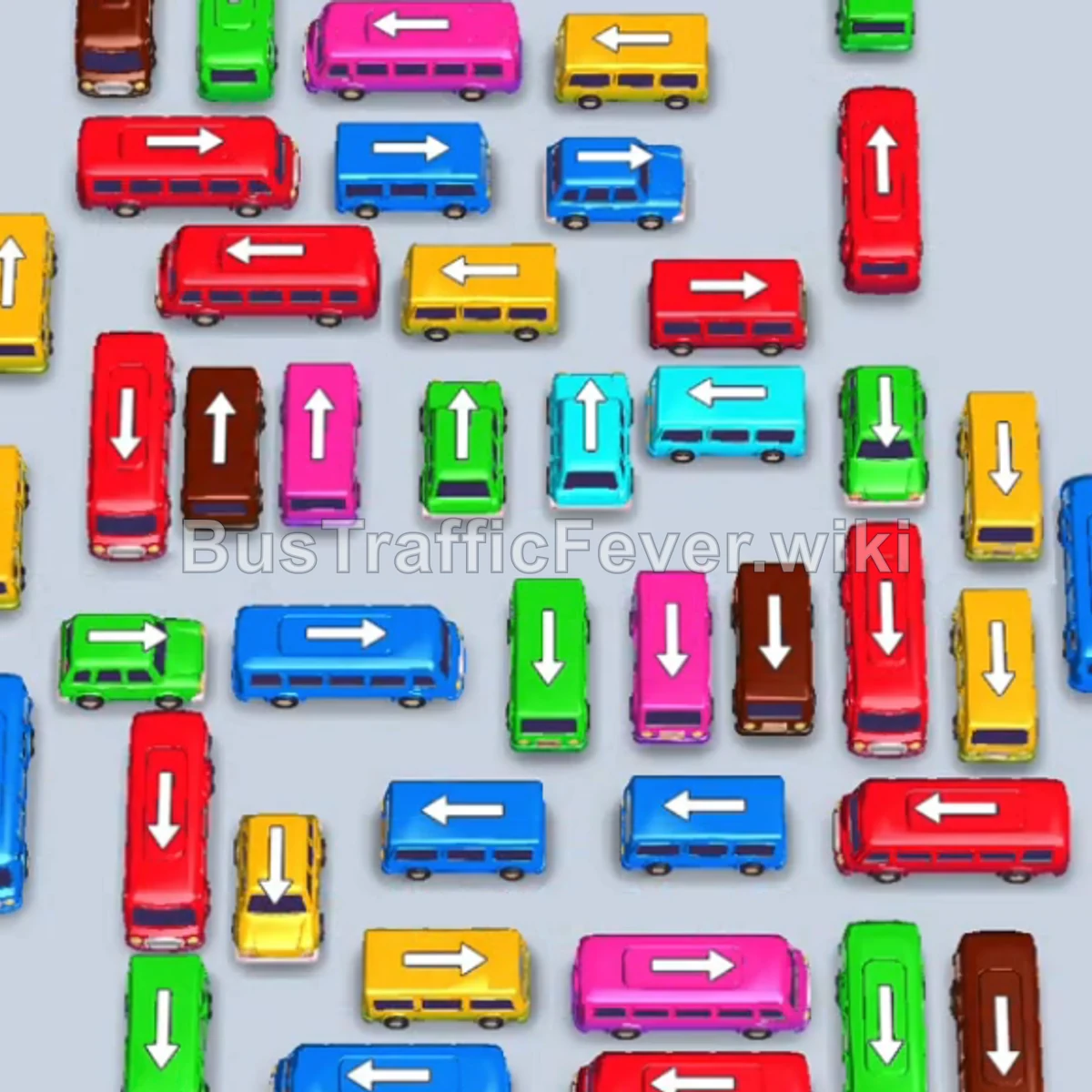
Step-by-step solution
Phase 1: Clearing Initial Perimeter Congestion
- Tap the Blue bus in the middle pointing right. It will enter the first parking slot.
- Tap the Yellow bus in the middle pointing right. Yellow passengers board immediately, and the bus departs.
- Tap the Blue bus at the top-left pointing right. Blue passengers will board both the parked Blue bus and this new bus, clearing the Blue queue.
- Tap the Green bus at the top-left pointing down to collect the Green passengers and depart.
- Tap the Yellow bus in the middle pointing left to clear the next Yellow group.
- Tap the Brown bus in the middle pointing right to board Brown passengers.
Phase 2: Managing Mid-Level Lines & Slots
- Tap the Red bus at the middle-left pointing down to park in a slot.
- Tap the Blue bus in the middle pointing left. Blue passengers board both available Blue buses, allowing them to depart.
- Red passengers will advance in the queue and begin boarding the waiting Red bus.
- Tap the Green bus at the bottom-left pointing left to clear Green passengers.
- Tap the Pink bus in the middle pointing right. It will partially fill with Pink passengers and wait in a slot.
- Tap the Yellow bus in the middle pointing right to pick up Yellow passengers.
- Tap the Red bus at the top-left pointing down to absorb the next wave of Red passengers.
- Tap the Green bus at the top-left pointing down to collect Green passengers and depart.
Phase 3: Unblocking Center Pathways
- Tap the Blue bus at the top-middle pointing right to board Blue passengers.
- Tap the Red bus at the top-left pointing down into a parking slot.
- Tap the Yellow bus at the middle-left pointing right to clear Yellow passengers, allowing the waiting Red bus to finish boarding and leave.
- Tap the Red bus at the bottom-middle pointing right to clear Red passengers.
- Tap the Green bus at the bottom-middle pointing left to clear Green passengers.
- Tap the Yellow bus at the top-middle pointing right, followed by the Yellow bus at the bottom-middle pointing right. Both will fill and depart.
- Tap the Brown bus in the center pointing right to clear Brown passengers.
Phase 4: Coordinated Multi-Bus Loading
- Tap the Green bus at the middle-left pointing down. Green passengers will board and it will leave.
- Tap the Red bus (16 capacity) and both Blue buses in the lower-middle area. Blue passengers will fill both Blue buses and depart simultaneously.
- Tap the Red bus and both remaining Blue buses at the bottom-middle. Blue and Red passengers will board their respective vehicles and leave.
- Tap the Red bus at the middle-left pointing right to collect the next Red wave.
- The Pink bus waiting in the parking slot will now finish boarding and depart.
- Tap the Green bus at the middle-left pointing up to clear Green passengers.
Phase 5: Final Wave & Stage Completion
- Tap the Yellow bus at the middle-left pointing right and the Brown bus at the bottom-left pointing down. Both will load their passengers and depart.
- Tap the Red bus at the bottom-left pointing down and the Brown bus pointing up. Brown passengers will board and clear the Brown queue.
- Tap the Pink bus at the middle-right pointing right to collect Pink passengers.
- Tap the Blue bus at the top-middle pointing right to collect Blue passengers.
- The waiting Red bus will finish loading and depart.
- Tap the Yellow bus at the top-middle pointing right and the Red bus in the middle pointing right to clear their passenger waves.
- Tap the four central vertical vehicles in sequence:
- Red bus pointing up
- Pink bus pointing up
- Cyan bus pointing up
- Green bus pointing up (Passengers will quickly board all four vehicles in the slots and depart.)
- Finally, tap the last two vehicles:
- Red bus pointing right
- Cyan bus pointing right (All remaining Red and Cyan passengers board to clear the board with a Perfect score!)
Tips for success
- Keep Multi-Slot Space Available: In the middle phases (Phases 3 & 4), pairs of Blue and Red buses need to enter parking slots simultaneously to absorb rapid alternating passenger waves without blocking the queue.
- Prioritize Exterior Horizontal Buses: Clearing the horizontal buses in the upper and lower middle gives room for vertical vehicles trapped in the center grid to escape.
More Bus Traffic Fever help
Continue with the Level 71 walkthrough, review the core rules in how to play Bus Traffic Fever, or browse all level solutions to jump to another number.