Bus Traffic Fever Level 124 Answer & Walkthrough Solution


Quick answer
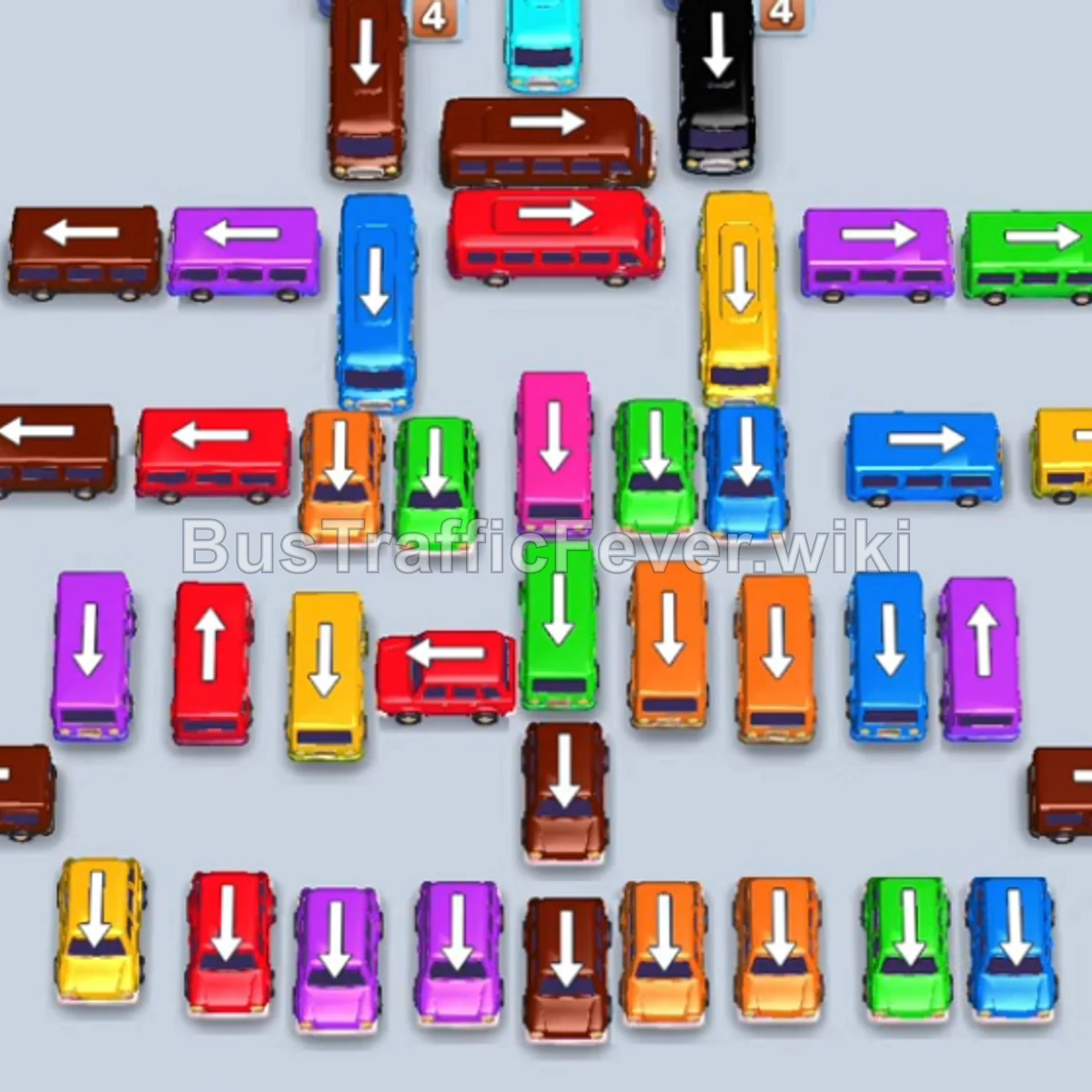
Tap the Pink Bus pointing upward in the center column into slot 1. Pink passengers board and clear it. Tap the Blue Bus pointing upward into slot 1. Tap the Orange Bus pointing left into slot 2. Tap the Red Bus pointing left into slot 3.
Step-by-step solution
Phase 1: Opening the Center Column & Initial Clearance
- Tap the Pink Bus pointing upward in the center column into slot 1. Pink passengers board and clear it.
- Tap the Blue Bus pointing upward into slot 1.
- Tap the Orange Bus pointing left into slot 2.
- Tap the Red Bus pointing left into slot 3. Orange, Red, and Blue passengers will board their respective vehicles and depart.
- Tap the Purple Bus pointing upward into slot 1.
- Tap the Yellow Bus pointing left into slot 2.
- Tap the Orange Bus pointing left into slot 3. Orange passengers board and clear it.
- Tap the Blue Bus pointing upward into slot 3. Blue and Purple passengers board; the Purple Bus departs.
Phase 2: Clearing Perimeter Blocks & Unlocking Mid-Field
- Tap the Orange Bus pointing left into slot 1. Orange passengers board and clear it.
- Tap the Red Bus pointing upward into slot 1. Red passengers board and clear it.
- Tap the Orange Bus pointing right into slot 1. Orange passengers board and clear it.
- Tap the Blue Bus pointing upward into slot 1. Blue passengers board and clear it.
- Tap the Brown Bus pointing upward into slot 1. Brown passengers board and clear it.
- Tap the Blue Bus pointing upward into slot 1. Blue passengers board and clear it.
- Tap the Red Bus pointing right into slot 1. Red passengers board and clear it.
- Tap the Pink Bus pointing left into slot 1. Pink passengers board and clear it.
Phase 3: Navigating Multi-Color Stacks
- Tap the Red Bus pointing left into slot 1. Yellow passengers finish loading the Yellow Bus in slot 2 and it departs.
- Tap the Blue Bus pointing upward into slot 2. Blue passengers board and clear it.
- Tap the Yellow Bus pointing upward into slot 2.
- Tap the Purple Bus pointing left into slot 4. Purple and Red passengers board; both the Purple Bus and Red Bus depart.
- Tap the Red Bus on the left pointing left into slot 1.
- Tap the Green Bus pointing upward into slot 3. Green and Yellow passengers board; both vehicles clear.
- Tap the Orange Bus pointing upward into slot 2. Orange passengers board and clear it.
- Tap the Orange Bus pointing upward into slot 2. Orange passengers board and clear it.
- Tap the Red Bus pointing right into slot 4.
Phase 4: Resolving the Mid-Center Grid
- Tap the Pink Bus pointing left into slot 2. Pink passengers board and clear it, followed by Red passengers clearing the Red Bus in slot 1.
- Tap the Yellow Bus pointing upward into slot 1.
- Tap the Pink Bus pointing upward into slot 2.
- Blue passengers finish loading the Blue Bus in slot 3 and depart.
- Tap the Cyan Bus pointing left into slot 3. Cyan and Yellow passengers board and clear their buses.
- Tap the Yellow Bus pointing right into slot 1.
- Tap the Blue Bus pointing left into slot 3.
- Tap the Orange Bus pointing upward into slot 4. Orange, Yellow, Blue, and Red passengers board and clear all active vehicles.
- Tap the Red Bus pointing left into slot 1. Red and Pink passengers board and clear both the Red and Pink buses.
- Tap the Purple Bus pointing upward into slot 1. Purple passengers board and clear it.
- Tap the Yellow Bus pointing upward into slot 2. Yellow passengers board and clear it.
Phase 5: Clearing the Lower Stacks
- Tap the Blue Bus pointing upward into slot 1.
- Tap the two Purple Buses pointing upward into slots 2 and 4. Purple and Blue passengers board and clear.
- Tap the Pink Bus pointing upward into slot 1. Pink passengers board and clear it.
- Tap the Orange Bus pointing right into slot 2. Orange passengers board and clear it.
- Tap the Yellow Bus pointing upward into slot 1. Yellow passengers board and clear it.
- Tap the Blue Bus pointing upward into slot 1.
- Tap the Orange Bus pointing right into slot 2.
- Tap the Purple Bus pointing upward into slot 3. Purple and Red passengers board and clear.
- Tap the Red Bus pointing upward into slot 2.
- Tap the Yellow Bus pointing right into slot 3. Yellow and Blue passengers board and clear.
- Tap the Green Bus pointing upward into slot 1.
- Tap the Red Bus pointing upward into slot 3. Red passengers board both the bus and bus and clear them.
- Tap the Purple Bus pointing downward into slot 2.
- Tap the Cyan Bus pointing upward into slot 3. Cyan, Purple, and Green passengers board and clear all three buses.
Phase 6: Final Sequence & Cleanup
- Tap the Blue Bus into slot 1.
- Tap the Brown Bus into slot 3. Brown passengers board and clear it.
- Tap the Red Bus into slot 3. Red and Blue passengers board and clear both buses.
- Tap the Brown Bus into slot 1.
- Tap the Yellow Bus into slot 3. Yellow and Brown passengers board and clear.
- Tap the Pink Bus, Purple Bus, and Orange Bus into the slots to board and clear their passenger waves.
- Tap the Cyan Bus, Pink Bus, Yellow Bus, and Green Bus into the slots to resolve the next wave.
- Tap the Pink Bus and Red Bus into the slots.
- Tap the Cyan Bus and Purple Bus into the remaining slots.
- Finally, tap the Orange Bus, Blue Bus, Purple Bus, Orange Bus, and Pink Bus into the slots. All remaining passengers will board their matching vehicles, successfully finishing Level 124 with a Perfect! score.
Tips for success
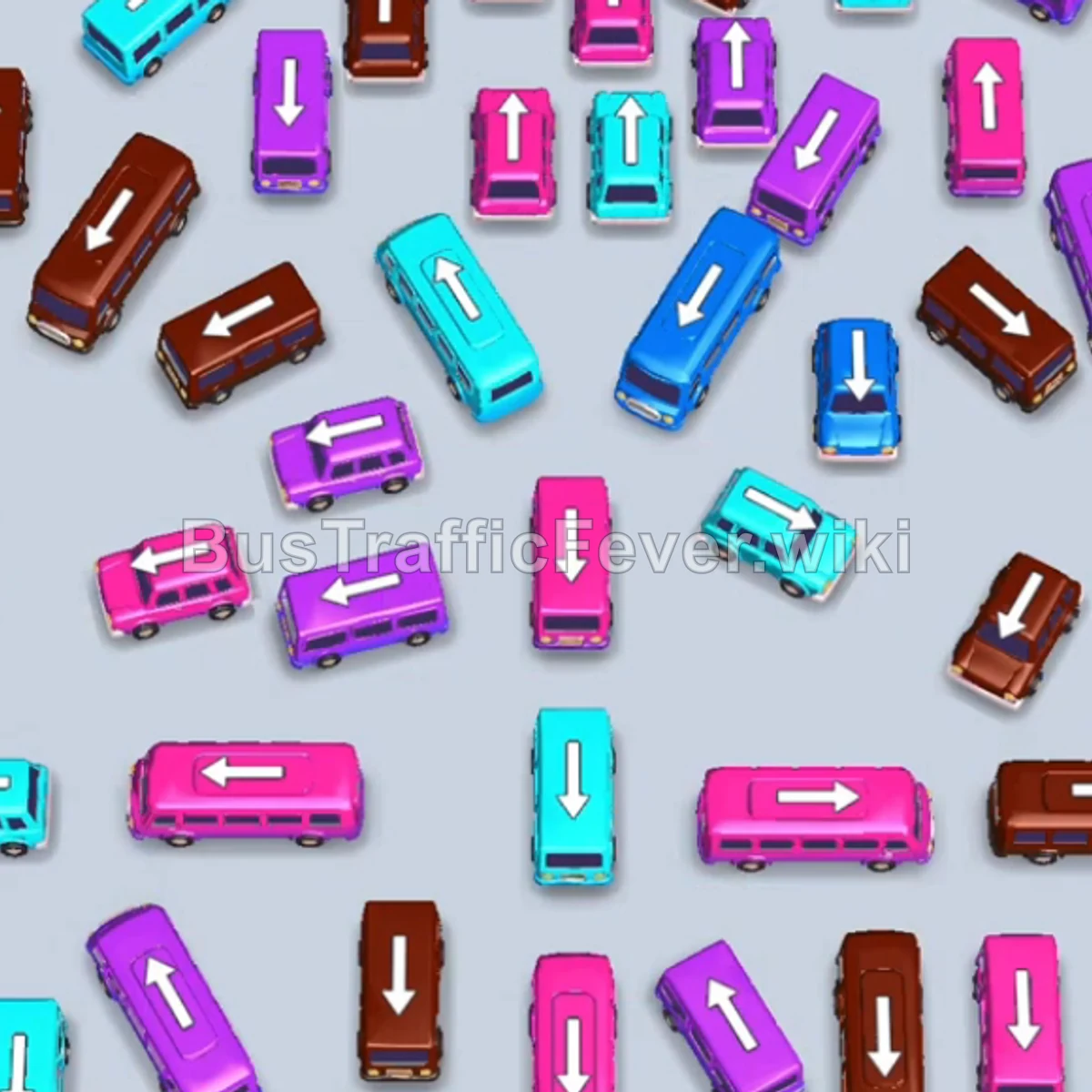
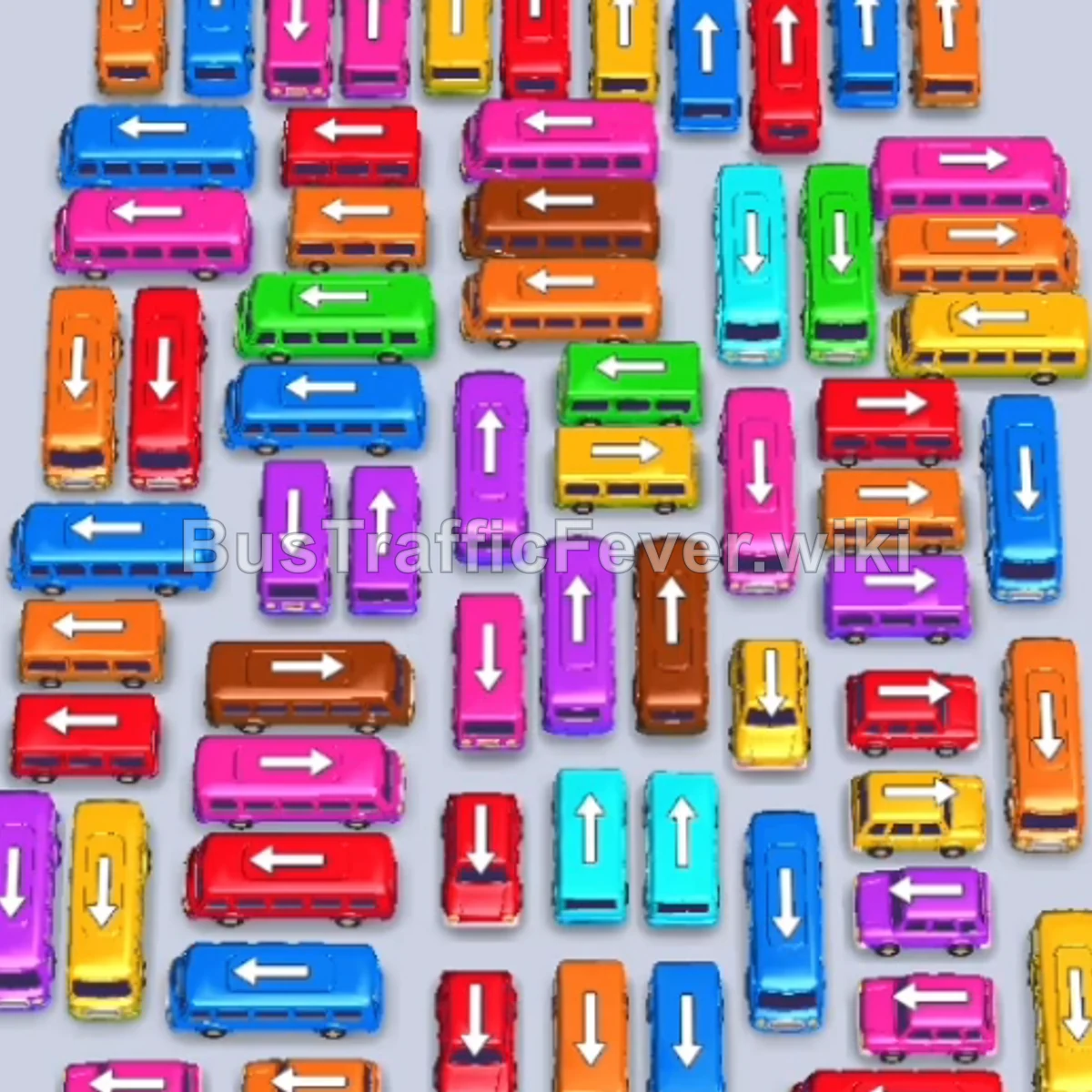
- Focus on Center Column Flow: The central spine of vehicles blocks movement across both left and right sides; prioritize freeing vehicles in the middle early.
- Track Dual-Wave Buses: Many large buses (Blue, Red, and Yellow) take multiple distinct passenger waves to fill. Keep them parked while cycling single-wave buses through adjacent slots.
- Watch Vehicle Orientations: Some buses point downward into what looks like a dead end; ensure the path below them is cleared before sending them to the bays.
More Bus Traffic Fever help
Continue with the Level 123 walkthrough, review the core rules in how to play Bus Traffic Fever, or browse all level solutions to jump to another number.