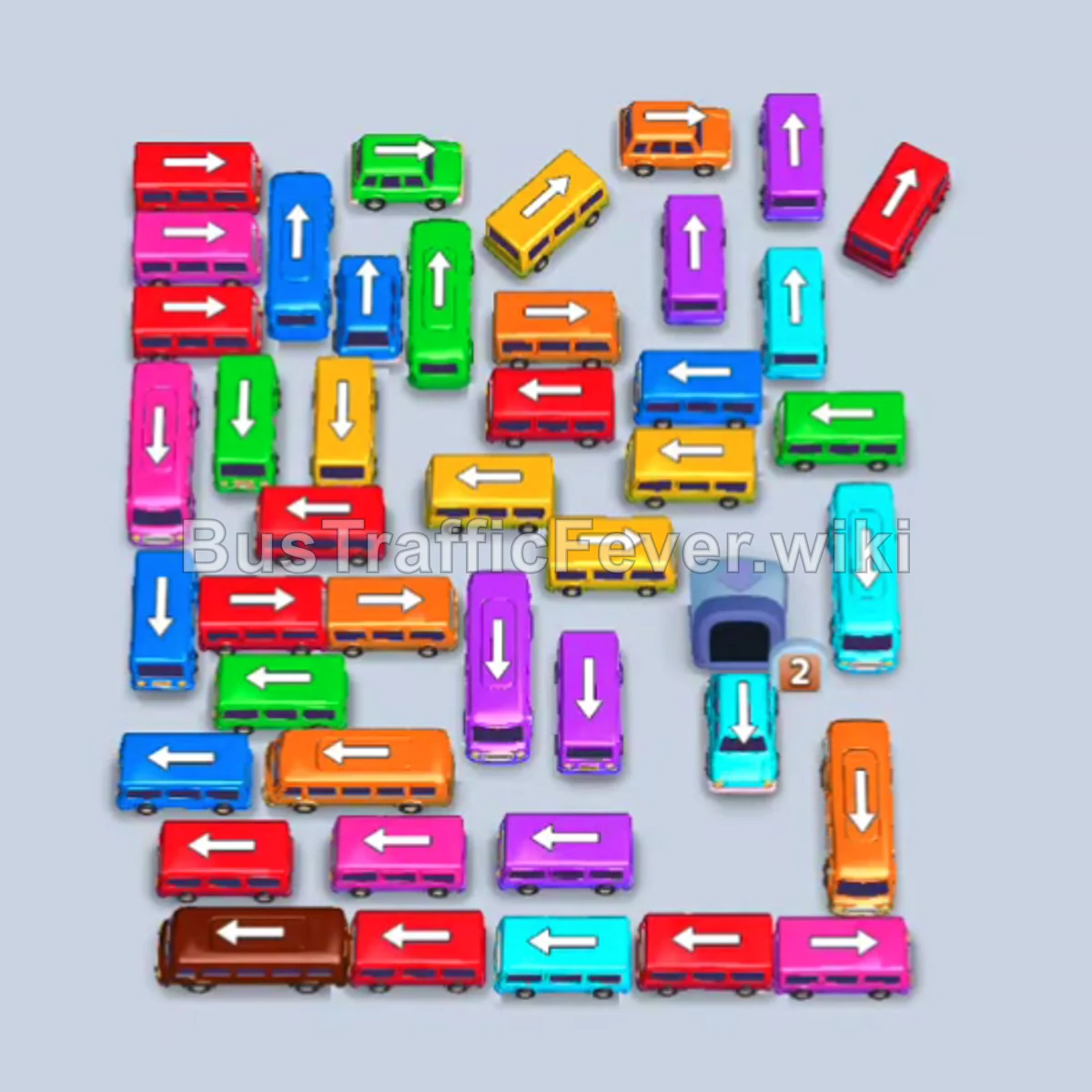
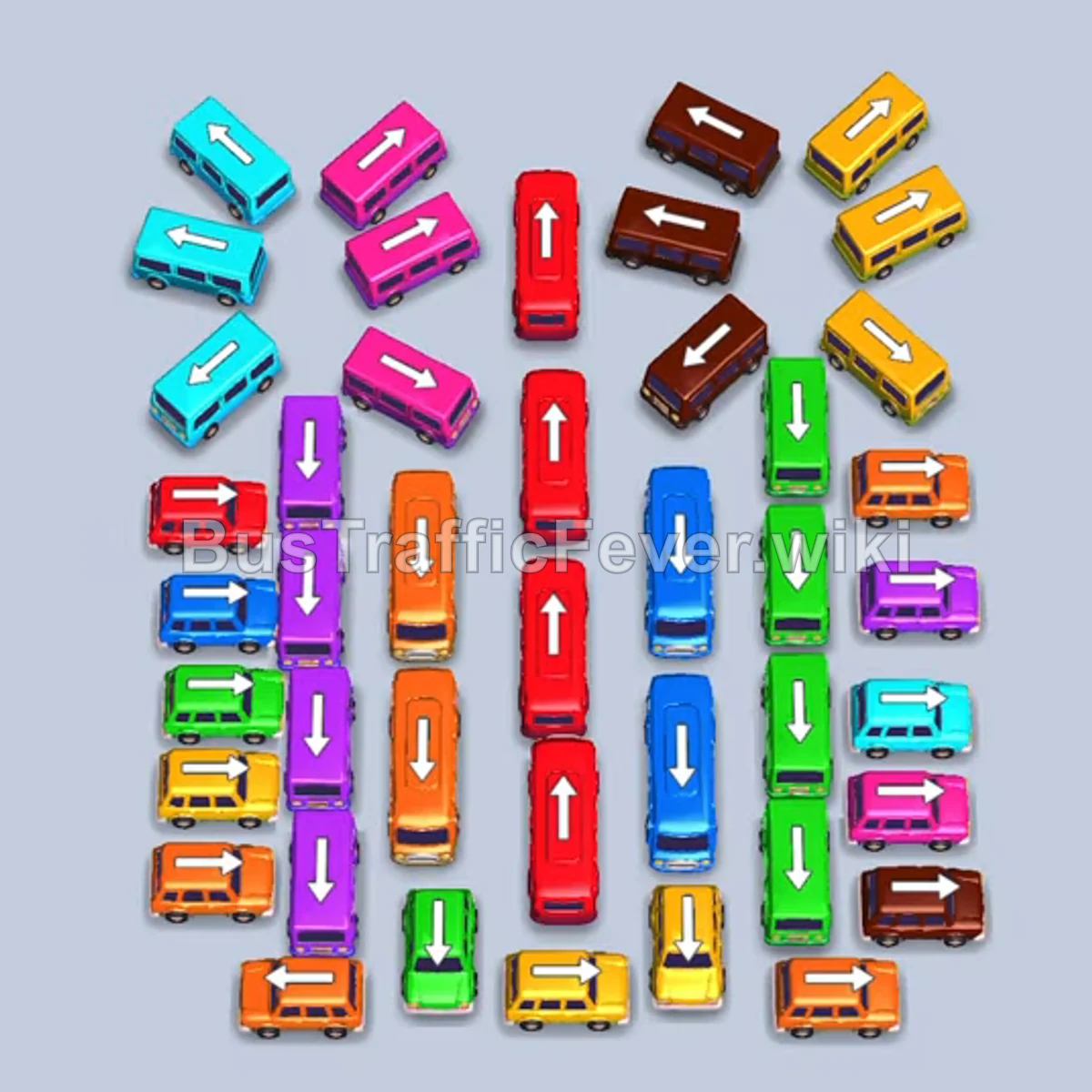
Bus Traffic Fever Level 345 Answer & Walkthrough Solution

Quick answer
Clear the outer perimeter vehicles to expose inner rows, matching vehicle colors with the advancing queue (pink, green, red, yellow, orange, and brown). Manage parking slot usage carefully so high-capacity buses can clear passengers without overflowing the waiting area.
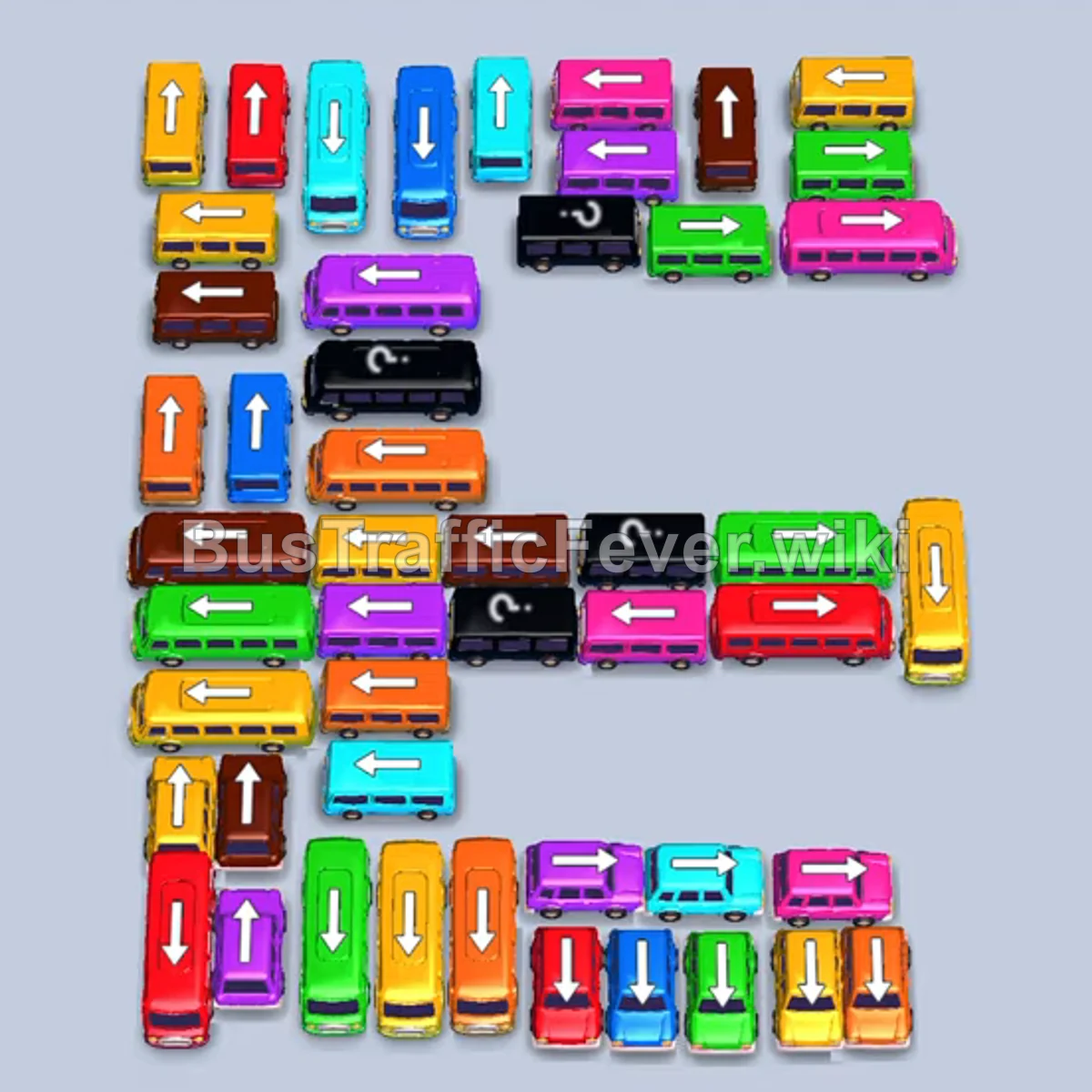
Step-by-step solution
Phase 1: Clearing Initial Outer Layers & Green Waves
- Tap the pink bus (horizontal, upper-right, pointing right) into the waiting bay.
- Tap the green bus (horizontal, upper-right, pointing right).
- Tap the green bus (vertical, bottom row, pointing down).
- Tap the green bus (vertical, far-left edge, pointing up) once space opens.
- Tap the blue bus (horizontal, middle-right, pointing right) into a holding bay.
- Tap the green bus (horizontal, lower-right, pointing right) to finish green passengers.
- Tap the red bus (horizontal, middle row, pointing right).
- Tap the red bus (horizontal, middle row, pointing right) to clear the red passengers.
- Tap the green bus (vertical, middle-left, pointing up) to pick up incoming green passengers.
Phase 2: Yellow, Orange, and Brown Clearances
- Tap the yellow bus (horizontal, center, pointing left).
- Tap the yellow bus (horizontal, far-right edge, pointing right).
- Tap the brown bus (horizontal, center row, pointing left).
- Tap the blue bus (horizontal, lower-middle, pointing right) into holding.
- Tap the yellow bus (vertical, lower-left, pointing down) to clear the yellow queue.
- Tap the orange bus (horizontal, upper-right, pointing right).
- Tap the orange bus (horizontal, lower-middle, pointing right).
- Tap the orange bus (vertical, middle-left, pointing up).
- Tap the pink bus (horizontal, middle-left, pointing left).
- Tap the orange bus (vertical, center-left, pointing up) to clear remaining orange passengers.
- Tap the purple bus (horizontal, lower-middle, pointing right) into holding.
- Tap the orange bus (horizontal, lower-center, pointing right).
- Tap the blue bus (horizontal, middle-left, pointing left).
- Tap the pink bus (horizontal, center row, pointing left).
- Tap the brown bus (horizontal, center-left, pointing left).
Phase 3: Unraveling Lower Congestion & Mid-Game Transfers
- Tap the pink bus (vertical, top-left, pointing up).
- Tap the pink bus (horizontal, bottom-right, pointing right).
- Tap the purple bus (horizontal, bottom-right, pointing right).
- Tap the red bus (vertical, lower-middle, pointing down).
- Tap the green bus (vertical, far-left, pointing down).
- Tap the red bus (vertical, far-right, pointing down).
- Tap the green bus (vertical, bottom-center, pointing up).
- Tap the green bus (vertical, far-right, pointing down).
- Tap the red bus (horizontal, bottom-center, pointing right).
- Tap the yellow bus (horizontal, bottom-left, pointing left).
- Tap the orange bus (horizontal, top-right, pointing right).
- Tap the orange bus (vertical, bottom-center, pointing down).
- Tap the purple bus (vertical, middle-left, pointing up).
- Tap the cyan bus (horizontal, middle-left, pointing left).
Phase 4: Clearing the Remainder
- Tap the brown bus (vertical, upper-right, pointing down).
- Tap the brown bus (horizontal, center-left, pointing left).
- Tap the yellow bus (horizontal, center-left, pointing left).
- Tap the yellow bus (vertical, upper-left, pointing up).
- Tap the purple bus (vertical, upper-right, pointing up).
- Tap the brown bus (horizontal, center, pointing left).
- Tap the yellow bus (vertical, upper-left, pointing up).
- Tap the brown bus (vertical, middle-left, pointing down).
- Tap the pink bus (vertical, far-left, pointing up).
- Tap the pink bus (horizontal, center, pointing right).
- Tap the cyan bus (horizontal, center, pointing left).
- Tap the cyan bus (vertical, center-left, pointing up).
- Tap the blue bus (horizontal, center, pointing right).
- Tap the yellow bus (horizontal, bottom-left, pointing left).
- Tap the cyan bus (vertical, center, pointing up).
- Tap the red bus (horizontal, center-right, pointing right).
- Tap the yellow bus (vertical, bottom-center, pointing up).
- Tap the pink bus (horizontal, center-left, pointing left).
- Tap the purple bus (horizontal, center-left, pointing left).
- Tap the final dual-color bus (horizontal, center, pointing right) to finish the level.
Tips for success
- Manage parking capacity: Only send buses to holding bays when necessary to free blocked buses needed immediately.
- Prioritize outer vehicles: Release outer horizontal and vertical vehicles first to create escape paths for trapped inner buses.
- Watch line transitions: Track upcoming colors in the serpentine line so matching buses are ready at the pickup slots before crowds arrive.
More Bus Traffic Fever help
Continue with the Level 344 walkthrough, review the core rules in how to play Bus Traffic Fever, or browse all level solutions to jump to another number.