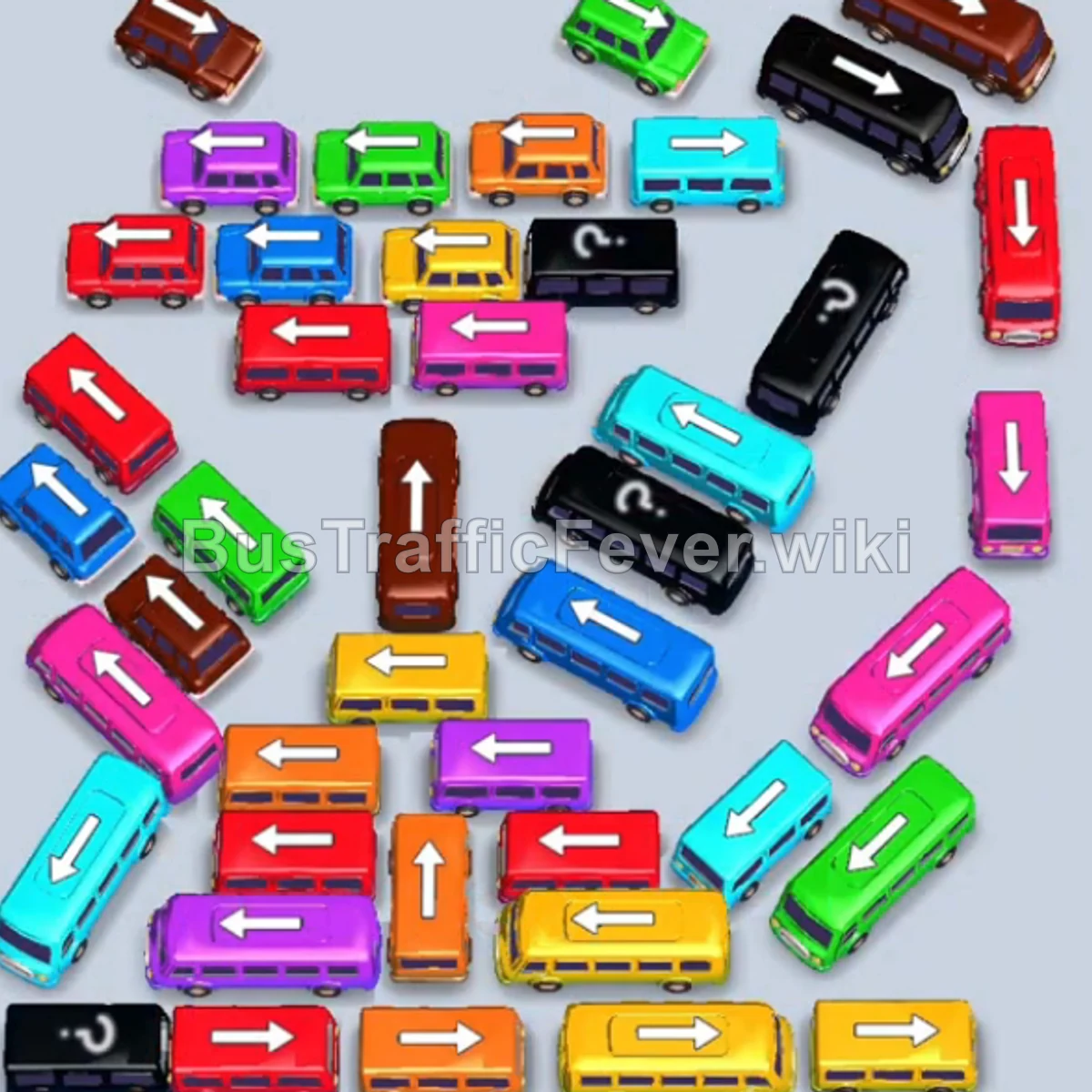
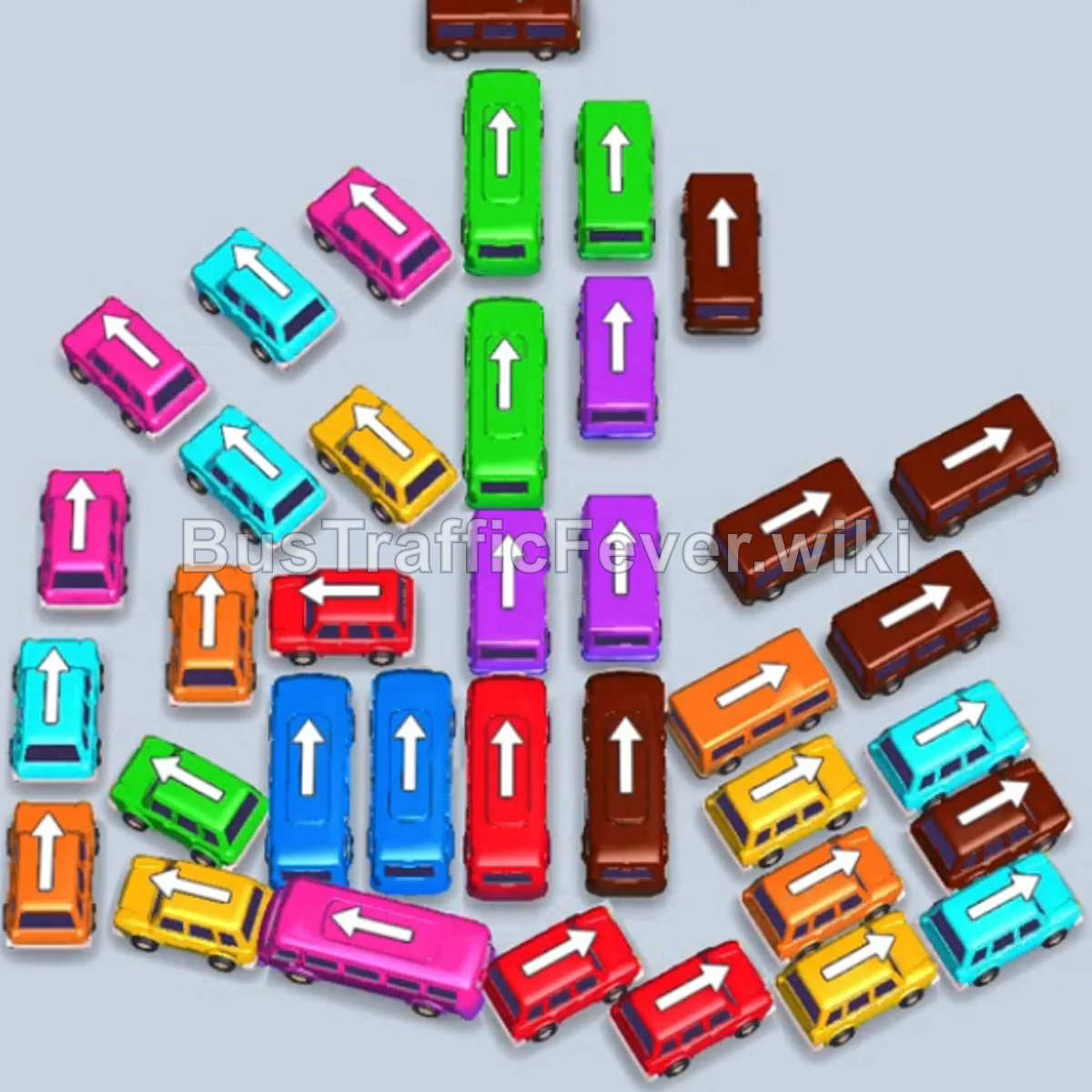
Bus Traffic Fever Level 58 Answer & Walkthrough Solution

Quick answer
Tap the Black bus facing left near the bottom center. It moves to a parking slot and begins picking up black passengers. Tap the Purple bus facing right in the upper-middle area to move it to a parking slot. Tap the Yellow bus facing right at the bottom right.
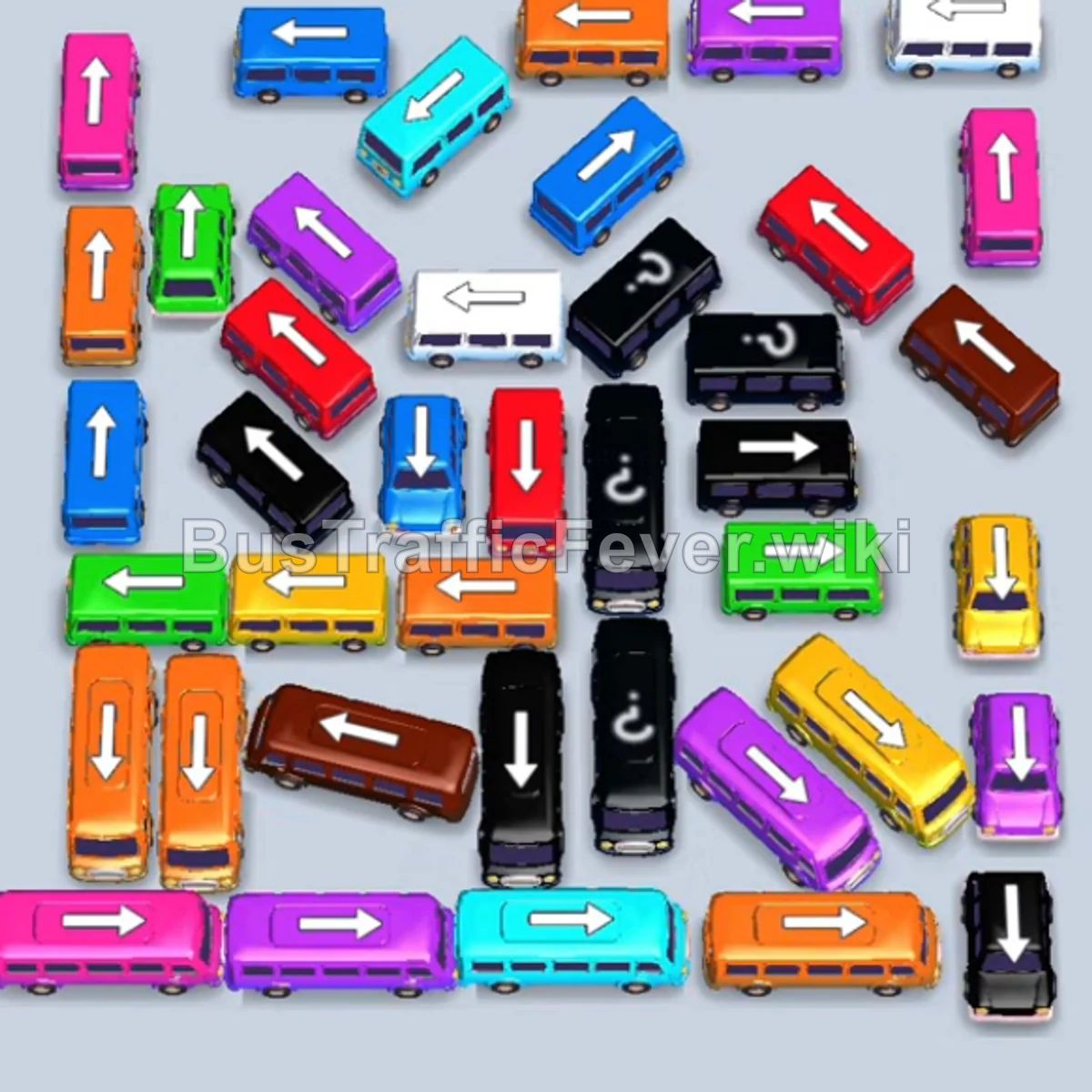
Step-by-step solution
Phase 1: Initial Outer Clear and Early Unblocking
- Tap the Black bus facing left near the bottom center. It moves to a parking slot and begins picking up black passengers.
- Tap the Purple bus facing right in the upper-middle area to move it to a parking slot.
- Tap the Yellow bus facing right at the bottom right. Yellow passengers will board, and it will depart immediately.
- Tap the Purple bus facing right to fill the next slot and clear out the purple passengers in the queue.
- Tap the Orange bus facing right in the middle row.
- Tap the Cyan bus facing up on the right edge.
- Tap the Orange bus facing left on the lower-left side. Orange passengers will board both orange buses and depart.
Phase 2: Clearing the Midfield and Freeing the Outer Ring
- Tap the Pink bus facing right in the center-right area.
- Tap the Dark Blue bus facing left in the middle.
- Tap the Pink bus facing right at the bottom left to clear the pink passenger group.
- Dark Blue passengers will board the dark blue bus in the queue.
- Tap the Orange bus facing left at the top left corner to board the incoming orange passengers.
- Tap the Green bus facing down on the upper left to park in an open slot.
- Tap the Purple bus facing right in the lower center to clear the purple passenger section.
- Tap the Red bus facing down in the upper center.
- Tap the White bus facing left on the far left edge. White passengers will board and clear it.
Phase 3: Managing Tight Lanes & Mid-Level Flow
- Tap the Green bus facing down at the top right to board green passengers.
- Tap the Green bus on the far right edge to clear the remaining green queue.
- Tap the Black bus facing down on the right side to pick up black passengers.
- Tap the Red bus facing down in the center to free up space.
- Let the Yellow bus pick up passengers and depart.
- Tap the Cyan bus facing down on the left edge.
- Tap the Orange bus facing left in the upper-middle area.
- Tap the Purple bus facing right at the top right corner.
- Tap the White bus facing left on the upper left side. White passengers will board and leave.
Phase 4: Clearing Center Congestion
- Tap the Green bus facing down on the left edge to board green passengers.
- Tap the Yellow bus facing right at the lower left to clear the yellow passengers.
- Tap the Red bus facing down at the upper right. Red passengers will board.
- Tap the Brown bus facing left in the lower middle. Brown passengers will board and depart.
- Tap the Green bus facing down on the right side.
- Tap the Orange bus facing down on the upper left edge.
- Tap the Black bus facing left at the bottom to collect black passengers and depart.
- Tap the Pink bus on the far right edge.
- Tap the Pink bus facing left at the bottom left. Pink passengers will board and clear.
- Tap the Cyan bus in the lower middle area. Cyan passengers will board and depart.
Phase 5: Final Sequence & Cleanup
- Tap the Orange bus at the bottom left to clear out orange passengers.
- Tap the Purple bus in the lower right area.
- Tap the Brown bus on the left edge to clear the brown passenger wave.
- Once the pink passengers clear, tap the remaining vehicles in order:
- Tap the Orange bus to board the remaining orange passengers.
- Tap the Red bus, Blue bus, Purple bus, and Brown bus to enter the slots.
- All remaining passenger queues (Red, Purple, Cyan/Blue, and Brown) will board in rapid succession to complete Level 58!
Tips for success
- Watch the Passenger Ring Rotation: Always prioritize moving vehicles whose color matches the front section of the circular queue.
- Preserve Empty Parking Slots: Avoid filling all parking spaces with blocked vehicles; keep at least 1–2 slots open to rotate blocking buses.
- Focus on Traffic Clearance: Small buses often block larger buses—clearing them early gives you room to maneuver the higher-capacity vehicles.
More Bus Traffic Fever help
Continue with the Level 57 walkthrough, review the core rules in how to play Bus Traffic Fever, or browse all level solutions to jump to another number.