Bus Traffic Fever Level 113 Answer & Walkthrough Solution

Quick answer
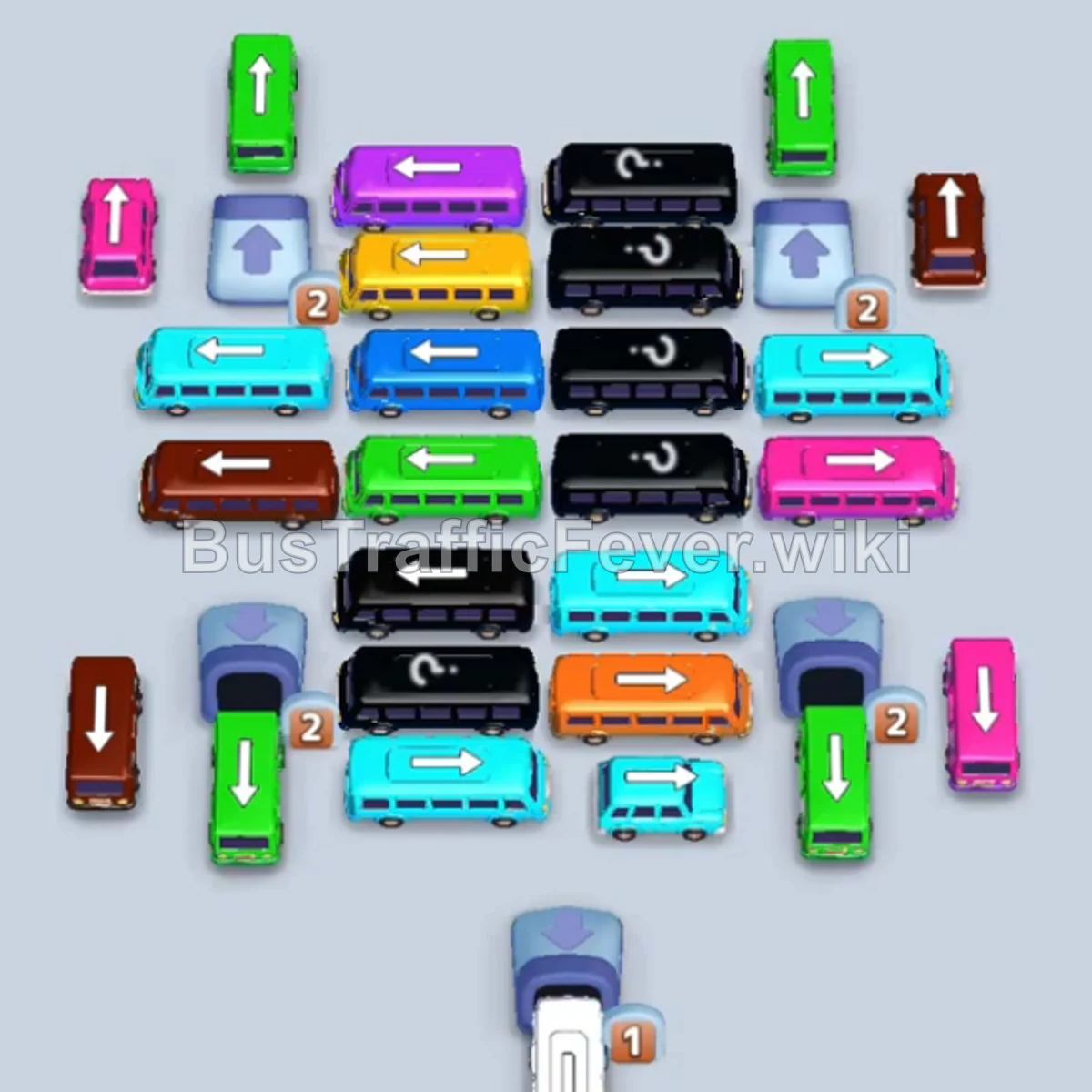
Tap the White bus on the top-left pointing right. It moves into the first parking slot to start collecting white passengers. Tap the Green bus on the top-left pointing upward into a waiting slot. Tap the Blue bus on the middle-left pointing left.
Step-by-step solution
Phase 1: Opening Moves & Multi-Color Clearance
- Tap the White bus on the top-left pointing right. It moves into the first parking slot to start collecting white passengers.
- Tap the Green bus on the top-left pointing upward into a waiting slot.
- Tap the Blue bus on the middle-left pointing left. Blue passengers will immediately board and clear it.
- Tap the Red bus on the bottom-right pointing downward.
- Green passengers will board the parked Green bus, allowing it to exit.
- Tap the Pink bus on the top-left pointing downward. Pink passengers will board and clear it.
- Red passengers will finish boarding the parked Red bus and clear it.
- Tap the Yellow bus in the middle pointing right. Yellow passengers will board and exit.
Phase 2: Clearing Heavy Buses & Middle Rows
- Tap the Cyan bus at the bottom pointing left to board incoming cyan passengers.
- Tap the Brown bus on the middle-left pointing right. Brown passengers will board and clear it.
- Once the Cyan bus is filled, it will exit the parking area.
- Tap the Pink bus in the middle-right pointing downward. Pink passengers will board and clear it.
- Tap the Green bus on the top-right pointing upward. Green passengers will board and exit.
- Tap the Blue bus in the center row pointing left to clear blue passengers.
- Tap the Green bus on the bottom-left pointing downward.
- Tap the Blue bus in the center pointing left. Both green and blue passengers will board and clear these vehicles.
Phase 3: Unlocking Counter Blocks & Center Grid
- Tap the Cyan bus on the middle-right pointing left. Cyan passengers will board and clear it.
- Tap the Red bus on the top-right pointing upward. Red passengers will board and exit.
- Tap the Red bus in the center pointing right.
- Tap the Brown bus on the bottom-left pointing downward. Brown passengers will board and clear it.
- Tap the Green bus on the middle-left pointing downward to clear green passengers.
- Tap the Pink bus on the bottom-right pointing downward. Pink passengers will board and exit.
- Tap the Brown bus on the top-right pointing upward to collect the next brown wave.
- Tap the Orange bus in the lower-middle pointing right. Orange passengers will board and leave.
- Tap the Brown bus on the top-left pointing downward.
- Tap the Blue bus in the bottom-middle pointing upward. Blue passengers will board and exit.
Phase 4: Final Sequence & Mystery Clearance
- Tap the Red bus on the bottom-left pointing downward.
- Tap the Cyan bus in the center pointing left. Cyan passengers will board and clear it.
- Tap the Cyan bus on the bottom-right pointing right.
- Tap the Black bus revealed in the center. Black passengers will board and exit.
- Tap the Purple bus on the top-left pointing left. Purple passengers will board and leave.
- Tap the Cyan bus on the bottom-right pointing upward.
- Tap the Purple bus in the center pointing left to clear the remaining purple crowd.
- Tap the Orange bus in the center pointing right. Orange passengers will board and clear.
- Tap the Green bus on the bottom-left pointing right. Green and red passengers will finish boarding the parked vehicles.
- Tap the Green bus on the bottom-left pointing right.
- Tap the Blue bus in the center pointing left.
- Tap the Yellow bus in the center pointing right. Green, blue, and yellow passengers will board simultaneously, followed by the remaining white passengers finishing the initial White bus.
- Finally, tap the Red bus in the bottom-middle pointing right to board the last red passengers and complete Level 113!
Tips for success
- Keep the White Bus Parked: The White bus stays parked in Slot 1 for almost the entire level. Factor in having only 4 free parking slots throughout the puzzle.
- Prioritize Central Counters: The center row has multiple numbered locks. Clearing the surrounding buses early unlocks critical long buses needed for the late-game rush.
- Coordinate Simultaneous Multi-Boarding: In the final sequence, launching the Green, Blue, and Yellow buses together allows all three remaining passenger streams to clear without stalling the queue.
More Bus Traffic Fever help
Continue with the Level 112 walkthrough, review the core rules in how to play Bus Traffic Fever, or browse all level solutions to jump to another number.