Bus Traffic Fever Level 291 Answer & Walkthrough Solution

Quick answer
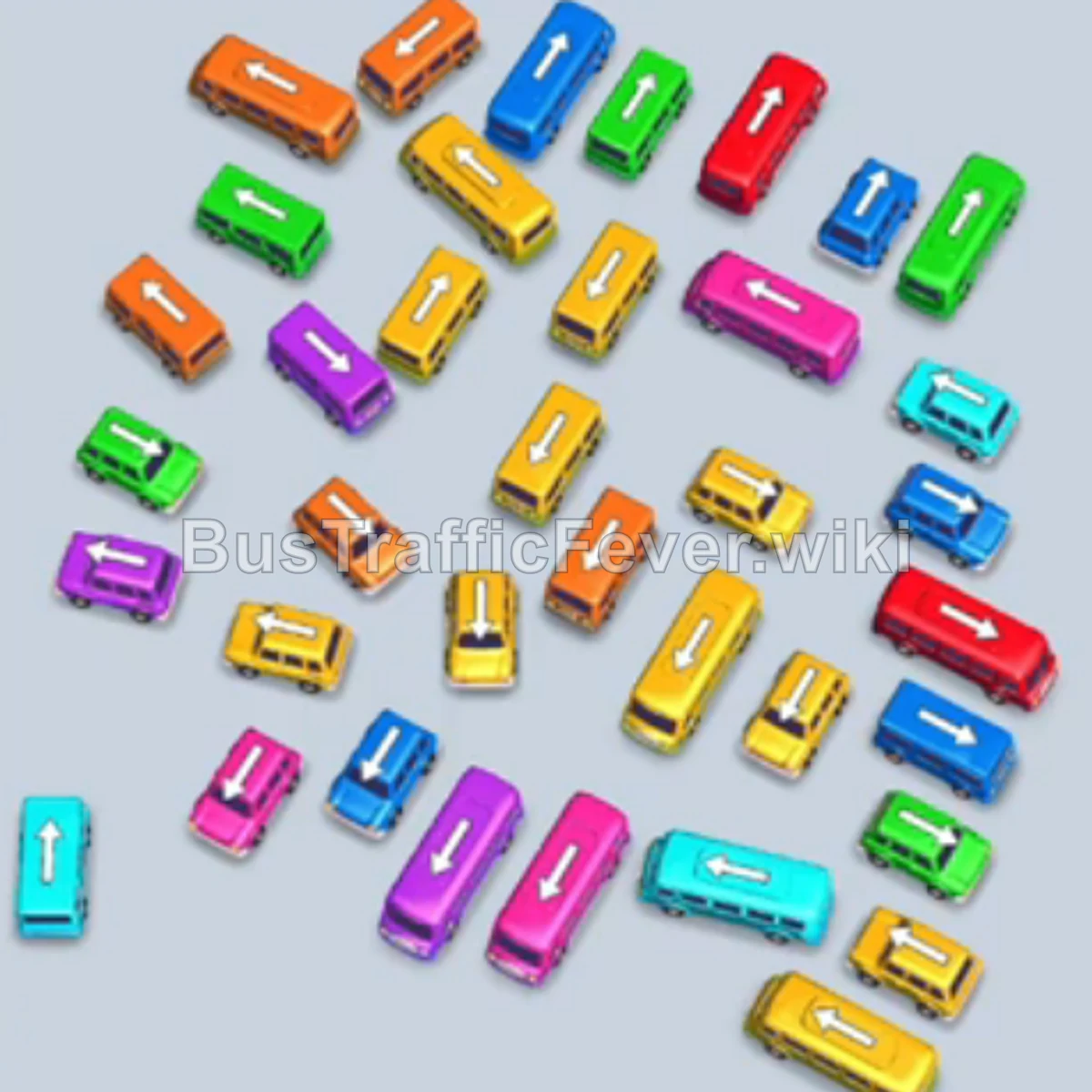
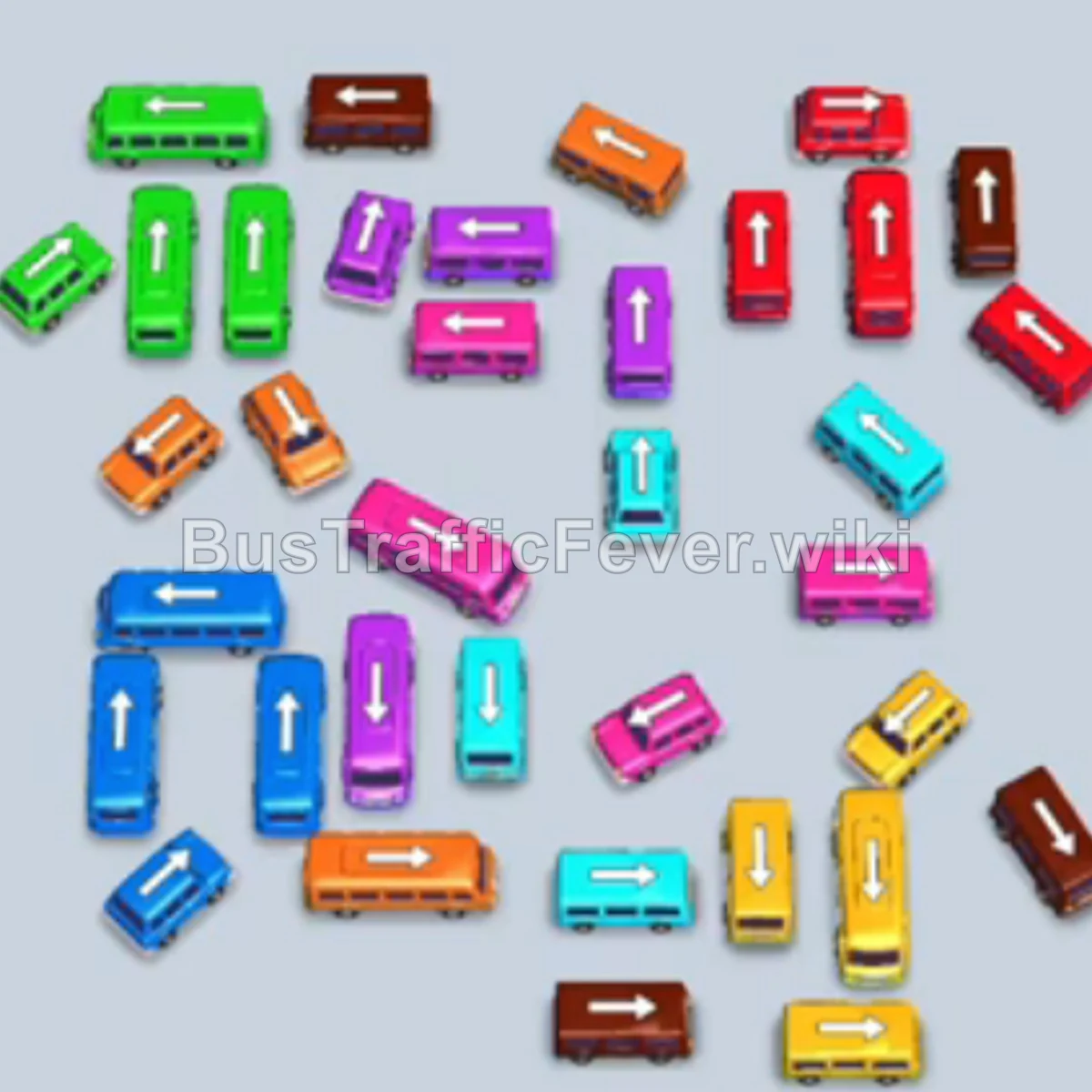
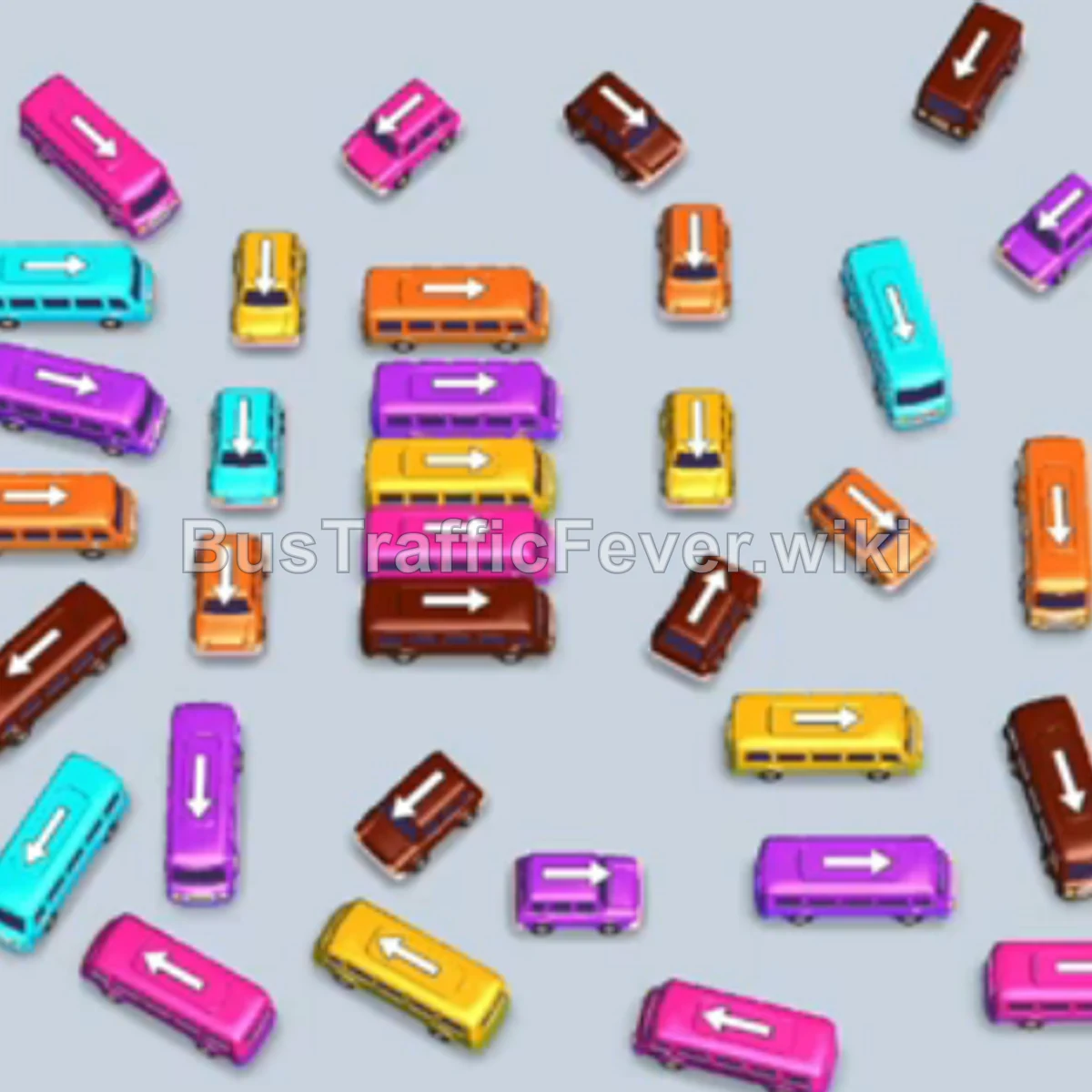
Level 291 features a tightly packed parking grid containing vehicles of varying sizes (small 10-capacity buses, standard 20-capacity buses, and large 40-capacity buses) feeding a dual-loop passenger queue. The central difficulty lies in managing the 5 waiting bays so they do not become completely clogged by large-capacity buses that cannot fill immediately. The winning strategy relies on sending out quick 10- and 20-capacity vehicles that align directly with the front passengers of both conveyor loops, rapidly clearing congested lanes and ensuring high-capacity vehicles (like the 40-capacity pink and orange buses) only sit in bays when ample slots remain open.
Step-by-step solution
Phase 1: Opening the Jam and First Passenger Waves
- Tap the large horizontal pink bus (capacity 40) on the mid-left side. It moves to bay 1 and partially loads with pink passengers.
- Tap the horizontal brown bus (capacity 20) in the center. It enters bay 2, fills with brown passengers, and departs.
- Tap the vertical yellow bus (capacity 20) in the center. It moves to bay 2.
- Tap the small vertical brown bus (capacity 10) directly below the center yellow bus. It moves to bay 3, loads brown passengers, and drives away.
- Tap the small horizontal yellow bus (capacity 10) in the center-right area. It enters bay 4, fills immediately, and leaves.
- Tap the vertical yellow bus (capacity 20) in the upper-right section. It enters bay 5, loads yellow passengers, and departs.
- Tap the small horizontal cyan bus (capacity 10) in the mid-right area. It enters bay 5, collects cyan passengers, and leaves.
- Tap the vertical pink bus (capacity 20) along the far left edge. It moves to bay 2; pink passengers finish filling the bus in bay 1 (which departs) and continue onto this one.
- Tap the horizontal cyan bus (capacity 20) at the top center-right. It moves to bay 1, absorbs cyan passengers, and departs.
- Tap the horizontal brown bus (capacity 20) at the top center. It takes bay 2, loads brown passengers, and departs.
Phase 2: Clearing Upper Vehicles and Mid-Level Queue
- Tap the small vertical cyan bus (capacity 10) in the top-right corner. It moves to bay 1, loads cyan passengers, and departs.
- Tap the vertical brown bus (capacity 20) in the lower-center area. It enters bay 2, loads brown passengers, and drives away.
- Tap the vertical yellow bus (capacity 20) at the top center-left. It enters bay 3, loads yellow passengers, and departs.
- Tap the vertical pink bus (capacity 20) in the top-left corner. It enters bay 1, fills with pink passengers, and departs.
- Tap the small vertical cyan bus (capacity 10) on the lower-left side. It enters bay 2 to wait for upcoming cyan passengers.
- Tap the small horizontal yellow bus (capacity 10) in the center-left. It enters bay 3, loads yellow passengers, and departs.
- Once cyan passengers board the bus in bay 2 and it departs, tap the vertical brown bus (capacity 20) in the lower center-right. It moves to bay 3, fills with brown passengers, and departs.
Phase 3: Staging the Orange Bus and Clearing Middle Congestion
- Tap the large horizontal orange bus (capacity 40) in the center. It occupies bay 1 to stage for approaching orange passengers.
- Tap the vertical pink bus (capacity 20) in the mid-right area. It moves to bay 2.
- Tap the horizontal cyan bus (capacity 20) in the center-right. It moves to bay 3, collects cyan passengers, and departs.
- Tap the horizontal pink bus (capacity 20) in the lower-center area. It moves to bay 4. Pink passengers finish filling bay 2 (which departs) and start loading bay 4.
- Tap the small vertical brown bus (capacity 10) in the lower left-center. It enters bay 3, loads brown passengers, and departs.
- Tap the small horizontal yellow bus (capacity 10) in the lower-right area. It enters bay 2.
- Tap the small horizontal cyan bus (capacity 10) in the lower-right corner. It moves into bay 3, fills with cyan passengers, and departs.
- Tap the small horizontal yellow bus (capacity 10) in the center. It enters bay 4; yellow passengers load both yellow buses in bays 2 and 4, and both depart.
- Tap the horizontal pink bus (capacity 20) on the lower-right edge. It moves to bay 2, fills with pink passengers, and departs. Orange passengers then completely fill the large orange bus in bay 1, which drives away.
Phase 4: Final Board Clear and Remaining Queues
- Tap the large horizontal yellow bus (capacity 40) in the upper-left corner. It moves to bay 1 and begins loading yellow passengers.
- Tap the horizontal brown bus (capacity 20) directly below the upper-left yellow bus. It moves to bay 2, loads brown passengers, and departs.
- Tap the small vertical pink bus (capacity 10) on the mid-left side. It enters bay 2, fills with pink passengers, and departs.
- Yellow passengers finish filling the yellow bus in bay 1, allowing it to depart.
- Tap the horizontal brown bus (capacity 20) on the mid-left side. It moves to bay 1, loads brown passengers, and departs.
- Tap the large vertical yellow bus (capacity 40) in the center. It enters bay 2 and partially loads.
- Tap the horizontal pink bus (capacity 20) in the center. It moves to bay 3, fills with pink passengers, and departs. Yellow passengers then finish boarding the bus in bay 2, which drives away.
- Tap the horizontal yellow bus (capacity 20) in the middle-left area. It moves into bay 1.
- Tap the horizontal pink bus (capacity 20) in the bottom-left corner. It enters bay 2.
- Tap the horizontal brown bus (capacity 20) in the lower-center area. It enters bay 3. Yellow, pink, and brown passengers load sequentially into bays 1, 2, and 3, clearing all three buses.
- Tap the vertical brown bus (capacity 20) in the center-right. It moves to bay 1, fills with brown passengers, and departs.
- Tap the horizontal cyan bus (capacity 20) in the lower-left area. It enters bay 2.
- Tap the horizontal yellow bus (capacity 20) in the lower-center area. It enters bay 3. Cyan and yellow passengers board bays 2 and 3, and both depart.
- Tap the small vertical cyan bus (capacity 10) in the bottom-right corner. It moves to bay 1.
- Tap the small vertical yellow bus (capacity 10) in the center. It enters bay 2, loads yellow passengers, and departs. Cyan passengers then board bay 1, which departs.
- Tap the small vertical brown bus (capacity 10) in the bottom-right area. It enters bay 2, loads brown passengers, and departs.
- Tap the large horizontal pink bus (capacity 40) in the bottom-center. It moves to bay 3, absorbs all remaining pink passengers, and departs.
- Tap the small horizontal orange bus (capacity 10) in the bottom-left corner. It enters bay 1, collects the final orange passengers, and finishes the level.
Tips for success
- Buffer high-capacity buses carefully: The 40-capacity buses (pink, orange, yellow) require multiple passenger groups to fill. Only place them in a bay when at least 3 other slots are free or rapidly rotating.
- Prioritize 10-passenger buses to clear paths: Small buses take only 10 passengers and clear out almost instantly, making them ideal tools for unblocking key lanes without clogging parking slots.
- Observe both queue tracks: Passengers flow from both the left and right loops simultaneously. Always check the incoming color on both sides before deciding which bus to send into the bays next.
More Bus Traffic Fever help
Continue with the Level 290 walkthrough, review the core rules in how to play Bus Traffic Fever, or browse all level solutions to jump to another number.