Bus Traffic Fever Level 2 Answer & Walkthrough Solution

This board introduces moving buses around the grid to reveal the color you need.
Quick answer
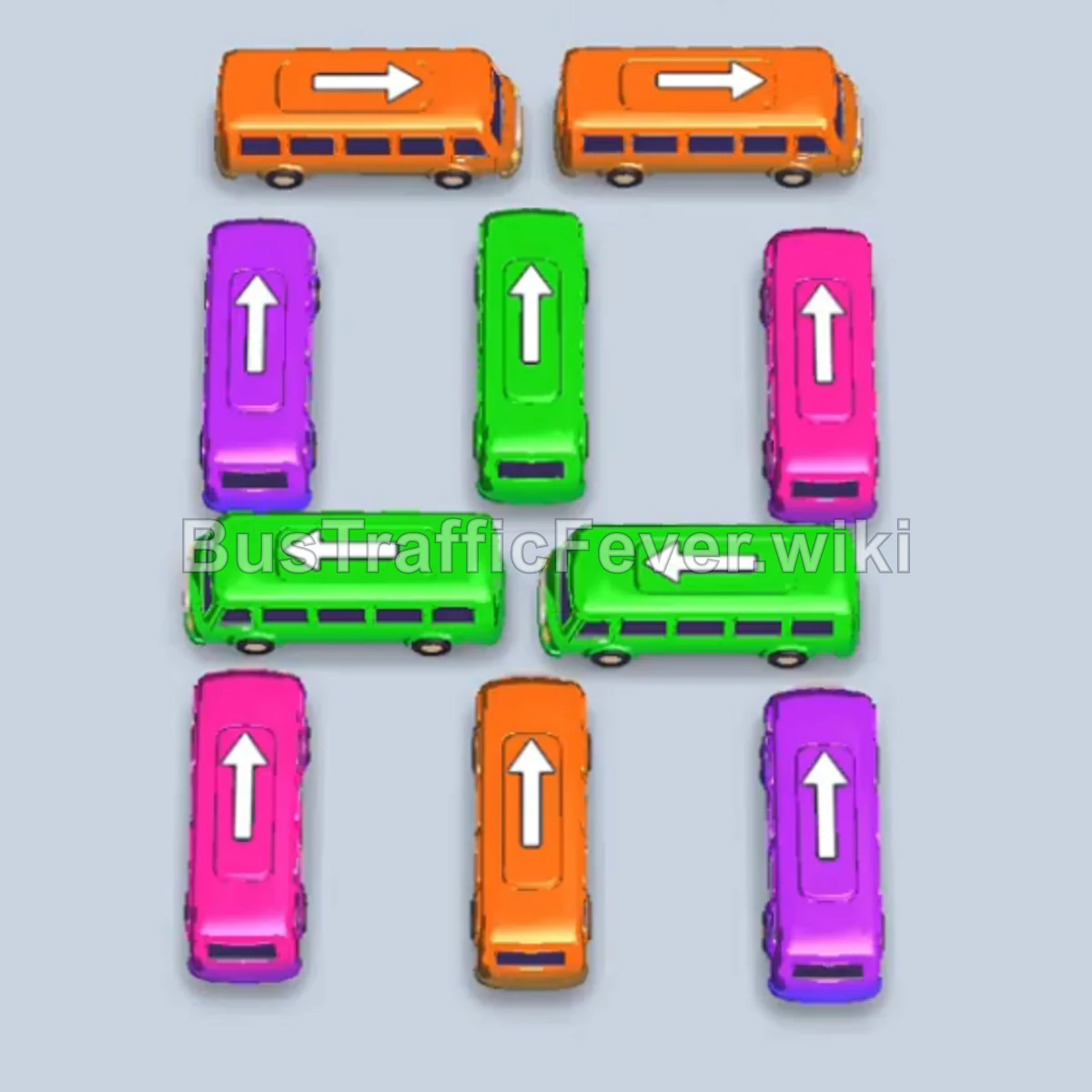
Clear the orange pair on top, move purple aside to reveal green, clear all three green buses, then finish the purple and orange buses as their passengers reach the front.
Step-by-step solution
- Clear the top row: Tap the orange bus at the top, then the orange bus beside it.
- Make room for green: Move the purple bus into an empty slot to uncover the green bus.
- Match the green line: Tap the three green buses one at a time to clear the green passengers.
- Clean up the board: Dispatch the remaining purple and orange buses as their matching passengers arrive at the front of the line.
Use an empty slot only when it reveals a bus that matches the current passenger line. Moving a bus merely because it is available can waste space, so make sure the move opens a route or color you need.
If your Level 2 board looks different
If an update changes the layout, keep the same plan: clear the top blocking layer, use an empty slot to expose a needed color, then match the front passenger line before moving on.
More Bus Traffic Fever help
Review the Level 1 walkthrough, continue to Level 3, read how to play Bus Traffic Fever, use these tips and tricks, or browse all level solutions.