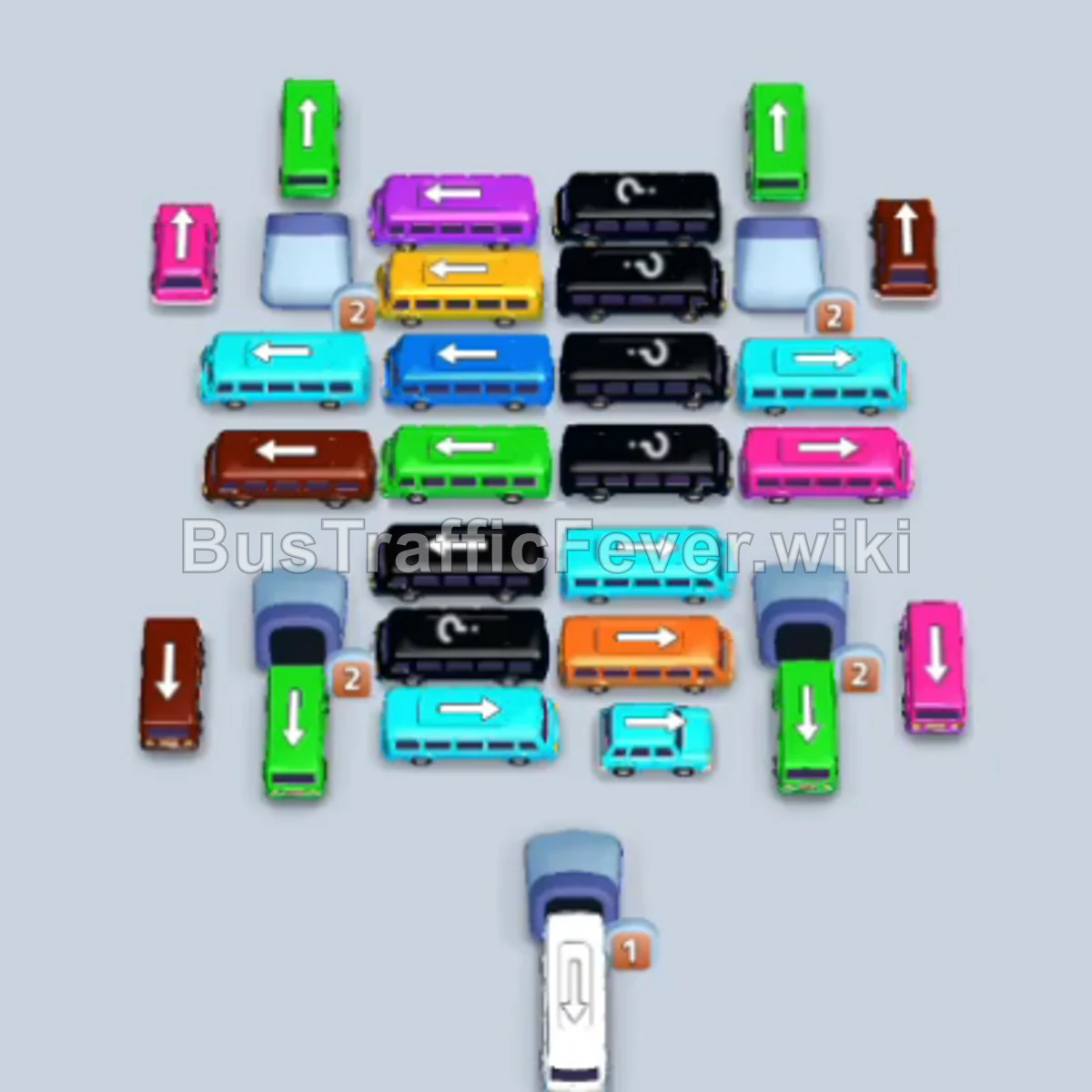
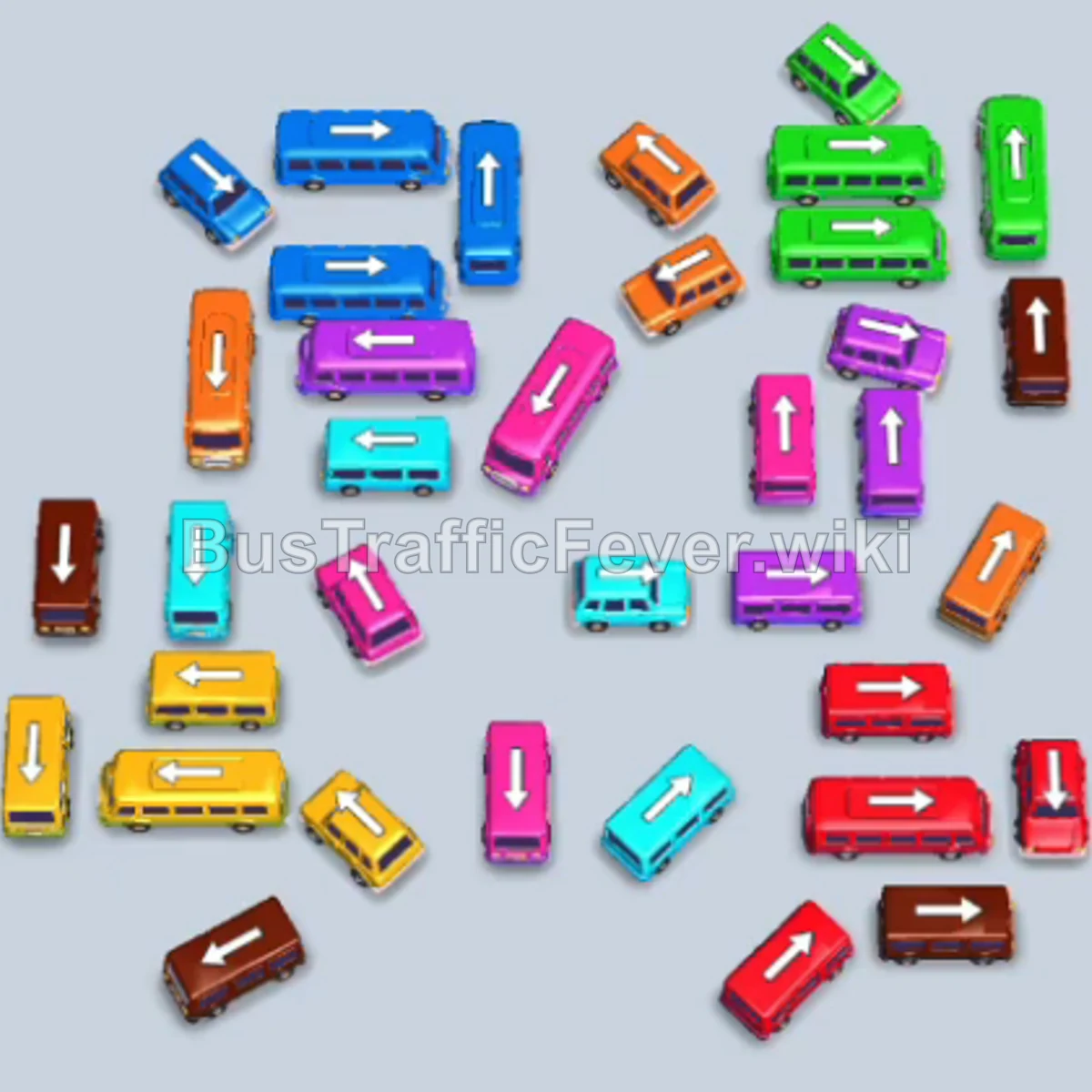
Bus Traffic Fever Level 260 Answer & Walkthrough Solution

Quick answer
To complete Level 260, open up the crowded grid by launching the top-layer perimeter vehicles first (Brown, Yellow, and Cyan). Match vehicles in pairs according to the conveyor track’s color sequence so they board passengers simultaneously and keep the 5 bays circulating without causing gridlock.
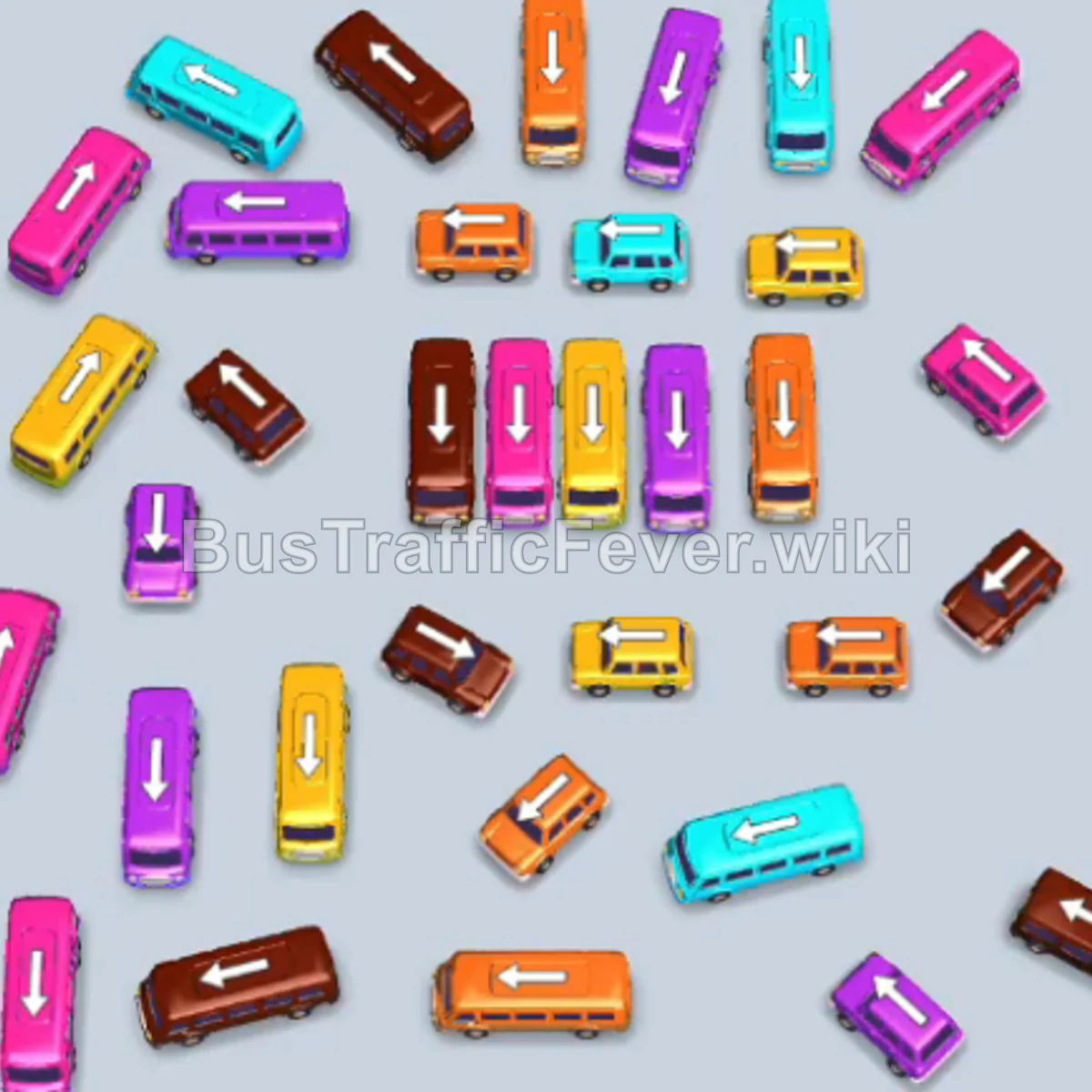
Step-by-step solution
Phase 1: Opening the Perimeter and Initial Waves
- Tap the vertical Brown bus at the upper left. It occupies a loading bay.
- Tap the small vertical Brown bus at the top middle. Brown passengers begin boarding both Brown vehicles.
- Tap the vertical Yellow bus at the upper right-center.
- Tap the small vertical Cyan bus at the top right.
- Tap the vertical Cyan bus at the far upper right.
- The Brown vehicles finish boarding and depart, followed immediately by the Yellow bus and Cyan vehicles.
- Tap the horizontal Yellow bus in the lower-middle area. It enters an open bay.
- Tap the small Pink bus on the upper right.
- Tap the horizontal Pink bus on the middle right. Pink passengers board and both depart.
- Tap the horizontal Orange bus at the bottom center. Orange passengers board immediately and it leaves.
Phase 2: Unblocking the Center Grid
- Tap the vertical Brown bus in the center.
- Tap the vertical Brown bus right next to it. Brown passengers board both vehicles and they depart.
- Tap the vertical Yellow bus in the middle right to prepare for the next yellow group.
- Tap the horizontal Cyan bus at the lower right.
- Tap the horizontal Cyan bus directly beneath it. Cyan passengers board and both clear.
- Tap the vertical Pink bus on the center-left. Pink passengers board and it leaves.
- Tap the vertical Purple bus in the center. Purple passengers board and it departs.
- Tap the horizontal Brown bus in the center.
- Tap the horizontal Brown bus in the lower middle. Both fill with brown passengers and leave.
- Tap the horizontal Yellow bus on the lower left. Yellow passengers board both yellow vehicles and they depart.
Phase 3: Dismantling the Left and Inner Clusters
- Tap the horizontal Pink bus on the middle left.
- Tap the vertical Pink bus at the upper left. Pink passengers board and both clear out.
- Tap the horizontal Cyan bus in the upper-middle area.
- Tap the small Cyan bus in the middle. Cyan passengers board and both leave.
- Tap the horizontal Brown bus at the top left. Brown passengers board and it departs.
- Tap the vertical Purple bus in the center.
- Tap the horizontal Pink bus on the middle left. It quickly fills with pink passengers and leaves.
- Tap the vertical Cyan bus on the far left edge.
- Tap the vertical Cyan bus next to it.
- Tap the vertical Purple bus in the center. The waiting purple passengers fill both Purple vehicles and they clear.
- The Cyan passengers then board and clear the two waiting Cyan vehicles.
Phase 4: Final Sequence and Cleanup
- Tap the horizontal Orange bus in the center. Orange passengers board and it drives off.
- Tap the horizontal Yellow bus in the center.
- Tap the vertical Yellow bus on the left. Yellow passengers board both vehicles and they leave.
- Tap the vertical Brown bus on the left.
- Tap the vertical Brown bus in the center. Brown passengers board and clear both.
- Tap the small Purple bus at the lower left.
- Tap the small Pink bus on the center-right.
- Tap the vertical Pink bus at the bottom left. Purple passengers fill the Purple bus, then Pink passengers fill both Pink vehicles.
- Tap the horizontal Yellow bus at the bottom. Yellow passengers board and it leaves.
- Tap the vertical Cyan bus on the middle right and the Cyan bus on the far right. Both board cyan passengers and clear.
- Tap the vertical Purple bus and Purple bus at the lower right. Purple passengers board and both leave.
- Tap the vertical Orange bus in the center. Orange passengers board and it departs.
- Tap the horizontal Brown bus at the bottom and the vertical Brown bus in the center to board the final brown passengers.
- Tap the remaining vertical Pink bus and small Pink bus on the right. Pink passengers board and they depart.
- Finally, tap the last two horizontal and vertical Pink buses at the bottom. The final group of pink passengers boards, clearing the board and completing Level 260 with a Perfect! score.
Tips for success
- Look at the Queue Loop: Before releasing a vehicle, verify that its passenger color is within the front section of the conveyor loop.
- Match in Pairs: Almost every color segment arrives in numbers large enough to fill a bus and a bus. Releasing both at the same time keeps bays clear and clears passengers in half the time.
- Save Bays for Blockers: Never let all 5 bays become filled with vehicles waiting for future passengers; keep at least 1 or 2 bays cycling constantly to avoid gridlock.
More Bus Traffic Fever help
Continue with the Level 259 walkthrough, review the core rules in how to play Bus Traffic Fever, or browse all level solutions to jump to another number.