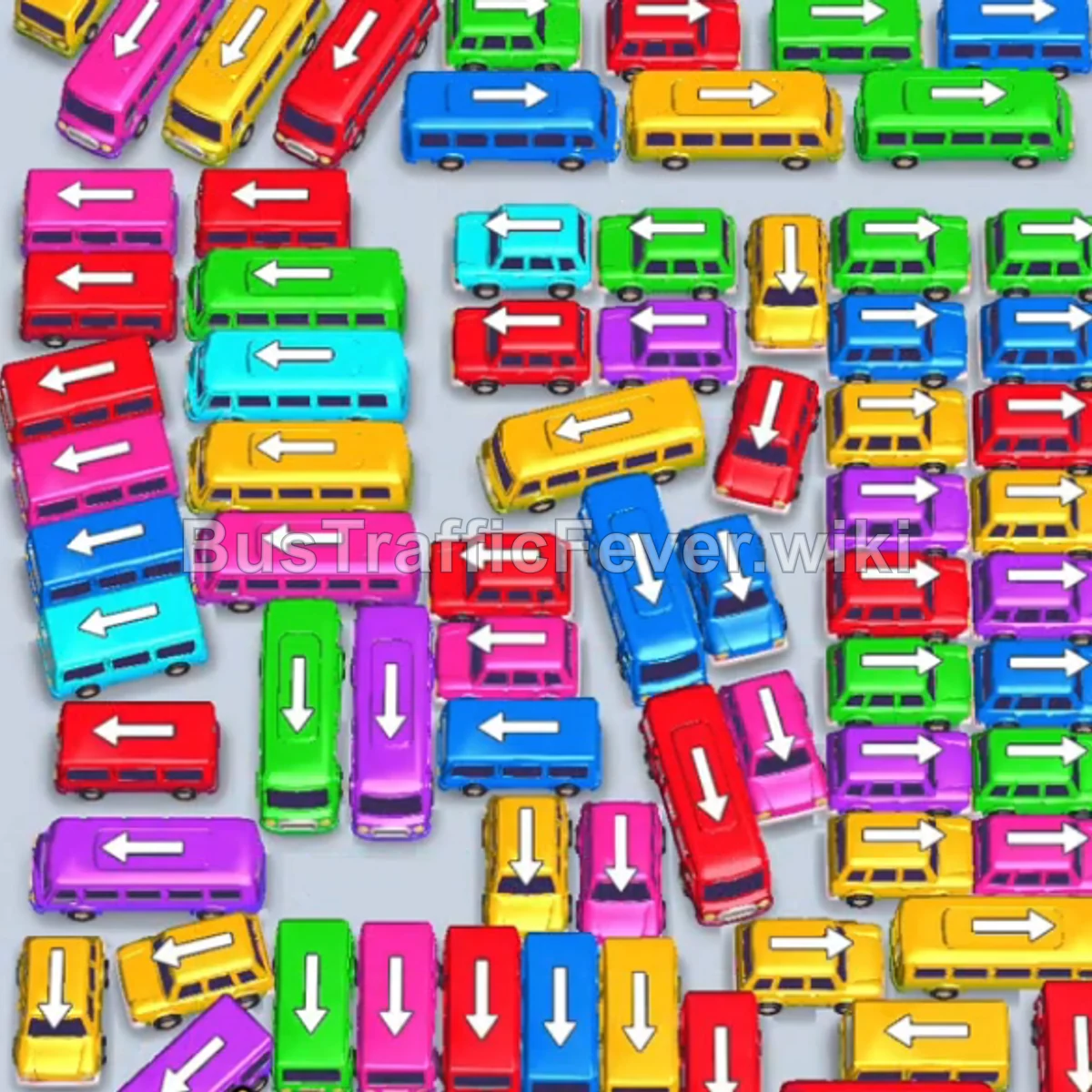
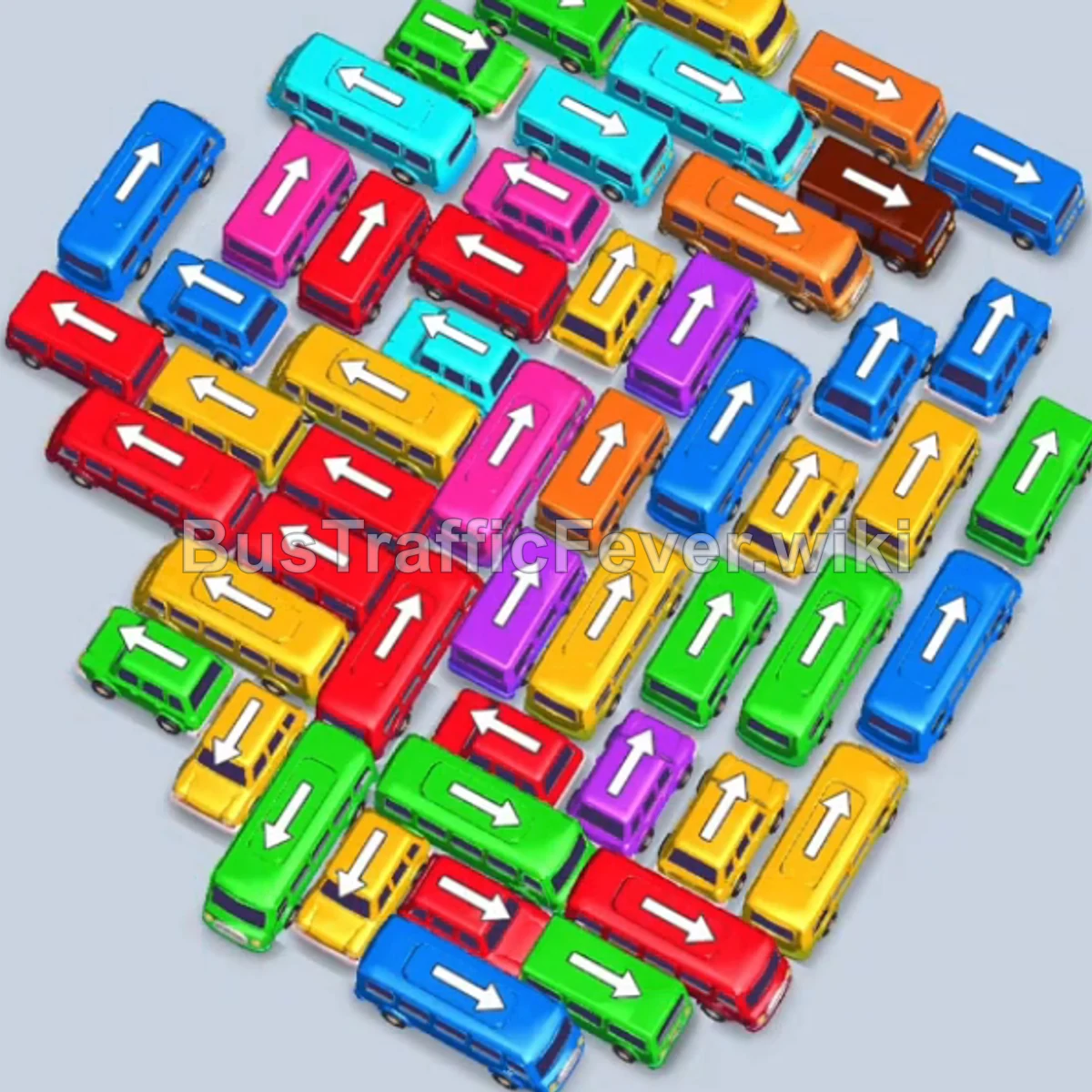
Bus Traffic Fever Level 45 Answer & Walkthrough Solution

Quick answer
Tap the Cyan bus on the upper-left with the clear exit facing left. Cyan passengers board and clear the bus. Tap the large Cyan bus pointing upward on the left side to pick up the long line of cyan passengers.
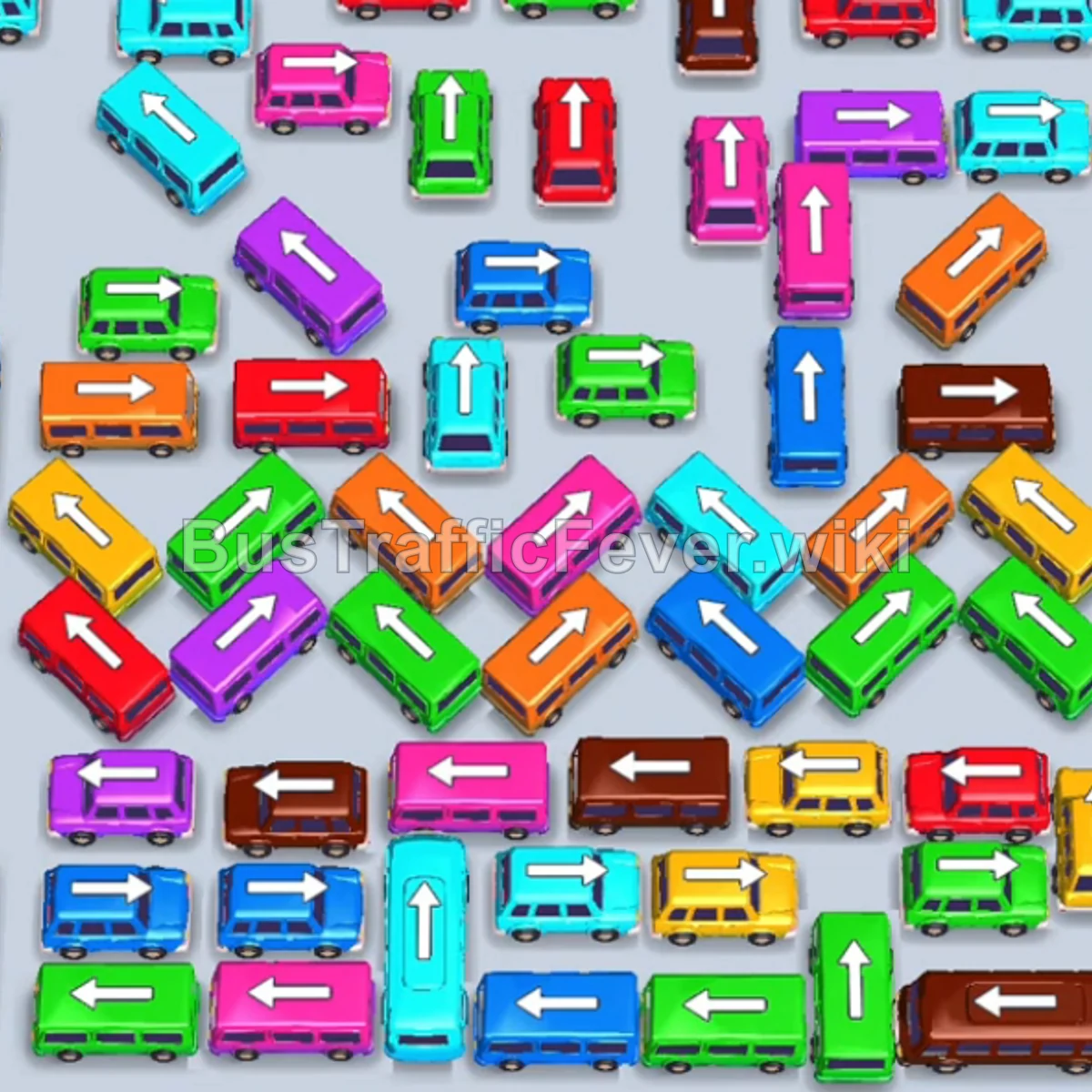
Step-by-step solution
Phase 1: Opening the Upper Rows
- Tap the Cyan bus on the upper-left with the clear exit facing left. Cyan passengers board and clear the bus.
- Tap the large Cyan bus pointing upward on the left side to pick up the long line of cyan passengers.
- Tap the Red bus at the top-left pointing up to clear red passengers.
- Tap the Yellow bus on the far-left pointing straight up. It enters a parking slot and collects yellow passengers.
- Tap the Blue bus near the upper-left facing right to collect blue passengers.
- Tap the Green bus on the upper-left edge facing up-left to board green passengers.
- Tap the Purple bus near the top-right facing right into an open parking slot.
- Tap the Green bus in the upper-center to complete boarding the green group.
- Tap the Cyan bus in the upper area to board cyan passengers.
Phase 2: Clearing the Brown and Pink Clusters
- Tap the Brown bus in the upper-middle area to collect the incoming brown queue.
- Tap the Light Blue bus on the upper-right into a slot to pick up light blue passengers.
- Tap the Red bus near the top-center to clear red passengers.
- Tap the Light Blue bus to finish the light blue group.
- Tap the Pink bus at the top-left to clear the pink passenger line.
- Tap the Brown buses consecutively from the top and middle rows (tapping 3 brown buses) to clear the large brown passenger wave.
- Tap the large Brown bus in the lower-left to completely clear the remaining brown passengers.
- Tap the Orange bus in the upper section to board orange passengers.
- Tap the Dark Blue bus on the lower-left to pick up dark blue passengers.
Phase 3: Untangling the Middle Grid
- Tap the Red bus near the center facing up to board red passengers.
- Tap the Pink bus from the left center to clear pink passengers.
- Tap the Green bus and Red bus freed up in the center to pick up their respective passengers.
- Tap the Yellow bus and Orange bus from the middle rows to board incoming yellow and orange passengers.
- Tap the Purple bus from the top-left area to clear purple passengers.
- Tap the Light Blue bus and Pink bus from the upper-middle section.
- Tap the Brown bus and Red bus exposed in the middle grid.
- Tap the Pink bus and series of Green vehicles (bus and buses) to clear the heavy green passenger queue.
- Tap the Orange bus and Yellow buses in the center row to board their respective waiting groups.
Phase 4: Final Sequence and Cleanup
- Tap the Dark Blue bus on the left to absorb the blue passenger line.
- Tap the Red bus at the bottom-left edge to clear red passengers.
- Tap the Cyan bus and Green buses on the right side.
- Tap the Pink bus to finish off the remaining pink passengers.
- Tap the Light Blue bus from the bottom-left to pick up light blue passengers.
- Tap the remaining Green, Brown, and Orange vehicles as their paths open up.
- Tap the final Blue bus on the bottom right to pick up the last group of blue passengers and complete the level!
Tips for success
- Observe the Queue: Always check the oncoming passenger colors along the looped track to plan your next 2–3 moves in advance.
- Prioritize Unblocking Arrows: Focus on moving buses that have clear directional arrows so you unlock vehicles trapped deeper in the pile.
- Slot Management: Keep at least 2 parking slots open whenever possible to prevent gridlock while waiting for matching passengers to arrive.
More Bus Traffic Fever help
Continue with the Level 44 walkthrough, review the core rules in how to play Bus Traffic Fever, or browse all level solutions to jump to another number.