Bus Traffic Fever Level 180 Answer & Walkthrough Solution

Quick answer
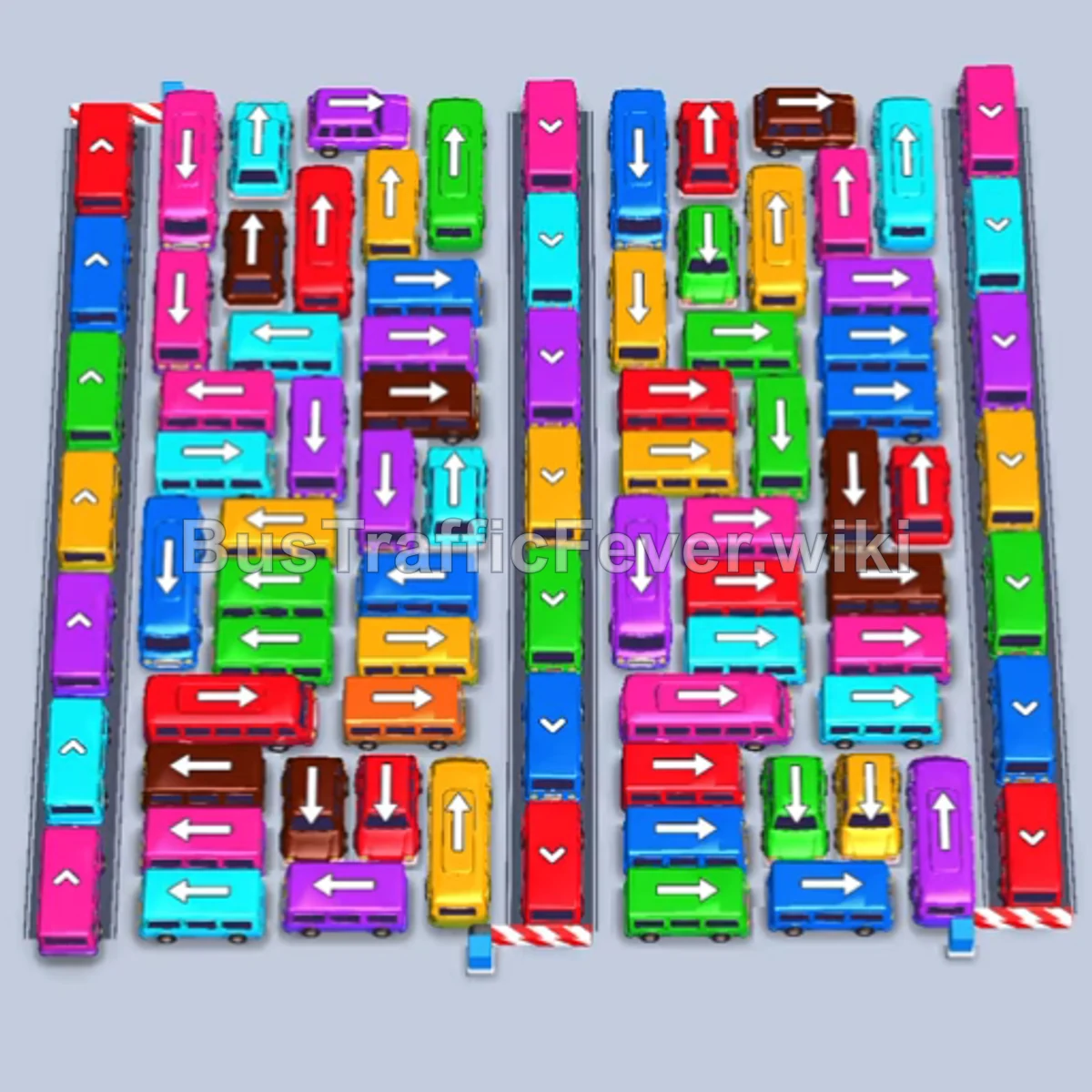
Level 180 presents a dense, intricate parking grid surrounded by perimeter vehicles pointing in outward escape directions. The key to clearing this level is immediately unleashing the outer perimeter vehicles (specifically the downward Orange bus on the far left and the upward Red bus at the top left) to handle the initial Red and Orange passenger surges. After that, systematically rotate high-capacity buses with quick-turnaround 4- to 8-passenger buses through the 5 parking bays, freeing up the bottom diagonal exit lanes early.
Step-by-step solution
Phase 1: Unlocking the Outer Perimeter & Clearing Initial Surges
- Tap the Red bus at the top left pointing upward. It enters bay 1 and begins boarding the front-line red passengers.
- Tap the Orange bus (40 capacity) on the far left pointing downward. It loops out to bay 2, collects the orange queue, and departs quickly.
- Tap the Green bus (40 capacity) from the top-middle area to absorb incoming green passengers.
- The red queue finishes boarding the Red bus, clearing bay 1.
- Tap the Yellow bus from the upper-left grid into an open bay to collect incoming yellow passengers.
- Tap the small Red bus and small Purple bus from the upper-right section into the bays. Red and purple passengers board, clearing both vehicles immediately.
- Tap the large Yellow bus (40 capacity) from the center-top to absorb the next heavy yellow crowd.
Phase 2: Clearing Upper/Middle Congestion & Transitioning Queues
- Tap the Orange bus from the upper section to board the next group of orange passengers.
- Tap the small Green bus from the far right edge; green passengers board and it exits.
- Tap the small Purple bus and small Red bus from the upper-center grid to clear short queues and free up slots.
- Tap the Yellow bus and Purple bus as the queue transitions to yellow and purple.
- Tap the Purple bus (40 capacity) from the upper-left to absorb the major purple wave.
- Tap the Yellow bus and Green bus on the left side to collect yellow and green travelers.
- Tap the Red bus pointing upward to clear out the red passenger rush.
- Tap the Blue bus (38 capacity) from the center grid to handle incoming blue passengers.
Phase 3: Dismantling the Core Grid & Freeing Lower Lanes
- Tap the Orange bus and Purple bus from the center to cycle through the middle queue.
- Tap the Green bus (40 capacity) and Orange bus to keep bays rotating smoothly.
- Tap the Yellow bus and small Yellow bus from the center-right to absorb the next yellow group.
- Tap the Green bus (32 capacity) to collect the heavy green wave.
- Tap the Orange bus, Red bus, and Green bus from the mid-grid as their respective colors appear at the front of the queue.
- Tap the Red bus, Orange bus (40 capacity), and Blue bus to maintain clearance.
- Tap the Purple bus (40 capacity) and Yellow bus (40 capacity) from the center to clear large color blocks.
- Tap the Cyan bus pointing upward to begin opening the cyan passenger flow.
Phase 4: Clearing the Corner Vehicles & Final Evacuation
- Tap the Green bus, Red bus, Cyan bus, and Blue bus in quick succession to clean up short lines.
- Tap the Yellow bus and Green bus as the queue cycles through yellow and green.
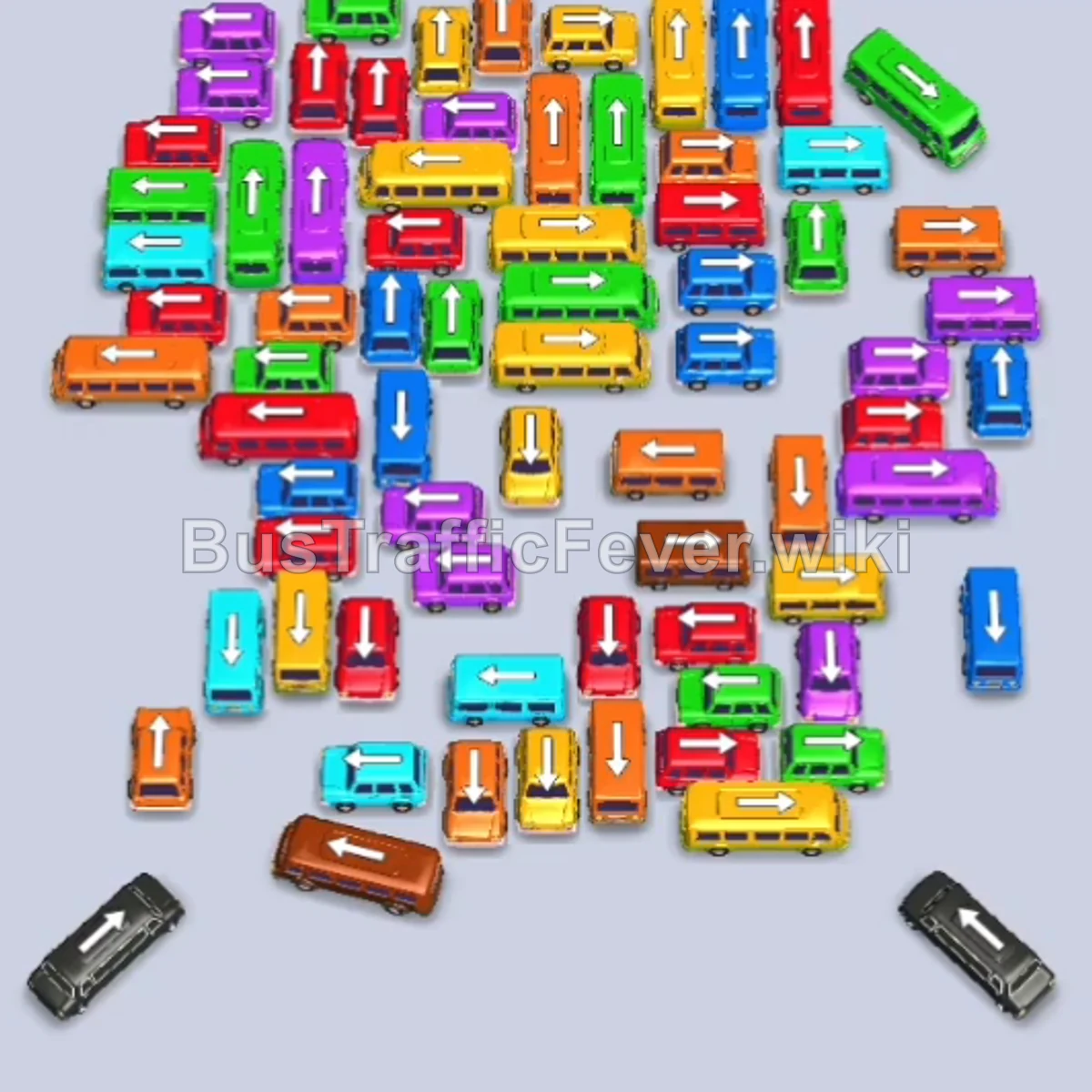
- Tap the Brown bus at the bottom-left diagonal exit to open up the bottom lane.
- Tap the Brown bus (40 capacity), Yellow bus, and Red bus to absorb the incoming brown and red crowds.
- Tap the Black/Grey bus at the bottom-right diagonal exit to clear the dark passenger queue.
- Tap the Blue bus, Green bus, and Purple bus to clear the remaining mid-grid vehicles.
- Tap the remaining Yellow, Blue, Orange, Brown, and Red buses one by one. The final Red bus boards the last passengers and departs to finish the level.
Tips for success
- Free the Diagonal Exits Early: The bottom-left Brown bus and bottom-right Black bus block critical adjacent vehicles from moving down. Tap them as soon as their exit paths and queue positions align.
- Alternate High and Low Capacity: Never place more than two 40-capacity buses in the parking bays at once. Balance high-capacity buses with small 4- to 8-passenger buses that fill and depart quickly, keeping your slots flexible.
- Track the Loop Queue: The passenger queue winds around a continuous looping path. Keep an eye on which colors are coming up next so you never bring a vehicle into a bay whose passengers are stranded far back in line.
More Bus Traffic Fever help
Continue with the Level 179 walkthrough, review the core rules in how to play Bus Traffic Fever, or browse all level solutions to jump to another number.