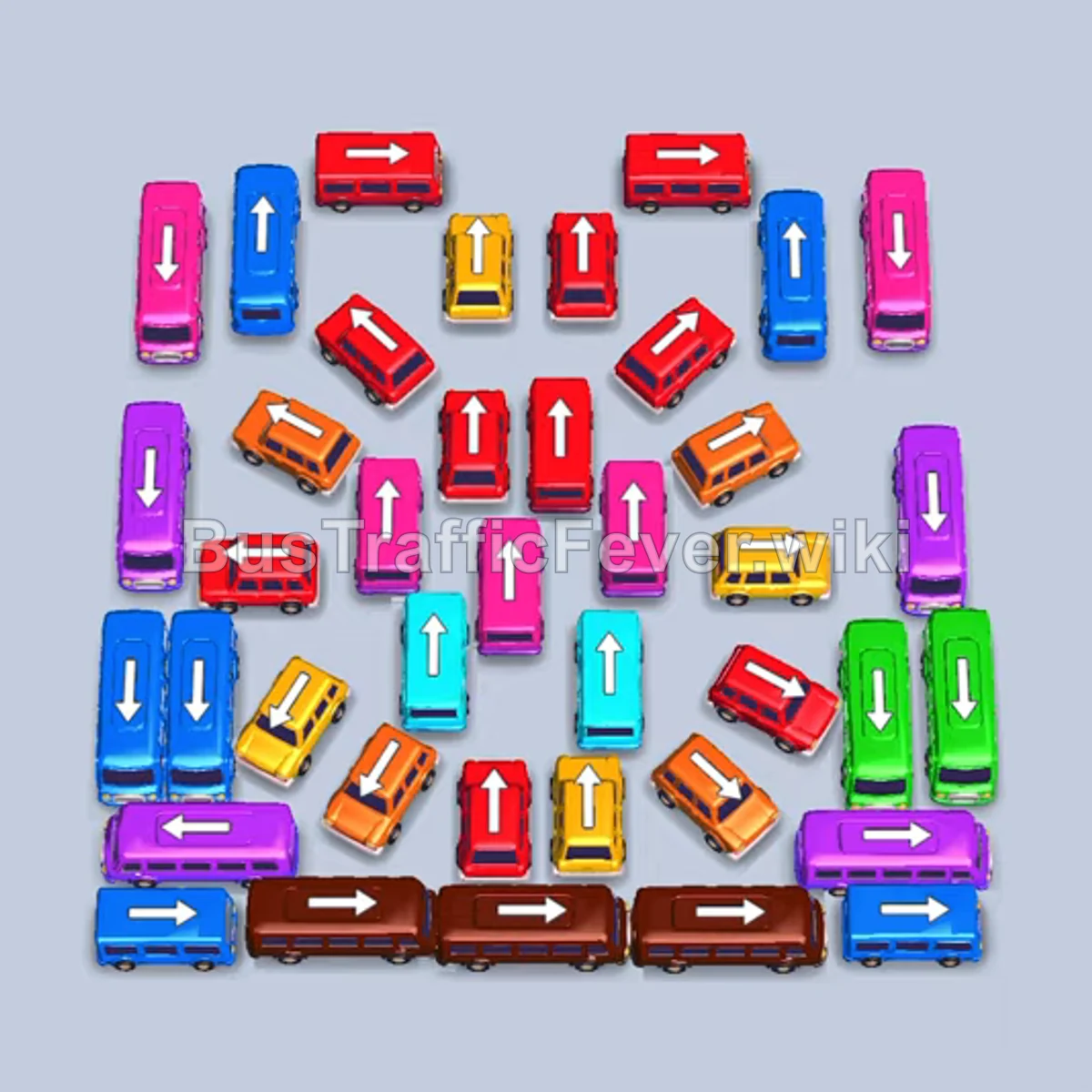
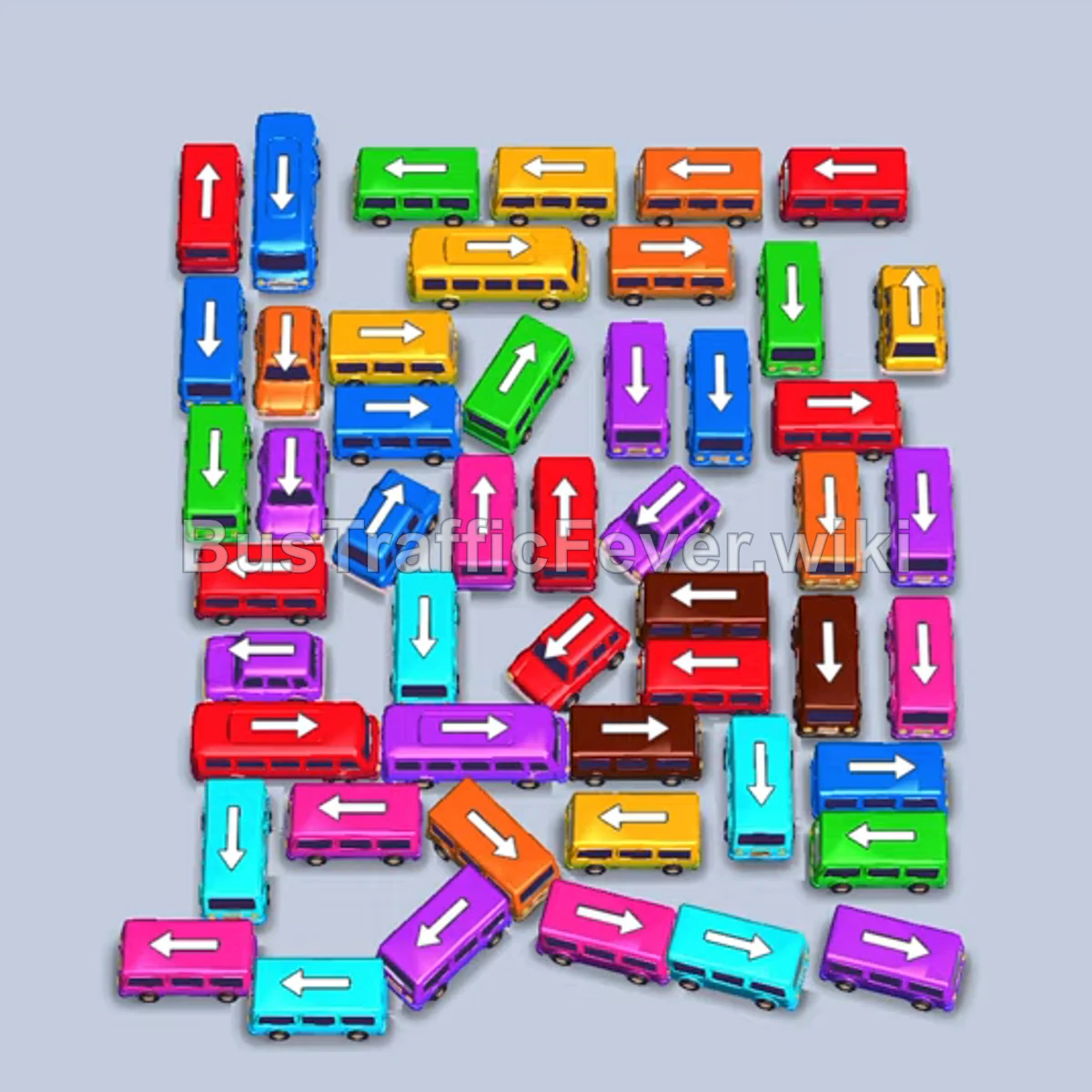
Bus Traffic Fever Level 366 Answer & Walkthrough Solution

Quick answer
Prioritize dispatching smaller edge vehicles and unblocking color-matched buses for the active passenger queue. Balance long buses carefully so they do not jam your parking slots while waiting for their color segments to arrive.
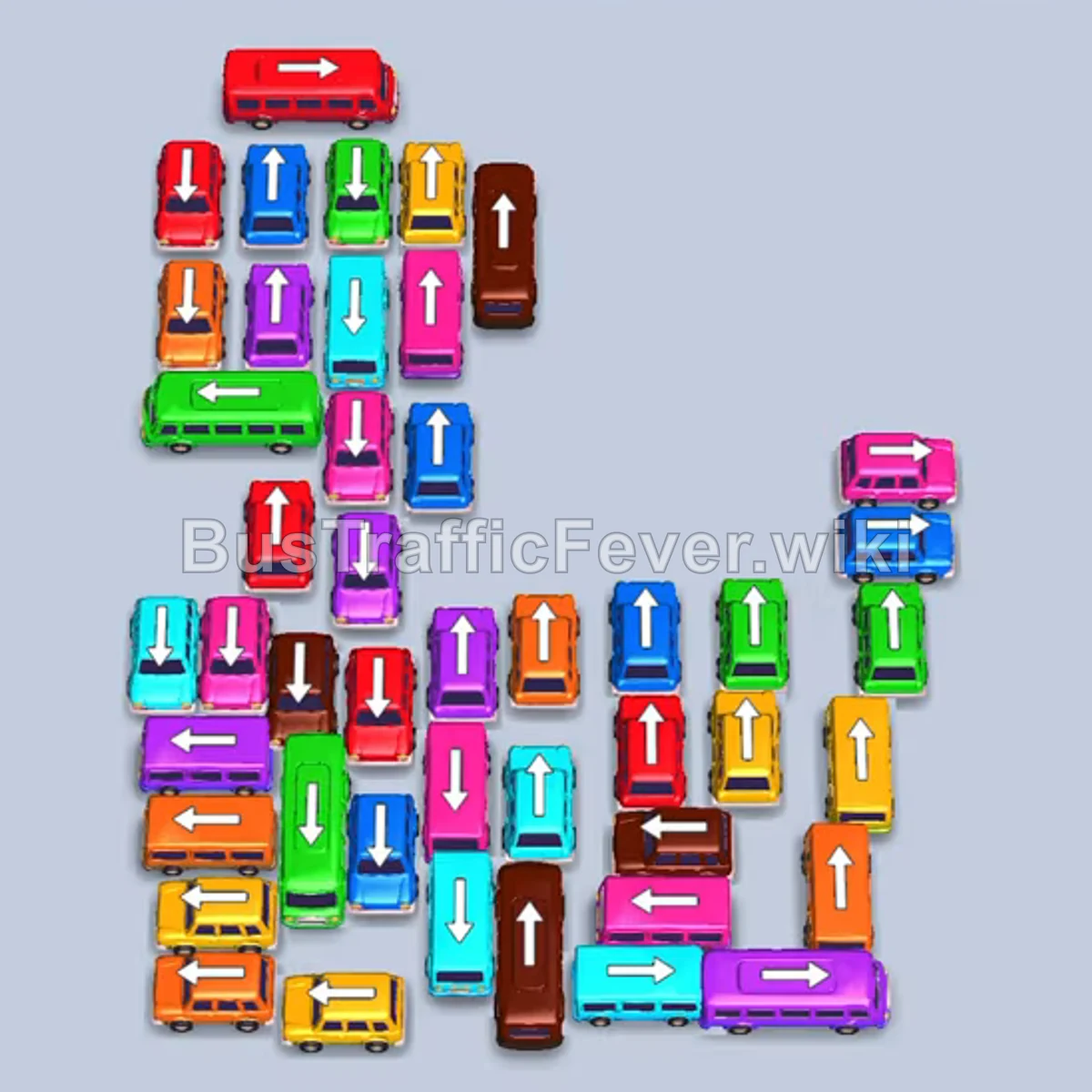
Step-by-step solution
Difficulty: Hard
Phase 1: Clearing Initial Green, Purple, Blue, and Red
- Tap the purple bus facing right on the far-right edge to clear it from the board.
- Tap the green bus near the upper-center to enter the first parking slot.
- Tap the horizontal purple bus below the green bus to enter the second slot.
- Tap the cyan bus facing up in the upper-middle column to enter the third slot.
- Tap the red bus facing left in the upper-left cluster to enter the fourth slot.
- Tap the blue bus facing right on the mid-right edge into the fourth slot once freed.
- Tap the green bus in the upper-middle column to enter the first slot.
- Tap the green bus below it to enter the third slot once clear.
Phase 2: Upper Buses and Cyan Line
- Tap the horizontal red bus at the top into the first slot.
- Tap the blue bus facing up in the center column into the third slot.
- Tap the orange bus facing up in the right column into the fourth slot.
- Tap the horizontal green bus in the upper-left into the first slot.
- Tap the blue bus facing up in the center column into the third slot.
- Tap the vertical brown bus in the upper-right into the first slot.
- Tap the orange bus facing up in the mid-right section into the second slot.
- Tap the pink bus facing right in the mid-right section into the third slot.
- Tap the green bus facing down in the upper-left into the fourth slot.
- Tap the yellow bus facing left at the bottom-left edge to clear it.
- Tap the vertical green bus on the right side into the fourth slot.
Phase 3: Clearing Mid-Level Buses and Brown Queue
- Tap the horizontal orange bus at the lower-left into the fourth slot.
- Tap the vertical cyan bus at the bottom-center into the fourth slot.
- Tap the blue bus facing up in the center into the fourth slot.
- Tap the cyan bus facing left in the lower-right section into the fourth slot.
- Tap the red bus facing left near the bottom-left into the third slot.
- Tap the horizontal pink bus in the lower-right into the third slot.
- Tap the vertical brown bus in the lower-middle into the third slot to complete brown passenger boarding.
- Tap the bottom-left yellow bus facing left to exit off-screen.
- Tap the yellow bus facing up in the lower-middle into the second slot.
- Tap the pink bus facing left in the mid-left column to clear it.
- Tap the remaining yellow buses in the lower area to fill the empty slots.
- Tap the yellow bus at the bottom-left into the first slot.
Phase 4: Center Column Unblocking and Final Buses
- Tap the purple bus facing left in the mid-left column to exit off-screen.
- Tap the cyan bus facing left next to it to exit off-screen.
- Tap the purple bus facing left into the first slot.
- Tap the cyan bus facing left into the second slot.
- Tap the brown bus and pink bus facing left to exit off-screen.
- Tap the brown bus and pink bus facing up into the third and fourth slots.
- Tap the yellow bus facing up in the lower-right into the third slot.
- Tap the yellow bus facing up at the bottom-left into the third slot.
- Tap the horizontal pink bus in the center into the fourth slot.
- Tap the purple bus and two cyan buses from the center into the available slots.
- Tap the red bus facing left to exit off-screen.
- Tap the orange bus and red bus from the bottom-center into slots.
- Tap the purple bus facing left to exit, then send the remaining purple bus and orange bus to board.
- Tap the remaining vertical column of buses in order: red bus, pink bus, cyan bus, and finally the green bus into the slots to finish the level.
Tips for success
- Watch Bus Capacities: The large 40-seat buses require multiple full queues of passengers; keep adjacent slots open for rapid small-bus turnover.
- Exit Lanes Matter: Multiple small buses along the left and right edges drive straight off-screen without consuming parking spaces; tap them immediately when unblocked.
- Single-Lane Clearing: In the final stage, clear the single central vertical column from front to back, waiting for each bus to load and leave before moving the next.
More Bus Traffic Fever help
Continue with the Level 365 walkthrough, review the core rules in how to play Bus Traffic Fever, or browse all level solutions to jump to another number.