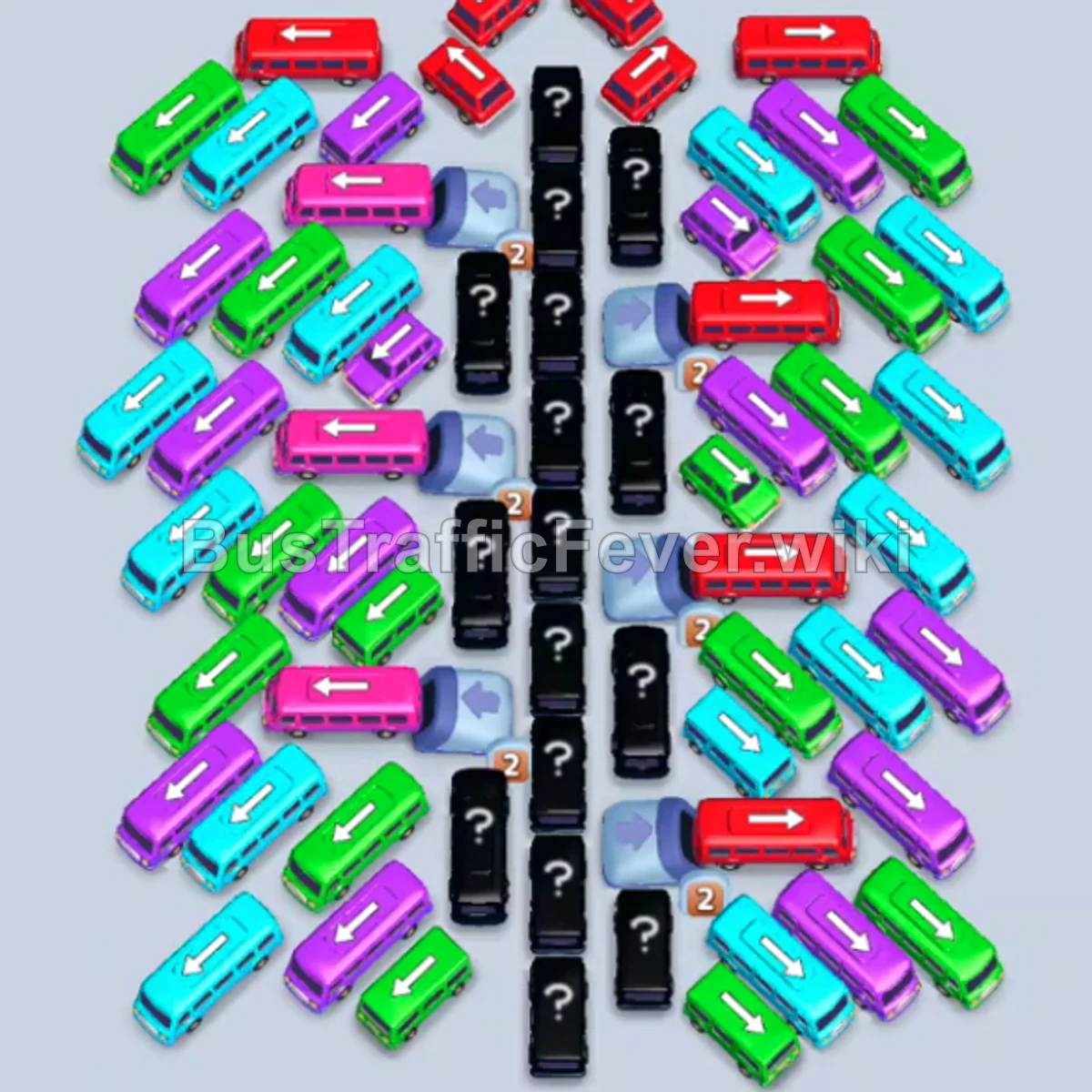
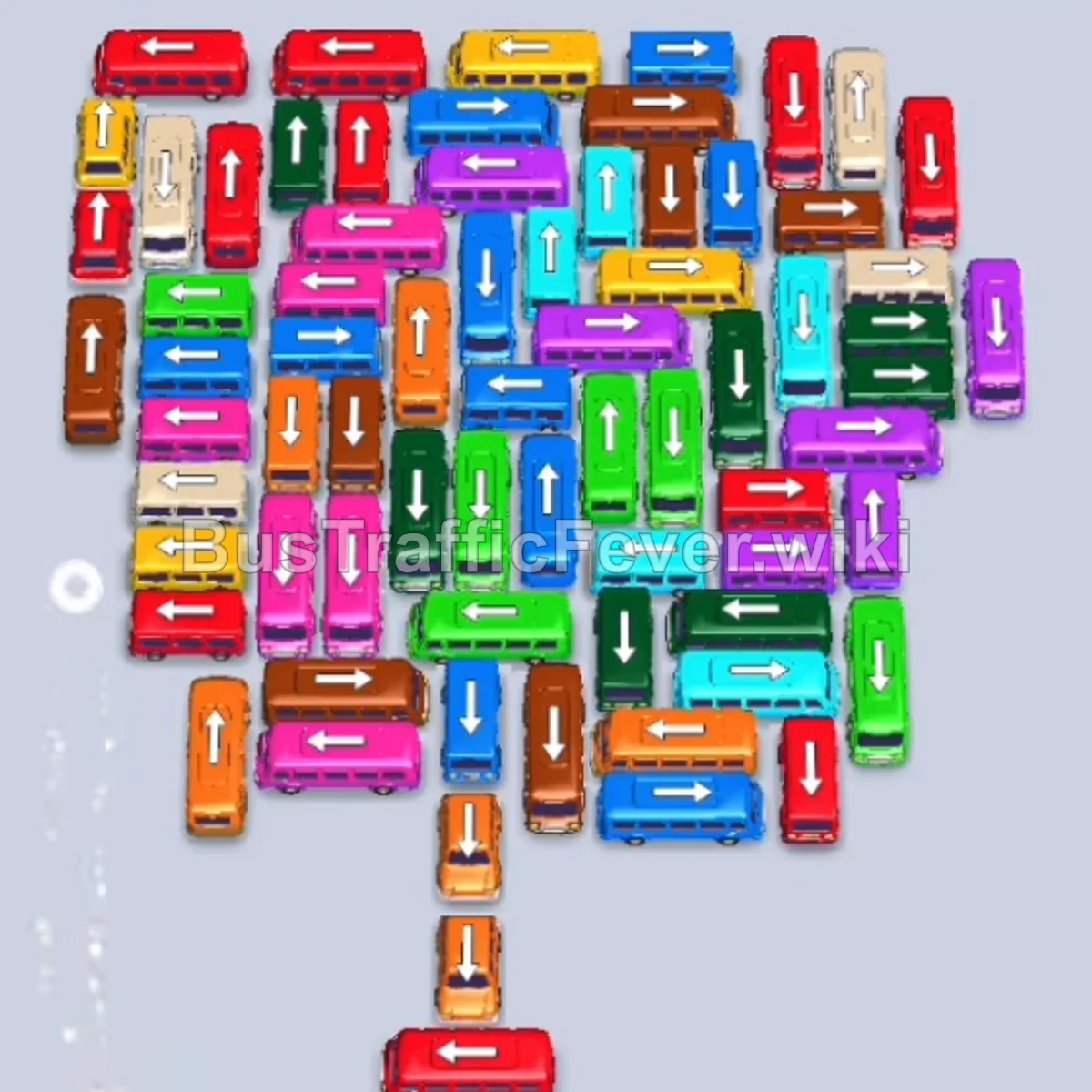
Bus Traffic Fever Level 160 Answer & Walkthrough Solution

Quick answer
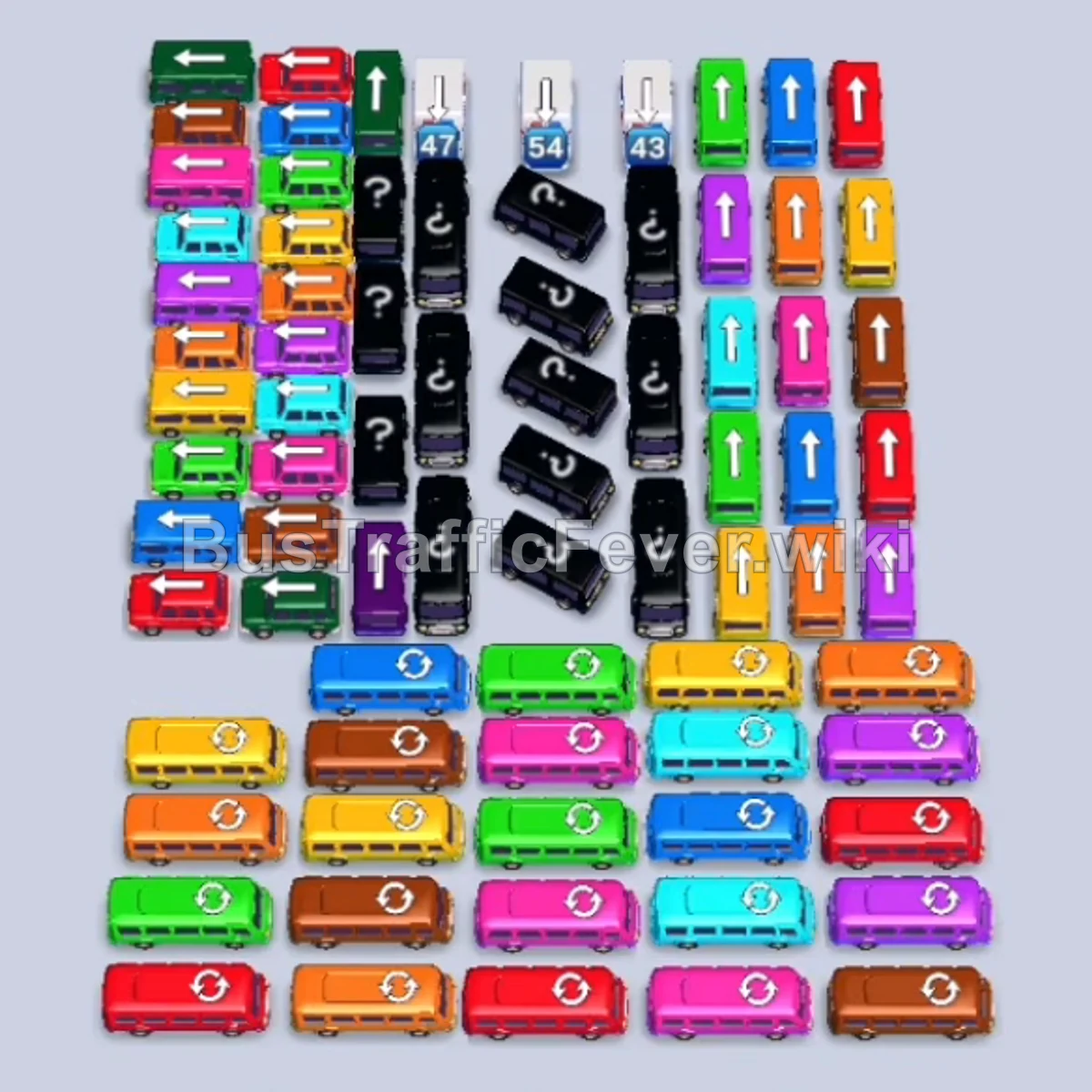
To clear Level 160, focus on opening exits along the edges first so vehicles blocking the center columns can move out freely. Clear the initial Red, Green, and Yellow buses to match the front of the passenger queue, then prioritize unblocking the bottom horizontal rows and side lanes. This exposes the locked black mystery vehicles and allows you to cycle through matching colors without overflowing your 4 active parking slots.
Step-by-step solution
Phase 1: Clearing Initial Outer Vehicles
- Tap the Red Bus in the top-left area facing up (pointing toward the exit). It occupies slot 1 and collects 40 red passengers before departing.
- Tap the Green Bus directly behind the first red bus (facing up). It moves into slot 2 to pick up green passengers.
- Tap the Green Bus on the middle-left edge (facing left). It drives out to fill the remaining green passengers.
- Tap the Orange Bus in the top-left area (facing up). It enters slot 1 and boards orange passengers.
- Tap the Yellow Bus on row 4 (facing left). It enters slot 2.
- Tap the Yellow Bus on row 5 (facing left). It enters slot 3 to absorb the yellow crowd.
- Tap the Purple Bus on row 5 (facing right). It drives out to slot 4 to start collecting purple passengers.
- Tap the Green Bus on row 7 (facing left). It takes an open slot and leaves once full.
Phase 2: Opening the Lower Rows & Side Lanes
- Tap the Red Bus on row 3 (facing left). It moves to slot 1 and departs with the newly queued red passengers.
- Tap the Yellow Bus on row 4 (facing left) to clear the remaining yellow passengers in line.
- Tap the Green Bus on row 8 (facing right) to free the lower-right side lane.
- Tap the Blue Bus on row 7 (facing left). It enters a top slot.
- Tap the Blue Bus on row 8 (facing left) to pick up the incoming blue crowd.
- Tap the Red Bus on row 13 at the very bottom (facing right).
- Tap the Yellow Bus on row 9 (facing left).
- Tap the Red Buses on rows 12 and 11 (facing right) in succession to clear the lower red queue.
Phase 3: Dismantling the Mid & Lower Center Blocks
- Tap the Purple Bus on row 3 (facing right) to open the upper center.
- Tap the Teal Bus on row 4 (facing left) into a holding slot.
- Tap the Brown Bus on row 8 (facing left).
- Tap the Green Bus on row 10 (facing right).
- Tap the Purple Bus on row 5 (facing right).
- Tap the Brown Bus on row 9 (facing left) and the Red Bus on row 12 (facing left).
- Tap the Pink Buses on rows 11 and 12 (facing right) as pink passengers arrive at the front of the queue.
- Tap the Brown Bus on row 10 (facing right).
- Tap the Pink Bus on row 3 (facing left) and the Blue Bus on row 10 (facing right).
- Tap the Blue Bus on row 9 (facing right) and Green Bus on row 10 (facing left).
Phase 4: Uncovering Mystery Blocks & Right Columns
- Tap the Purple Bus on row 5 (facing right) and the Green Bus on row 9 (facing right).
- Tap the Red Bus in the middle lane (facing right) as red passengers appear in the line.
- Tap the Pink Bus on row 4 (facing right) and the Yellow Bus on row 10 (facing left).
- Tap the Teal Bus on row 9 (facing right) and the Brown Bus on row 9 (facing left).
- Tap the Pink Bus on row 6 (facing right) and Yellow Bus on row 10 (facing right).
- As spaces open around the black mystery columns, tap the exposed Ambulance/White vehicle (facing up) and Orange Bus (facing left).
- Tap the Blue Bus and Teal Bus on the right side to start unraveling the right vertical column.
Phase 5: Clearing the Right Column & Lower Grid
- Tap the Green Bus on the middle-right (facing right) into a slot.
- Tap the Red Bus on row 13 (bottom center, facing right).
- Tap the Orange Bus (facing up) and Ambulance (facing up) from the freed columns.
- Tap the Yellow Bus (facing left) and Brown Bus (facing right) on the bottom right.
- Tap the Blue Bus on row 8 (facing right) and the Red Bus on row 11 (facing up).
- Tap the Purple Bus (facing up) and the newly revealed vehicles in the center lane.
- Tap the Blue Bus on row 9 (facing right) and the Pink Bus (facing right).
Phase 6: Final Mystery Vehicles and Cleanup
- Tap the Green Bus on row 8 (facing right) and Blue Bus on row 7 (facing right).
- Tap the Purple Bus (facing right) and Teal Bus (facing right) to clear the upper-right corner.
- Tap the Yellow Bus (facing left) and Red Bus (facing left).
- Tap the Green Bus (facing left) and Purple Bus (facing left).
- Tap the Orange Bus (facing right) and Teal Bus (facing up).
- Tap the Pink Bus (facing right) and the final White Ambulance in the center lane.
- Tap the remaining Blue Bus, Purple Bus, and Brown Bus as their respective passengers board.
- Once the last vehicle boards and leaves the platform, the stage completes with Bus Traffic Fever! victory!
Tips for success
- Monitor the Passenger Queue Ahead: Look at the upcoming colored groups along the circular track so you know which color will clear your slots fastest.
- Keep at Least One Slot Open: Never fill all 4 parking slots with vehicles whose colors aren’t currently boarding, or you will cause a gridlock game over.
- Prioritize Corner & Edge Exits: Vehicles facing outwards (left/right arrows) can drive away without needing the center cleared, quickly creating maneuvering room.
More Bus Traffic Fever help
Continue with the Level 159 walkthrough, review the core rules in how to play Bus Traffic Fever, or browse all level solutions to jump to another number.