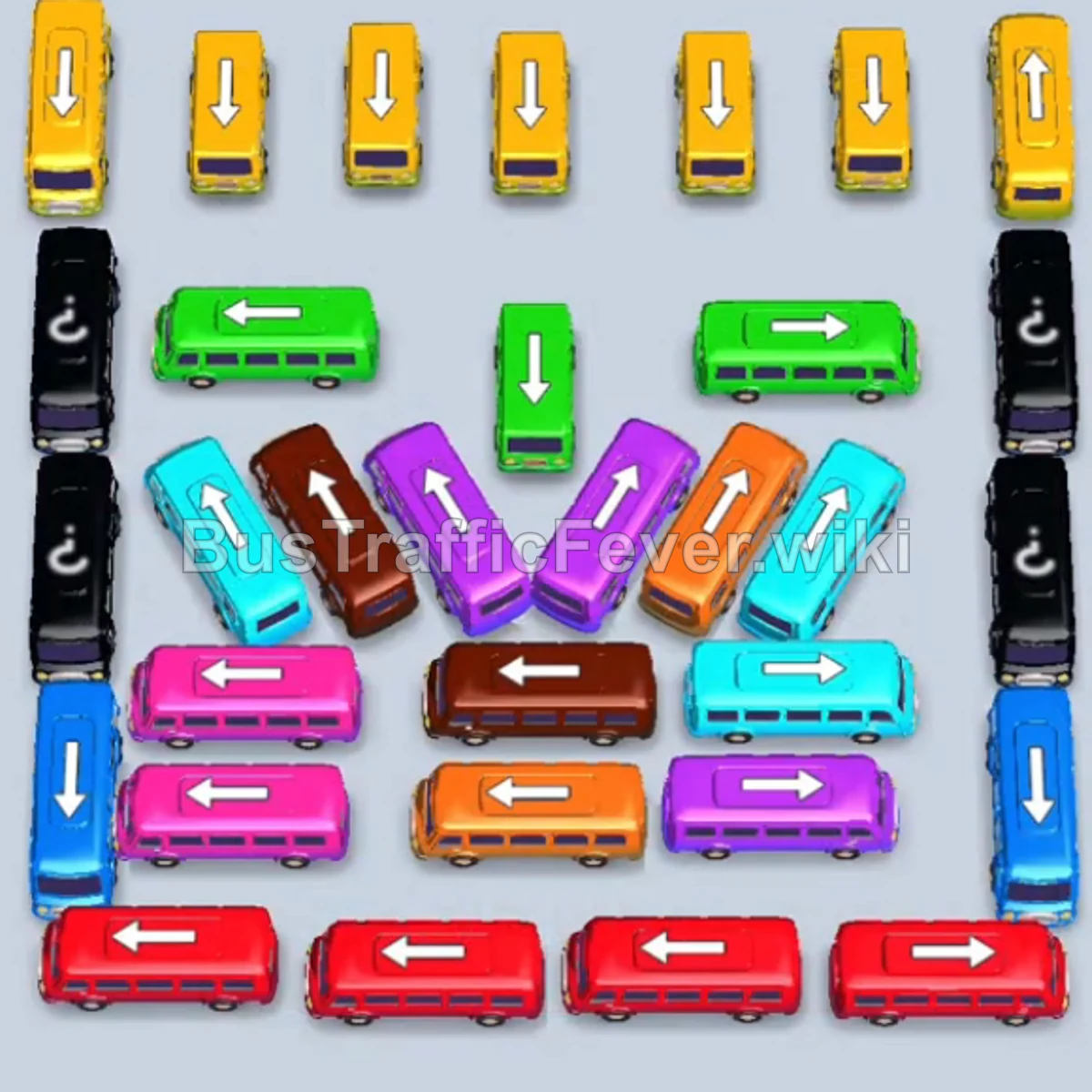
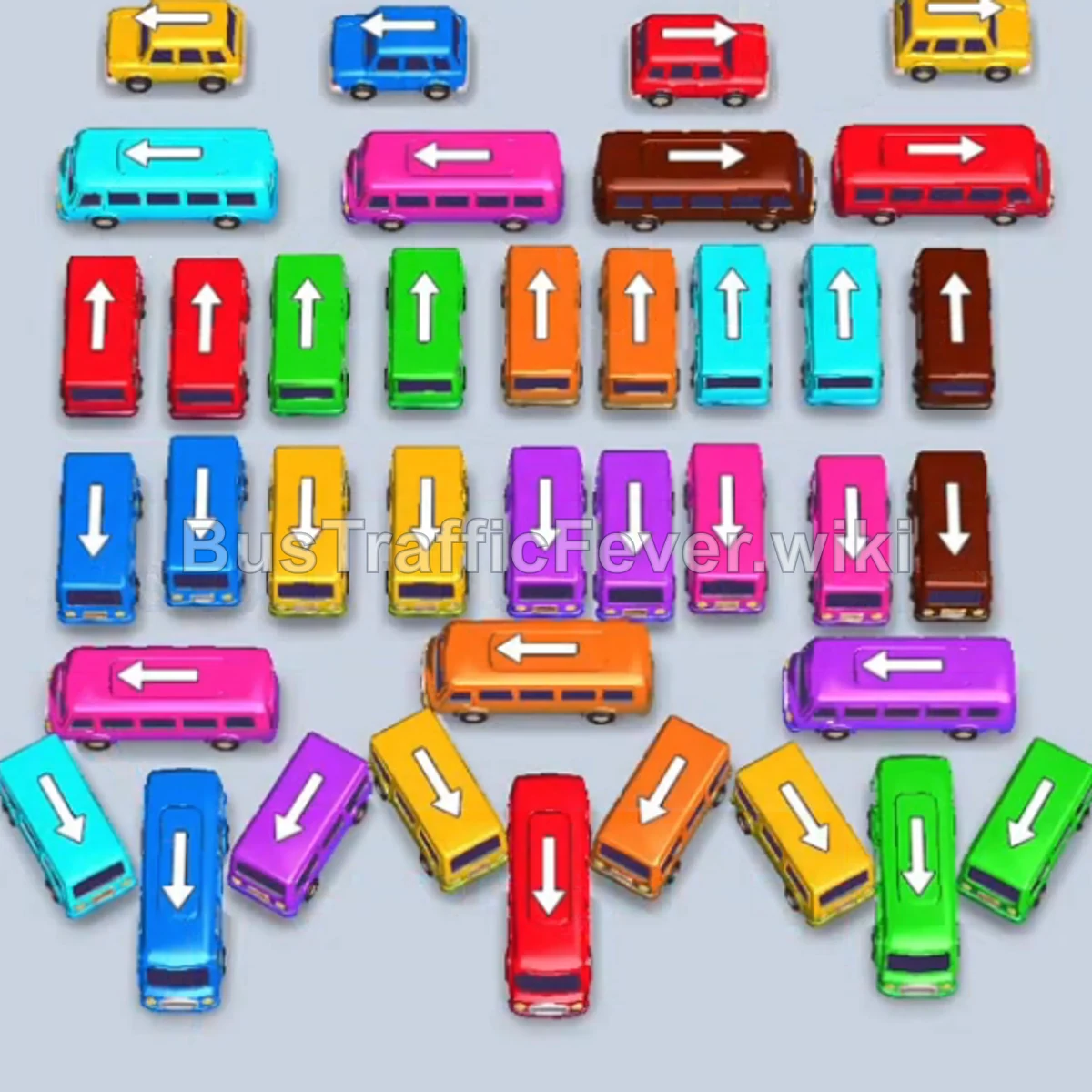
Bus Traffic Fever Level 65 Answer & Walkthrough Solution

Quick answer
Tap the Green bus at the top right of the parking lot. It moves to the boarding bay to collect the initial green passengers. Tap the Green bus on the far left. It enters the bay to collect the remaining green passengers.
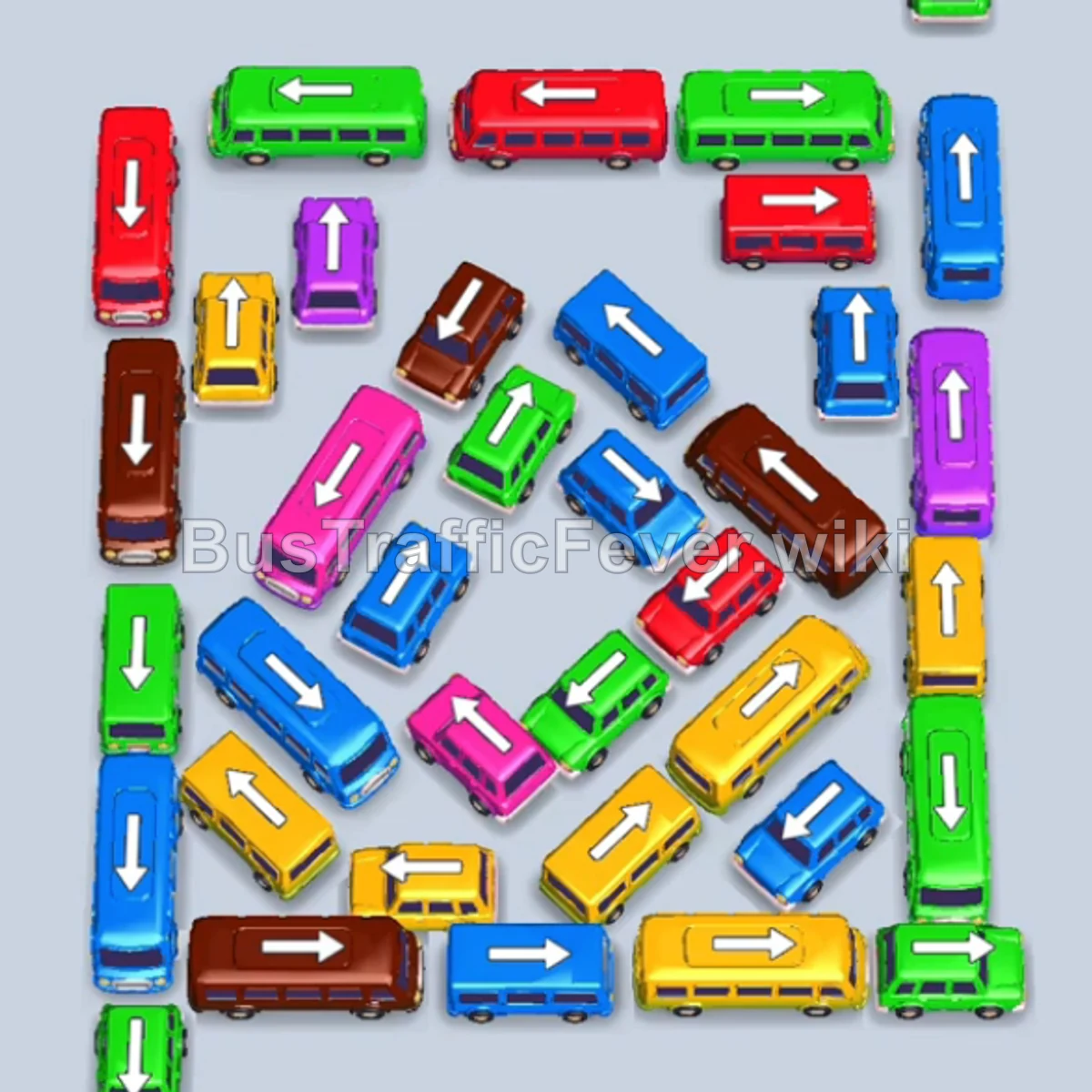
Step-by-step solution
Phase 1: Initial Outer Clearing & Opening the Board
- Tap the Green bus at the top right of the parking lot. It moves to the boarding bay to collect the initial green passengers.
- Tap the Green bus on the far left. It enters the bay to collect the remaining green passengers.
- Tap the long Blue bus on the top horizontal row to move it into a waiting slot.
- Tap the Purple bus located near the inner right to move into an adjacent slot. Blue and purple passengers will begin boarding.
- Tap the Green bus at the top right to clear the incoming green passenger queue.
- Tap the Red bus at the top horizontal row. It loads red passengers and departs immediately.
- Tap the vertical Blue bus on the right side. It enters the bay to pick up the incoming blue crowd while purple passengers finish boarding.
- Tap the Green bus on the middle right to collect the next green passenger cluster.
Phase 2: Clearing Midfield Blocks & Larger Buses
- Tap the Yellow bus at the bottom right. Yellow passengers will board and clear.
- Tap the Green bus on the middle-left to finish another small green queue.
- Tap the Brown bus on the bottom left. It docks in slot 1 to begin loading brown passengers.
- Tap the Red bus in the center-right area. Red passengers will immediately board.
- Tap the Green bus located in the upper-middle section. It quickly fills and exits.
- Tap the Yellow bus in the center. It loads yellow passengers and departs.
- Tap the Red bus on the upper left to clear the next red passenger surge.
- Tap the Green bus on the inner left. It enters the bay and picks up the green queue.
Phase 3: Unblocking Inner Traffic & Multi-Color Matching
- Tap the Yellow bus at the bottom center. It fills with 40 yellow passengers and departs.
- Tap the Blue bus on the outer right edge. It docks and clears incoming blue passengers.
- Tap the Green bus in the center-left cluster to clear the remaining green crowd.
- Tap the Blue bus at the top left. Blue passengers board and clear the slot.
- Tap the Yellow bus on the upper right to pick up yellow passengers.
- Tap the Purple bus on the upper left to clear the purple group.
- Tap the Pink bus on the far left. Pink passengers board and the bus departs.
- Tap the Brown bus at the bottom left to load brown passengers.
- Tap the Brown bus at the lower left to clear the following brown group.
Phase 4: Final Sequence & Cleanup
- Tap the Yellow bus on the right side. It boards 40 yellow passengers.
- Tap the Yellow bus at the bottom right to complete the yellow crowd.
- Tap the Brown bus in the center-left.
- Tap the Blue bus on the lower left.
- Tap the Green bus remaining in the center. It loads green passengers and departs.
- Tap the Pink bus at the bottom left to clear the pink passenger line.
- Tap the Red bus at the bottom center to clear the red passengers.
- Tap the two remaining Blue buses on the right to dock alongside the previous blue bus.
- All remaining blue passengers board the three blue buses to achieve a Perfect level clear!
Tips for success
- Observe the Passenger Line: Always watch the passenger queue at the top to see which color comes next so you don’t stall your parking bays.
- Prioritize Larger Vehicles: Tapping 40-seater buses when their color queue is approaching prevents the passenger line from getting stuck.
- Preserve Slot Space: Avoid parking more than 2 waiting vehicles of mismatched colors at the same time to ensure you always have room to unblock tight corners.
More Bus Traffic Fever help
Continue with the Level 64 walkthrough, review the core rules in how to play Bus Traffic Fever, or browse all level solutions to jump to another number.