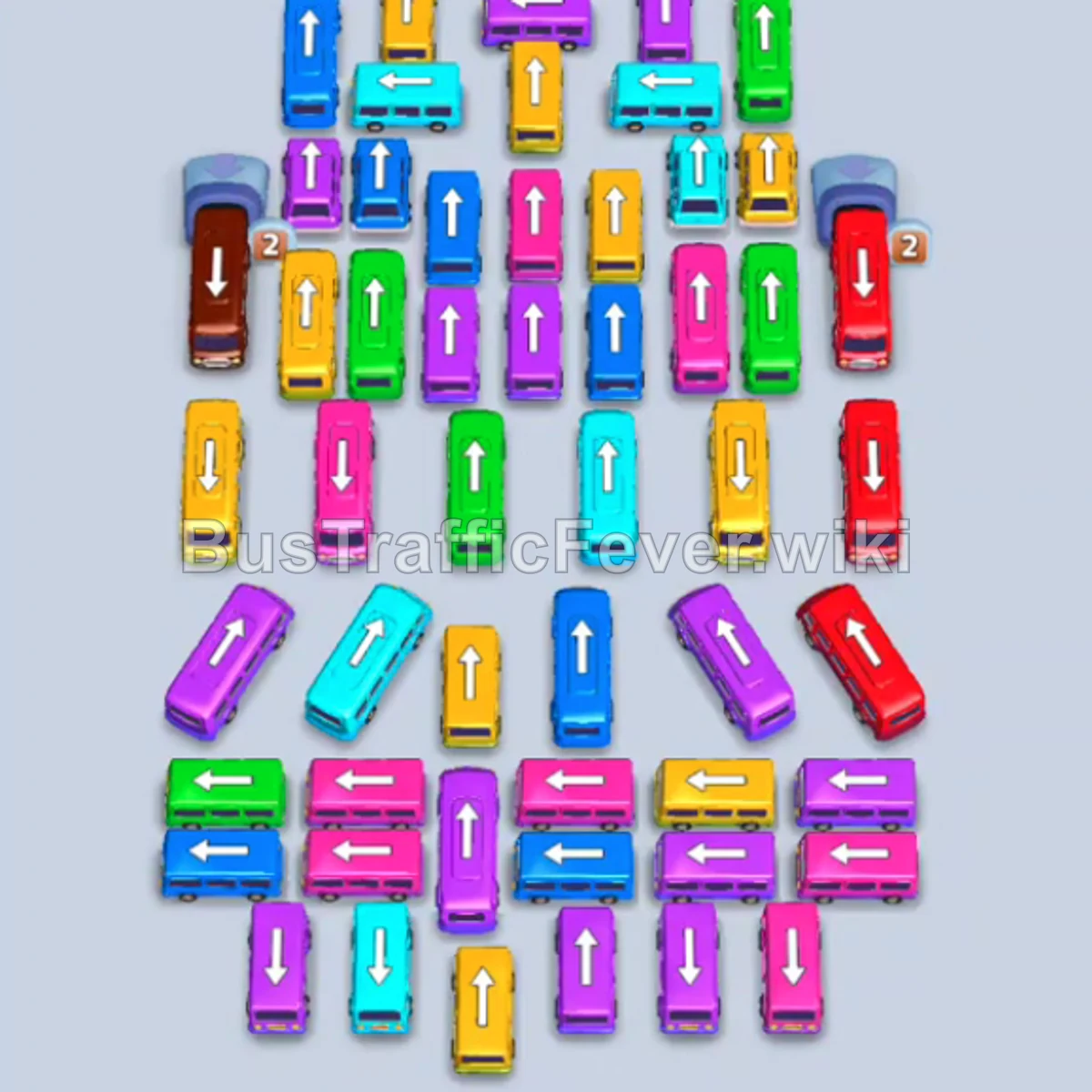
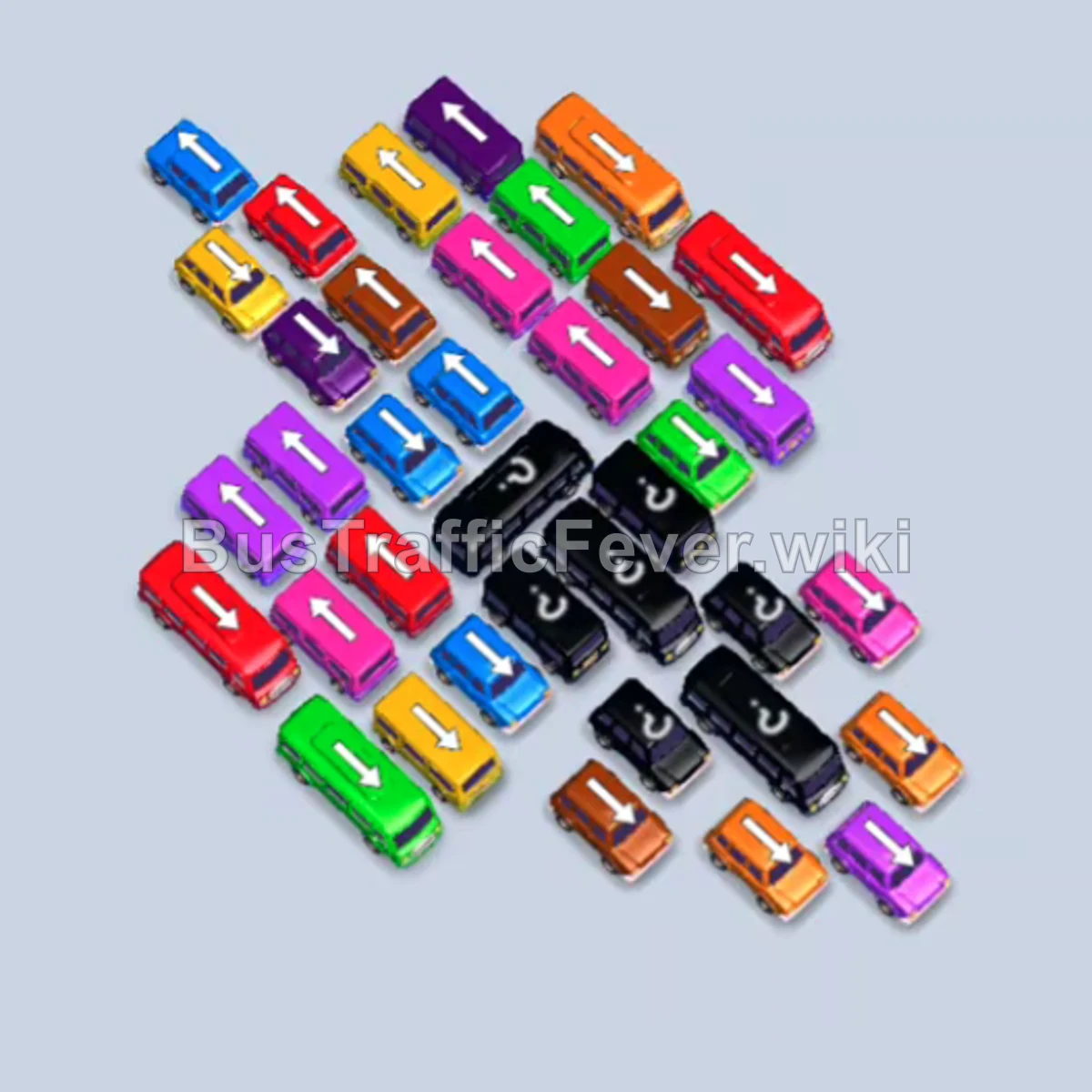
Bus Traffic Fever Level 157 Answer & Walkthrough Solution

Quick answer
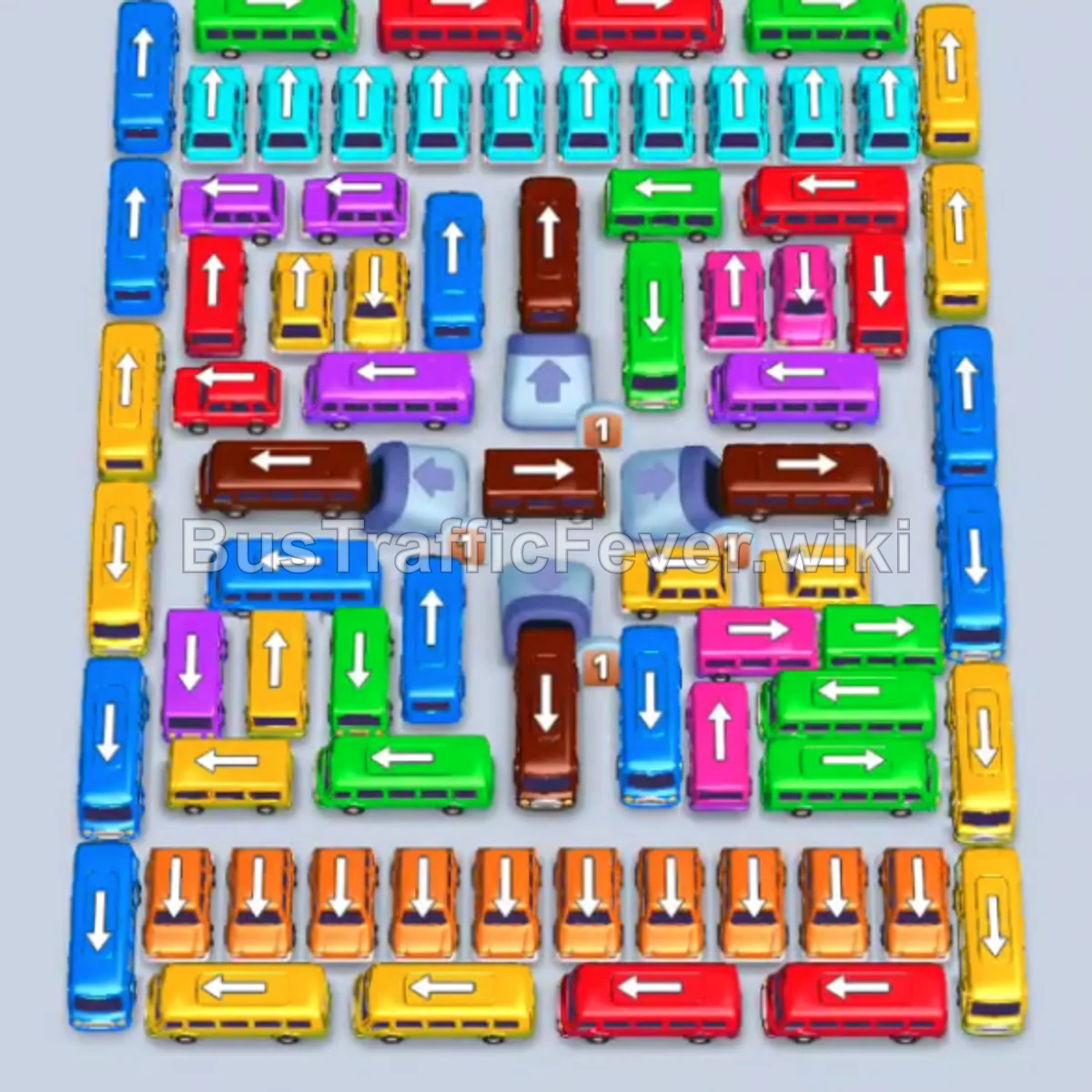
Level 157 is a Hard level featuring an extremely dense, multi-layered parking grid. The secret to beating it without overflowing your parking bays is to park large-capacity anchor buses (Yellow, Blue, Brown) on the outer slots while constantly cycling low-capacity buses (Cyan, Orange, Pink, Purple, Green) through the middle bays to peel away the blocking layers.
Step-by-step solution
Detailed Guide for Level 157(hard)
Phase 1: Initial Deployment & Outer Row Openings
- Tap the Yellow bus on the lower-left edge facing left. It parks in slot 1 to begin taking the initial yellow passengers.
- Tap the Blue bus on the far-left column facing up. It occupies slot 2.
- Tap the Green bus in the upper-left row facing right. It enters slot 3, boards green passengers, and departs.
- Tap the Cyan bus on the upper-right edge facing up into slot 4.
- Tap the Cyan bus in the top-right corner facing up into slot 3. Cyan passengers board both blue and cyan vehicles.
- Tap the Yellow bus at the bottom-left facing left into slot 4. Yellow passengers board into both yellow vehicles; the first yellow bus departs.
- Tap the Green bus in the upper-left facing up into slot 4. Green passengers board and it departs.
- Tap the Yellow bus near the bottom-left facing left. It enters a bay, finishes boarding yellow passengers, and departs.
- Tap the Green bus along the top edge facing right. It fills with green passengers and departs.
Phase 2: Clearing the Top Perimeter & Staging Long-Term Buses
- Tap the Blue bus along the far-right column facing up into slot 2.
- Tap the Purple bus in the upper-left section facing left into slot 3. Lilac/purple passengers board and it departs.
- Tap the Yellow bus in the bottom-left column facing up into slot 3. It boards yellow passengers and departs.
- Tap the Blue bus in the middle-left area facing left into slot 1.
- Tap the Yellow bus at the bottom facing left into slot 3. It boards yellow passengers and departs.
- Tap the Yellow bus at the bottom-left facing up into slot 1.
- Tap the Green bus at the top center facing right into slot 4. It boards green passengers and departs.
- Tap the Yellow bus at the bottom-right facing left into slot 4. Yellow passengers board and it departs.
- Tap the Red bus at the top-left facing right into slot 2. Red passengers board and it departs.
Phase 3: Cycling Center Blockers & Rapid Passenger Waves
- Tap the Yellow bus in the lower-left section facing right into slot 1.
- Tap the Blue bus in the middle-right area facing down into slot 2.
- Tap the Brown bus in the upper-middle left facing right into slot 3. Brown passengers begin boarding.
- Tap the Pink bus in the upper-right section facing left into slot 4. Pink passengers board and it departs.
- Tap the Yellow bus in the lower-middle section facing left into slot 4. Yellow passengers board and it departs.
- Tap the Red bus in the upper-right section facing left into slot 3. Red passengers board and it departs.
- Tap the Green bus at the bottom-right facing left into slot 4. Green passengers board and it departs.
- Tap the Yellow bus at the bottom-left facing up into slot 1.
- Tap the Green bus in the upper-right facing left into slot 4. Green passengers board and it departs.
- Tap the Yellow bus in the lower-middle facing left into slot 4. It clears and departs.
- Tap the Pink bus in the upper-left facing right into slot 4. It boards pink passengers and departs.
Phase 4: Clearing Small Buses & Unblocking the Center Core
- Tap the Cyan bus in the top row facing up into slot 4.
- Tap the Orange bus at the bottom-left facing down into slot 3. Orange passengers board and it departs.
- Tap the Cyan bus at the top-right facing up. It boards cyan passengers and departs.
- Tap the Yellow bus at the bottom-left facing up into slot 2.
- Tap the Orange bus in the lower-middle area facing right into slot 4. It boards orange passengers and departs.
- Tap the Red bus on the middle-left edge facing down into slot 3.
- Tap the Brown bus in the center facing right into slot 4. Brown passengers board and it departs.
- Tap the Green bus in the middle-left facing down into slot 3.
- Tap the Cyan bus in the upper-right facing up into slot 2. It boards and departs.
- Tap the Orange bus at the bottom-right facing left into slot 4. It boards and departs.
- Tap the Brown bus on the far-right edge facing down into slot 1.
- Tap the Pink bus in the lower-middle section facing down into slot 2.
- Tap the Orange bus at the top center facing up into slot 3. It boards and departs.
- Tap the Cyan bus at the top center facing up into slot 3. It boards and departs.
- Tap the Purple bus in the middle-right section facing left into slot 4. It boards and departs.
- Tap the Red bus in the top-left area facing left into slot 3. It boards and departs.
- Tap the Orange bus in the lower-right section facing down into slot 3. It boards and departs.
Phase 5: Deep-Core Extraction & Final Clearance
- Tap the Cyan bus in the upper-left facing up into slot 3.
- Tap the Orange bus at the bottom-right facing up into slot 4. It boards and departs.
- Tap the Red bus in the upper-left facing right into slot 3. Red passengers board.
- Tap the Yellow bus in the middle-left section facing up into slot 2. It boards and departs.
- Tap the Blue bus on the far-left facing down into slot 2. Blue passengers board and it departs.
- Tap the Cyan bus in the upper center facing up into slot 2. It boards and departs.
- Tap the Orange bus in the lower-right facing down into slot 4. It boards and departs.
- Tap the Purple bus on the middle-left facing down into slot 2.
- Tap the Yellow bus at the top-left facing up into slot 3. It boards and departs.
- Tap the Cyan bus at the top-middle facing up into slot 3. It boards and departs.
- Tap the Orange bus at the bottom-right facing up into slot 3. It boards and departs.
- Tap the Green bus in the middle-left facing down into slot 3. It boards and departs.
- Tap the Brown bus on the far-left facing down into slot 1.
- Tap the Pink bus in the upper-left facing down into slot 2. Pink passengers board and it departs.
- Tap the Cyan bus in the lower-left facing up into slot 2.
- Tap the Orange bus in the bottom-right facing right into slot 3. It boards and departs.
- Tap the Cyan bus in the middle-left facing up into slot 4. It boards and departs.
- Tap the Yellow bus in the middle-left facing left into slot 3. It boards and departs.
- Tap the Blue bus in the lower-middle section facing down into slot 2.
- Tap the Green bus in the lower-right section facing right into slot 3. It boards and departs.
- Tap the Purple bus in the middle-left facing left into slot 3. It boards and departs.
- Tap the Red bus in the middle-right facing down into slot 3. It boards and departs.
- Tap the Brown bus in the middle-left facing right into slot 1.
- Tap the Red bus in the upper-right facing down into slot 2.
- Tap the Purple bus in the lower-left facing left into slot 3.
- Tap the Green bus on the far-left facing left into slot 2.
- Tap the Yellow bus in the center facing left into slot 3.
- Tap the Yellow bus in the upper-left facing up into slot 1.
- Tap the Red bus in the lower-right facing down into slot 3.
- Tap the Pink bus in the lower center facing left into slot 2. It departs.
- Tap the Pink bus in the lower center facing up into slot 2. It departs.
- Tap the Red bus in the lower-right facing down into slot 3.
- Tap the Green bus at the bottom-right facing left into slot 2. It boards and departs.
- Tap the Brown bus in the center facing right into slot 1.
- Tap the Pink bus in the center-right facing up into slot 2. It departs.
- Tap the Red bus in the center-right facing left into slot 3. It departs.
- The final Brown bus finishes boarding the remaining brown passengers to trigger “Perfect! +40” and complete the level!
Tips for success
- Look Ahead on the Dual Loop: Level 157 feeds passengers along two converging tracks. Track both branches to ensure you don’t stall a vehicle on one side while waiting for the other.
- Prioritize Small Buses: Small 16-capacity buses board and depart in seconds. Using them as “keys” to unlock bigger buses keeps your parking area fluid and avoids deadlock.
- Keep at Least 1-2 Free Bays: Never fill all 5 bays with non-matching vehicles. Always preserve a revolving slot to extract blocking buses when new passenger colors arrive.
More Bus Traffic Fever help
Continue with the Level 156 walkthrough, review the core rules in how to play Bus Traffic Fever, or browse all level solutions to jump to another number.