Bus Traffic Fever Level 62 Answer & Walkthrough Solution

Quick answer
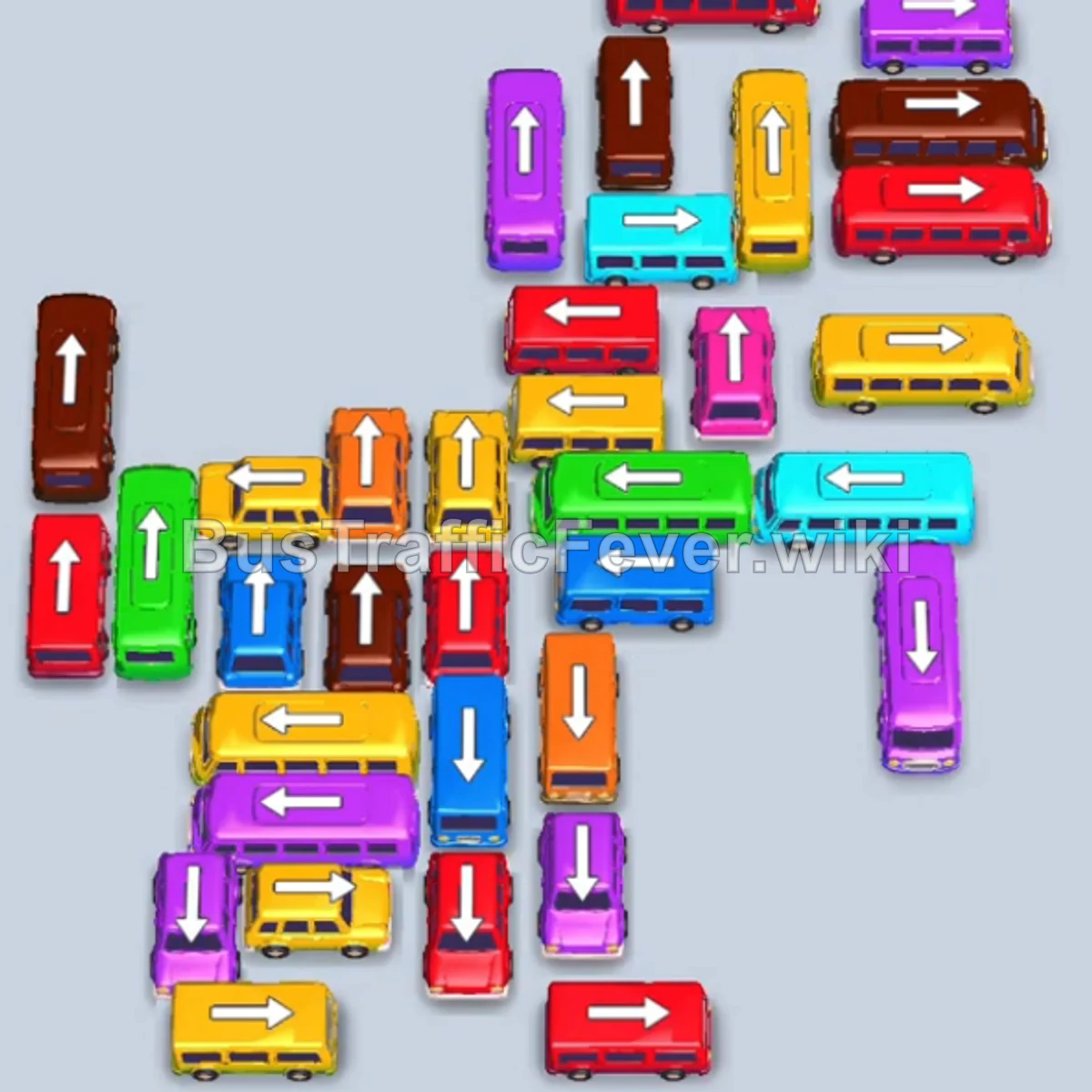
Tap the Cyan bus (capacity 40) at the top-left. It enters parking slot 1, picks up the initial cyan passengers, and departs. Tap the Green bus (capacity 40) on the upper-right into slot 3. Tap the Yellow bus (capacity 40) on the upper-left into slot 2.
Step-by-step solution
Phase 1: Clearing the Outer Bottleneck & Primary Colors
- Tap the Cyan bus (capacity 40) at the top-left. It enters parking slot 1, picks up the initial cyan passengers, and departs.
- Tap the Green bus (capacity 40) on the upper-right into slot 3.
- Tap the Yellow bus (capacity 40) on the upper-left into slot 2.
- Tap the Red bus (capacity 24) on the middle-right into slot 4.
- Tap the Orange bus (capacity 40) on the upper-left into slot 1. Orange passengers board and it departs immediately.
- Tap the Brown bus (capacity 24) into slot 1.
- Red passengers board the parked Red bus, allowing it to leave.
- Brown passengers begin boarding the Brown bus in slot 1.
- Tap the Cyan bus (capacity 40) on the bottom-right facing right. Cyan passengers board and it departs.
- Tap the Blue bus (capacity 40) on the far-left facing down. Green passengers board the parked Green bus and it leaves, followed by blue passengers filling and clearing the Blue bus.
- Yellow and Brown passengers finish boarding the parked Yellow bus and Brown bus, completely emptying all parking bays.
Phase 2: Unblocking Mid-Layer Waves
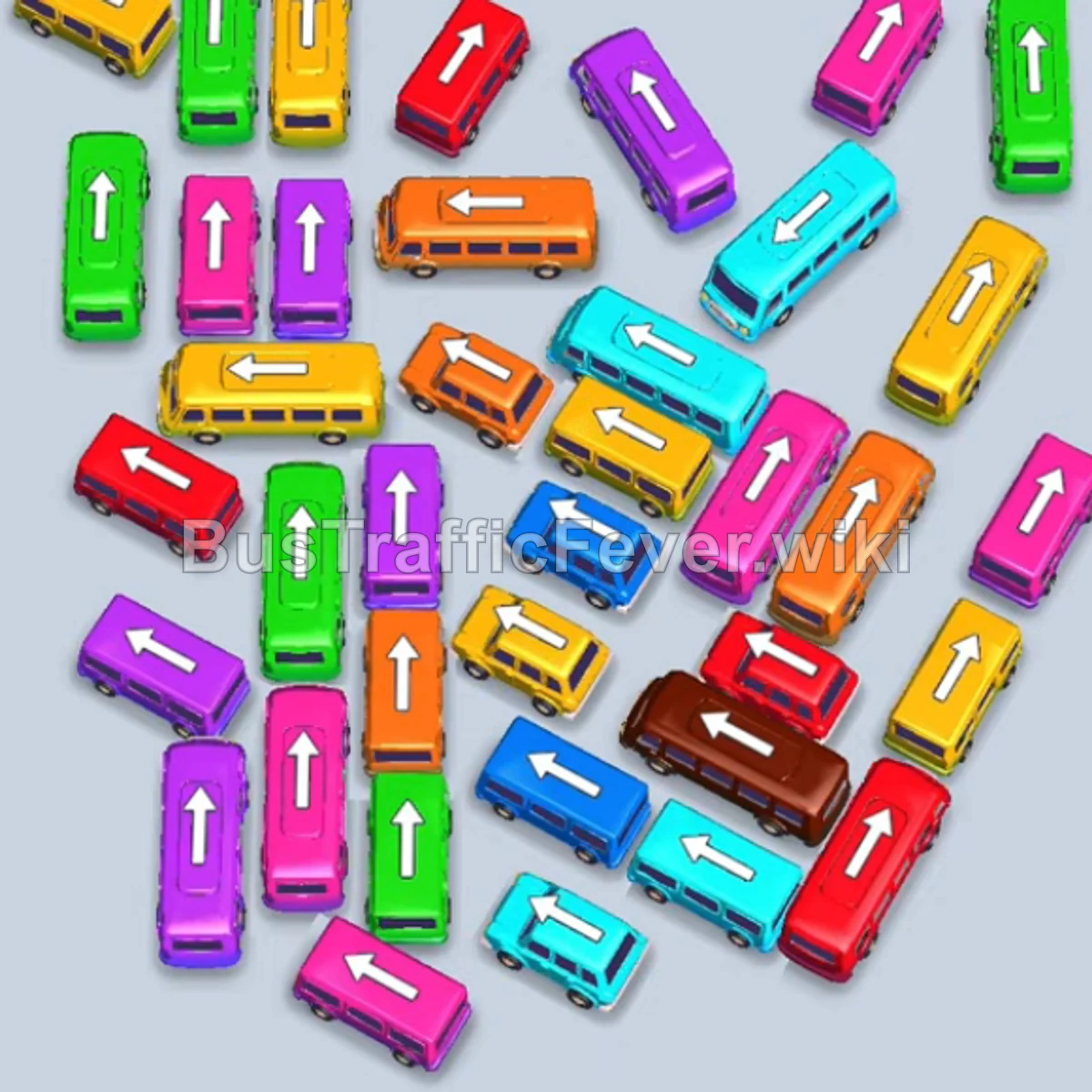
- Tap the Blue bus (capacity 32) on the top-left facing left. Blue passengers board and it clears.
- Tap the Magenta bus (capacity 40) on the left facing down. Magenta passengers board and it departs.
- Tap the Purple bus (capacity 40) on the left facing up into slot 1.
- Tap the Orange bus (capacity 24) in the middle-left facing down into slot 2. Orange passengers board and it leaves.
- Tap the Green bus (capacity 40) in the center facing up into slot 2. Green passengers board and it departs.
- Tap the Brown bus (capacity 16) on the far-right facing down into slot 2.
- Tap the Brown bus (capacity 40) on the bottom-right facing left into slot 3.
- Tap the Cyan bus (capacity 40) on the bottom-right facing left into slot 4. Cyan passengers board and it leaves.
- Tap the Pink bus (capacity 32) on the bottom-right facing up into slot 5. Pink passengers board and it departs.
- Tap the Yellow bus (capacity 16) on the right facing down into slot 4. Yellow passengers board and it departs.
Phase 3: Managing Dense Multi-Color Transitions
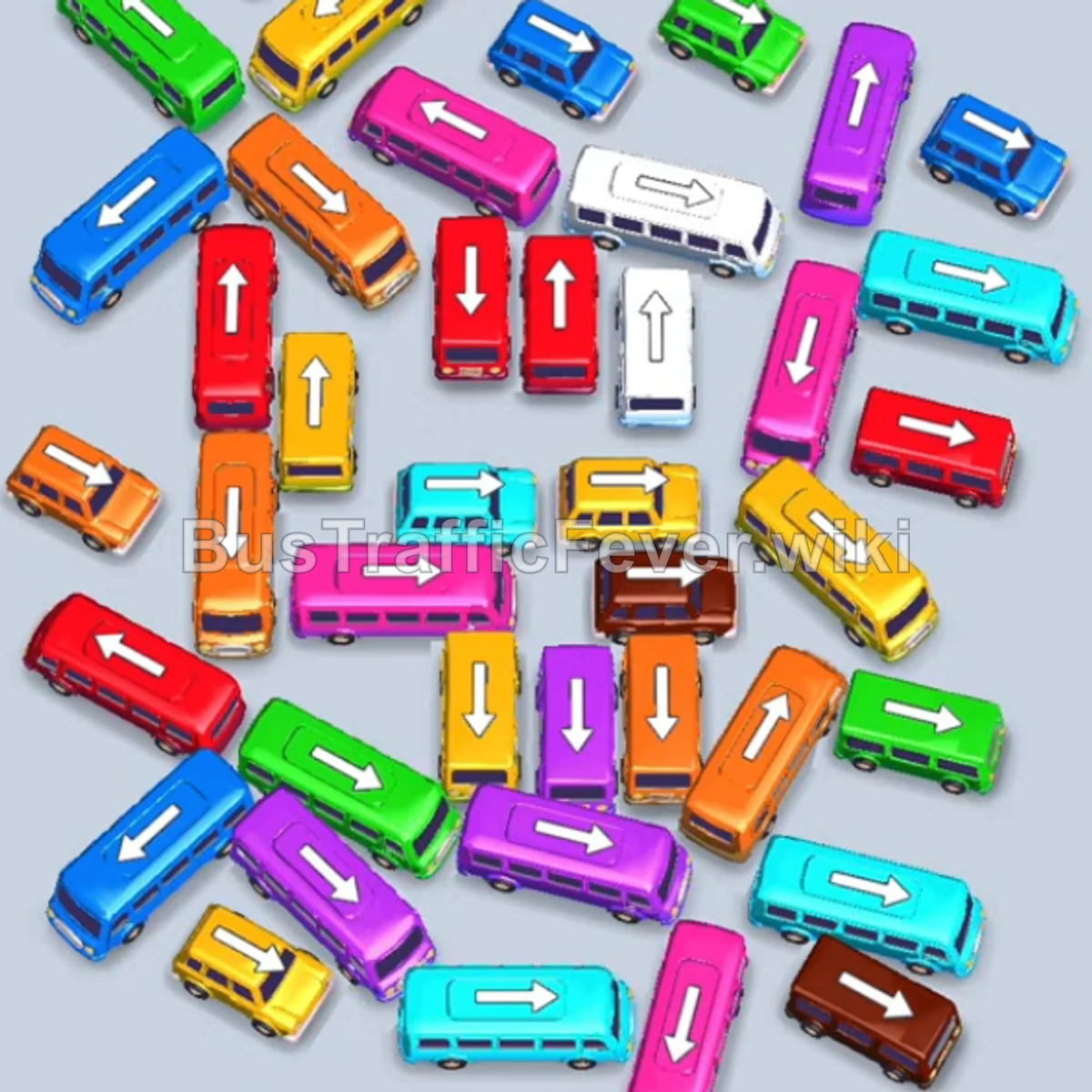
- Tap the Green bus (capacity 24) on the far-right facing down into slot 4.
- Purple passengers board the parked Purple bus in slot 1 and it departs.
- Tap the Red bus (capacity 40) on the middle-left facing up into slot 1. Red passengers board and it leaves.
- Tap the Purple bus (capacity 24) in the lower section facing right into slot 1. Purple passengers board and it clears.
- Brown and Green passengers finish boarding their parked vehicles in slots 2 and 4.
- Tap the Orange bus (capacity 40) on the bottom-left facing down into slot 2. Orange passengers board and it departs.
- Tap the Blue bus (capacity 16) on the far-right facing up into slot 2. Blue passengers board and it departs.
- Tap the Yellow bus (capacity 16) on the top-right facing left into slot 2. Yellow passengers board and it leaves.
- Tap the Yellow bus (capacity 24) on the top-left facing right into slot 2. Yellow passengers board and it clears.
Phase 4: Final Sequence & Cleanup
- Tap the Purple bus (capacity 40) on the bottom-left facing right into slot 2.
- Tap the Green bus (capacity 16) on the right facing up into slot 3.
- Tap the Blue bus (capacity 16) in the middle facing right into slot 4. Blue passengers board and it leaves.
- Tap the Cyan bus (capacity 16) on the bottom-right facing right into slot 4.
- Tap the Magenta bus (capacity 24) on the bottom-left facing right into slot 1. Purple and Magenta passengers board their buses and depart.
- Tap the Pink bus (capacity 28) on the bottom facing right into slot 1. Pink passengers board and it departs.
- Tap the White bus (capacity 40) on the bottom-left facing up into slot 1. White passengers board and it leaves.
- Tap the Orange bus (capacity 16) on the far bottom-right facing down into slot 1. Orange passengers board and it clears.
- Tap the Red bus (capacity 24) on the bottom-left facing up into slot 1. Red passengers board and it leaves.
- Tap the Yellow bus (capacity 40) on the bottom-left facing down into slot 1. Green passengers board the parked Green bus in slot 3 and it leaves.
- Tap the Magenta bus (capacity 40) on the middle-left facing down into slot 2. Yellow passengers finish boarding and the Yellow bus departs.
- Tap the Red bus (capacity 24) in the middle facing up into slot 1.
- Tap the White bus (capacity 16) in the middle facing down into slot 3. Red and Magenta passengers board their vehicles and depart.
- Tap the Yellow bus (capacity 16) on the left facing right into slot 1.
- Tap the Green bus (capacity 16) on the right facing down into slot 2.
- Tap the White bus (capacity 20) on the bottom facing right into slot 3. Yellow, Green, and White passengers board and depart together.
- Tap the Orange bus (capacity 40) on the bottom-left facing up into slot 1.
- Tap the Red bus (capacity 40) in the center facing up into slot 2.
- Tap the Yellow bus (capacity 24) in the bottom-middle facing up into slot 3.
- The final Orange, Red, and Yellow passenger groups board their vehicles to achieve a Perfect Level 62 clear!
Tips for success
- Pre-Park for Congested Waves: Several long passenger segments (like Green and Brown) arrive in split batches; keeping one large vehicle parked in reserve ensures seamless passenger intake.
- Keep the Center Moving: Many small vehicles in the middle block larger buses behind them. Tap out small blockers into free parking slots as soon as space permits.
- Track the Loop: Always observe the approaching curve on the upper loop so you don’t fill your last slot with a color that won’t arrive for several turns.
More Bus Traffic Fever help
Continue with the Level 61 walkthrough, review the core rules in how to play Bus Traffic Fever, or browse all level solutions to jump to another number.