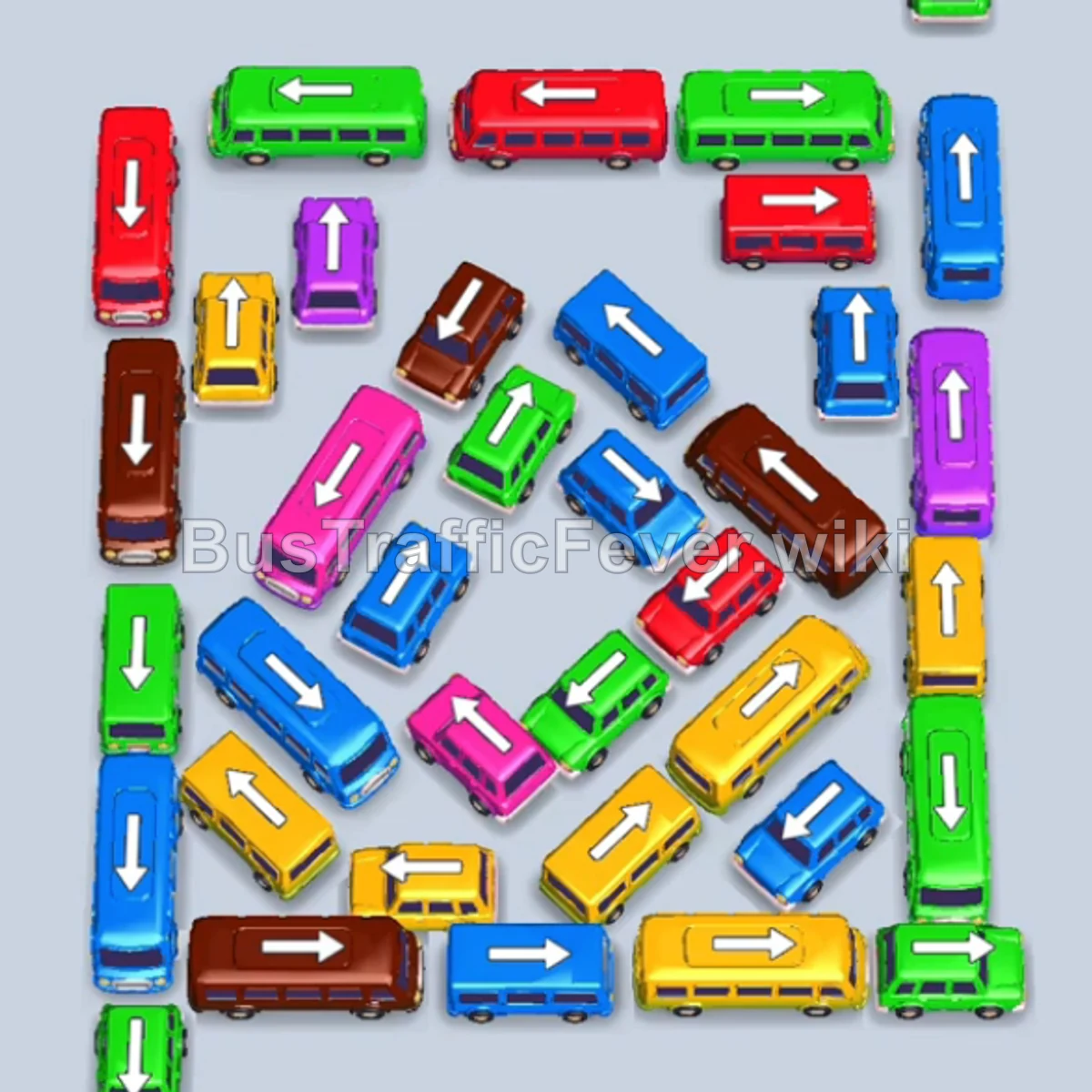
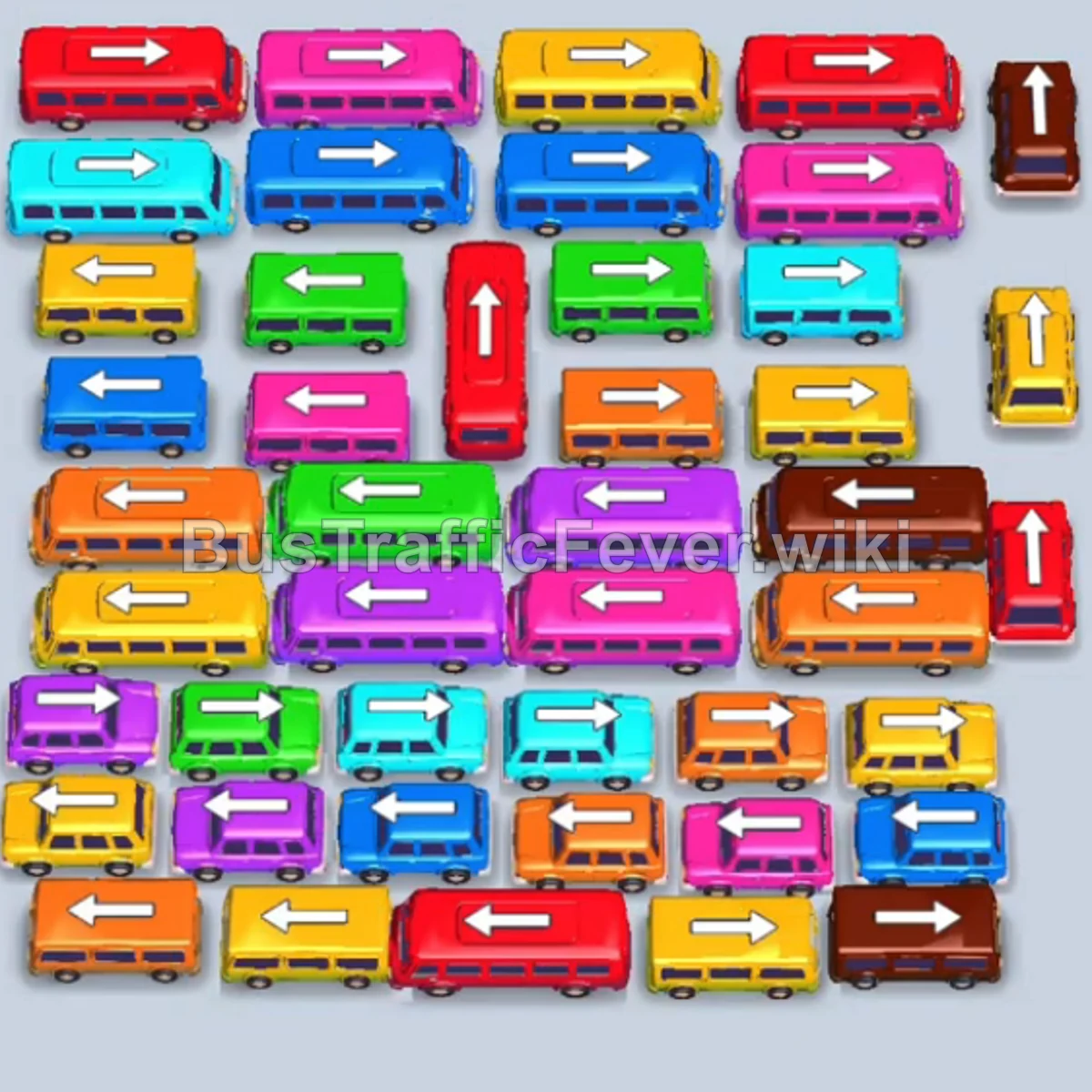
Bus Traffic Fever Level 66 Answer & Walkthrough Solution

Quick answer
Tap the Green bus at the top right. It enters the bay to collect the initial large group of green passengers. Tap the Green bus at the top right to finish loading the remaining green passengers. Tap the long Blue bus on the bottom left.
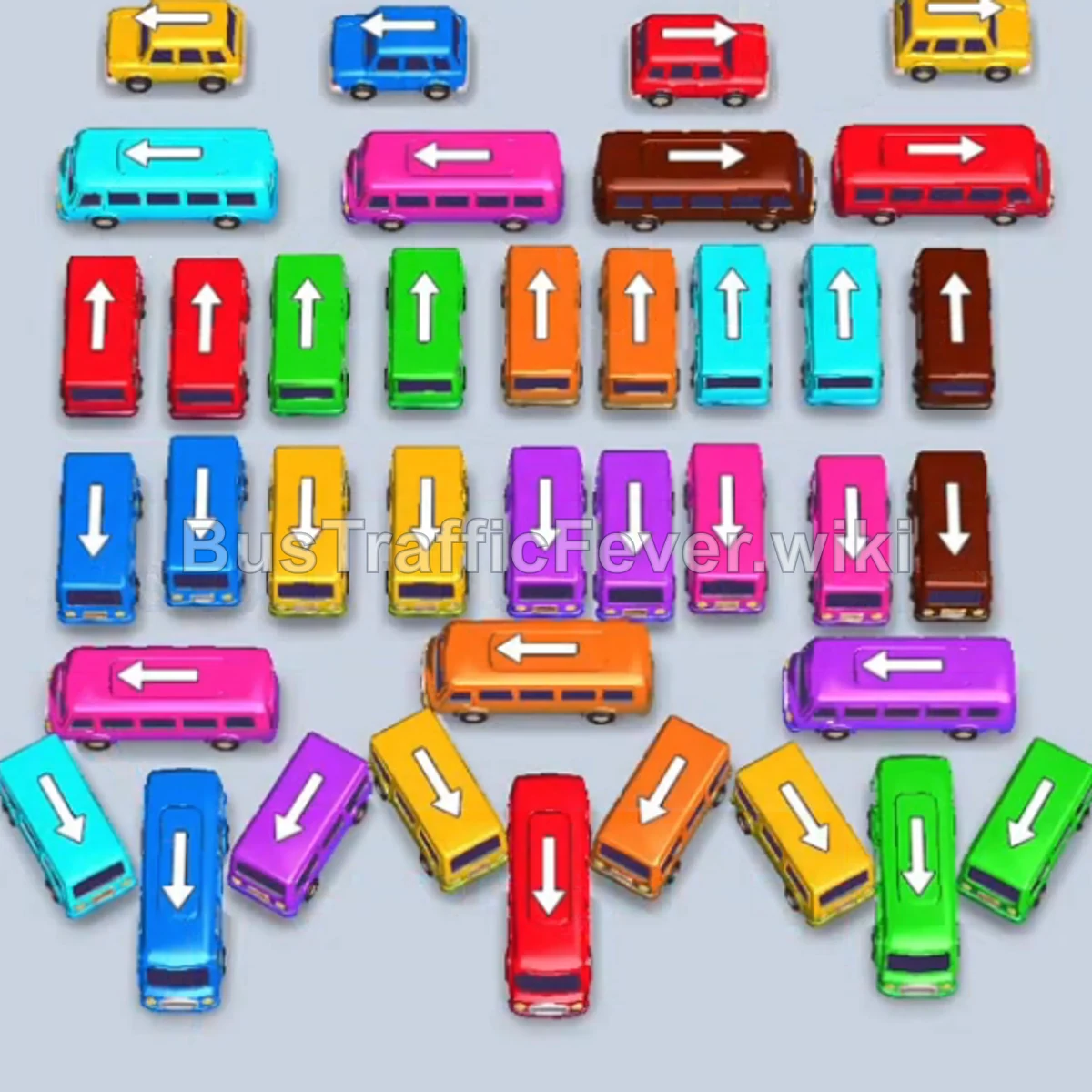
Step-by-step solution
Phase 1: Clearing the Outer Perimeter & Large Groups
- Tap the Green bus at the top right. It enters the bay to collect the initial large group of green passengers.
- Tap the Green bus at the top right to finish loading the remaining green passengers.
- Tap the long Blue bus on the bottom left. Blue passengers will board and clear.
- Tap the Light Blue bus at the bottom left to pick up the incoming light blue passengers.
- Tap the Pink bus at the top center row. Pink passengers begin boarding.
- Tap the vertical Orange bus on the far left. Orange passengers will board and clear immediately.
- Tap the vertical Purple bus on the far left to collect the purple passenger queue.
- Tap the Red bus on the far right. Red passengers will board and depart.
Phase 2: Unblocking Midfield & Major Color Surges
- Tap the Brown bus at the top right to clear the large brown passenger line.
- Tap the vertical Red bus at the bottom center. It fills with red passengers and departs.
- Tap the Yellow bus on the far right to clear yellow passengers.
- Tap the Yellow bus at the top left to pick up the next yellow queue.
- Tap the Blue bus at the bottom left to clear the incoming blue group.
- Tap the slanted Yellow bus at the bottom right.
- Tap the Yellow bus at the top left. Both buses board yellow passengers and exit together.
- Tap the Blue bus at the bottom left to clear the next blue crowd.
Phase 3: Managing Dense Clusters & Opening Columns
- Tap the Blue bus at the bottom left to finish the blue line.
- Tap the vertical Yellow bus at the bottom left to clear the yellow passengers.
- Tap the slanted Orange bus at the bottom center to pick up orange passengers.
- Tap the slanted Purple bus at the bottom left. Purple passengers will board and clear.
- Tap the vertical Yellow bus in the middle row to clear the yellow queue.
- Tap the Purple bus in the center column. It loads purple passengers and departs.
- Tap the vertical Purple bus at the bottom right to complete the purple line.
Phase 4: Multi-Bay Sequence & Final Cleanup
- Tap the Light Blue bus at the top left into the first parking slot.
- Tap the Pink bus at the top left into the second parking slot. Light blue and pink passengers board sequentially and both buses depart.
- Tap the Green bus in the center. It enters the bay to begin absorbing green passengers.
- Tap the Red bus in the middle row into the second slot to clear the red passengers.
- Tap the Brown bus on the right side into the third slot to clear brown passengers.
- Tap the Red bus on the left to clear the next red queue.
- Tap the Pink bus on the left to load pink passengers.
- Tap the Brown bus on the right to finish the remaining brown passengers.
- Tap the Orange bus, Pink bus, and Light Blue bus on the right to start filling the multi-color lines.
- Tap the Red bus and Green bus on the left to finish off the remaining green/red queues.
- Tap the final Orange bus and Light Blue bus to clear all remaining passengers and achieve a Perfect clear!
Tips for success
- Free the Outer Buses First: Releasing the long 40-capacity buses from the edges early opens up maneuverability and drains large chunks of the passenger queue quickly.
- Match Multiple Parking Bays: In the final phase, line up multiple smaller buses in adjacent parking slots so differing colored passenger segments can stream continuously without bottlenecks.
- Monitor the Overhead Track: Always check which passenger color is coming up around the circular track before committing your next vehicle tap.
More Bus Traffic Fever help
Continue with the Level 65 walkthrough, review the core rules in how to play Bus Traffic Fever, or browse all level solutions to jump to another number.