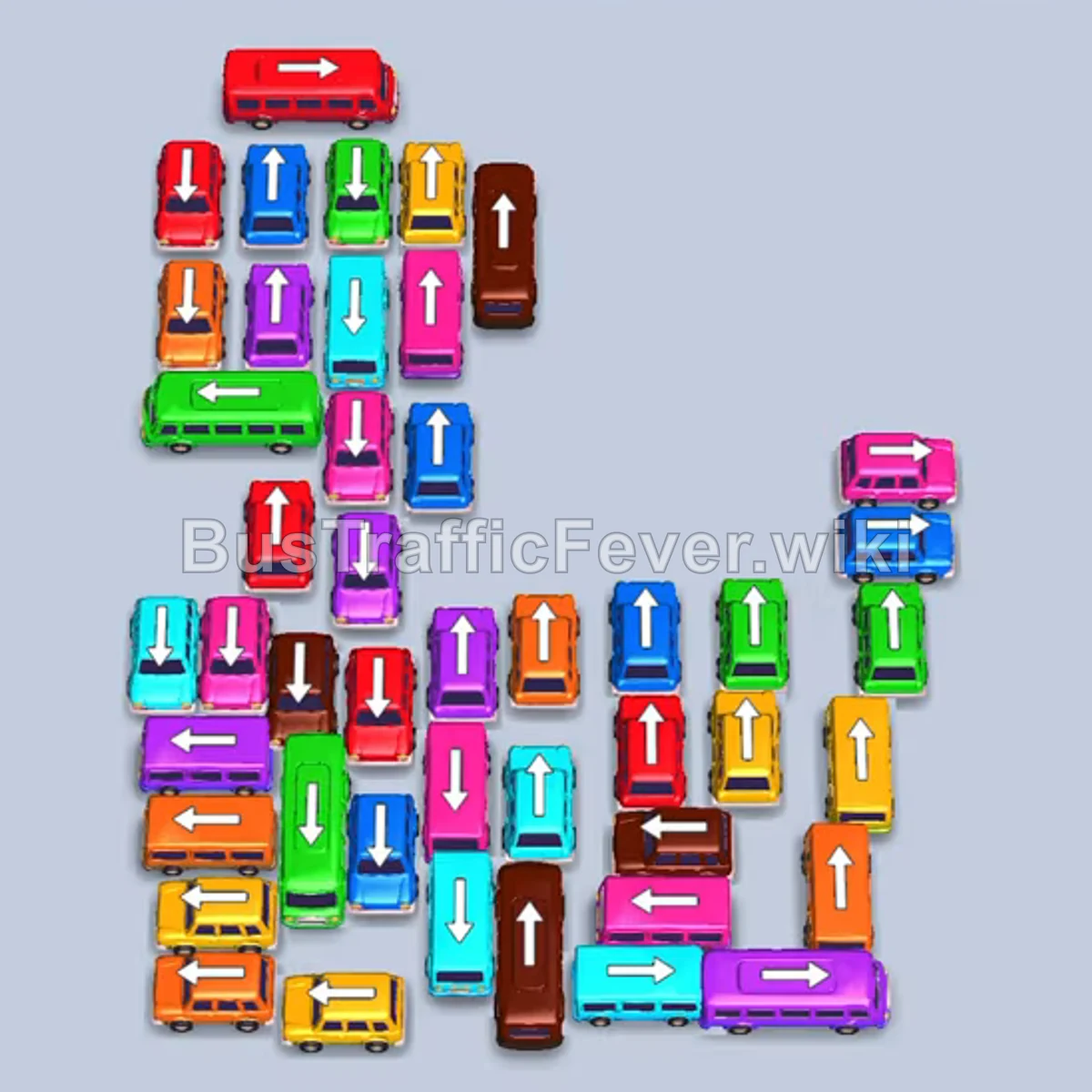
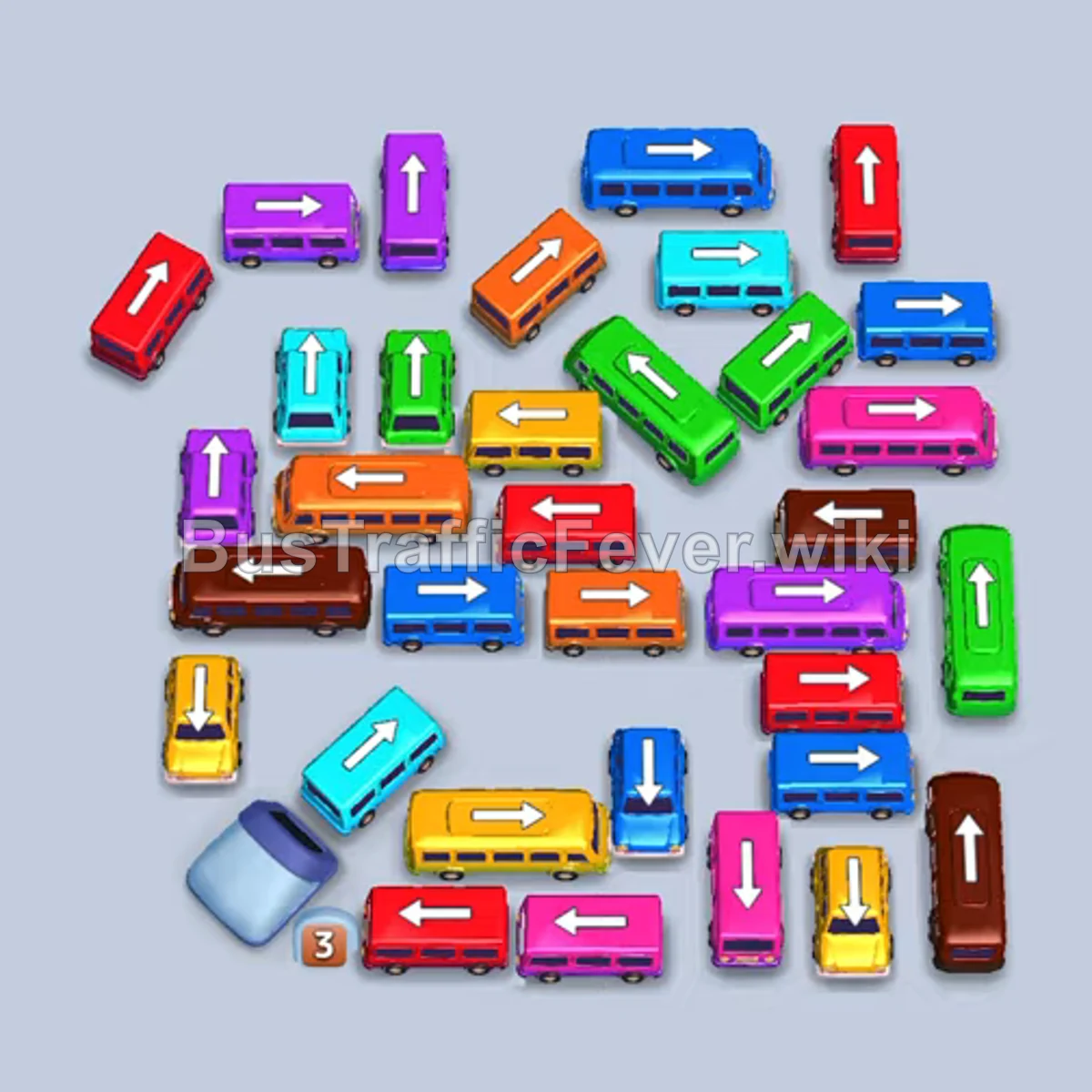
Bus Traffic Fever Level 367 Answer & Walkthrough Solution

Quick answer
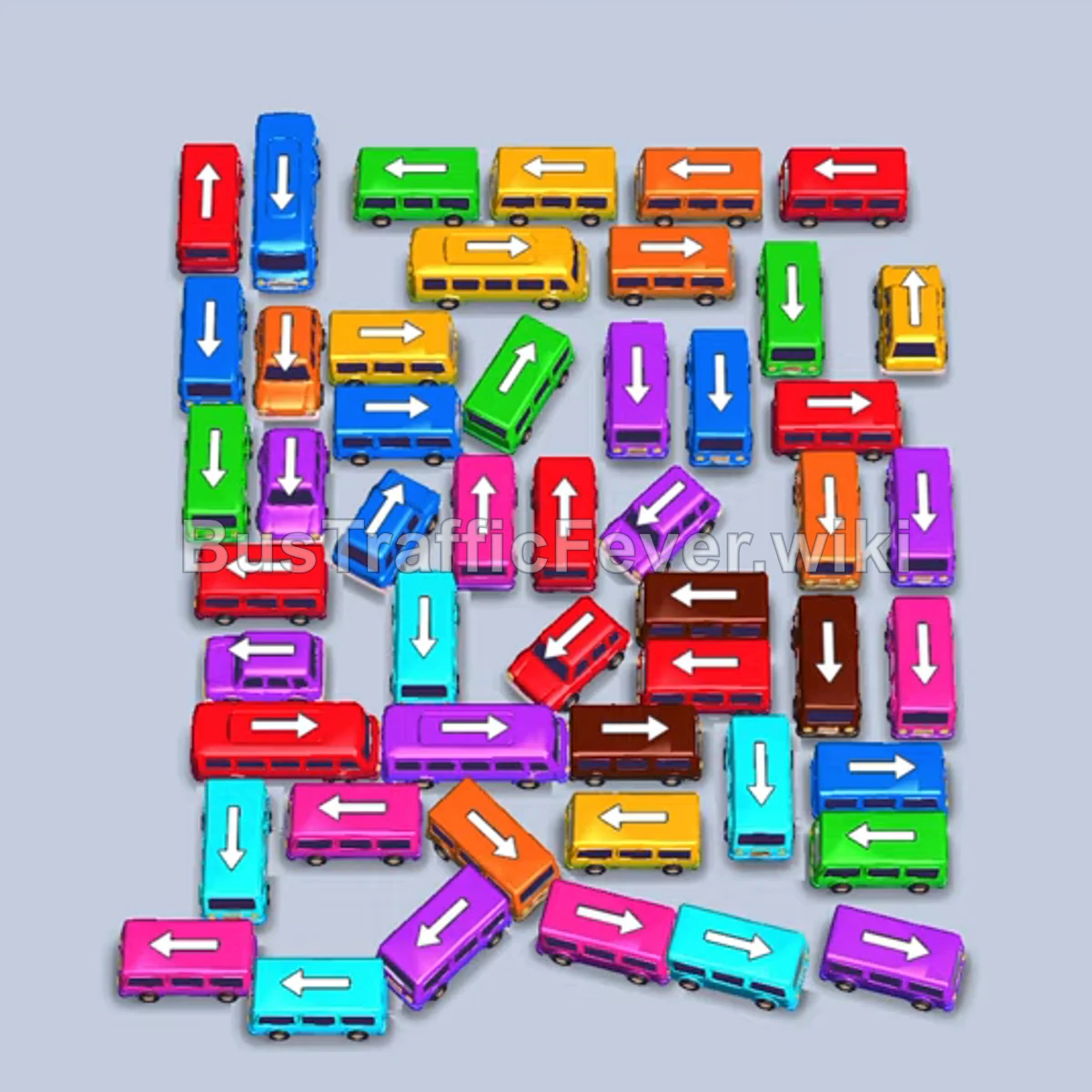
Level 367 features a dense cluster of overlapping buses locked in a pinwheel formation. The core strategy is systematically peeling away outer unobstructed buses—starting on the right and bottom-left edges—to align with incoming passenger colors and steadily free inner vehicles. Careful parking slot management is crucial to avoid overflowing while waiting for long passenger queues to cycle through.
Step-by-step solution
Phase 1: Clearing the Outer Perimeter
- Tap the blue bus facing right along the right edge to exit right into the dock and pick up initial blue passengers.
- Tap the purple bus facing up near the top-right corner to exit upward.
- Tap the pink bus facing down near the lower-right edge to exit downward.
- Tap the cyan bus facing right in the middle-right lane to exit right and pick up cyan passengers.
- Tap the pink bus facing left at the bottom-left edge to clear space along the bottom.
- Tap the red bus facing right at the top-right edge to exit right into an open dock slot.
- Tap the cyan bus facing left at the bottom-left corner to exit left.
- Tap the red bus facing right on the middle-right side to exit right once the previous red bus finishes boarding and clears out.
Phase 2: Unlocking the Bottom and Upper Layers
- Tap the purple bus facing left near the bottom-left corner to send it into the dock.
- Tap the orange bus facing right along the bottom-right edge to exit right.
- Tap the pink bus facing down in the lower-right area to clear more room in the lower grid.
- Tap the yellow bus facing left at the top-left edge now that the blocking vehicles have cleared.
- Tap the red bus facing left in the lower-left section to drive out to the left dock lane.
- Tap the purple bus facing left in the lower-left corner to queue it behind current boarders.
- Tap the green bus facing right at the lower-right corner to exit right.
- Tap the green bus facing left near the bottom-left once the lower row opens up.
Phase 3: Mid-Game Congestion Relief
- Tap the brown bus facing right in the lower-middle lane to exit right once dock space frees.
- Tap the pink bus facing up in the upper-right section to clear the column.
- Tap the red bus facing right in the bottom row to exit right.
- Tap the purple bus facing right along the bottom edge to drive out right.
- Tap the cyan bus facing right in the center-right area to exit right and collect waiting cyan passengers.
- Tap the brown bus facing right near the center to exit right.
- Tap the orange bus facing right in the lower-right corner to drive into the dock.
- Tap the red bus facing right in the lower-right cluster to follow behind.
- Tap the green bus facing right near the bottom-right corner to exit right.
- Tap the red bus facing right in the lower-right area to clear into an empty dock slot.
- Tap the purple bus facing left near the bottom-left area to exit left.
- Tap the green bus facing right along the bottom edge to drive out right.
Phase 4: Final Grid Clearing
- Tap the blue bus facing left in the lower-left section to exit left.
- Tap the blue bus facing left near the bottom-center to drive out left.
- Tap the orange bus facing left near the bottom-left edge to exit left and board waiting orange passengers.
- Tap the red bus facing left on the lower-left side to exit left.
- Tap the yellow bus facing left in the middle-left lane to drive out left into the dock.
- Tap the red bus facing left on the outer-left edge to clear the remaining red riders.
- Tap the yellow bus facing right in the upper-right area to exit right.
- Tap the green bus facing up near the center to exit upward.
- Tap the brown bus facing left on the middle-left side to exit left.
- Tap the orange bus facing right in the upper-left corner to drive out right.
- Tap the yellow bus facing left in the upper-middle area to exit left.
- Tap the green bus facing up in the center to exit top.
- Tap the yellow bus facing right in the center to exit right.
- Tap the red bus facing right in the upper-left quadrant to exit right.
- Tap the purple bus facing right in the upper-middle lane to exit right.
- Tap the purple bus facing right at the very top edge to clear the row.
- Tap the yellow bus facing left on the right side to exit left.
- Tap the blue bus facing down in the upper-right corner to drive down and out.
- Tap the blue bus facing down in the lower-right corner to exit down.
- Tap the pink bus facing up in the center to exit upward.
- Tap the final blue bus facing up to drive out, boarding the last passengers to finish the level.
Tips for success
- Watch queue cycles: Many color segments in this level (such as purple, red, and cyan) are large and take several seconds to stream into the buses. Avoid dispatching off-color buses while a long stream of passengers is actively boarding.
- Prioritize outer corner exits: Vehicles pointing directly off the board edges (especially bottom-left and right edges) hold the keys to the entire puzzle; sending them first unlocks internal cross-traffic.
- Keep at least one slot open: Because several buses carry 20+ capacity, keeping a free dock slot ensures you can always bring in the color that currently sits at the front of the passenger line.
More Bus Traffic Fever help
Continue with the Level 366 walkthrough, review the core rules in how to play Bus Traffic Fever, or browse all level solutions to jump to another number.