Bus Traffic Fever Level 11 Answer & Walkthrough Solution

Quick answer
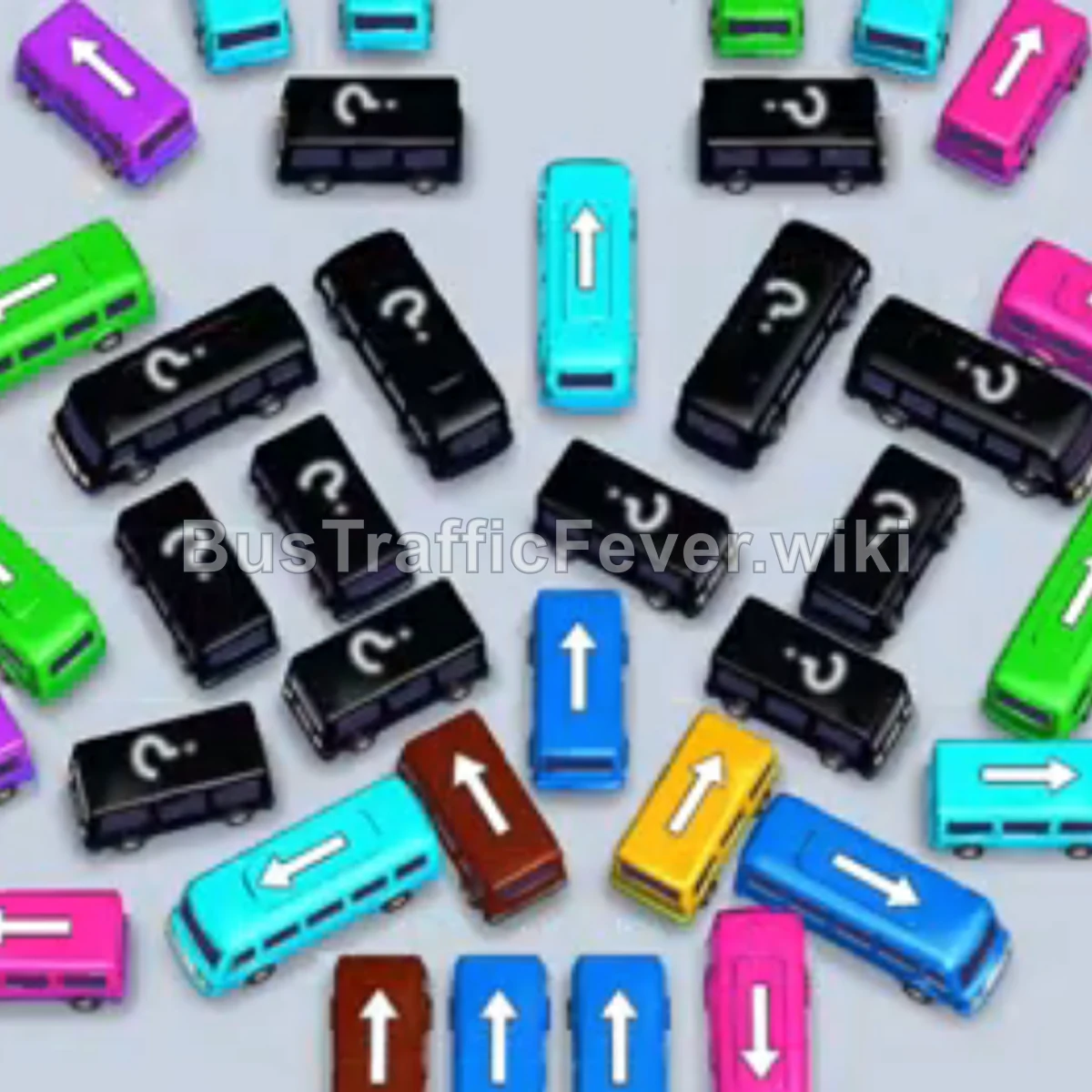
Use the embedded walkthrough for the exact order. Clear the vehicles blocking an exit first, then stage the next matching color without filling every parking slot.
Step-by-step solution
Phase 1: Clearing the Outer Perimeter & Initial Colors
- Tap the Dark Blue bus at the bottom right pointing left. It moves to the bay, and dark blue passengers begin boarding.
- Tap the Purple bus on the lower-left side to hold a slot and clear space.
- Tap the Yellow bus near the top of the center cluster. Yellow passengers will begin boarding.
- Tap the Pink bus on the far left edge. Pink passengers board and fill the bus.
- Tap the Brown bus at the bottom center pointing upwards. Brown passengers board and clear out.
Phase 2: Unlocking the Top & Center Rows
- Tap the Cyan (Light Blue) bus at the top right. Cyan passengers start boarding.
- Tap the Cyan (Light Blue) bus at the top left to collect the remaining cyan passengers.
- Tap the Light Green bus at the top center. Light green passengers board and depart.
- Tap the Purple bus on the upper right side to collect the waiting purple passengers.
- Tap the Dark Blue bus positioned vertically near the center. Dark blue passengers board.
Phase 3: Uncovering the Hidden & Mystery Vehicles
- Tap the Pink bus at the far left edge. Pink passengers board and depart.
- Tap the Cyan bus on the far left edge.
- Tap the Cyan bus at the top center to board the incoming cyan queue.
- Tap the Pink bus located at the bottom right.
- Tap the Pink bus at the bottom left to clear out the remaining pink passengers.
- Tap the Yellow bus on the middle-left side to pick up the incoming yellow passengers.
- Tap the Light Green bus on the far left side. Green passengers board.
Phase 4: Clearing the Middle Cluster & Key Blocks
- Tap the Cyan bus on the lower left.
- Tap the Pink bus in the center (unlocked from a mystery block). Pink passengers board and exit.
- Tap the Light Green bus on the upper left to board green passengers.
- Tap the Cyan bus on the middle-left side.
- Tap the Brown bus on the far left edge.
- Tap the Light Green bus on the middle-right side.
- Tap the Light Green bus in the upper center.
- Tap the Dark Blue bus on the left side to collect dark blue passengers.
Phase 5: Final Sequence & Cleanup
- Tap the Cyan bus on the lower left to clear the next cyan wave.
- Tap the Pink bus on the right side to pick up the pink queue.
- Tap the Light Green bus at the top.
- Tap the Dark Blue bus in the center.
- Tap the Cyan bus at the far bottom-left corner.
- Tap the Yellow bus on the lower-right side to board yellow passengers.
- Tap the Light Green bus in the center to finish off the green passengers.
- Tap the Dark Blue bus in the center.
- Tap the Yellow bus in the center to board the final yellow passengers.
- Tap the Cyan bus in the center to board cyan passengers.
- Tap the Dark Blue bus at the bottom right.
- Finally, tap the Brown bus at the bottom center to clear the last passenger group and complete the level!
Tips for success
- Observe the Passenger Loop: Keep an eye on the circular queue ring at the top so you can release the correct colored bus before its matching passengers reach the front.
- Manage Bay Capacity: Never let all parking slots fill with mismatched colors; always ensure at least one slot is clearing or available to avoid a game-over gridlock.
- Prioritize Unblocking Arrows: Look at the direction arrows on vehicles and prioritize tapping the ones that free up multiple blocked buses behind them.
More Bus Traffic Fever help
Continue with the Level 10 walkthrough or Level 12 walkthrough, review how to play Bus Traffic Fever, or browse all level solutions.