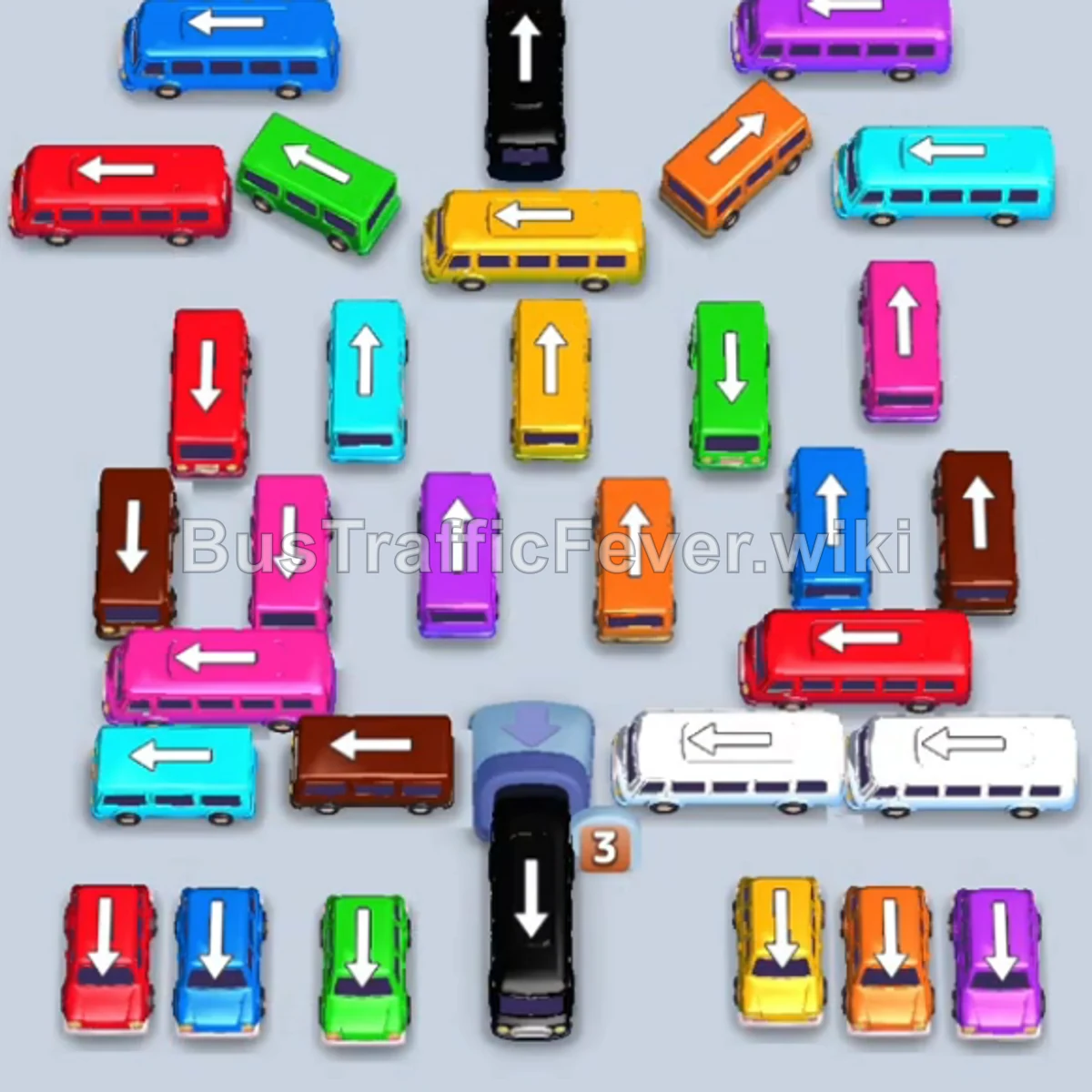
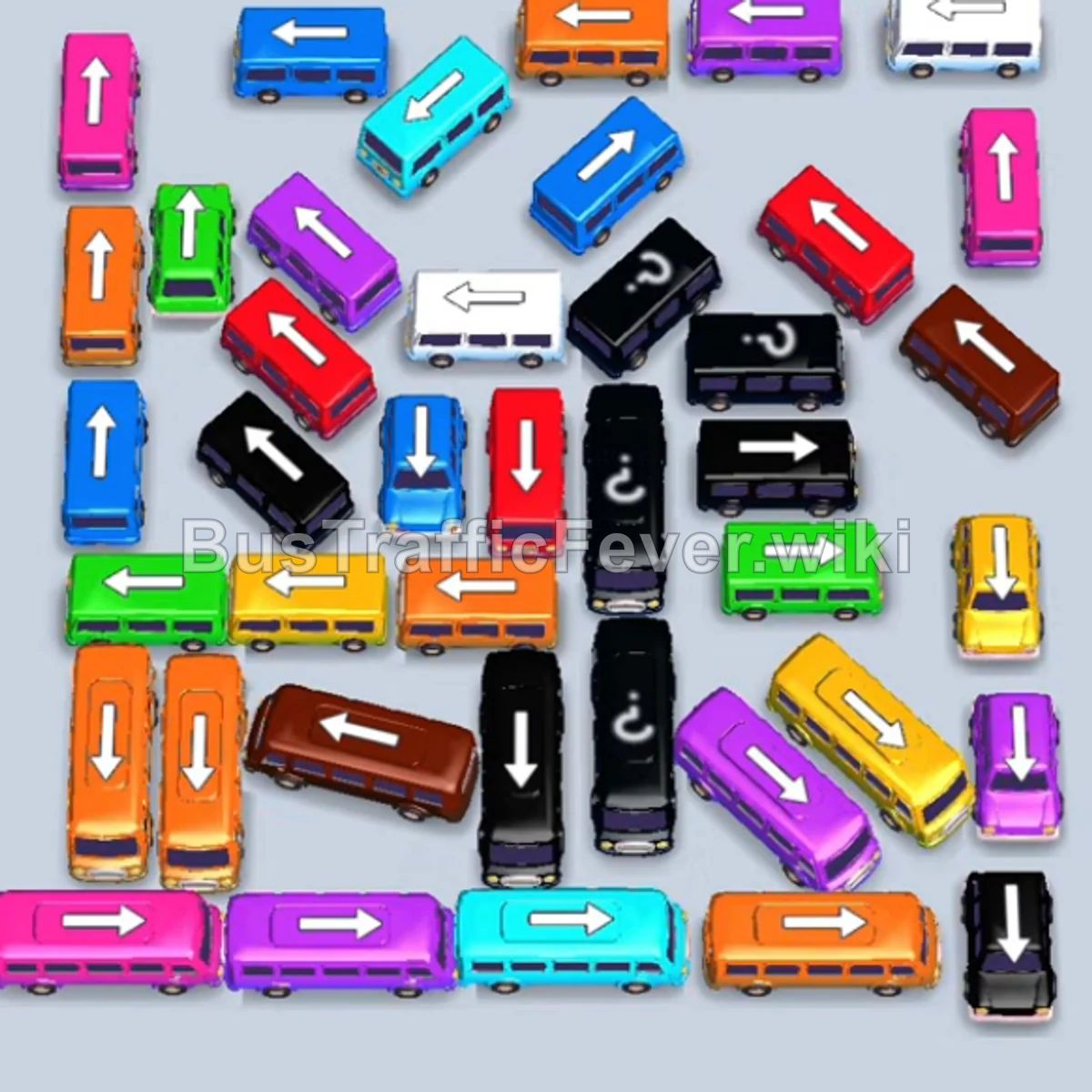
Bus Traffic Fever Level 57 Answer & Walkthrough Solution

Quick answer
Tap the Red bus at the top-left pointing left to open a slot and board red passengers. Tap the Blue bus near the top pointing right. Tap the Pink bus on the far-left pointing up. Pink passengers will begin boarding.
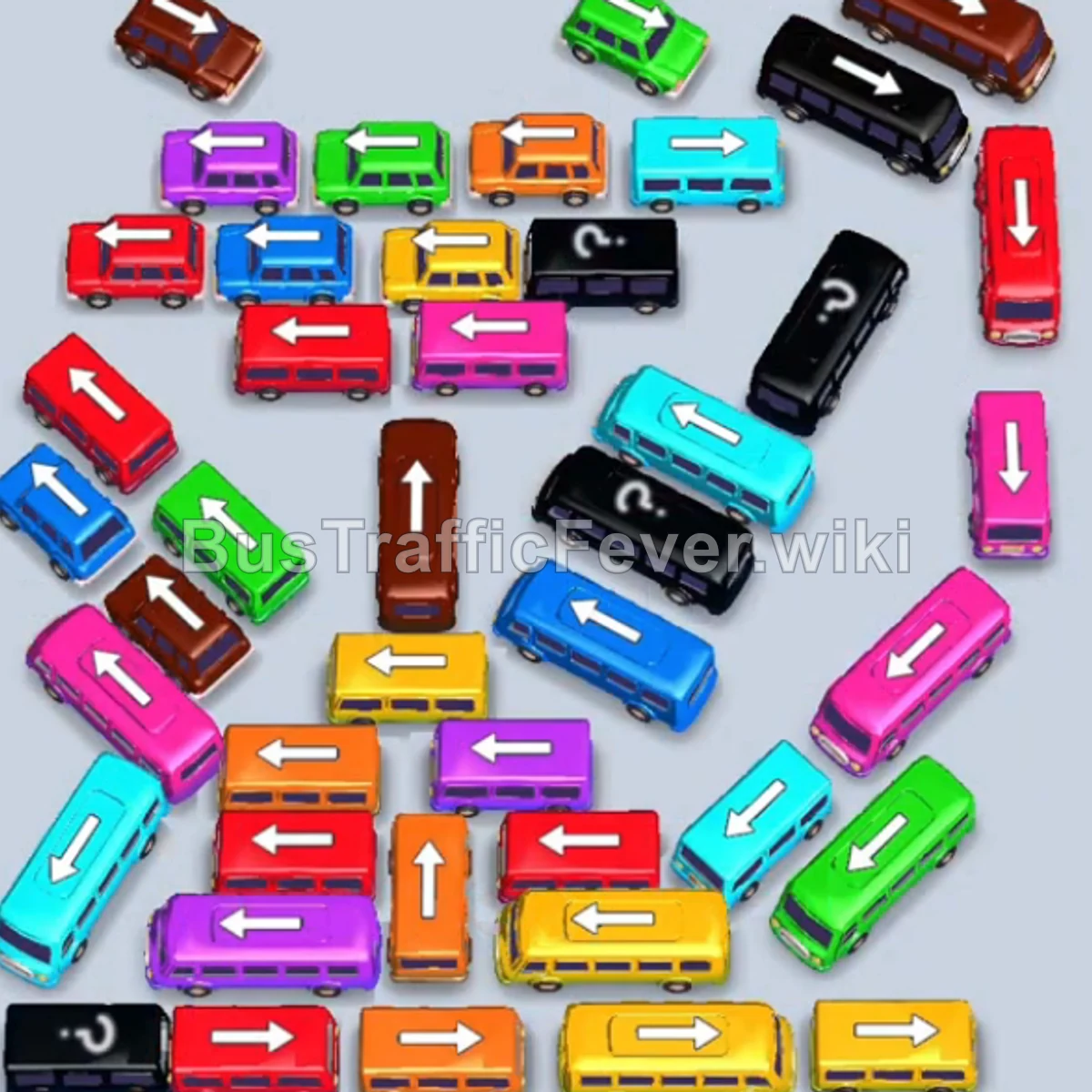
Step-by-step solution
Phase 1: Clearing the Outer Top & Left Obstructions
- Tap the Red bus at the top-left pointing left to open a slot and board red passengers.
- Tap the Blue bus near the top pointing right.
- Tap the Pink bus on the far-left pointing up. Pink passengers will begin boarding.
- Tap the Yellow bus at the upper-left pointing right.
- Tap the Yellow bus at the upper-left pointing right to finish boarding yellow passengers.
- Tap the Orange bus in the upper area pointing right.
- Tap the Red bus in the upper-left row pointing right.
- Tap the Blue bus in the upper area pointing right.
- Tap the Teal (Cyan) bus at the top-right pointing up.
Phase 2: Unlocking the Central Cluster
- Tap the Brown bus at the top-left pointing right.
- Tap the Purple bus on the far-left pointing up. Purple passengers will board.
- Tap the Purple bus in the middle row pointing right.
- Tap the Blue bus in the center pointing right.
- Tap the Green bus in the center pointing right.
- Tap the Orange bus in the middle-left lane pointing up.
- Tap the Red bus in the middle row pointing left.
- Tap the Pink bus on the left pointing left.
- Tap the Blue bus in the center pointing left.
Phase 3: Untangling the Mid & Lower Rows
- Tap the Yellow bus in the lower-middle lane pointing left.
- Tap the Brown bus in the lower section pointing left.
- Tap the White bus on the lower-left pointing right to clear white passengers.
- Tap the Blue bus in the lower section pointing left.
- Tap the Orange bus at the lower-left pointing right.
- Tap the Purple bus at the bottom pointing right.
- Tap the second Purple bus at the bottom pointing right to complete the purple queue.
- Tap the Yellow bus at the bottom pointing right.
- Tap the Orange bus at the bottom pointing up.
- Tap the Red bus in the bottom row pointing left.
Phase 4: Final Sequence and Cleanup
- Tap the Brown bus in the bottom row pointing left.
- Tap the Green bus on the left pointing left.
- Tap the Yellow bus at the bottom pointing left.
- Tap the Teal bus on the middle-right pointing right.
- Tap the Pink bus on the lower-right pointing up, followed by the Pink bus pointing right.
- Tap the Red bus on the right pointing up.
- Tap the Black bus in the center pointing up, followed by the Green bus on the right pointing left.
- Tap the Red bus on the lower-left, followed by the Teal bus and Teal bus on the right.
- Tap the Red bus on the middle-left pointing right.
- Finally, tap the Green bus pointing up and the Brown bus pointing right to clear the remaining passengers and complete the level!
Tips for success
- Observe the Queue: Always monitor the passenger stream at the top to ensure vehicles entering parking slots can board immediately and leave quickly.
- Prioritize Intersecting Paths: Vehicles blocking cross-directional traffic (e.g., horizontal buses blocking vertical buses) should be moved as soon as matching passenger queues arrive.
- Keep Empty Buffer Slots: Avoid parking multiple vehicles of the same blocked color to prevent filling up the parking lot into a gridlock.
More Bus Traffic Fever help
Continue with the Level 56 walkthrough, review the core rules in how to play Bus Traffic Fever, or browse all level solutions to jump to another number.