Bus Traffic Fever Level 341 Answer & Walkthrough Solution

Quick answer
The puzzle begins with a heavily packed grid of intertwined buses, locked in by mystery black buses at the center. The key strategy is to clear the unobstructed perimeter vehicles—starting with the blue, yellow, and magenta buses on the right edge—to match the early passenger queues. Managing the five waiting bays is critical: only release matching colors or small-capacity vehicles until earlier buses board their passengers and free up parking space.
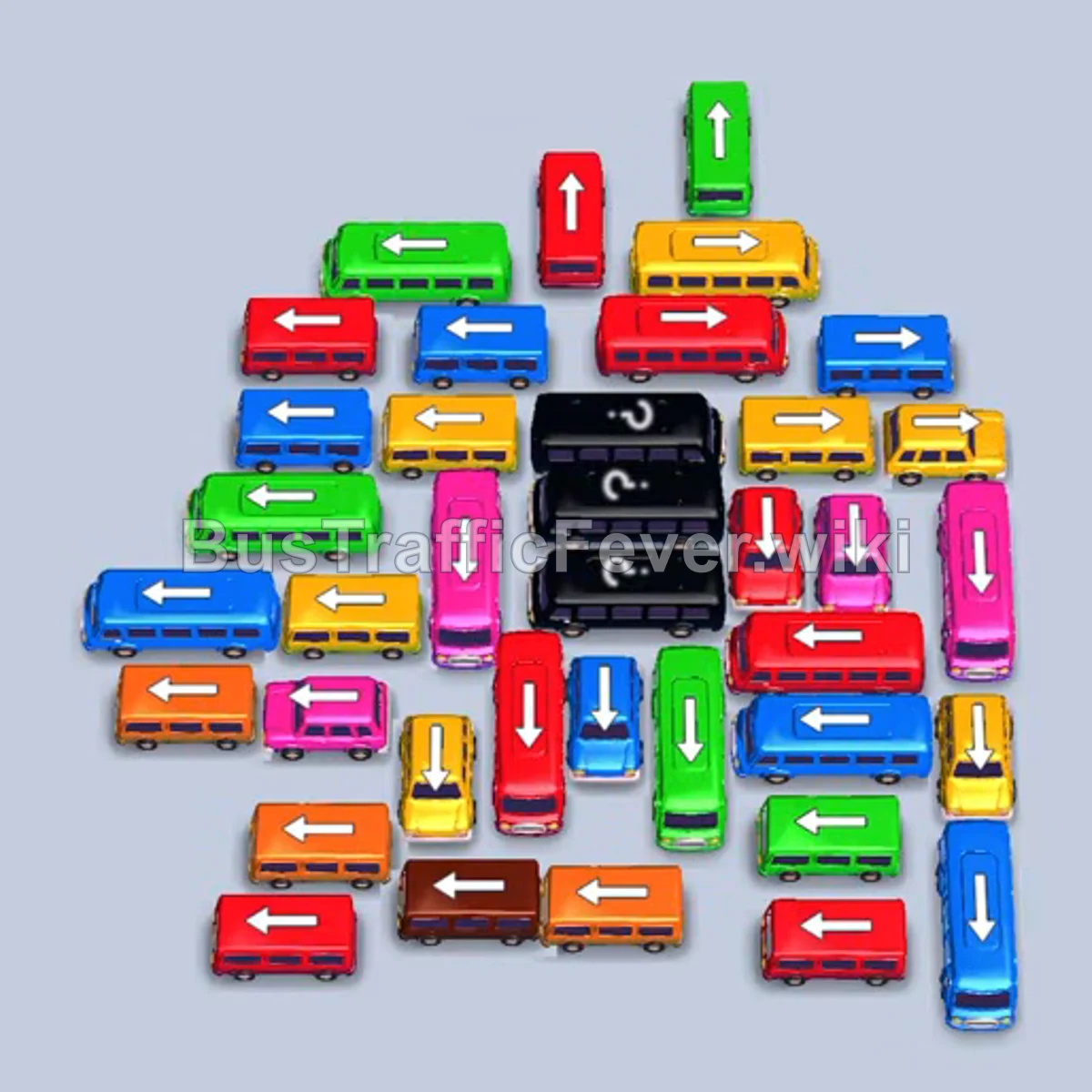
Step-by-step solution
Difficulty: Super Hard
Phase 1: Clearing Initial Blue, Yellow, Pink, and Orange Traffic
- Tap the vertical blue bus on the far right edge pointing downward to exit into the parking area.
- Tap the horizontal yellow bus on the right side pointing rightward.
- Tap the vertical magenta/pink bus on the far right edge pointing downward.
- Tap the horizontal orange bus along the bottom edge pointing leftward.
- Tap the horizontal orange mini-bus near the lower center pointing leftward.
- Allow the blue and yellow passengers to fill and clear their respective buses, opening parking slots.
- The magenta bus will fill with passengers and clear out next.
Phase 2: Clearing Red and First Wave of Green
- Tap the horizontal red bus at the bottom-left pointing leftward.
- Tap the horizontal magenta bus on the middle-left pointing leftward into parking.
- The magenta and red buses in the bays will absorb passengers and depart.
- Tap the small red bus near the center pointing leftward to pick up the remaining red passengers and leave immediately.
- Tap the horizontal yellow mini-bus on the right side pointing rightward.
- Tap the horizontal yellow bus in the upper-right section pointing rightward.
- Tap the small yellow bus pointing rightward.
- Tap the brown bus along the bottom pointing leftward.
- Tap the orange horizontal bus at the bottom pointing leftward.
- Yellow passengers will board and clear the yellow vehicles.
- Tap the vertical red mini-bus pointing downward.
- Tap the horizontal red bus in the upper-center pointing rightward.
- Allow the red passengers to finish boarding and clear both red vehicles.
Phase 3: Unblocking the Top Row and Green Passengers
- Tap the green bus at the top pointing upward to exit straight off the top edge.
- Tap the horizontal red bus on the right pointing rightward.
- Tap the horizontal red mini-bus pointing rightward into the bay. Red passengers will board and clear.
- Tap the horizontal green mini-bus near the center pointing leftward.
- Tap the vertical green bus pointing downward.
- Green passengers will board and clear all green buses from the bays.
- Tap the horizontal yellow bus near the top pointing rightward.
- Tap the vertical green mini-bus pointing downward.
- The yellow bus will fill and depart once yellow passengers arrive.
Phase 4: Clearing Brown, Orange, and Cyan Vehicles
- Tap the orange mini-bus pointing leftward.
- Tap the brown bus pointing leftward into the bay.
- Tap the horizontal blue mini-bus on the left pointing leftward.
- Tap the horizontal yellow mini-bus pointing leftward.
- The remaining orange, brown, and yellow passengers will board and clear these buses.
- Tap the horizontal magenta bus pointing leftward.
- Tap the small yellow bus near the bottom pointing downward.
- As magenta and blue passengers advance, the magenta bus fills and clears.
- Tap the horizontal green bus on the middle-left pointing leftward.
- Tap the horizontal cyan bus pointing rightward.
- Allow the cyan and green buses to board their passengers and depart.
Phase 5: Clearing the Final Blue, Red, and Pink Vehicles
- Tap the vertical blue bus pointing downward.
- Tap the horizontal blue bus pointing leftward.
- Blue passengers will board and clear the blue vehicles.
- Tap the horizontal red bus pointing rightward.
- Tap the small blue bus pointing downward.
- Tap the horizontal cyan bus pointing leftward.
- Tap the horizontal green mini-bus pointing leftward.
- Tap the small blue bus pointing rightward.
- Tap the horizontal blue bus pointing rightward.
- Tap the horizontal red bus pointing leftward.
- Allow the blue and red passengers to board and clear their buses.
- Tap the remaining small red bus pointing leftward.
- Tap the two small pink buses at the bottom right (one pointing downward, one pointing upward/rightward) into the bays to collect the final pink passengers and complete the level.
Tips for success
- Watch the perimeter arrows: The outer ring of buses blocks the interior; clear perimeter buses strictly along their unobstructed exit paths first.
- Conserve parking bays: Do not send large buses into the bays unless their passenger color is currently at the front of the queue or immediately next in line.
- Prioritize low-capacity buses: When space is tight, small 4-seater buses clear in seconds and immediately recycle the slot for the next vehicle.
More Bus Traffic Fever help
Continue with the Level 340 walkthrough, review the core rules in how to play Bus Traffic Fever, or browse all level solutions to jump to another number.