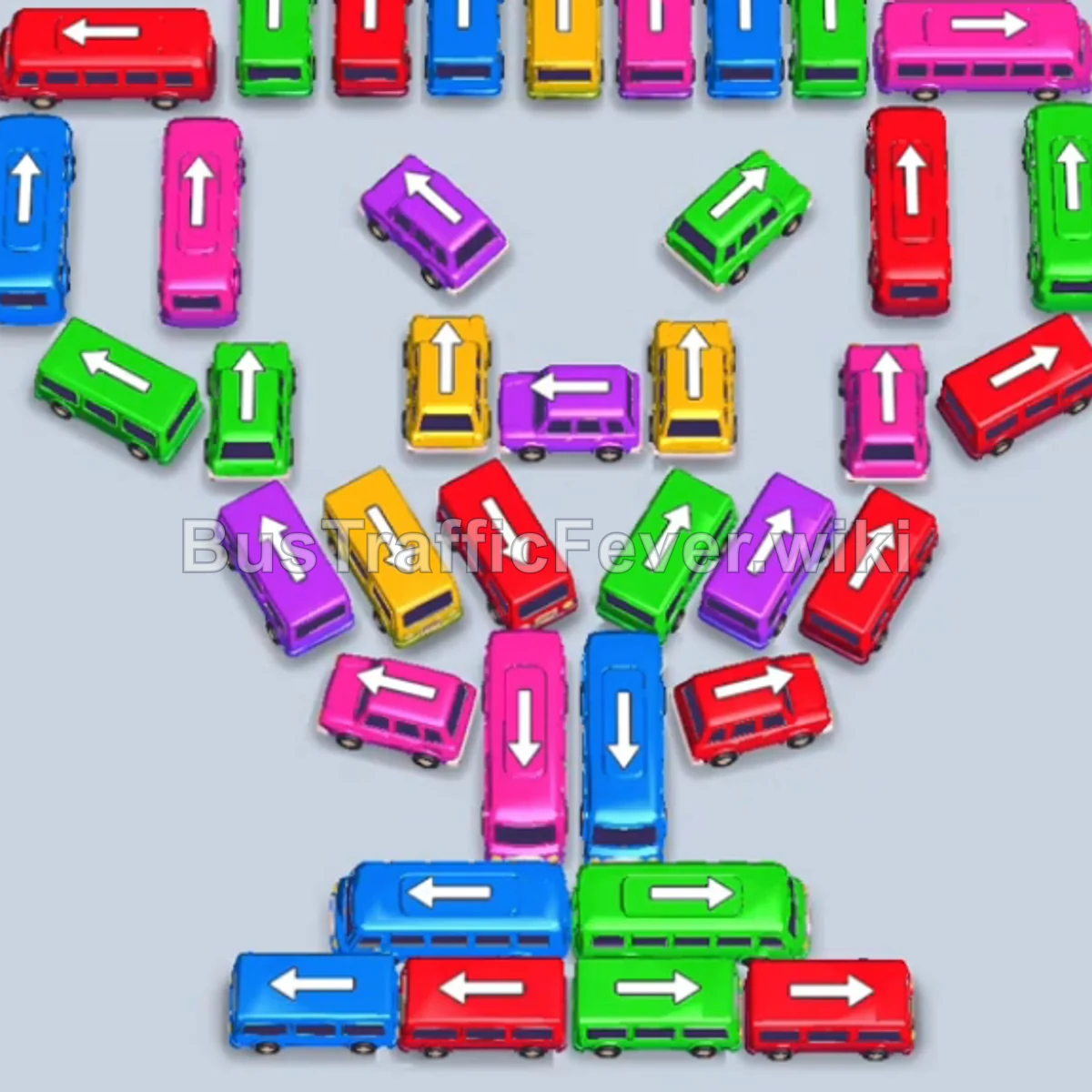
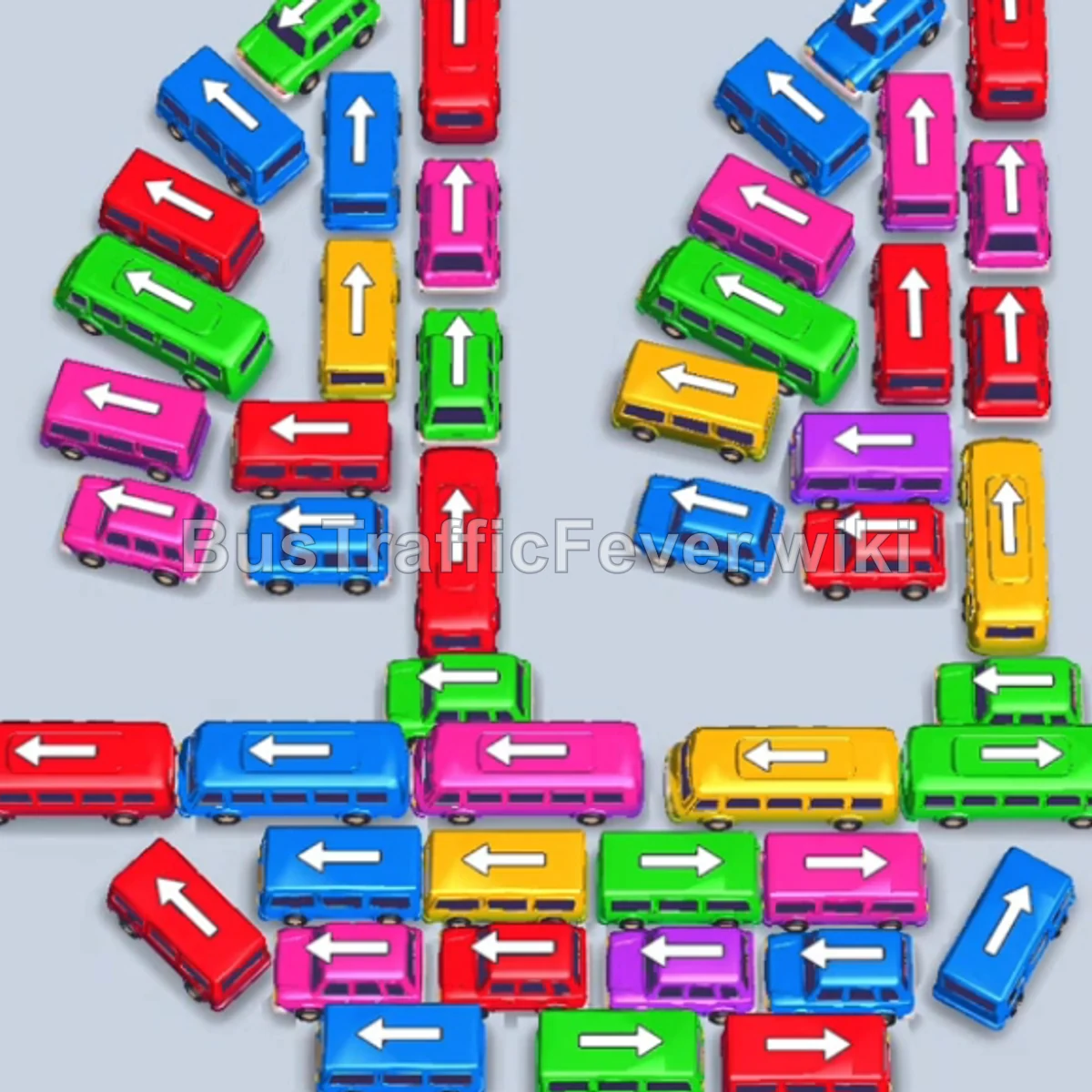
Bus Traffic Fever Level 80 Answer & Walkthrough Solution

Quick answer
Tap the Red bus at the top center (pointing up). It docks, fills with the front red passenger wave, and departs. Tap the Yellow bus at the bottom center (pointing left). Tap the Purple bus at the bottom center (pointing left).
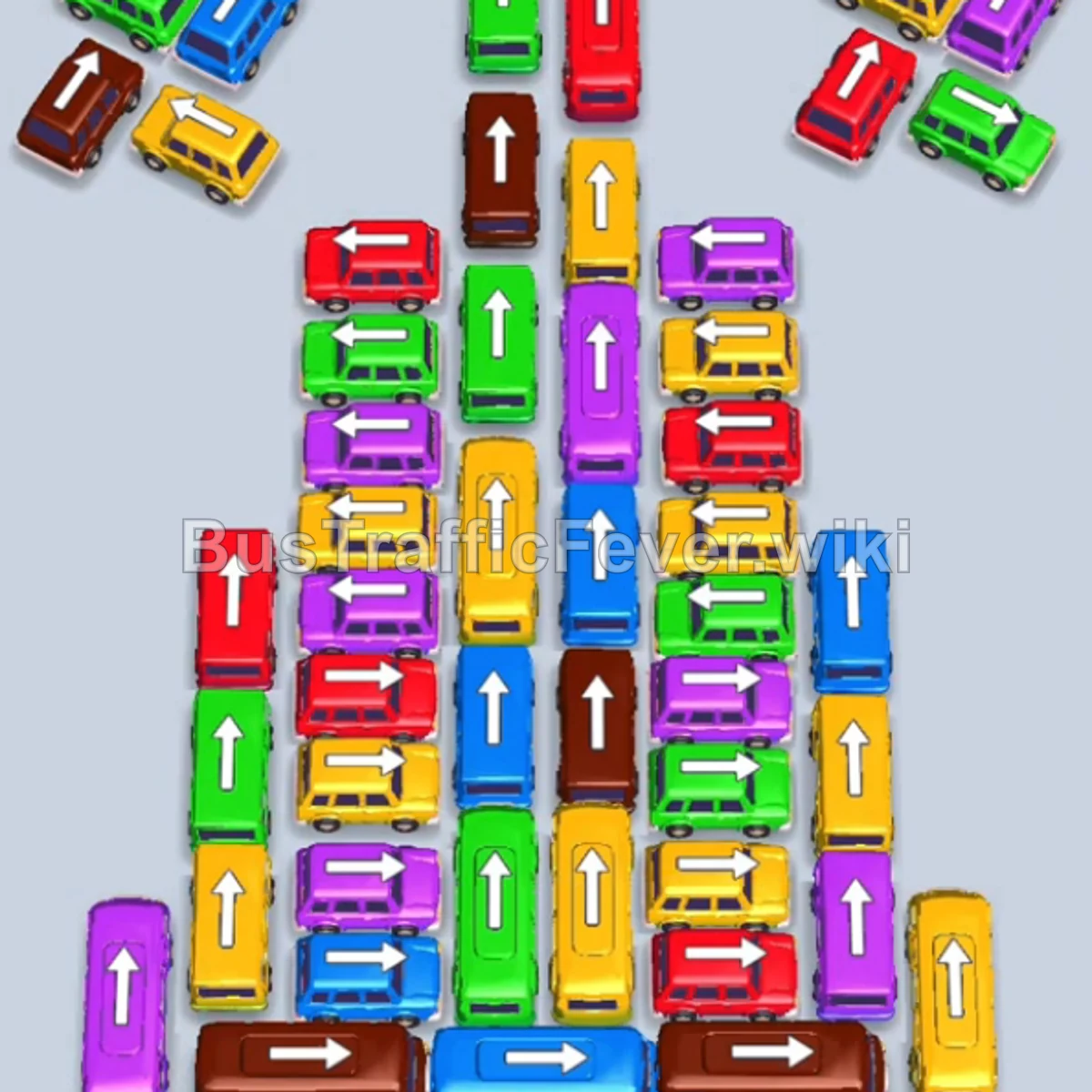
Step-by-step solution
Phase 1: Clearing Initial Perimeter and Center Columns
- Tap the Red bus at the top center (pointing up). It docks, fills with the front red passenger wave, and departs.
- Tap the Yellow bus at the bottom center (pointing left).
- Tap the Purple bus at the bottom center (pointing left). Purple passengers board first and clear the bus, followed by yellow passengers completing the Yellow bus.
- Tap the Green bus in the left column (pointing up).
- Tap the Brown bus in the right column (pointing down). Green and brown passengers board both vehicles and they depart.
- Tap the Green bus in the left column (pointing up) to pick up the incoming green wave.
- Tap the Yellow bus in the left column (pointing up).
- Tap the Blue bus on the upper-left wing (pointing up-left) to clear the blue passengers.
- Yellow passengers finish boarding the Yellow bus, clearing the dock.
Phase 2: Unlocking the Upper Wings and Outer Diagonal Buses
- Tap the Blue bus in the center row (pointing left) to collect blue passengers.
- Tap the Yellow bus on the upper left (pointing left).
- Tap the Red bus on the upper right (pointing down-right). Yellow and red passengers board and both buses depart.
- Tap the Green bus on the upper right (pointing up-right).
- Tap the Brown bus in the right column (pointing down). Green and brown passengers fill both vehicles and leave.
- Tap the Yellow bus on the upper right (pointing up-right).
- Tap the Green bus in the upper-right area (pointing up). Yellow and green passengers board and clear.
- Tap the Yellow bus on the far-right vertical track (pointing down) to catch the large yellow passenger wave.
- Tap the Purple bus in the center-left column (pointing down). Purple passengers board and depart, followed by yellow passengers clearing the Yellow bus.
Phase 3: Mid-Stack Decongestion & Multi-Color Waves
- Tap the Purple bus in the upper-right stack (pointing up).
- Tap the Green bus in the upper-center stack (pointing up).
- Tap the Purple bus on the far right (pointing up-right).
- Tap the Brown bus in the right column (pointing down) to catch brown passengers.
- Tap the Red bus in the left column (pointing up). Red passengers board and it departs.
- Tap the Brown bus in the center-left column (pointing down) to board the brown queue.
- Tap the Red bus in the left column (pointing up).
- Tap the Blue bus in the center-right column (pointing up).
- Tap the Yellow bus in the left column (pointing down). Yellow and blue passengers board and depart.
- Tap the Yellow bus in the right column (pointing down).
- Tap the Purple bus on the far-right track (pointing down).
- Tap the Green bus in the upper-left area (pointing up).
Phase 4: Clearing the Lower Left Stacks & Remaining Lanes
- Tap the Yellow bus on the outer left (pointing up).
- Tap the Yellow bus at the top left (pointing left).
- Tap the Red bus at the top left (pointing down-left). Yellow and red passengers board and leave.
- Tap the Blue bus in the left column (pointing up).
- Tap the Green bus in the central vertical lane (pointing up). Blue and green passengers board and depart.
- Tap the Purple bus on the left wing (pointing up).
- Tap the Red bus in the left column (pointing up).
- Tap the Blue bus in the right column (pointing up).
- Tap the Purple bus in the center-left column (pointing down).
- Tap the Brown bus at the bottom left (pointing right). Blue, purple, and brown queues complete and clear out.
Phase 5: Final Sequence and Cleanup
- Tap the Yellow bus at the bottom left (pointing up) to pick up yellow passengers.
- Tap the Green bus on the left outer rail (pointing down).
- Tap the Yellow bus on the left outer rail (pointing up).
- Tap the Red bus at the bottom right (pointing left). Green, yellow, and red passengers board and depart.
- Tap the Yellow bus on the left (pointing up).
- Tap the Green bus on the left (pointing up).
- Tap the Purple bus in the center column (pointing left).
- Tap the Red bus at the bottom center (pointing left).
- Tap the Blue bus in the bottom stack (pointing right).
- Tap the final Purple bus at the bottom center (pointing right) to complete the level.
Tips for success
- Alternate Between Parallel Columns: Work down both vertical columns evenly to prevent one side from completely blocking crossover exit lanes.
- Coordinate Dual-Queue Departures: When two vehicles share an approaching multi-color wave, dock both early so passengers stream continuously without stalling.
- Keep Staging Slots Clear: Stagger vehicle taps so that small buses leave quickly, keeping free bays available for longer buses that take time to fill.
More Bus Traffic Fever help
Continue with the Level 79 walkthrough, review the core rules in how to play Bus Traffic Fever, or browse all level solutions to jump to another number.