Bus Traffic Fever Level 135 Answer & Walkthrough Solution

Quick answer
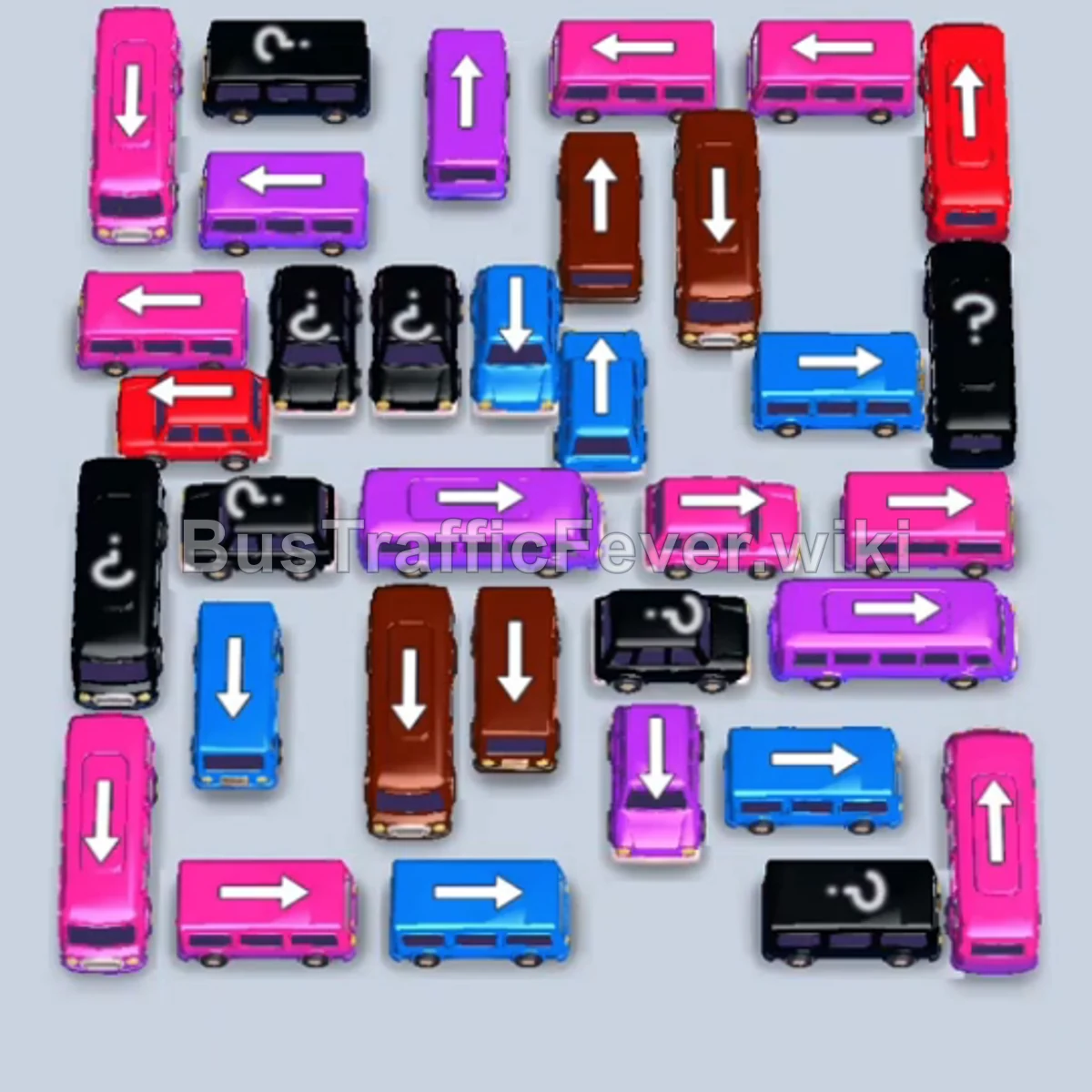
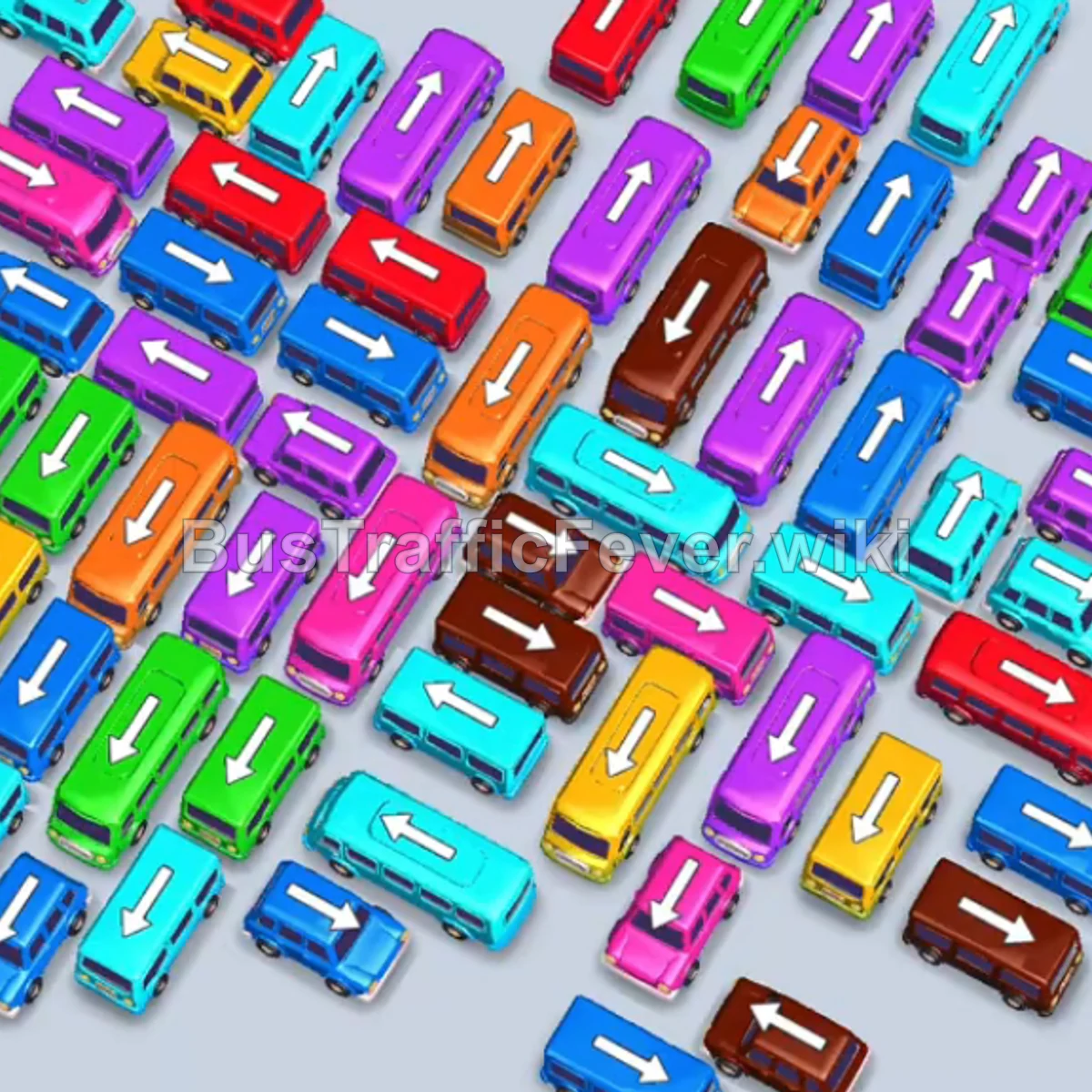
Tap the Purple bus pointing up-right at the top center. It occupies the VIP parking slot and begins loading purple passengers. Tap the Pink bus pointing up-right at the top-left. Pink passengers board and it departs. Tap the Pink bus pointing up-left at the bottom-left.
Step-by-step solution
Phase 1: Clearing the Outer Perimeter (Purple, Pink, Cyan, & Yellow)
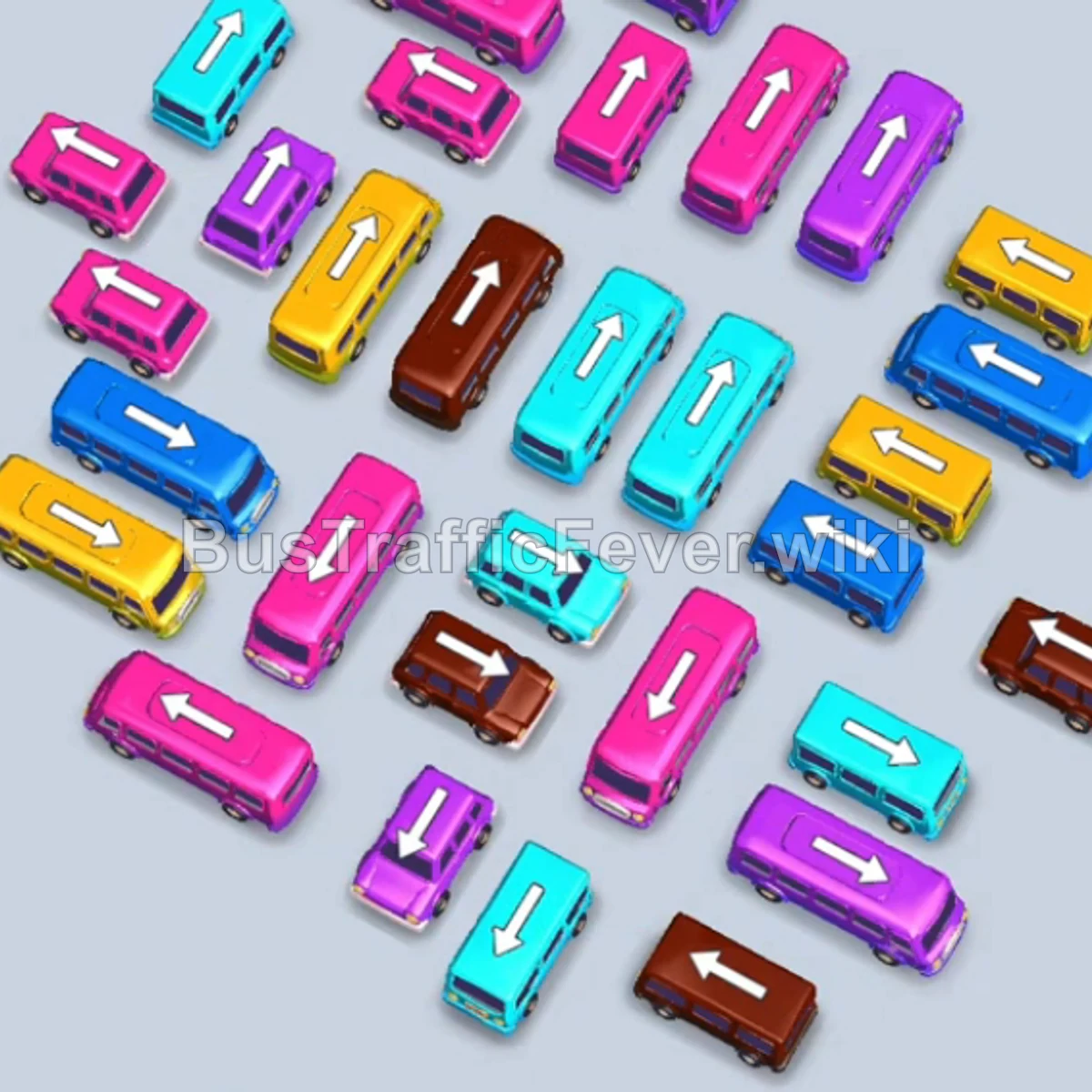
- Tap the Purple bus pointing up-right at the top center. It occupies the VIP parking slot and begins loading purple passengers.
- Tap the Pink bus pointing up-right at the top-left. Pink passengers board and it departs.
- Tap the Pink bus pointing up-left at the bottom-left. It moves into a parking slot.
- Tap the Cyan (Light Blue) bus pointing up-left in the center. Both the Cyan and Pink buses load passengers and depart.
- Tap the Pink bus pointing up-right at the top-left. Pink passengers board and it departs.
- Tap the Yellow bus pointing up-right in the middle-left. Yellow passengers board and it departs.
- The remaining Pink passengers board the parked Pink bus, and it departs.
- Tap the Pink bus pointing up-right at the top center. Pink passengers board and it departs.
- Tap the Blue bus pointing up-right in the middle-left. Blue passengers board and it departs.
- The initial parked Purple bus finishes loading and departs.
Phase 2: Unlocking the Center Stack (Brown, Purple, Cyan, & Blue)
- Tap the Brown bus pointing up-right in the upper-center lane. Brown passengers board.
- Tap the Purple bus pointing up-right on the top right.
- Tap the Pink bus pointing up-right at the bottom center. Pink passengers board and it departs immediately.
- Purple passengers board the parked Purple bus, which departs.
- The parked Brown bus finishes loading and departs.
- Tap the Cyan bus pointing up-right in the center. Cyan passengers board.
- Tap the Pink bus pointing up-left at the bottom. Pink passengers board and it departs.
- The parked Cyan bus finishes loading and departs.
Phase 3: Managing Multi-Bus Queues (Yellow, Blue, Brown, & Pink)
- Tap the Purple bus pointing up-right at the far top-right. It moves to the VIP slot.
- Tap the Cyan bus pointing up-right on the middle-right.
- Tap the Blue bus pointing up-right in the middle. Blue passengers board and it departs.
- Tap the Yellow bus pointing up-left in the center. Yellow passengers board.
- Tap the Brown bus pointing up-left on the bottom-right. The Yellow bus and Brown bus load and depart.
- Tap the Pink bus pointing up-right at the bottom-left. Pink passengers board and it departs.
- Purple passengers board into the parked Purple bus.
- Tap the Yellow bus pointing up-left on the middle-right. Yellow passengers board and it departs.
- Tap the Cyan bus pointing up-right at the bottom center. Both the Purple bus and Cyan bus finish loading and depart.
- Tap the Pink bus pointing up-right at the bottom right. Pink passengers board.
- Tap the Brown bus pointing left at the bottom right. Brown passengers board.
- The parked Cyan and Pink buses complete loading and depart.
- Tap the Brown bus pointing up-left on the middle left. Brown passengers board; both Brown buses depart.
Phase 4: Final Sequence & Cleanup
- Tap the Purple bus pointing up-left at the bottom center. Purple passengers board.
- Tap the Yellow bus pointing up-left in the middle. Yellow passengers board.
- Tap the Cyan bus pointing down-left on the far left.
- Tap the Cyan bus pointing up-right at the bottom center. Cyan passengers board.
- Tap the Pink bus pointing left on the middle right. The Purple, Yellow, and Pink buses finish boarding and depart.
- Tap the Blue bus pointing right in the middle-left. Blue passengers board and it departs.
- Tap the Brown bus pointing left at the bottom.
- Tap the final Cyan bus pointing right on the middle right. The Cyan and Brown buses finish loading the remaining passengers to achieve a Perfect level completion!
Tips for success
- Anticipate Color Waves: Keep your eyes on the dual-lane circular passenger track to ensure you queue up buses that match oncoming color clusters.
- Keep Parking Slots Clear: Never fill all 5 parking slots with buses that cannot load immediately, or you risk getting stuck with no room to unblock tight turns.
- Prioritize High-Capacity Buses: Send 40-capacity buses to parking bays early when their corresponding color wave begins, allowing smaller filler buses to rotate through smoothly.
More Bus Traffic Fever help
Continue with the Level 134 walkthrough, review the core rules in how to play Bus Traffic Fever, or browse all level solutions to jump to another number.