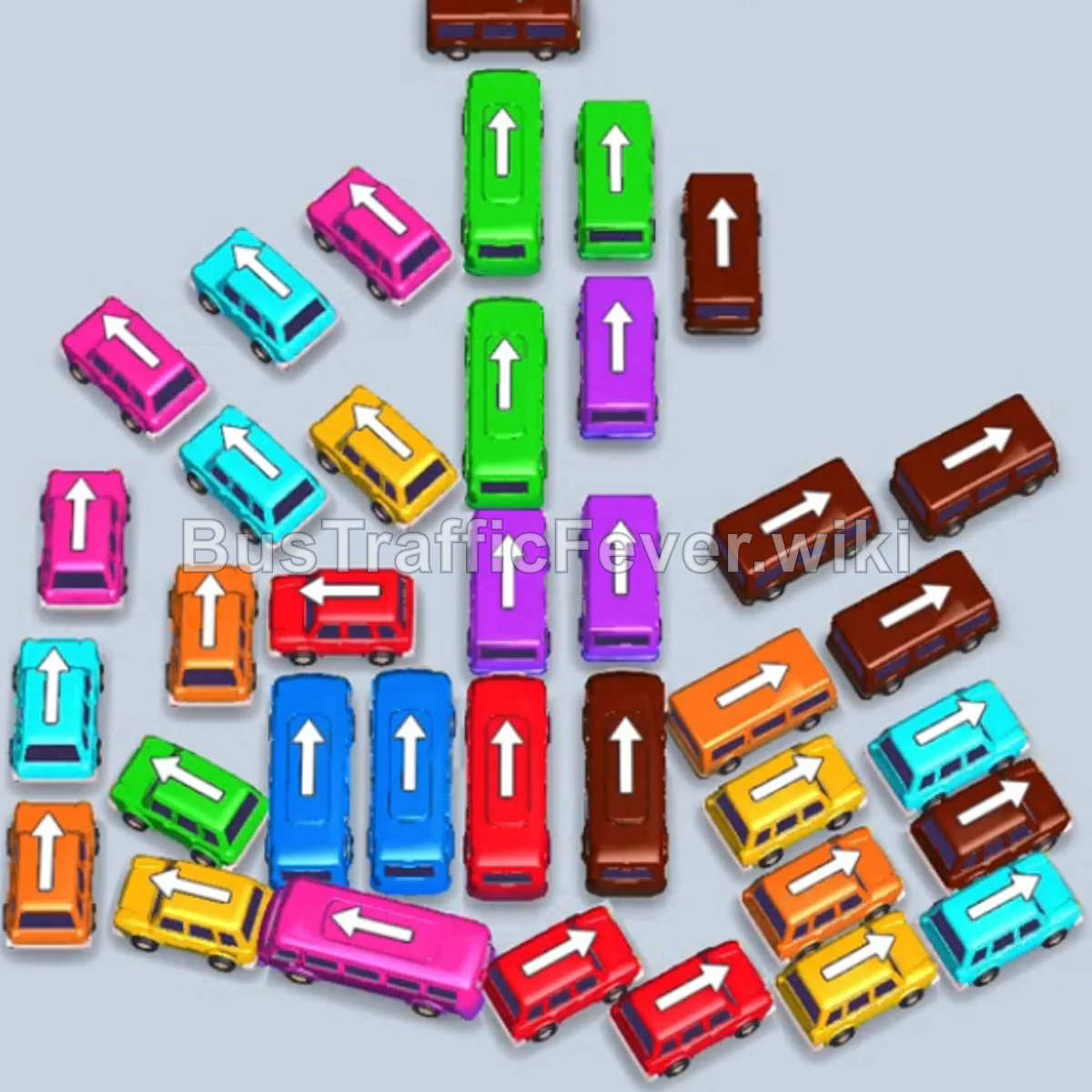
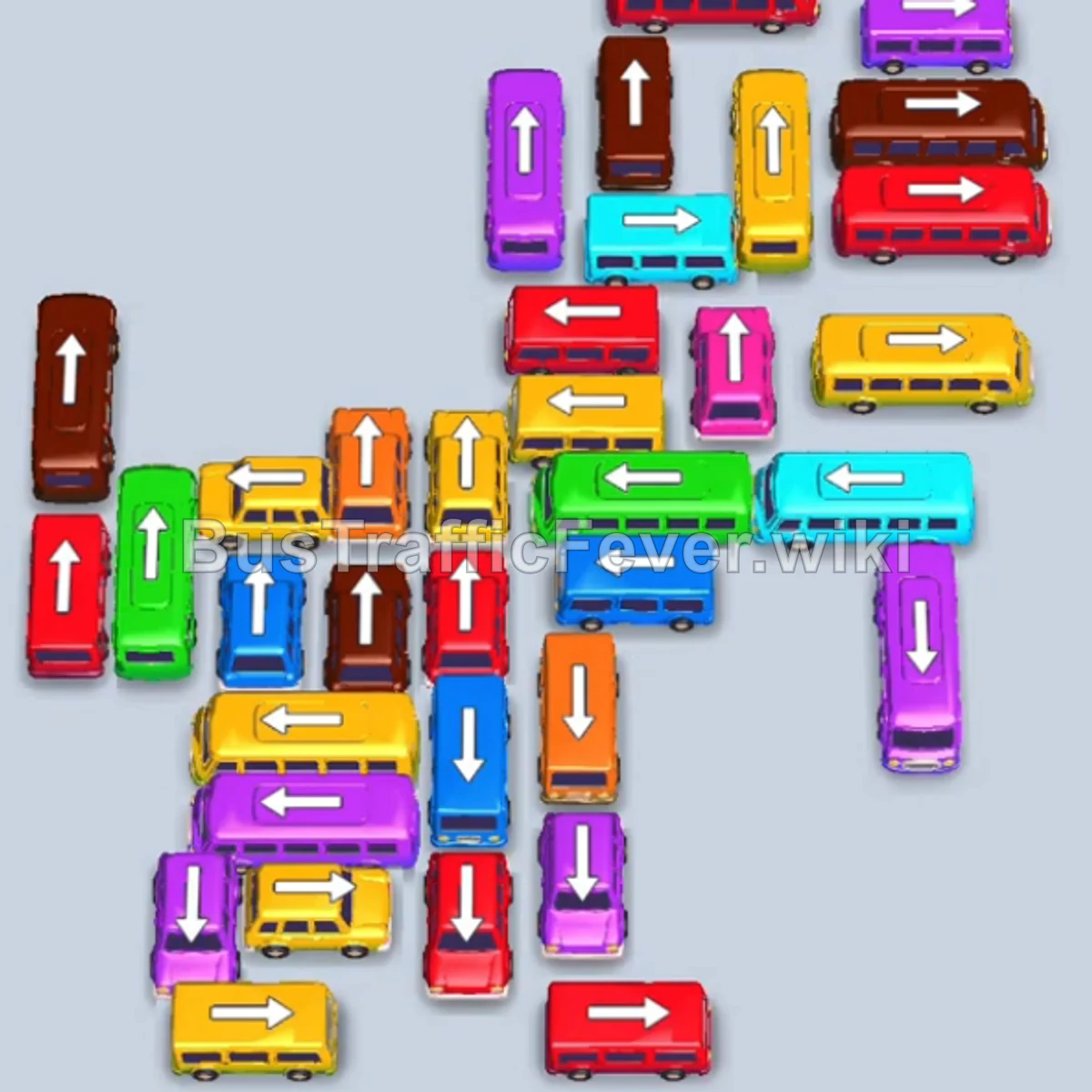
Bus Traffic Fever Level 60 Answer & Walkthrough Solution

Quick answer
Tap the Yellow bus facing left at the top left. Yellow passengers will board and it will depart immediately. Tap the Green bus facing right at the top right into parking slot 1 (it will hold the slot temporarily). Tap the Yellow bus facing right in the lower-left area into slot 2.
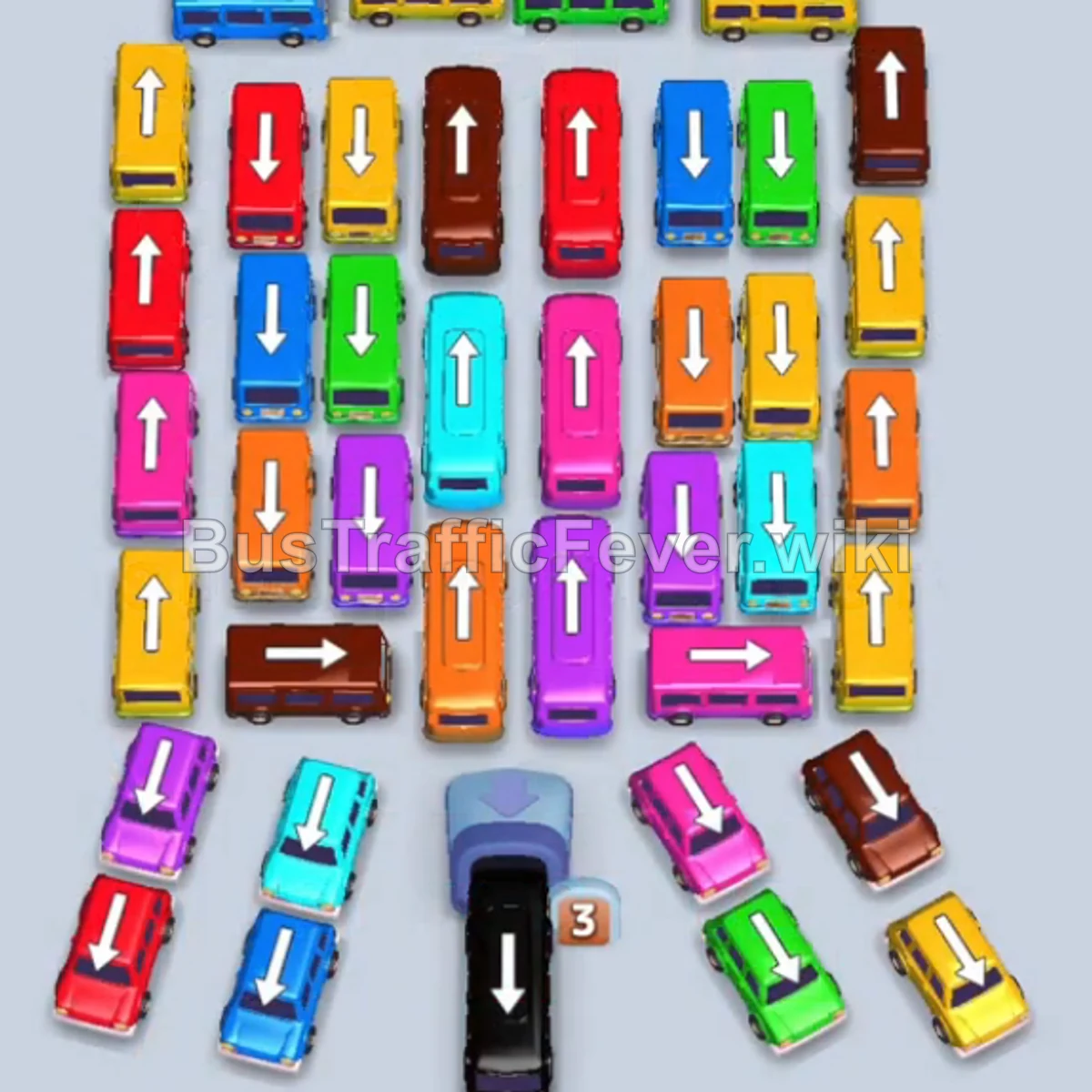
Step-by-step solution
Phase 1: Outer Flank & Early Perimeter Clearance
- Tap the Yellow bus facing left at the top left. Yellow passengers will board and it will depart immediately.
- Tap the Green bus facing right at the top right into parking slot 1 (it will hold the slot temporarily).
- Tap the Yellow bus facing right in the lower-left area into slot 2. Yellow passengers will board and clear.
- Tap the Brown bus facing up at the top right into slot 2.
- Tap the Orange bus facing down on the right side into slot 3.
- Tap the Orange bus facing down near the bottom right into slot 4. Yellow and Orange passengers will board and clear out their respective vehicles.
- Tap the next Orange bus facing down on the right side. Orange passengers will board and depart.
- Tap the Yellow bus facing down on the right side to clear yellow passengers.
- Tap the Pink bus facing right at the bottom left. Pink passengers will board and clear.
Phase 2: Clearing Right-Side Flank and Top Lanes
- Tap the Yellow bus facing down at the bottom right. Yellow passengers will board and depart.
- Tap the Pink bus facing down in the upper middle into slot 2.
- Tap the Purple bus facing up in the lower middle into slot 3.
- Tap the Purple bus facing up at the top middle into slot 4. Pink and Purple passengers will board and clear all three vehicles.
- Tap the Orange bus facing up in the center to board orange passengers and depart.
- The Green bus in slot 1 and the Green bus will now collect green passengers and clear.
- Tap the Blue bus facing left at the top left. Blue passengers will board and depart.
- Tap the Blue bus facing down on the bottom left. Blue passengers will board and depart.
Phase 3: Unraveling the Center Grid
- Tap the Red bus facing up on the far left into slot 1.
- Tap the Red bus facing up in the top middle-left into slot 2. Red passengers will board and clear both vehicles.
- Tap the Yellow bus facing up on the left side to collect yellow passengers and depart.
- Tap the Red bus facing down on the far left. Red passengers will board and depart.
- Tap the Pink bus facing up in the center-right into slot 2.
- Tap the Pink bus facing left in the lower center into slot 3. Pink passengers will board and clear both buses.
- Tap the Brown bus facing up in the upper center. Brown passengers will board and depart.
- Tap the Cyan bus facing left in the middle-left area. Cyan passengers will board and depart.
- Tap the Purple bus facing left in the lower middle. Purple passengers will board and depart.
Phase 4: Dissecting the Lower Cluster
- Tap the Yellow bus facing right in the middle-right area to board yellow passengers and depart.
- Tap the Orange bus facing right in the center to board orange passengers and depart.
- Tap the Cyan bus facing down in the center.
- Tap the Purple bus facing right at the bottom left. Cyan and Purple passengers will board and depart.
- Tap the Brown bus facing right in the lower left. Brown passengers will board and depart.
- Tap the Orange bus facing right at the lower left. Orange passengers will board and depart.
- Tap the Purple bus facing left at the bottom left. Purple passengers will board and depart.
- Tap the Blue bus facing up in the center-right. Blue passengers will board and depart.
- Tap the Brown bus facing up at the bottom right. Brown passengers will board and depart.
- Tap the Cyan bus facing down in the center to board cyan passengers and depart.
Phase 5: Final Clean-up & Endgame Rush
- Tap the Red bus facing down on the left to collect red passengers and depart.
- Tap the Green bus facing down on the right into slot 2.
- Tap the Green bus facing down on the left into slot 3.
- Tap the Green bus facing left in the top middle into slot 2. All remaining green passengers will board and depart.
- Deploy the final remaining vehicles into the open slots:
- Tap the Yellow bus facing down on the left into slot 1.
- Tap the Black bus facing down at the bottom center into slot 2.
- Tap the Blue bus facing up in the center-left into slot 3.
- Tap the Red bus facing down in the upper-left into slot 4.
- Yellow, Blue, Red, and Black passengers will board all vehicles in rapid succession to complete Level 60!
Tips for success
- Unlock Blocked Rows from Outer Edges: The middle section is heavily congested; prioritize peeling away outer columns (especially the left and right downward-facing buses) to create exit corridors for larger buses.
- Keep Multi-Slot Space Open: Several phases require two vehicles of the same color (like Pink or Red) in parking slots simultaneously to clear large passenger groups without clogging the bay.
- Monitor Exit Trajectories: Check vehicle arrows closely before tapping so they don’t crash into parked or obstructing buses in neighboring lanes.
More Bus Traffic Fever help
Continue with the Level 59 walkthrough, review the core rules in how to play Bus Traffic Fever, or browse all level solutions to jump to another number.