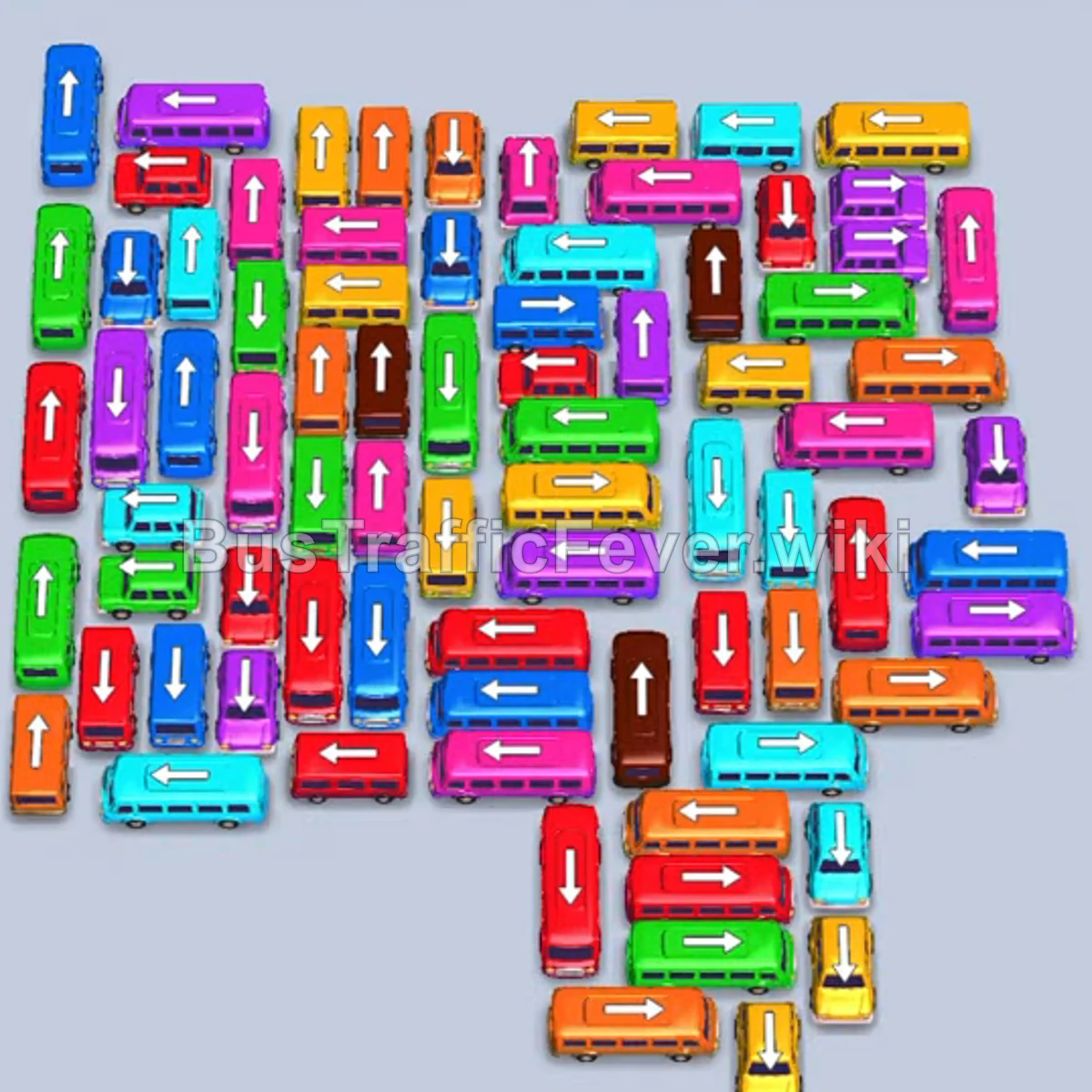
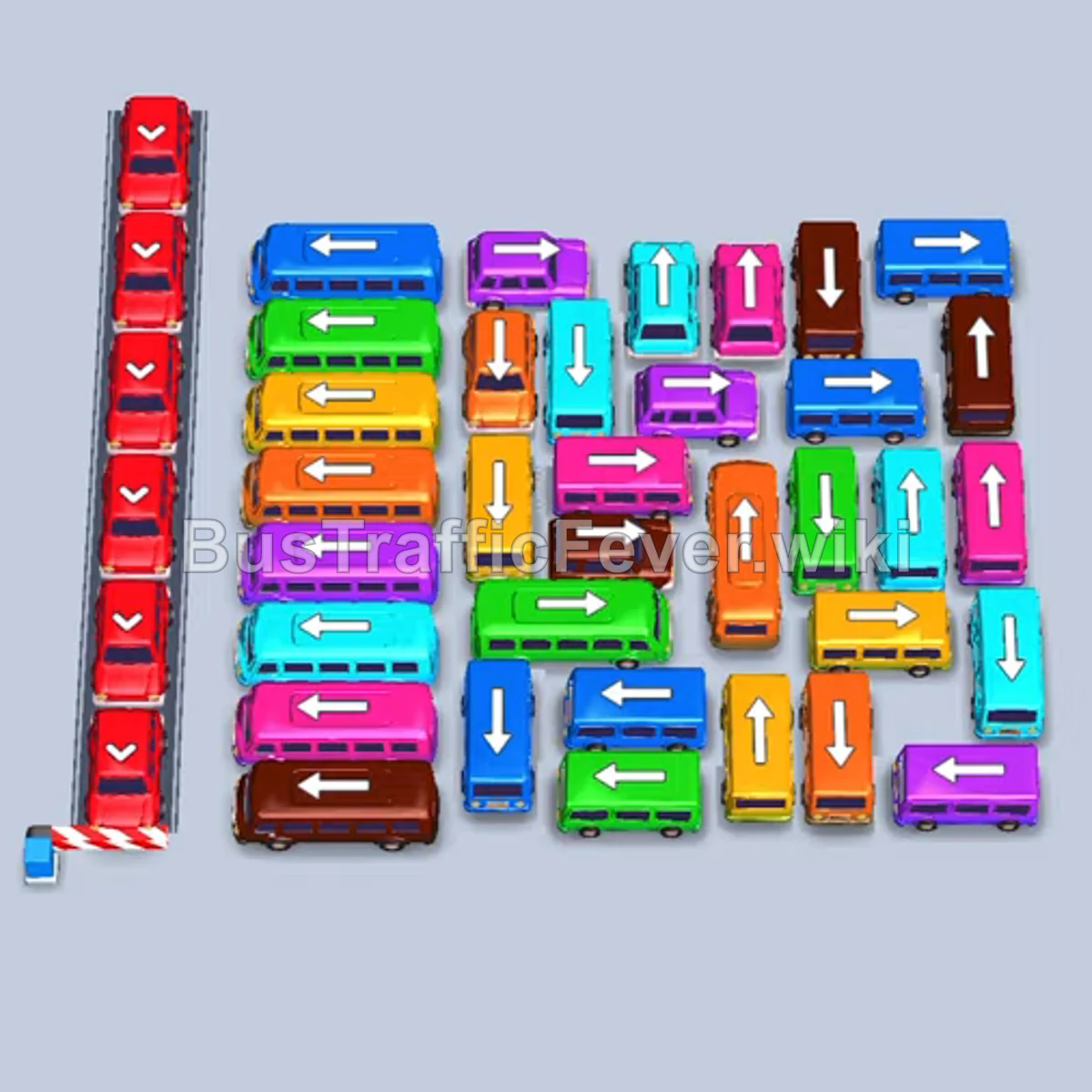
Bus Traffic Fever Level 322 Answer & Walkthrough Solution

Quick answer
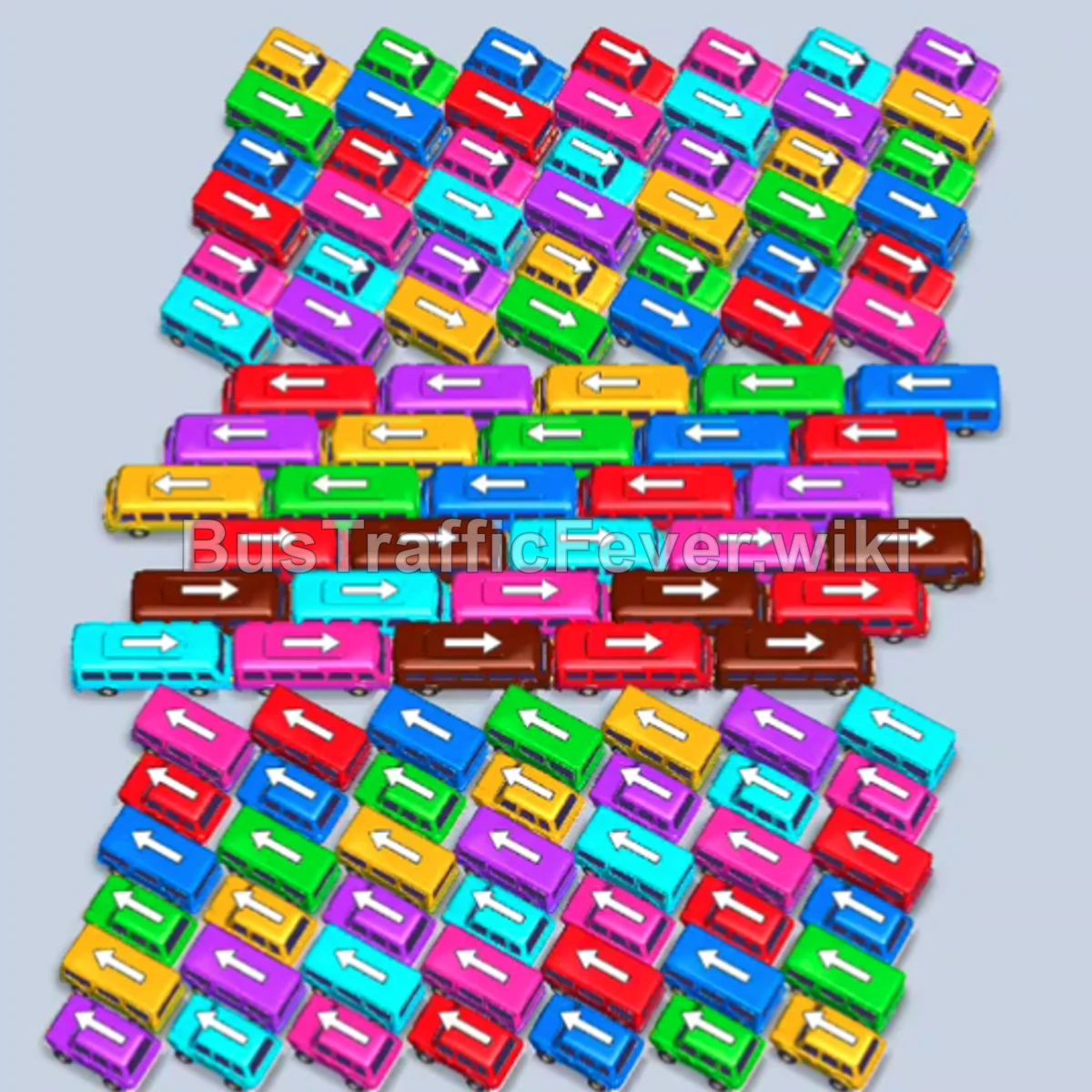
Level 322 features a dense, multi-layered traffic jam consisting of full-sized buses in the upper half and compact buses in the lower half. The key strategy is to continuously match the passenger colors at the front of the queue loop while freeing the outer horizontal buses layer by layer. Carefully balance the 5 active parking bays so vehicles can board and depart quickly, preventing gridlock while uncovering the smaller buses beneath.
Step-by-step solution
Phase 1: Clearing Initial Large Buses
- Tap the red bus pointing right in the lower-middle section to send it to the first parking bay.
- Tap the red bus pointing right in the middle row; red passengers board and fill the first bus, clearing it.
- Tap the yellow bus pointing left on the left side to enter the open bay and begin taking yellow passengers.
- Tap the green bus pointing left near the upper-left corner into the bay to collect green passengers.
- Tap the red bus pointing right in the middle-bottom layer to move to an open bay.
- Tap the red bus pointing left on the far-left edge; red passengers board and send the filled red bus out.
- Tap the purple bus pointing left on the middle-left edge to board purple passengers and depart.
- Tap the blue bus pointing right along the middle row to enter a bay.
- Tap the yellow bus pointing left in the center row; yellow passengers board immediately and it clears.
- Tap the brown bus pointing right in the center to begin picking up brown passengers.
- Tap the cyan bus pointing right in the center to board cyan passengers and clear.
- Tap the yellow bus pointing left in the center-left to collect yellow passengers.
- Tap the red bus pointing right in the center row; it fills with red passengers and departs.
- Tap the purple bus pointing right in the upper-right section to board purple passengers and clear.
- Tap the red bus pointing right to clear the remaining red passengers.
Phase 2: Unraveling the Center Rows
- Tap the blue bus pointing right to board blue passengers and depart.
- Tap the green bus pointing left on the left side to pick up green passengers and clear.
- Tap the brown bus pointing right across the middle row to board brown passengers.
- Tap the blue bus pointing right along the cleared path to board blue passengers and leave.
- Tap the yellow bus pointing left on the left side to board yellow passengers and clear.
- Tap the green bus pointing left to collect green passengers and depart.
- Tap the red bus pointing right to clear red passengers.
- Tap the brown bus pointing right in the middle section to enter a parking bay.
- Tap the pink bus pointing right in the upper section to board pink passengers and clear.
- Tap the blue bus pointing right along the right side to pick up blue passengers and leave.
- Tap the yellow bus pointing right to board yellow passengers and depart.
- Tap the green bus pointing right to pick up green passengers and clear.
- Tap the brown bus pointing right to finish boarding brown passengers and depart.
- Tap the pink bus pointing right to collect pink passengers and leave.
- Tap the blue bus pointing right to board blue passengers and clear.
- Tap the red bus pointing right to board red passengers and depart.
- Tap the brown bus pointing right to collect brown passengers and leave.
- Tap the yellow bus pointing left to clear yellow passengers.
- Tap the red bus pointing right to board red passengers and depart.
- Tap the pink bus pointing right to clear pink passengers.
Phase 3: Transitioning to Compact Buses and Vans
- Tap the brown bus pointing right to finish boarding brown passengers.
- Tap the blue bus pointing right to board blue passengers and clear.
- Tap the pink bus pointing left to pick up pink passengers and depart.
- Tap the red bus pointing right to board red passengers and leave.
- Tap the blue bus pointing right to board blue passengers and clear.
- Tap the red bus pointing left on the lower-left edge to clear red passengers.
- Tap the purple bus pointing right to pick up purple passengers and leave.
- Tap the yellow bus pointing right to clear yellow passengers.
- Tap the green bus pointing left to collect green passengers and depart.
- Tap the pink bus pointing left to board pink passengers and clear.
- Tap the green bus pointing right to board green passengers and leave.
- Tap the brown bus pointing right to collect brown passengers and depart.
- Tap the blue bus pointing right to clear blue passengers.
- Tap the purple bus pointing left to board purple passengers and clear.
- Tap the yellow bus pointing left to pick up yellow passengers and depart.
- Tap the brown bus pointing right to board brown passengers and clear.
- Tap the yellow bus pointing left to board yellow passengers and leave.
- Tap the blue bus pointing right to clear blue passengers.
- Tap the pink bus pointing left to clear pink passengers.
- Tap the pink bus pointing right to collect pink passengers and leave.
- Tap the cyan bus pointing right to board cyan passengers and clear.
- Tap the purple bus pointing left to pick up purple passengers and depart.
- Tap the green bus pointing left to collect green passengers and leave.
- Tap the pink bus pointing left to clear pink passengers.
- Tap the red bus pointing left to board red passengers and clear.
- Tap the brown bus pointing right to collect brown passengers and leave.
- Tap the yellow bus pointing left to pick up yellow passengers and depart.
- Tap the blue bus pointing left to board blue passengers and clear.
- Tap the green bus pointing left to clear green passengers.
- Tap the pink bus pointing left to board pink passengers and depart.
Phase 4: Clearing the Final Grid Cluster
- Tap the brown bus pointing right to board brown passengers and clear.
- Tap the yellow bus pointing right to collect yellow passengers and leave.
- Tap the blue bus pointing left to board blue passengers and depart.
- Tap the pink bus pointing left to clear pink passengers.
- Tap the blue bus pointing right to pick up blue passengers and leave.
- Tap the green bus pointing right to board green passengers and clear.
- Tap the pink bus pointing right to collect pink passengers and depart.
- Tap the blue bus pointing right to board blue passengers and leave.
- Tap the brown bus pointing right to board brown passengers and clear.
- Tap the purple bus pointing right to collect purple passengers and depart.
- Tap the yellow bus pointing left to clear yellow passengers.
- Tap the blue bus pointing right to board blue passengers and leave.
- Tap the red bus pointing right to pick up red passengers and clear.
- Tap the green bus pointing left to board green passengers and depart.
- Tap the pink bus pointing right to clear pink passengers.
- Tap the red bus pointing right to board red passengers and leave.
- Tap the brown bus pointing right to collect brown passengers and clear.
- Tap the yellow bus pointing right to pick up yellow passengers and depart.
- Tap the cyan bus pointing right to board cyan passengers and clear.
- Tap the purple bus pointing left to clear purple passengers.
- Tap the green bus pointing right to pick up green passengers and depart.
- Tap the yellow bus pointing right to board yellow passengers and clear.
- Tap the blue bus pointing right to collect blue passengers and leave.
- Tap the green bus pointing right to board green passengers and depart.
- Tap the purple bus pointing right to clear purple passengers.
- Tap the blue bus pointing right to board blue passengers and leave.
- Tap the brown bus pointing right to pick up brown passengers and clear.
- Tap the purple bus pointing right to collect purple passengers and depart.
- Tap the yellow bus pointing left to board yellow passengers and clear.
- Tap the blue bus pointing right to collect blue passengers and leave.
- Tap the red bus pointing left to board red passengers and depart.
- Tap the green bus pointing right to pick up green passengers and clear.
- Tap the pink bus pointing left to board pink passengers and leave.
- Tap the blue bus pointing right to clear blue passengers.
- Tap the brown bus pointing right to board brown passengers and depart.
- Tap the cyan bus pointing left to clear cyan passengers.
- Tap the red bus pointing left to board red passengers and leave.
- Tap the blue bus pointing left to pick up blue passengers and depart.
- Tap the green bus pointing left to clear green passengers.
- Tap the purple bus pointing left to board purple passengers and leave.
- Tap the blue bus pointing right to clear blue passengers.
- Tap the red bus pointing left to pick up red passengers and depart.
- Tap the yellow bus pointing left to board yellow passengers and clear.
- Tap the green bus pointing left to clear green passengers.
- Tap the pink bus pointing left to pick up the remaining pink passengers.
- Tap the blue bus pointing right to board blue passengers and depart.
- Tap the final blue bus pointing right to collect the last passengers and complete the level.
Tips for success
- Follow the Passenger Queue Closely: Because there are many multi-colored layers, always look at the next few color batches waiting along the top track before tapping vehicles out of the pile.
- Unblock Outer Lanes First: The long horizontal buses block the smaller buses underneath. Stripping the buses from the outside edges inward prevents any lane from deadlocking.
- Keep Bays Circulating: Do not fill all 5 bays with non-matching vehicles. Make sure at least one or two bays are constantly boarding and clearing so you always have room to maneuver.
More Bus Traffic Fever help
Continue with the Level 321 walkthrough, review the core rules in how to play Bus Traffic Fever, or browse all level solutions to jump to another number.