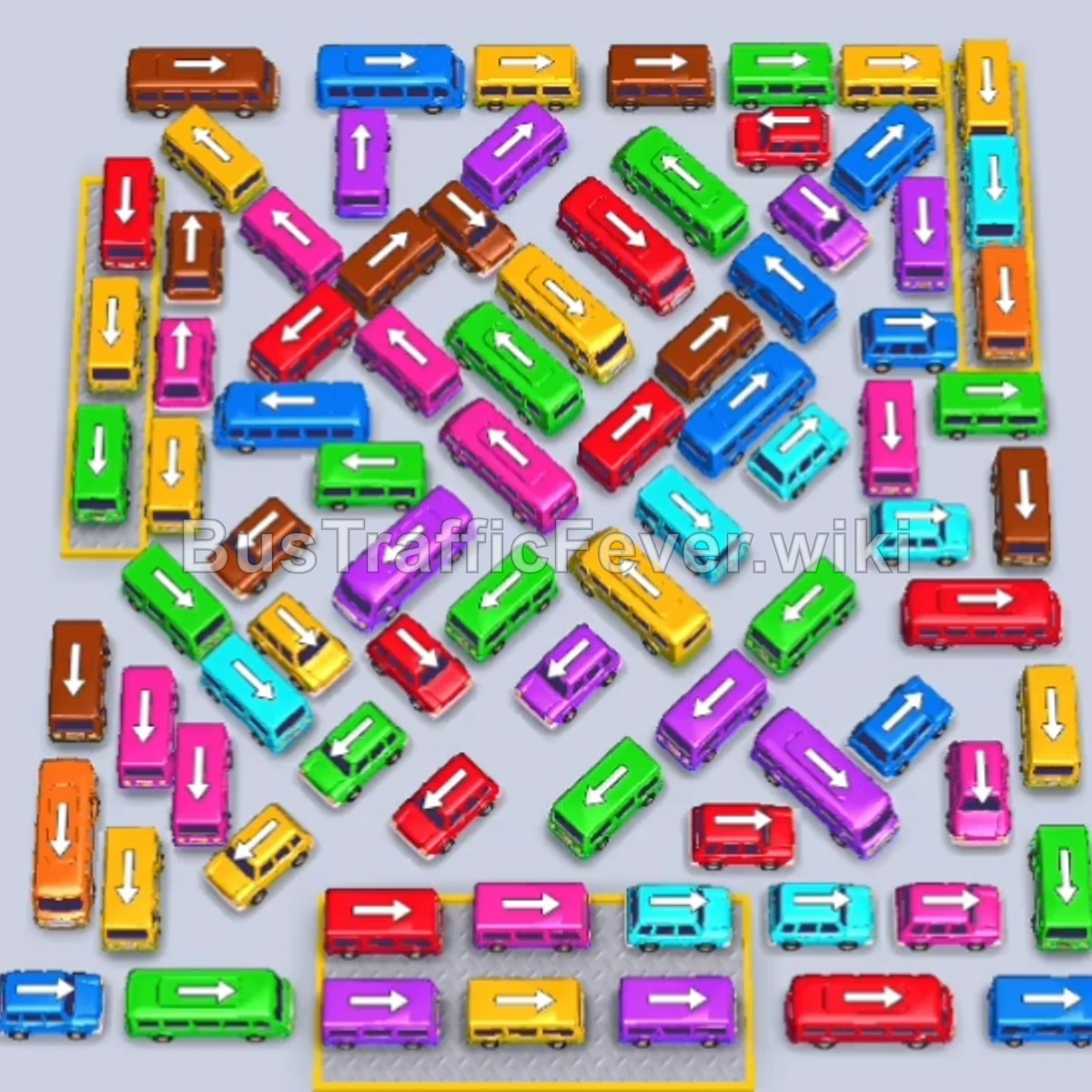
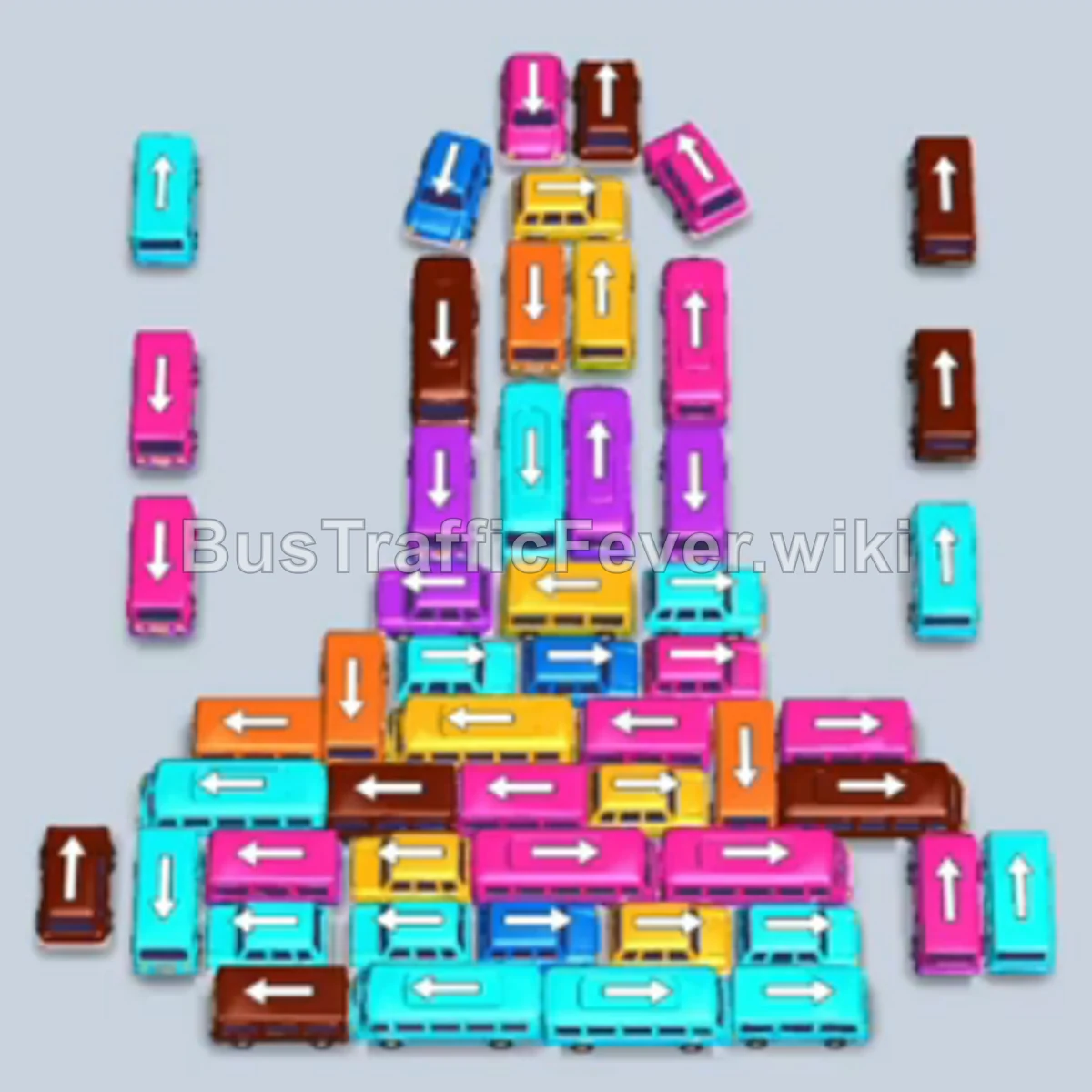
Bus Traffic Fever Level 241 Answer & Walkthrough Solution

Quick answer
To solve Level 241, prioritize freeing the accessible outer buses and buses to match the front of the passenger queue (starting with Purple, Red, and Yellow). Once the outer perimeter is clear, systematically release the stacked middle vehicles to keep parking bays open and match multi-passenger buses with large color waves without causing parking bay gridlock.
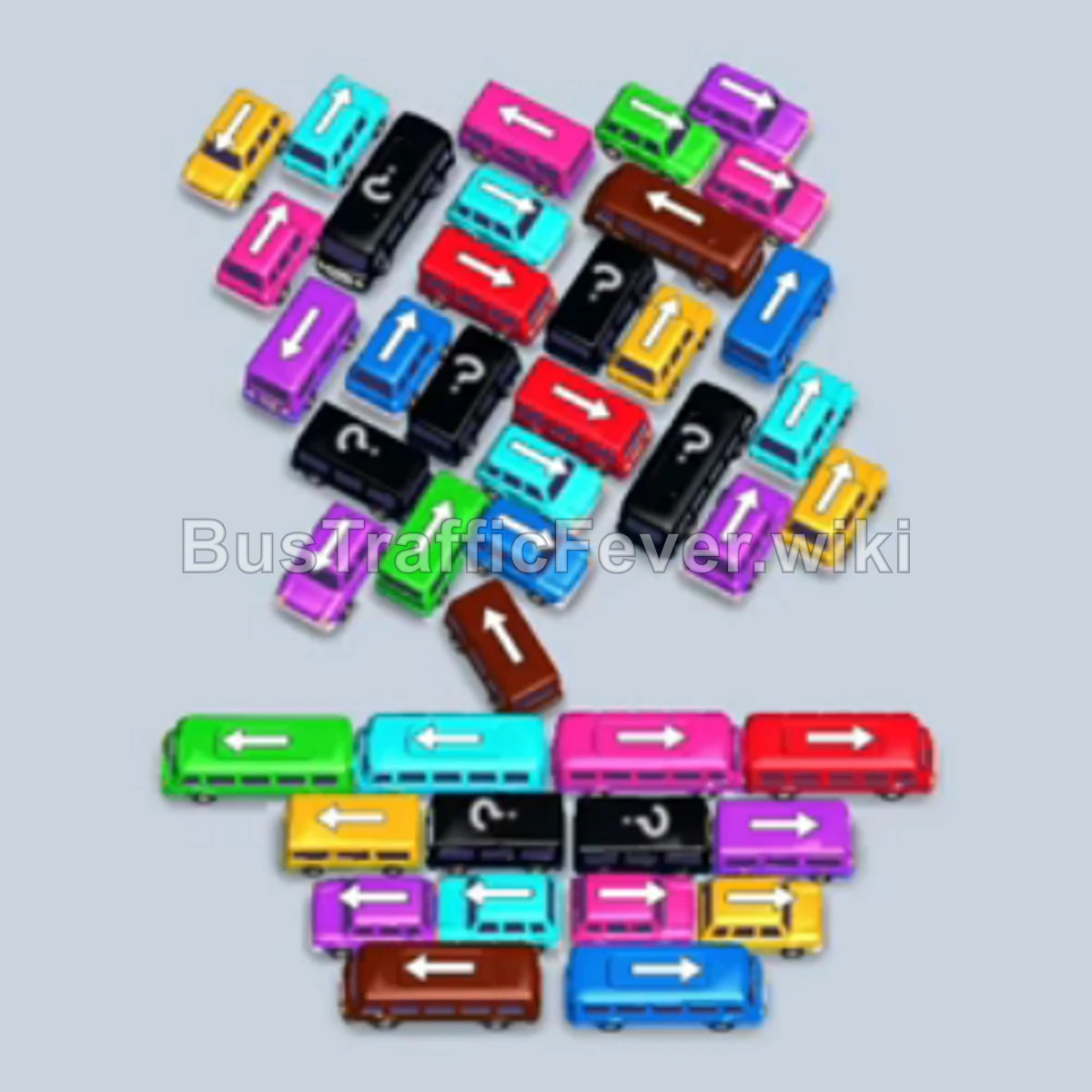
Step-by-step solution
Phase 1: Unlocking the Outer Periphery
- Tap the Purple bus on the right side of the traffic jam. It parks in the first slot and quickly fills up as the initial purple passengers board.
- Tap the Red bus near the bottom right to clear the lower pathway.
- Tap the Yellow bus on the far right edge to clear the lane.
- Tap the Yellow bus next to the cleared lane. Yellow passengers will immediately board both yellow vehicles.
- Tap the Brown bus at the bottom center to pick up the incoming wave of brown passengers.
- Tap the Red bus near the bottom to allow the red queue to board and depart.
- Tap the Cyan bus on the far left edge.
- Tap the Green bus at the bottom left to open space for deeper vehicles.
Phase 2: Clearing the Midfield and Lower Columns
- Tap the Cyan bus on the lower-left section to match incoming cyan passengers.
- Tap the Brown bus in the center to catch the remaining brown crowd.
- Tap the Yellow bus in the lower-middle cluster.
- Tap the Green bus exposed near the bottom center.
- Tap the Red bus released from the left side.
- Tap the Cyan bus near the middle column to clear room for the larger buses beneath it.
- Tap the Dark Blue bus on the middle right edge.
- Tap the Pink bus near the center-left.
- Tap the Orange bus near the bottom right to pick up the incoming orange passengers.
Phase 3: Untangling the Core Cluster
- Tap the Pink bus uncovered in the upper-middle jam.
- Tap the Green bus in the central column to take the green passenger rush.
- Tap the Yellow bus near the center to free the path of the bus behind it.
- Tap the Orange bus from the middle lane.
- Tap the Red bus near the center-left.
- Tap the Cyan bus uncovered in the upper central column.
- Tap the Pink bus situated in the inner core.
- Tap the Brown bus in the center to clear incoming brown passengers.
- Tap the Red bus freed up near the center.
Phase 4: Final Sequence and Cleanup
- Tap the Green bus from the remaining central stack.
- Tap the Cyan bus on the middle-left lane.
- Tap the Orange bus near the bottom left to clear the final orange crowd.
- Tap the Dark Blue bus and Blue bus from the middle stack.
- Tap the Brown bus freed up in the central lane.
- Tap the Pink bus located near the top of the remaining column.
- Tap the Blue bus at the bottom left to board the blue crowd.
- Tap the final Pink bus at the center-bottom to collect the remaining passengers and finish the level.
Tips for success
- Observe the Queue: Always keep an eye on the passenger queue at the top of the track to match colors before sending buses into parking bays.
- Use Slots Strategically: Avoid sending vehicles into parking bays unless their passenger color is currently boarding or immediately next in the queue.
- Avoid Gridlock: Keep at least one or two parking bays open at all times so you have room to move vehicles that are blocking critical colors.
More Bus Traffic Fever help
Continue with the Level 240 walkthrough, review the core rules in how to play Bus Traffic Fever, or browse all level solutions to jump to another number.