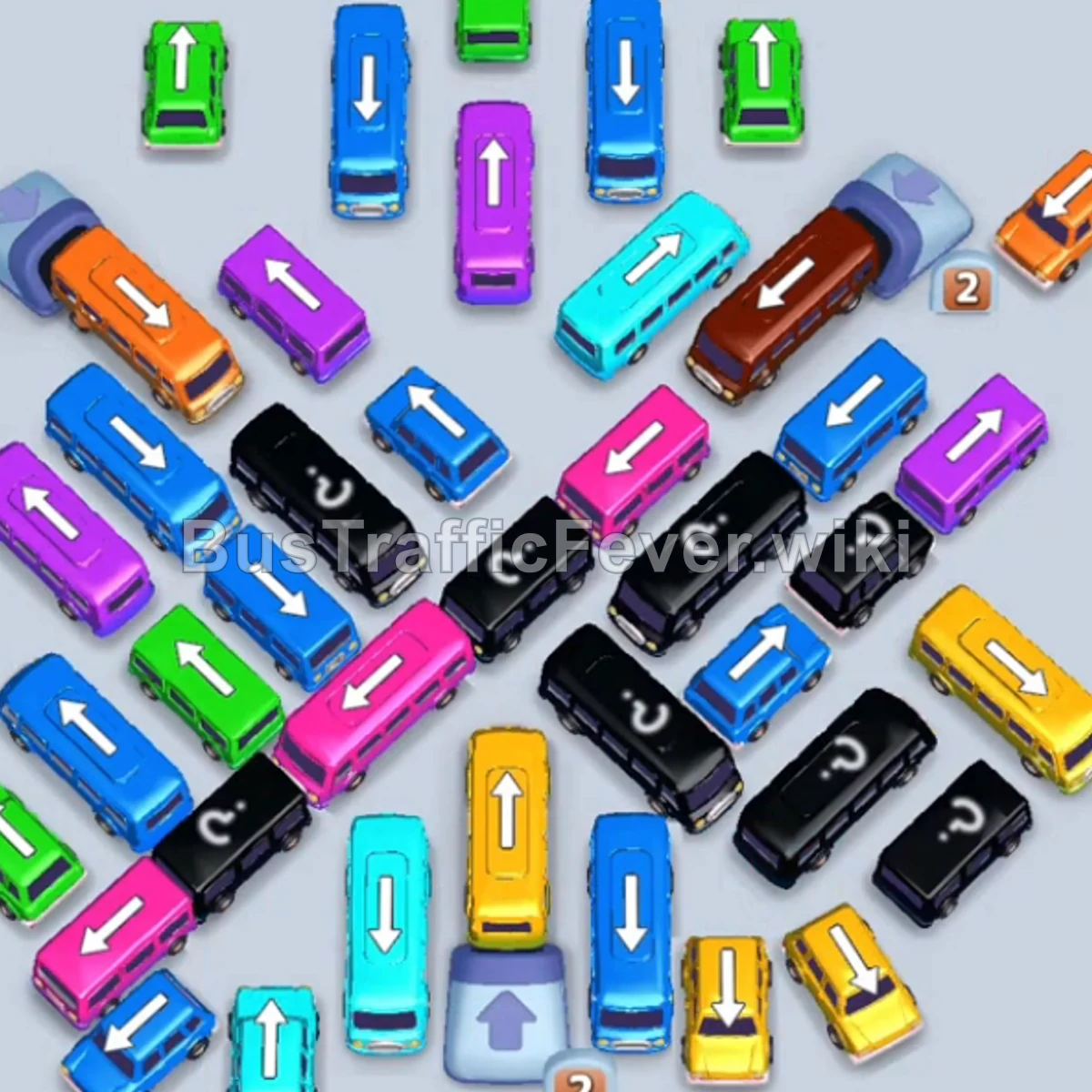
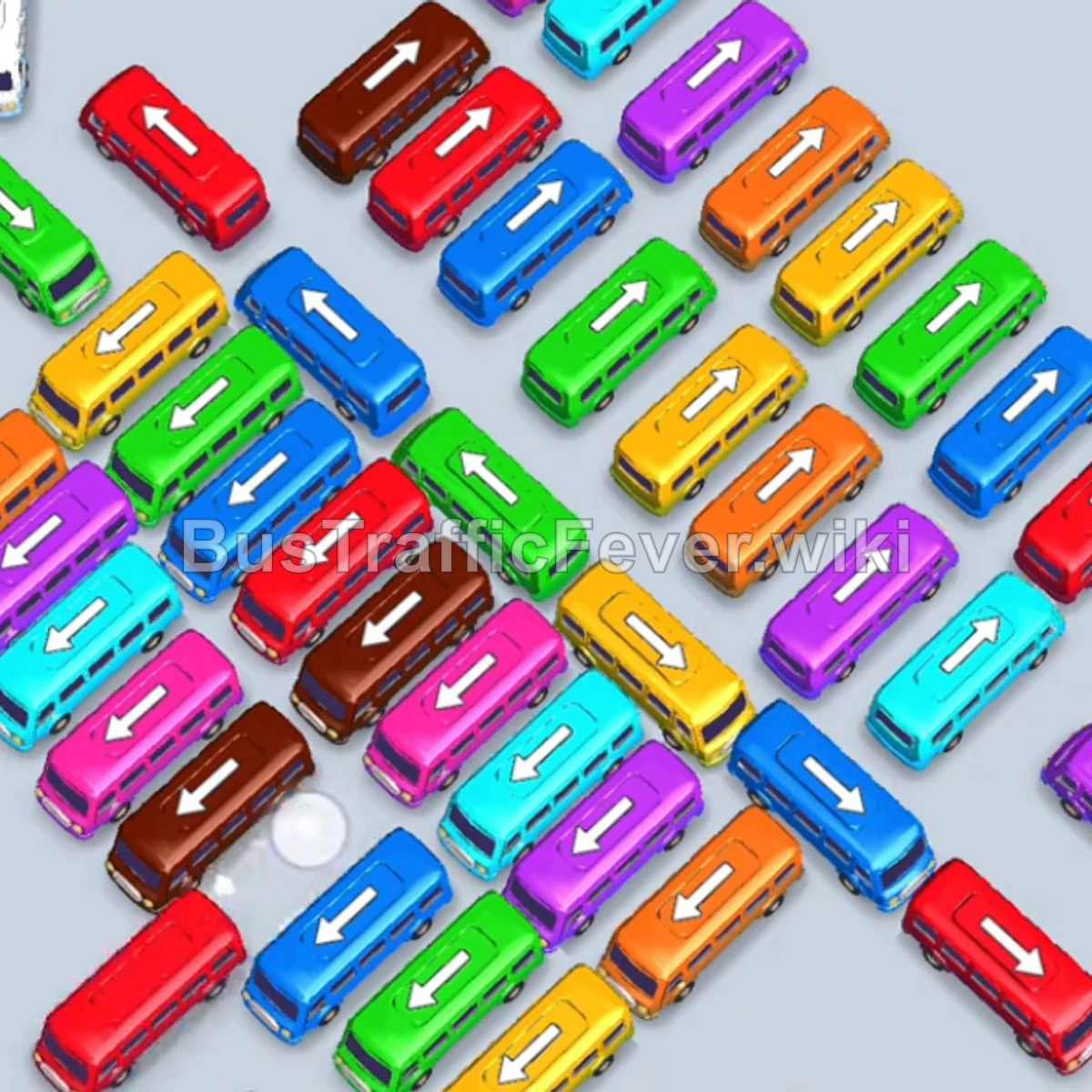
Bus Traffic Fever Level 40 Answer & Walkthrough Solution

Quick answer
Tap the Green bus on the far left outer edge. It drives into the parking slot, picks up green passengers, and departs. Tap the Orange bus on the upper-right flank (facing right). It enters a parking slot to pick up orange passengers.
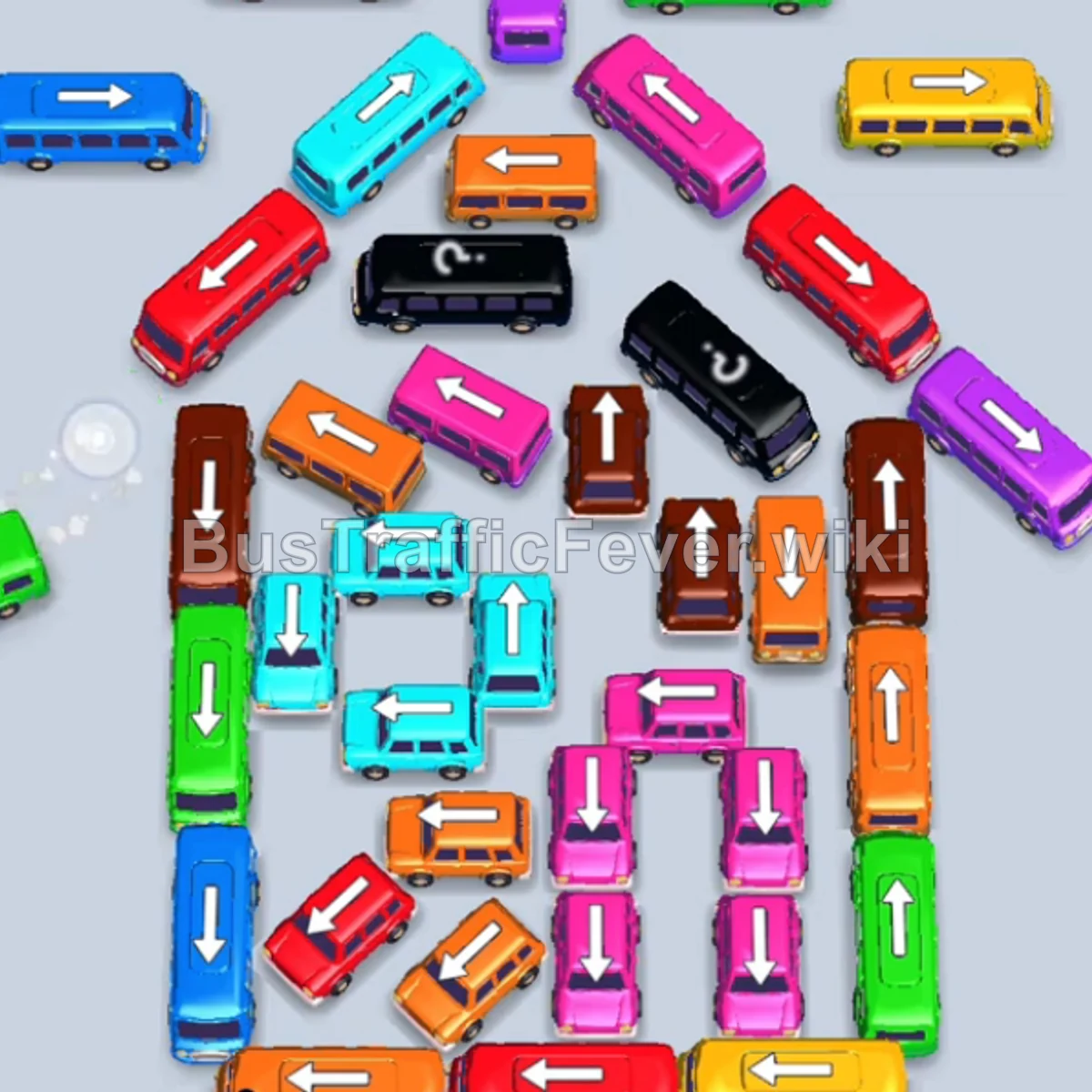
Step-by-step solution
Phase 1: Clearing the Outer Top & Flanks
- Tap the Green bus on the far left outer edge. It drives into the parking slot, picks up green passengers, and departs.
- Tap the Orange bus on the upper-right flank (facing right). It enters a parking slot to pick up orange passengers.
- Tap the Purple bus on the inner upper-right (facing right). It moves to a slot to pick up purple passengers.
- Tap the Blue bus on the upper-left flank (facing left). Blue passengers board and it clears.
- Tap the Red bus at the top left (facing left). It moves to a slot and boards red passengers.
- Tap the Red bus on the upper-right slanted roof (facing down-right). Red passengers board both buses.
- Tap the Red bus at the very top center (facing left). It boards the remaining red passengers and departs.
Phase 2: Unblocking Upper Layers & Sorting Queue
- Tap the Red bus on the slanted upper-left side (facing down-left) to hold in a slot.
- Tap the Yellow bus on the upper-middle right (facing right). Yellow passengers immediately board.
- Tap the Pink bus at the top center (facing right). It fills up with pink passengers and leaves.
- Tap the Green bus on the top right (facing right). Green passengers board and it departs.
- Tap the Purple bus in the upper center (facing up). Purple passengers board, and the waiting Red bus also fills and departs.
- Tap the Green bus at the bottom right (facing up). It moves into a parking slot to wait for its turn.
- Tap the Red bus on the left middle (slanted down-left) to clear the next red passenger group.
Phase 3: Clearing the Middle Core
- Tap the Cyan bus in the center (facing left). Cyan passengers board and it leaves.
- Tap the Pink bus in the center (facing up). Pink passengers board and it departs.
- Tap the Blue bus on the middle-left (facing left) and the Cyan bus next to it. They pick up their respective passenger colors and leave.
- Tap the Yellow bus on the middle right (facing right). Yellow passengers board and it clears.
- The waiting Green bus in the parking slot now automatically boards the incoming green passengers and leaves.
- Tap the Brown bus on the upper-left (facing down) to park in a slot.
- Tap the Orange bus in the upper-middle section (facing right). Orange passengers board and it departs.
- Tap the Pink bus in the lower-middle section (facing up). Pink passengers board and it departs.
Phase 4: Navigating the Inner Core & Base
- Tap the Green bus at the bottom right (facing up). Green passengers board and it departs.
- Tap the Orange bus on the middle-right side (facing down). Orange passengers board and it leaves.
- Tap the Blue bus on the left (facing left). Blue passengers board and it clears.
- Tap the Purple bus in the center (facing left). It boards purple passengers.
- Tap the Cyan bus in the center (facing up). Cyan passengers board and it clears.
- Tap the Pink bus on the bottom-right (facing right) to collect pink passengers.
- Tap the Pink bus in the lower center (facing up). Pink passengers board and it clears.
- Tap the Orange bus on the bottom-left (facing left). Orange passengers board and it departs.
Phase 5: Final Sequence & Cleanup
- Tap the Cyan bus in the lower center (facing up). Cyan passengers board and it departs.
- Tap the Orange bus on the lower-left (facing left). The waiting Brown bus and Orange bus board their remaining passengers and clear out.
- Tap the Pink bus in the center (facing left).
- Tap the Brown bus in the center (facing up).
- Tap the Cyan bus on the left (facing up-left).
- Tap the Orange bus at the very bottom (facing up). All remaining passengers board their matching vehicles to finish Level 40!
Tips for success
- Watch Queue Grouping: Check the top queue line before tapping to ensure you don’t park vehicles whose matching passengers are deep in the queue.
- Keep Parking Free: Avoid having 4+ stalled vehicles occupying the top slots at once; always prioritize vehicles whose passengers are currently in front of the line.
- Free Up Blocked Columns: Smaller buses and vertical buses in the center often block crucial multi-colored paths—clear them as soon as their exit paths open.
More Bus Traffic Fever help
Continue with the Level 39 walkthrough, review the core rules in how to play Bus Traffic Fever, or browse all level solutions to jump to another number.