Bus Traffic Fever Level 5 Answer & Walkthrough Solution

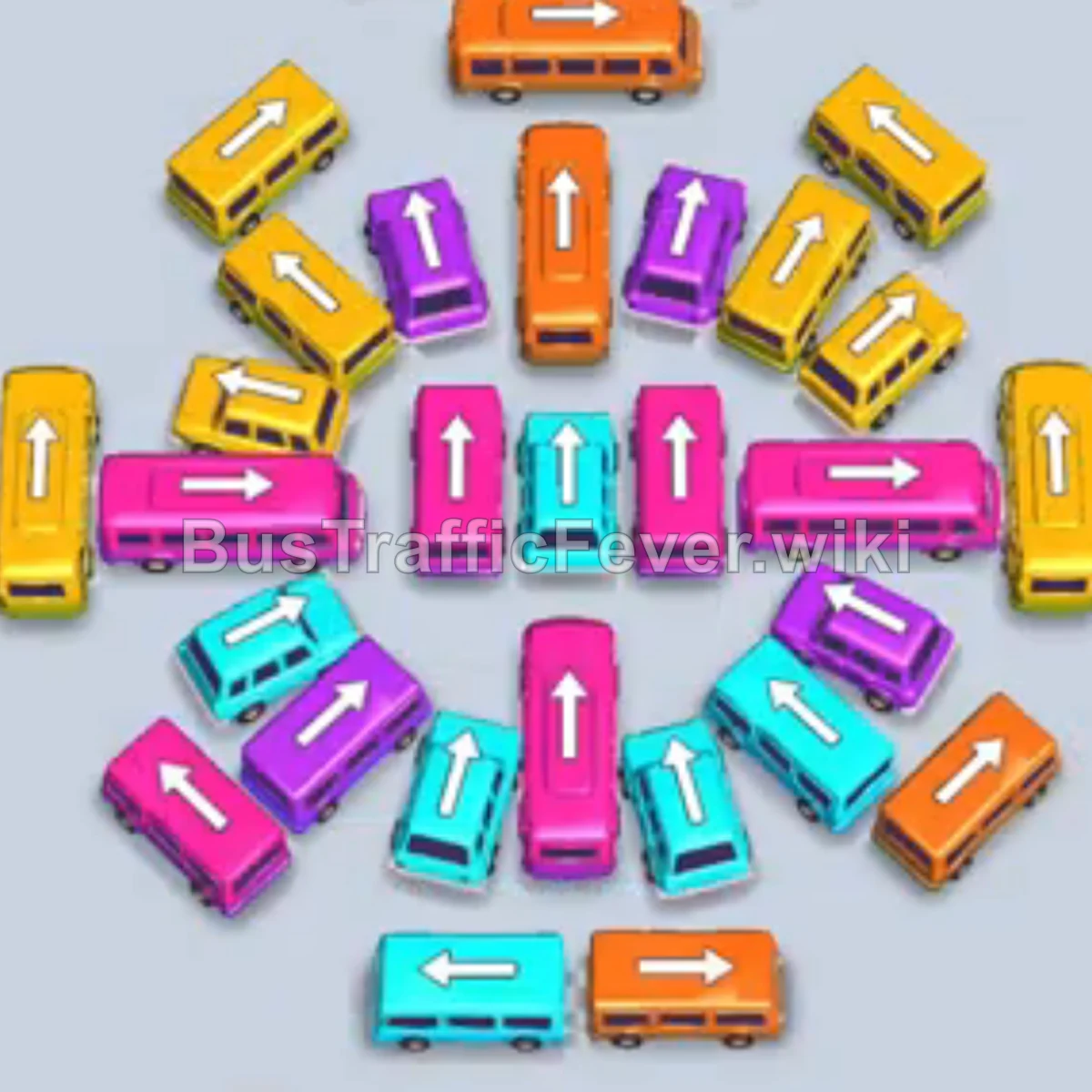
Bus Traffic Fever Level 5 has a circular board of orange, yellow, purple, pink, and teal buses. Follow the video above or use this exact move order to keep the parking slots open while matching the current passenger queue.
Quick answer
Clear the outer ring first, use purple and teal to open the center, then work through the inner circle. Do not fill every parking slot with buses that cannot serve the current queue.
Step-by-step solution
Clear the outer ring
- Tap the orange bus at the top center.
- Tap the yellow bus at the top right.
- Tap the yellow bus on the middle right.
- Tap the orange bus on the middle left.
- Tap the yellow bus on the bottom left.
- Tap the yellow bus on the bottom right.
Unblock the center
- Tap the purple bus in the very center.
- Tap the purple bus to the right of the center.
- Tap the purple bus to the left of the center; it moves into a top parking slot.
- Tap the teal bus in the center.
Work through the inner circle
- Tap the yellow bus at the top of the inner circle.
- Tap the pink bus on the far left.
- Tap the orange bus at the bottom of the inner circle.
- Tap the yellow bus at the very bottom.
Finish the board
- Tap the pink bus in the center; it moves into a top parking slot.
- Tap the teal bus that was blocked in the center.
- Tap the yellow bus on the middle right.
- Tap the orange bus at the bottom right; it moves into the top slot.
- Tap the teal bus in the inner circle.
- Let the pink bus in the top slot leave as its passengers board.
- Tap the purple bus at the very top.
- Tap the pink bus on the inner left.
- Tap the orange bus at the inner bottom.
- Tap the purple bus on the inner right.
- Tap the yellow bus in the center.
- Tap the pink bus at the bottom left.
- Tap the teal bus at the bottom center.
- Tap the purple bus at the bottom right to complete the level.
Tips for success
- Watch the queue: Check the next three passenger groups at the top right before choosing a bus.
- Use slots strategically: Move a bus that blocks a color you need immediately when a parking slot is free.
- Avoid gridlock: Do not fill every parking slot with the same color, or you may have no room to move a blocking bus.
More Bus Traffic Fever help
Continue with the Level 6 walkthrough after this board, review the core rules in how to play Bus Traffic Fever, or browse all level solutions to jump to another number.