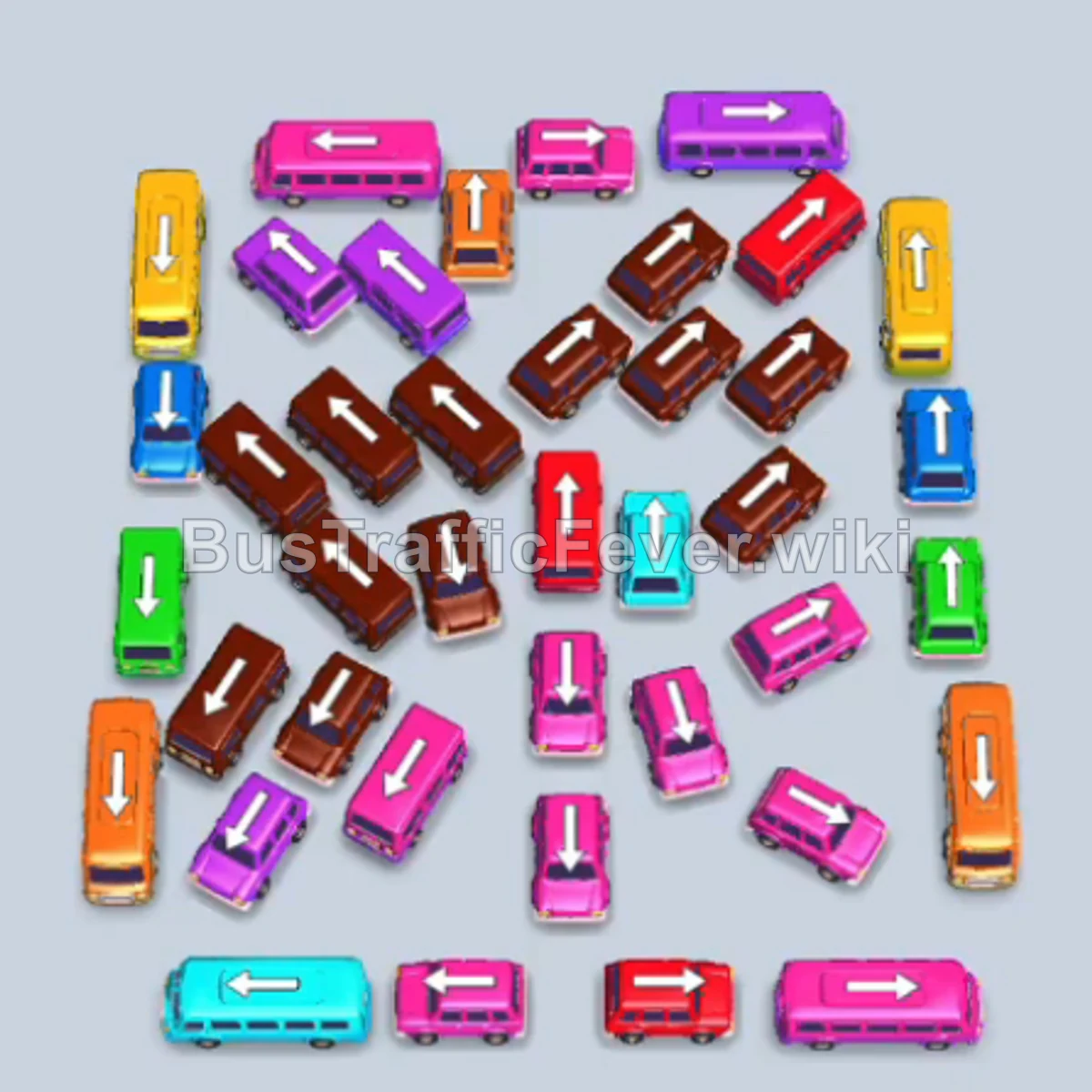
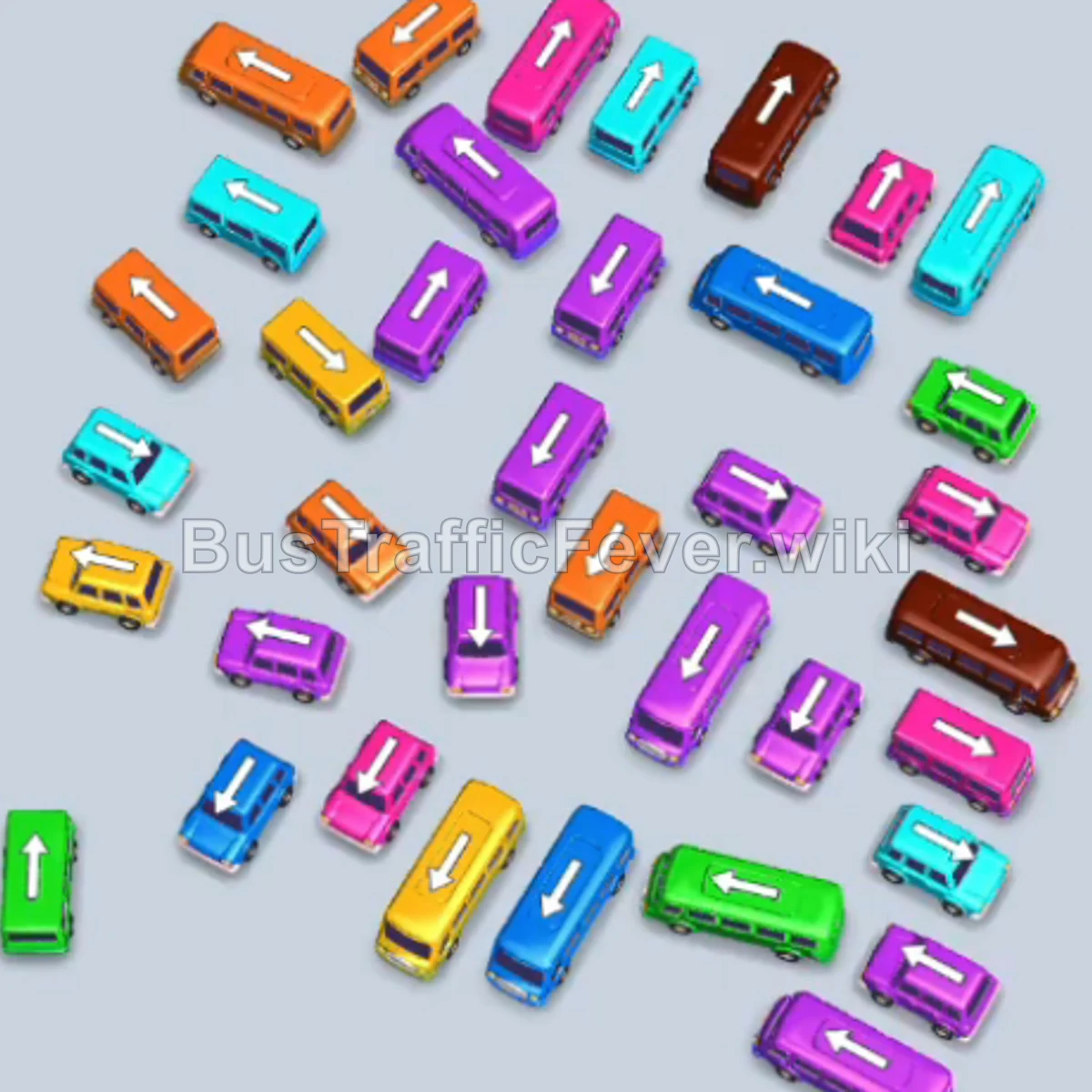
Bus Traffic Fever Level 266 Answer & Walkthrough Solution

Quick answer
Level 266 features a densely packed lot with overlapping vehicles blocking each other and a passenger queue requiring rapid turnover. The defining strategy is staging four Light Blue buses across bays 1 to 4 while keeping bay 5 open as a dedicated rotating lane. By cycling two Yellow and two Red buses through bay 5 one by one, you clear the passenger queue until the large Light Blue wave arrives, instantly filling and dispatching all four parked Light Blue buses together.
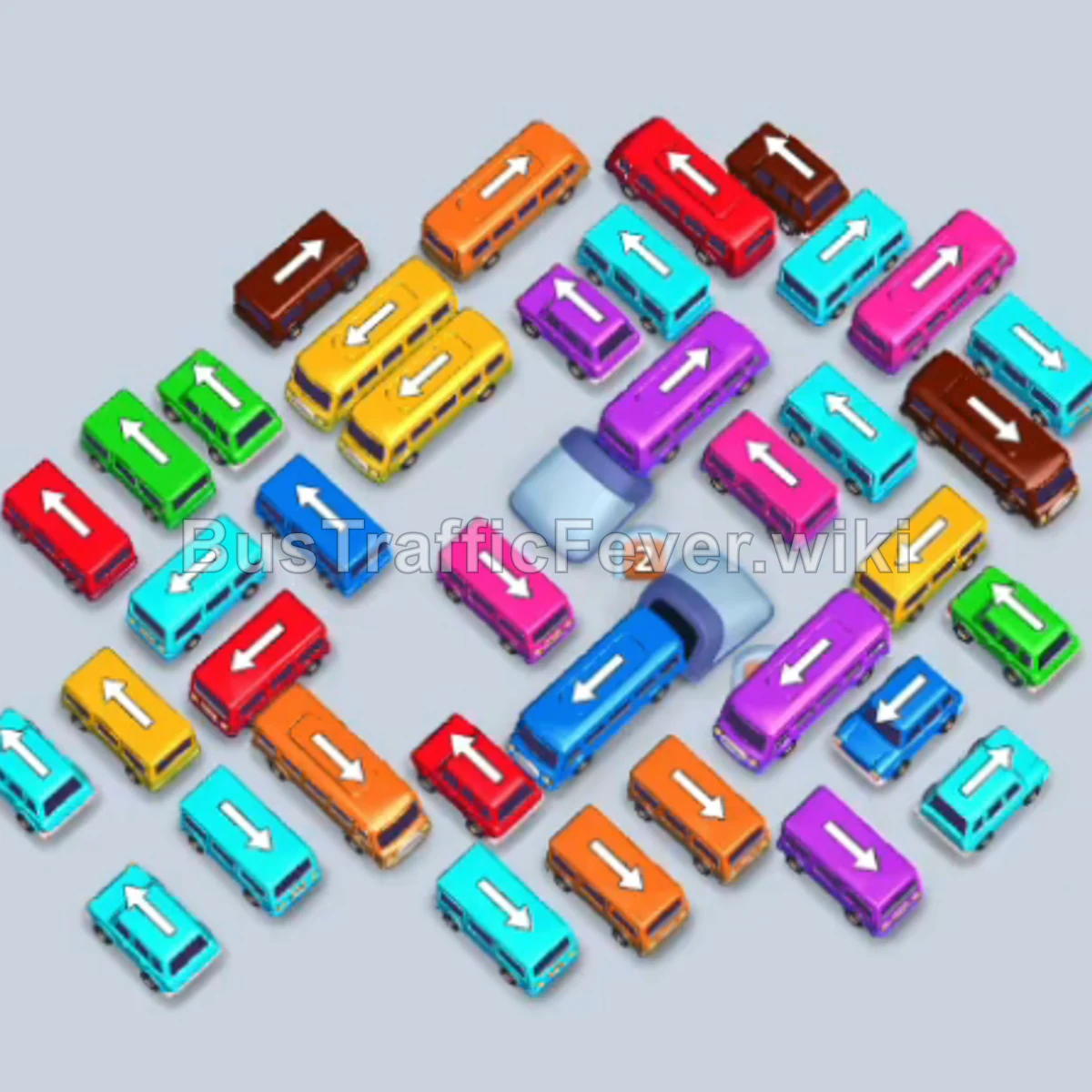
Step-by-step solution
Phase 1: Clearing Initial Light Blue & Pink Waves
- Tap the horizontal light blue bus facing right at the bottom-left edge. It drives into parking bay 1.
- Tap the diagonal light blue bus pointing down-left near the bottom center-left. It drives into parking bay 2.
- Light blue passengers board both buses, filling their 20-seat capacities. Both buses depart once full.
- Tap the horizontal pink bus facing right in the lower-middle left. It takes parking bay 3.
- Tap the horizontal pink bus facing right in the lower-middle right. It takes parking bay 4.
- Tap the vertical light blue bus pointing upward at the far bottom-left. It moves into bay 1 to stage for an upcoming queue.
- Tap the angled pink bus pointing upward in the center-left. It parks in bay 2.
- Pink passengers immediately board the three pink buses in bays 2, 3, and 4. Once full, all three pink buses depart.
Phase 2: Staging Four Light Blue Buses & Cycling Bay 5
- Tap the diagonal light blue bus pointing down-right in the lower-right area. It moves into bay 2.
- Tap the horizontal light blue bus pointing right in the lower-right corner. It moves into bay 3.
- Tap the angled light blue bus pointing left near the center. It moves into bay 4.
- Bays 1, 2, 3, and 4 are now intentionally occupied by Light Blue buses, leaving bay 5 as your sole operating lane.
- Tap the vertical yellow bus pointing downward near the top-center. It enters bay 5.
- The first 20 yellow passengers board; the bus fills and leaves.
- Tap the horizontal yellow bus pointing left in the upper-left area. It enters bay 5.
- The remaining 20 yellow passengers board; the bus fills and departs.
- Tap the angled red bus pointing up-right in the upper-right corner. It pulls into bay 5.
- The first 20 red passengers board and the bus drives off.
- Tap the vertical red bus pointing upward in the upper-left. It pulls into bay 5.
- The remaining 20 red passengers board and it departs.
- Wait for the Light Blue queue to board: With Red cleared, a wave of Light Blue passengers reaches the front. All four staged Light Blue buses in bays 1 through 4 load simultaneously and depart, completely clearing the parking dock.
Phase 3: Cycling Yellow, Lime Green, and Red
- Tap the horizontal lime green bus pointing right in the lower-left area. It parks in bay 1.
- Tap the angled light blue bus pointing up-left in the lower area to unblock neighboring vehicles. It parks in bay 2.
- Tap the horizontal red bus pointing left in the central area. It moves into bay 3.
- Tap the diagonal light blue bus pointing right in the lower-center. It moves into bay 4.
- Tap the vertical yellow bus pointing down in the upper-right. It enters bay 5.
- Yellow passengers board and it departs.
- Tap the horizontal yellow bus pointing left near the top. It enters bay 5.
- The rest of the yellow passengers board and it leaves.
- Tap the vertical lime green bus pointing down in the center into bay 5 as lime green passengers arrive.
- Lime green passengers board the buses in bay 1 and bay 5. The full bus in bay 1 leaves immediately.
- Tap the diagonal red bus pointing down-left in the center into bay 1.
- Tap the horizontal red bus in the center-left into bay 5.
- Red passengers board and fill both red buses, which depart and leave bays 1, 3, and 5 open.
Phase 4: Clearing Brown and Pink Waves
- Tap the horizontal pink bus pointing right in the mid-left area into an open bay.
- Tap the vertical pink bus pointing downward in the upper-center into an open bay.
- Pink passengers board and both pink buses leave.
- Tap the horizontal brown bus pointing left in the upper-right lot into bay 1.
- Tap the vertical brown bus pointing upward in the center-right lot into bay 3.
- Brown passengers board both buses until they fill and drive away.
- Tap the horizontal red bus pointing right in the mid-left into an open bay.
- Tap the angled red bus pointing up-left in the center into an open bay.
- Red passengers finish boarding and both buses depart.
- Tap the vertical pink bus pointing down in the upper-left corner.
- Tap the horizontal pink bus pointing left in the mid-right.
- Pink passengers board both pink buses, freeing up their bays upon departure.
Phase 5: Clearing the Central Cluster
- Allow the remaining staged Light Blue buses in bays 2 and 4 to board as their passengers reach the front, clearing both bays.
- Tap the vertical brown bus pointing downward in the center.
- Tap the horizontal brown bus pointing right in the lower area.
- Brown passengers board both vehicles until they depart.
- Tap the horizontal yellow bus pointing left in the lower-center.
- Tap the vertical yellow bus pointing up in the mid-left.
- Yellow passengers board and clear both yellow vehicles.
Phase 6: Final Clean-Up and Victory
- Tap the angled light blue bus pointing up-right in the center.
- Tap the horizontal light blue bus pointing left in the lower-right lot.
- Light blue passengers board and both buses leave.
- Tap the vertical pink bus pointing upward in the center.
- Tap the angled pink bus pointing left in the bottom row.
- Remaining pink passengers board and both buses depart.
- Tap the last horizontal light blue bus in the center.
- Tap the final pink bus in the center into the dock.
- The final passengers board, the buses drive away, and the level ends in a “Perfect!” clear.
Tips for success
- Use the 4-and-1 staging strategy: Whenever four buses of the same color are available before their turn in the passenger line, place them in bays 1–4 and use bay 5 as a single turnaround slot to clear intermediate colors.
- Unblock crossways early: Many buses in the middle are pinned horizontally by vertical buses. Tapping the vertical blockers as soon as their front lane is clear unlocks multiple horizontal vehicles beneath them.
- Track the top queue closely: Never send a non-matching vehicle into bay 5 while bays 1–4 are holding staged buses, or you will gridlock the dock and fail the level.
More Bus Traffic Fever help
Continue with the Level 265 walkthrough, review the core rules in how to play Bus Traffic Fever, or browse all level solutions to jump to another number.