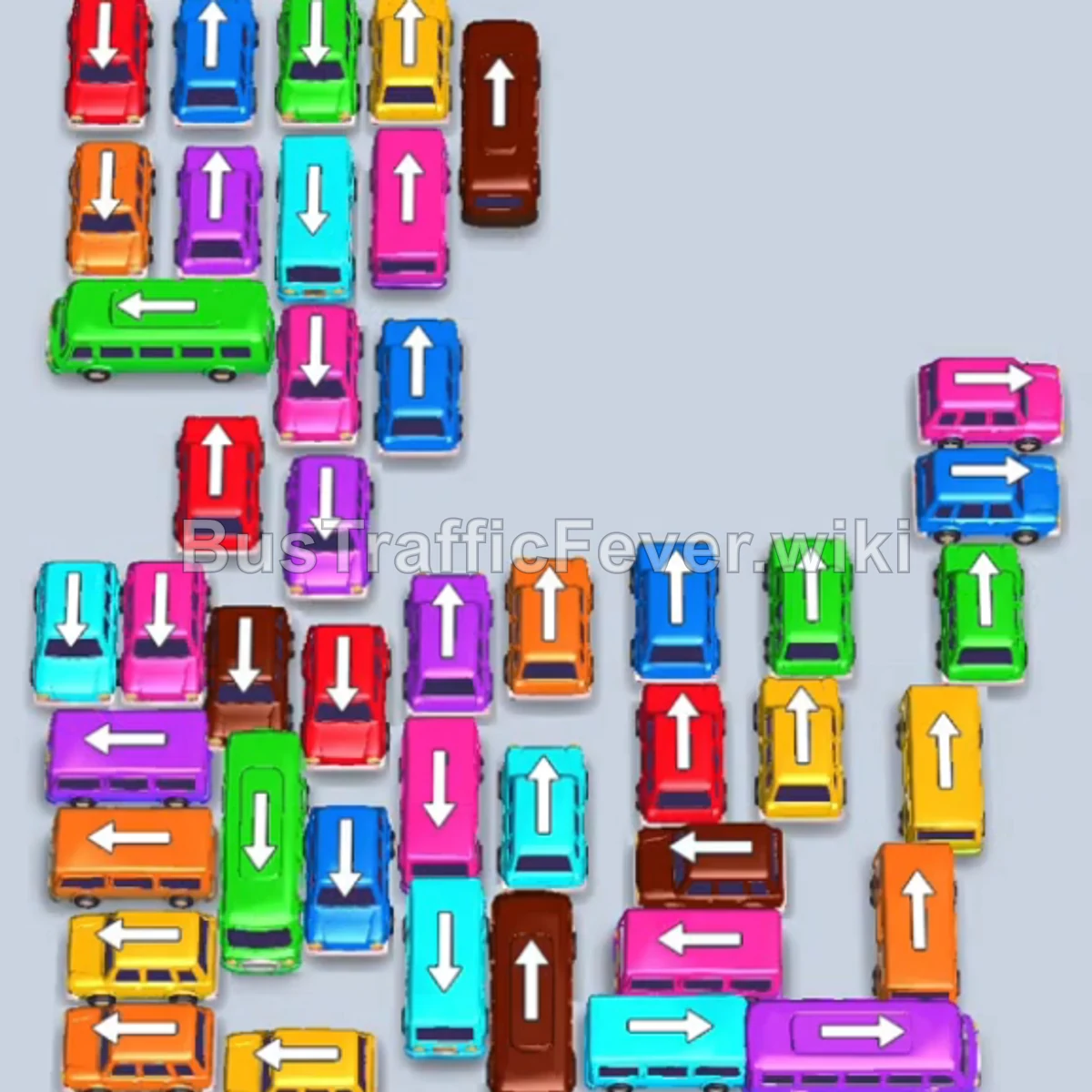
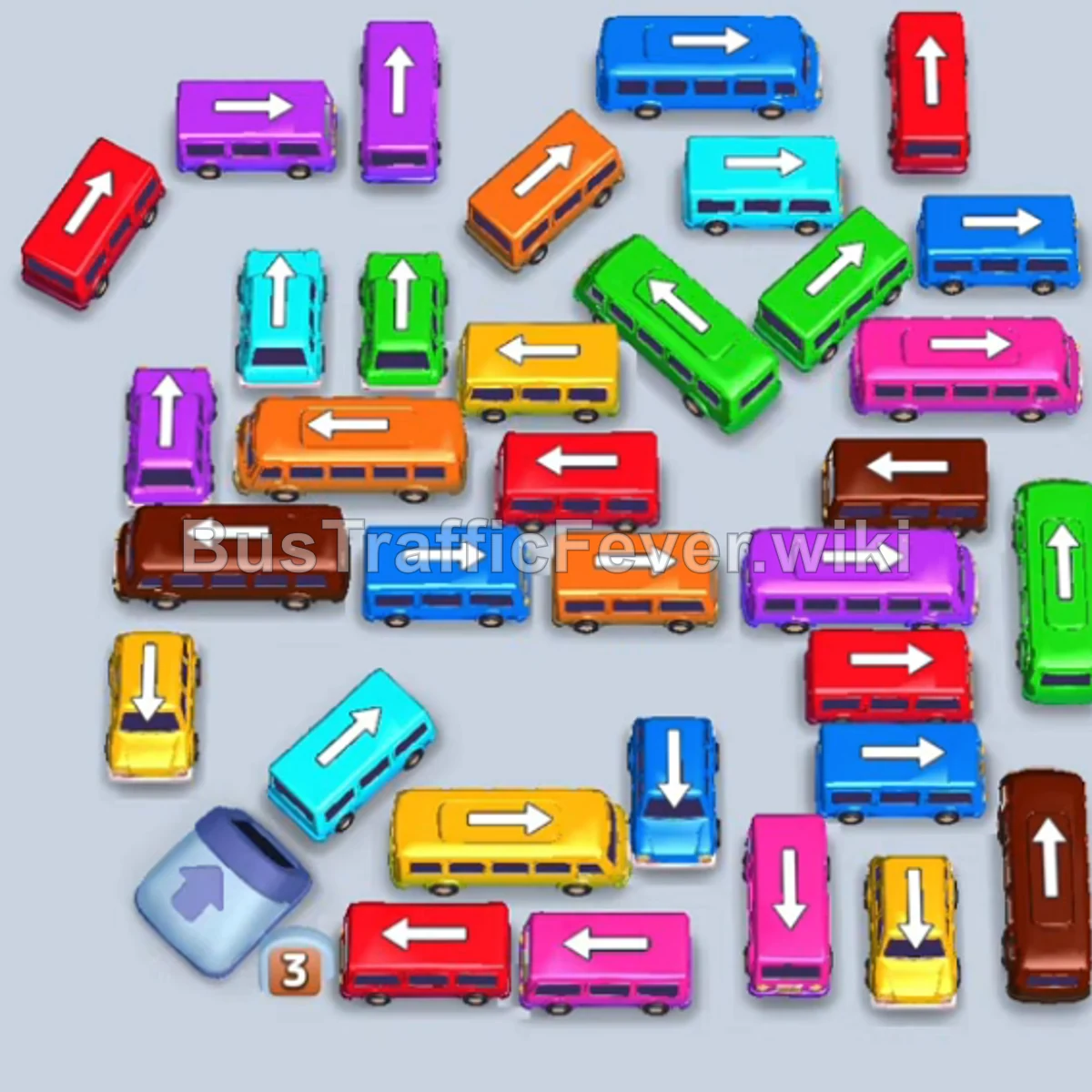
Bus Traffic Fever Level 75 Answer & Walkthrough Solution

Quick answer
Tap the Pink bus on the far-left edge pointing left. It moves to the boarding slot, picks up pink passengers, and departs. Tap the Light Blue (Cyan) bus on the upper-left pointing up. Tap the Light Blue (Cyan) bus next to it pointing left.
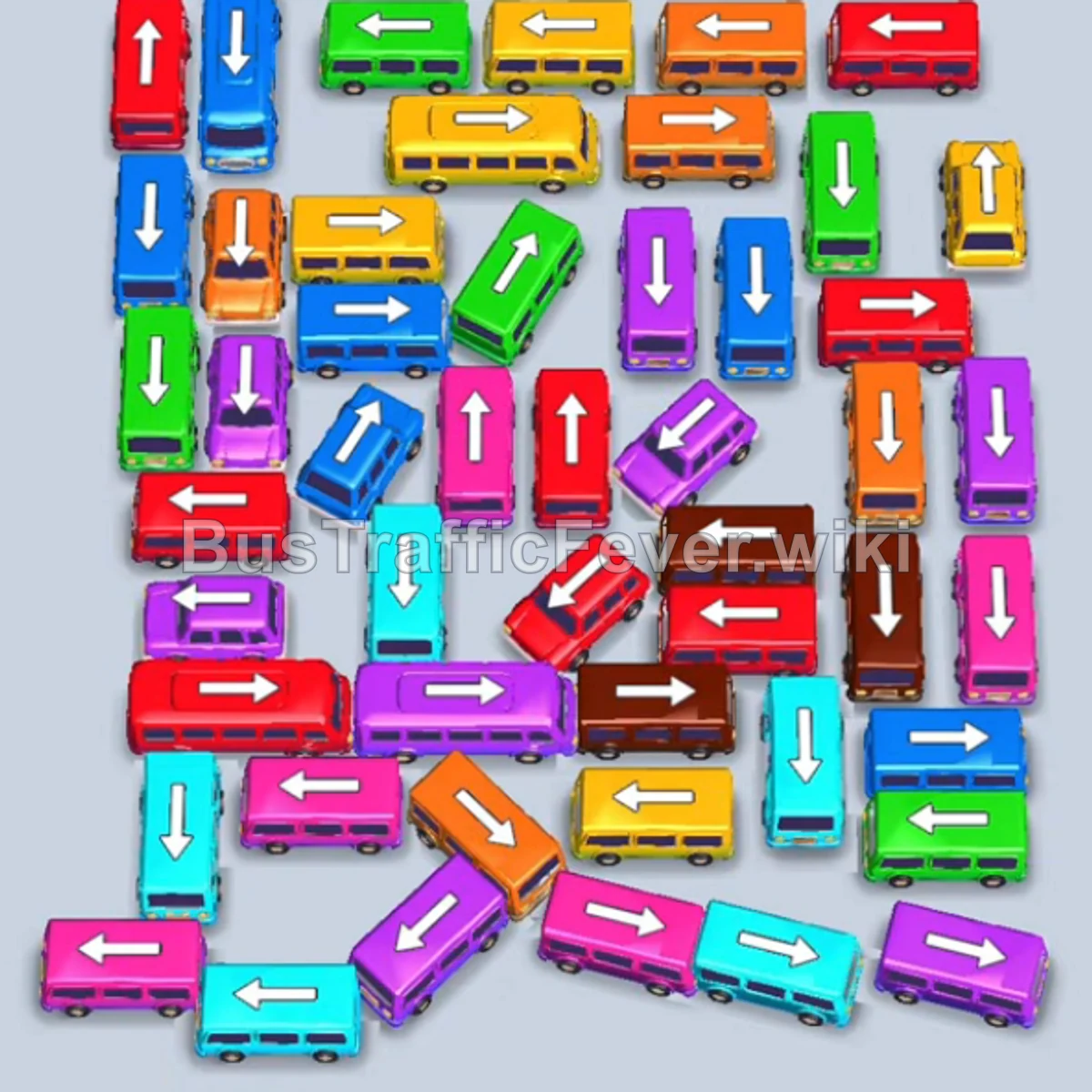
Step-by-step solution
Phase 1: Clearing Outer Obstacles & Early Groups
- Tap the Pink bus on the far-left edge pointing left. It moves to the boarding slot, picks up pink passengers, and departs.
- Tap the Light Blue (Cyan) bus on the upper-left pointing up.
- Tap the Light Blue (Cyan) bus next to it pointing left.
- Tap the Pink bus on the upper-left pointing down to hold in a parking slot. Light blue passengers will board the cyan buses.
- Tap the Dark Blue bus at the top-left pointing up. Blue passengers board and it departs.
- Tap the Purple bus at the top-right pointing right. Purple passengers board and it departs.
- Tap the Red bus at the top-left pointing left. Red passengers board and it departs.
- Tap the Red bus at the bottom-left pointing left. Red passengers board and it departs.
- The Pink bus sitting in the parking slot now fills up with pink passengers and departs.
Phase 2: Opening the Mid-Grid
- Tap the Light Blue (Cyan) bus on the outer-left pointing down.
- Tap the Purple bus at the bottom pointing down.
- Tap the Orange bus on the upper-right pointing right. Orange passengers board and it departs.
- Tap the Yellow bus on the left pointing left. Yellow passengers board and it departs.
- Tap the Red bus at the top-center pointing up. Red passengers board and it departs.
- Tap the Purple bus on the far-left pointing left.
- Tap the Light Blue (Cyan) bus at the bottom-right pointing right.
- Tap the Green bus at the bottom-left pointing left. Green passengers board and it departs.
- Light blue passengers will now board and clear the remaining Light Blue (Cyan) buses.
- Tap the Brown bus at the bottom-center pointing down. Brown passengers board and it departs.
- Tap the Pink bus on the far-right pointing right. Pink passengers board and it departs.
Phase 3: Untangling Inner Vehicles
- Tap the Brown bus at the upper-right pointing up. Brown passengers board and it departs.
- Tap the Light Blue (Cyan) bus on the lower-left pointing left. Cyan passengers board and it departs.
- Tap the Red bus on the upper-left pointing left.
- Tap the Brown bus at the bottom-center pointing right. Brown passengers board and it departs.
- Tap the Purple bus on the bottom-left pointing left.
- Tap the Red bus at the bottom pointing left. Red passengers board and it departs.
- Tap the Purple bus at the top-left pointing left.
- Tap the Green bus at the bottom-left pointing left. Green passengers board and it departs.
- Tap the Dark Blue bus on the middle-left pointing up. Blue passengers board and it departs.
- The parked Purple buses will now board purple passengers and depart.
Phase 4: Final Sequence & Cleanup
- Tap the Purple bus at the bottom-left pointing down.
- Tap the Orange bus on the middle-left pointing left.
- Tap the Dark Blue bus on the far-left pointing down to pick up blue passengers.
- Tap the Green bus at the top pointing left. Green passengers board and it departs.
- Tap the Orange bus on the middle-right pointing right. Orange passengers board and it departs.
- Tap the Yellow bus on the left pointing down. Yellow passengers board and it departs.
- Tap the Red bus at the bottom-left pointing left. Red passengers board and it departs.
- Tap the Red bus at the top-left pointing left.
- Tap the Yellow bus on the right pointing down.
- The Green bus in the slot boards green passengers and departs.
- Tap the Yellow bus at the bottom-right pointing down. Yellow passengers board and it departs.
- The parked Orange bus boards orange passengers and departs.
- Tap the Yellow bus at the top-center pointing down to clear yellow passengers.
- Tap the Green bus at the top-center pointing up to clear green passengers.
- Tap the Red bus in the center pointing down to clear red passengers.
- Tap the Purple bus at the bottom-left pointing down to clear purple passengers.
- Tap the Dark Blue bus at the top-left pointing up.
- Tap the Yellow bus at the top pointing down.
- Tap the Pink bus in the center pointing down.
- Tap the Dark Blue bus at the bottom-left pointing up.
- Tap the Pink bus at the bottom-right pointing up. All remaining passengers will board, clearing the board for a Level 75 Perfect!
Tips for success
- Anticipate Queue Flow: Watch the oncoming passenger colors around the outer ring to prioritize buses that can leave immediately.
- Smart Parking Slot Usage: Park blocking buses only when you have free slots and an immediate plan to free up matching colors.
- Clear Exit Paths: Always look for vehicles facing outward towards clear exits before moving internal vehicles.
More Bus Traffic Fever help
Continue with the Level 74 walkthrough, review the core rules in how to play Bus Traffic Fever, or browse all level solutions to jump to another number.