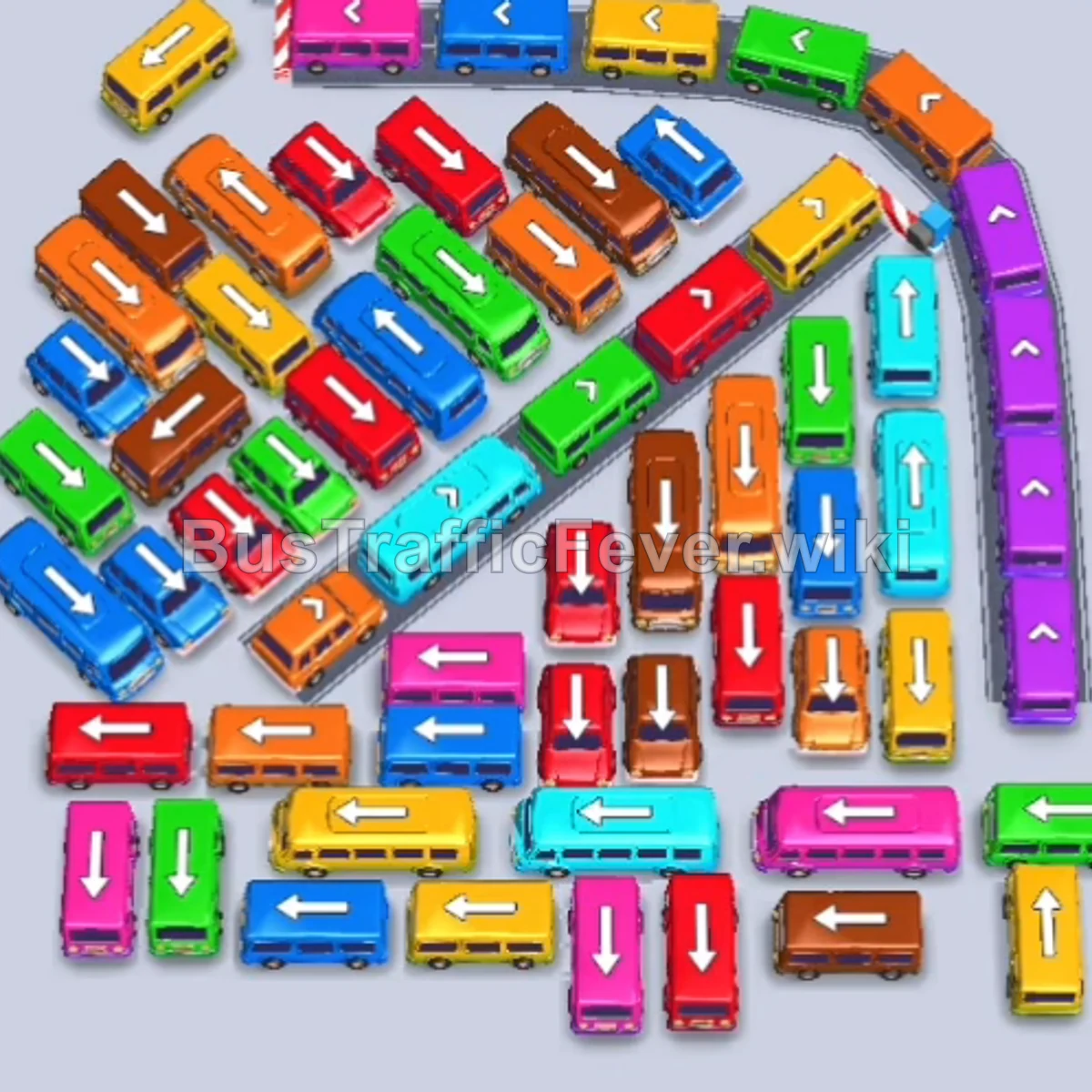
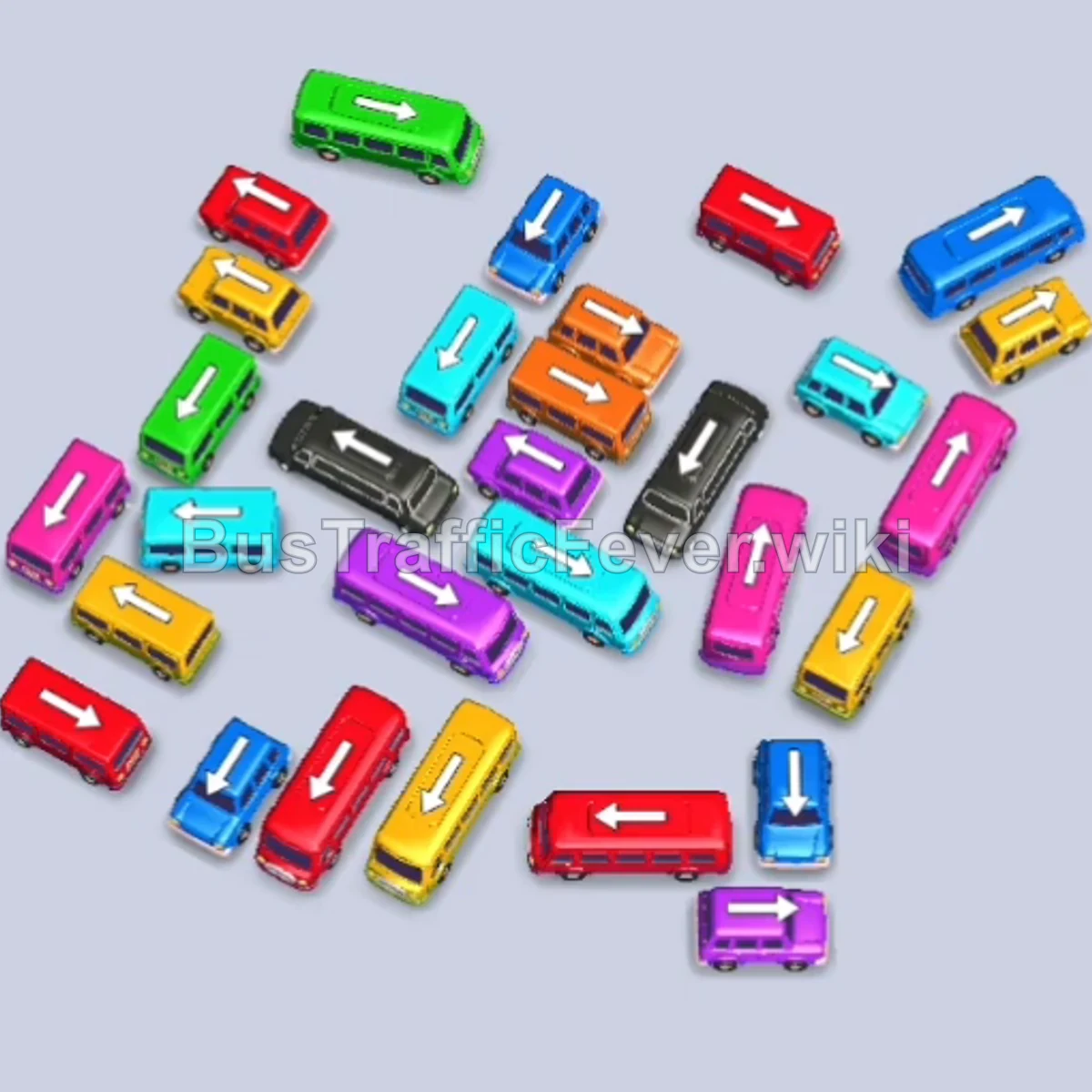
Bus Traffic Fever Level 191 Answer & Walkthrough Solution

Quick answer
Level 191 is a “Hard” puzzle featuring a massive outer perimeter and a locked inner spiral filled with hidden mystery buses. To clear this level, focus on releasing outer-perimeter vehicles that directly match the leading colors in the dual conveyor queues (primarily Blue, Yellow, Purple, and Red). Once the outer layer is stripped away, the inner ring of mystery buses unlocks systematically, allowing you to cycle through remaining high-capacity buses without clogging the top parking bays.
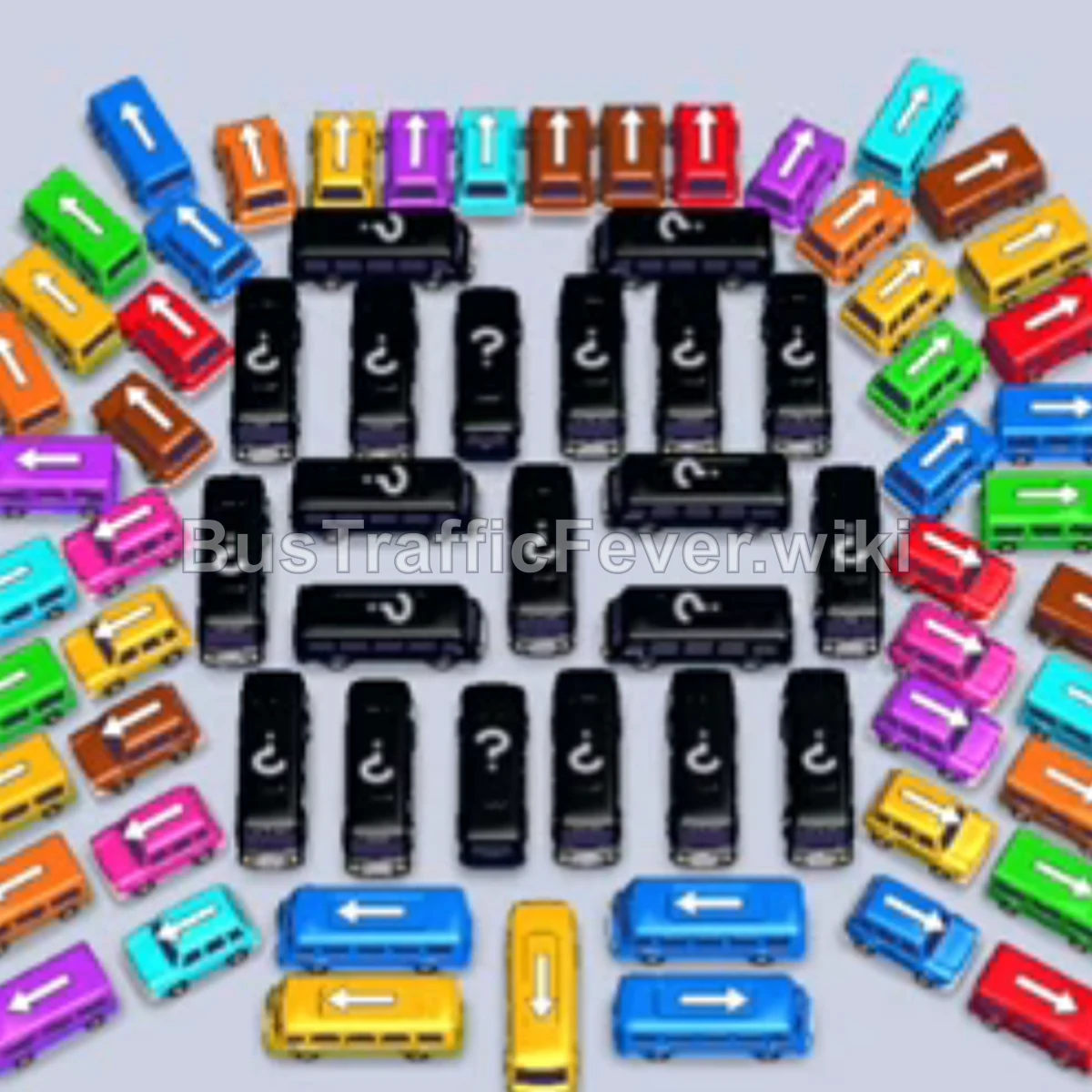
Step-by-step solution
Phase 1: Clearing the Outer Perimeter (Blue & Yellow)
- Tap the Blue bus on the middle-left outer edge facing left to clear the initial blue passengers.
- Tap the Yellow bus at the bottom center facing upward.
- Tap the Yellow bus at the bottom row facing left to clear the yellow passenger queue.
- Tap the Blue bus on the bottom-right facing right.
- Tap the Blue bus on the very bottom edge facing right to absorb the secondary blue line.
- Tap the Yellow bus at the bottom center-left to complete the first yellow wave.
Phase 2: Unlocking the Corners (Brown, Red & Purple)
- Tap the Purple bus on the top-left corner facing up/right to board the incoming purple passengers.
- Tap the Brown bus on the bottom-right outer edge facing right.
- Tap the Yellow bus adjacent to the cleared bottom space to pick up stragglers.
- Tap the Brown bus on the top-right facing upward.
- Tap the Red bus at the top-left outer row facing up.
- Tap the Blue bus on the middle-right facing right.
- Tap the Red bus on the middle-left outer side facing down/left.
Phase 3: Stripping the Mid Layers (Green, Teal & Orange)
- Tap the Pink bus at the top-right facing right.
- Tap the Pink bus on the mid-left outer edge to clear the pink queue.
- Tap the Orange bus on the top-left outer curve facing up.
- Tap the Green bus on the mid-left facing left.
- Tap the Red bus on the upper-right corner facing right.
- Tap the Teal bus on the top-left edge facing left.
- Tap the Green bus at the top-center facing up.
- Tap the Yellow bus on the outer right facing right.
- Tap the Orange bus at the top-right edge.
- Tap the Green bus on the upper-left corner facing up.
Phase 4: Revealing Mystery Buses & Center Grid
- Tap the Red bus on the far-left outer edge facing down.
- Tap the Blue bus at the bottom row facing left.
- Tap the Orange bus at the bottom-left corner facing left.
- Tap the Purple bus at the top-center facing up.
- Tap the Teal bus at the outer right facing up.
- Tap the Orange bus on the bottom-left edge facing left.
- Tap the Teal bus on the outer right edge.
- Tap the Pink bus on the outer left edge.
- Tap the Green bus on the bottom-right edge facing right.
- Tap the Brown bus revealed on the bottom-left.
- Tap the Yellow bus at the bottom edge.
- Tap the Brown bus on the lower-left edge.
- Tap the Yellow bus at the bottom row.
- Tap the Blue bus at the bottom edge facing right.
- Tap the Yellow bus at the bottom center.
Phase 5: Clearing the Core & Final Spiral
- Tap the Red bus on the outer top-right facing up.
- Tap the Pink bus on the right side facing down.
- Tap the Orange bus on the inner-left facing down.
- Tap the Dark Green bus on the upper-center column facing up.
- Tap the Light Green bus in the upper-right center.
- Tap the Grey bus revealed in the center facing up.
- Tap the Purple bus on the right side.
- Tap the Orange bus on the outer right side.
- Tap the Blue bus on the upper-center grid facing up.
- Tap the Green bus at the upper-right edge.
- Tap the Dark Green bus revealed in the central corridor.
- Tap the Beige bus in the upper-center facing up.
- Tap the Red bus on the upper-right edge.
- Tap the Grey bus revealed in the center column.
- Tap the Green bus on the right edge.
- Tap the Purple bus in the center-left grid.
- Tap the Pink bus on the far-left column.
- Tap the Blue bus in the center-left.
- Tap the Purple bus in the lower-middle grid.
- Tap the Yellow bus in the bottom-center column.
- Tap the Brown bus on the lower-left side.
- Tap the Pink bus on the lower-left corner.
- Tap the Blue bus in the lower-left section.
- Tap the Teal bus in the lower-center column.
- Tap the Dark Green bus on the lower-right side.
- Tap the Purple bus on the far-left edge.
- Tap the Beige bus on the center-right.
- Tap the Dark Green bus on the lower-center grid.
- Tap the Red bus on the bottom edge facing right.
- Tap the Pink bus on the bottom-right corner.
- Tap the Green bus on the bottom-right column.
- Tap the Teal bus on the bottom-right side.
- Tap the Teal bus in the center column facing up.
- Tap the Orange bus on the bottom-right side.
- Tap the Green bus at the bottom-right corner.
- Tap the Yellow bus at the bottom-center facing up.
- Tap the Blue bus at the bottom-right edge.
- Tap the Purple bus in the bottom row.
- Tap the Beige bus in the lower-center grid.
- Tap the Blue bus in the central grid.
- Tap the Brown bus at the bottom-left corner.
- Tap the final Purple bus to board the remaining purple passengers and complete the level.
Tips for success
- Observe the Queue: Always keep an eye on the passenger queue at the top to plan your next moves, as there are two converging conveyor belts feeding into the boarding zone.
- Use Slots Strategically: If you have an empty parking slot, use it to temporarily park a vehicle that unblocks a color needed immediately.
- Avoid Gridlock: Don’t fill all your parking slots with unmatching colors, or you will run out of buffer space to access blocked inner mystery vehicles.
More Bus Traffic Fever help
Continue with the Level 190 walkthrough, review the core rules in how to play Bus Traffic Fever, or browse all level solutions to jump to another number.