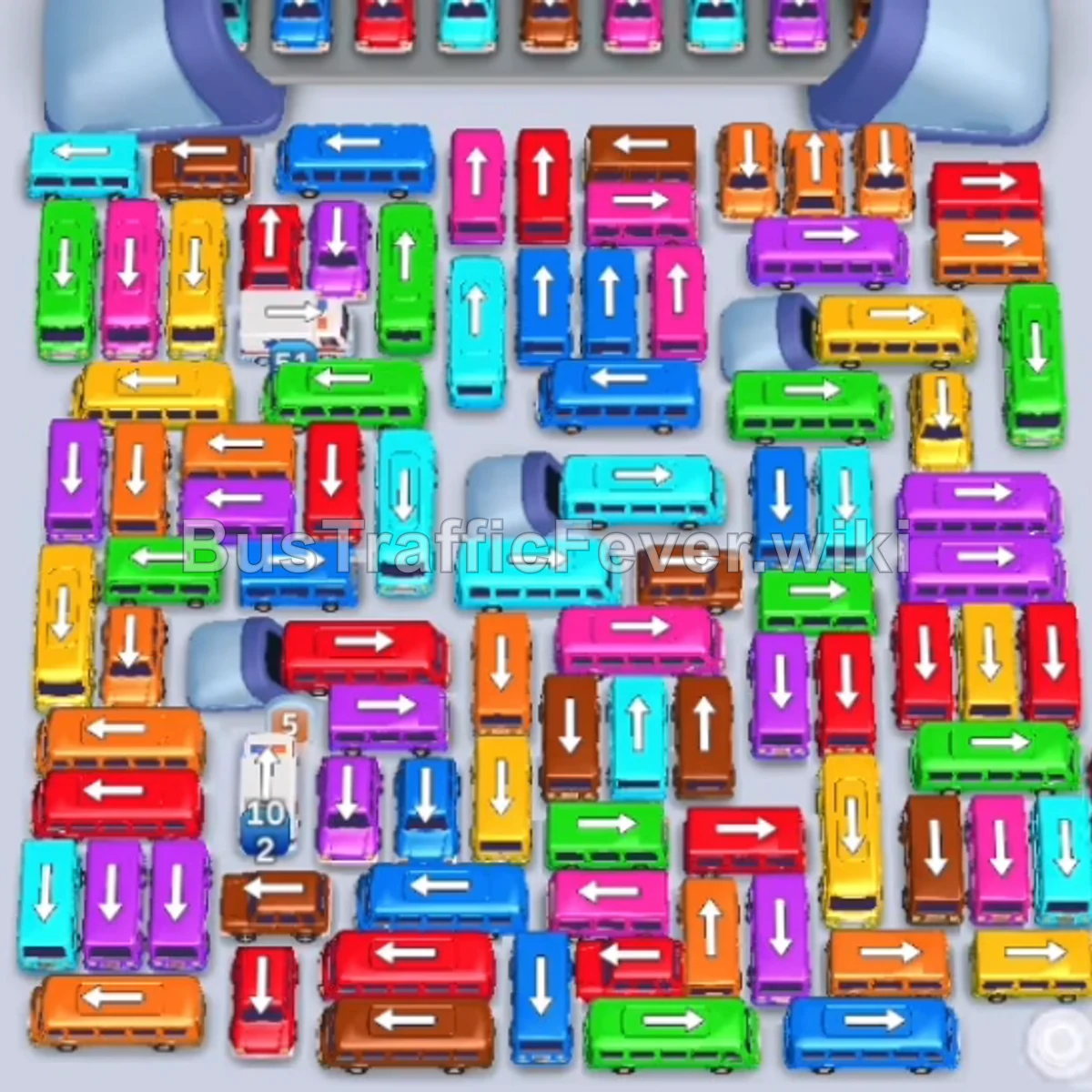
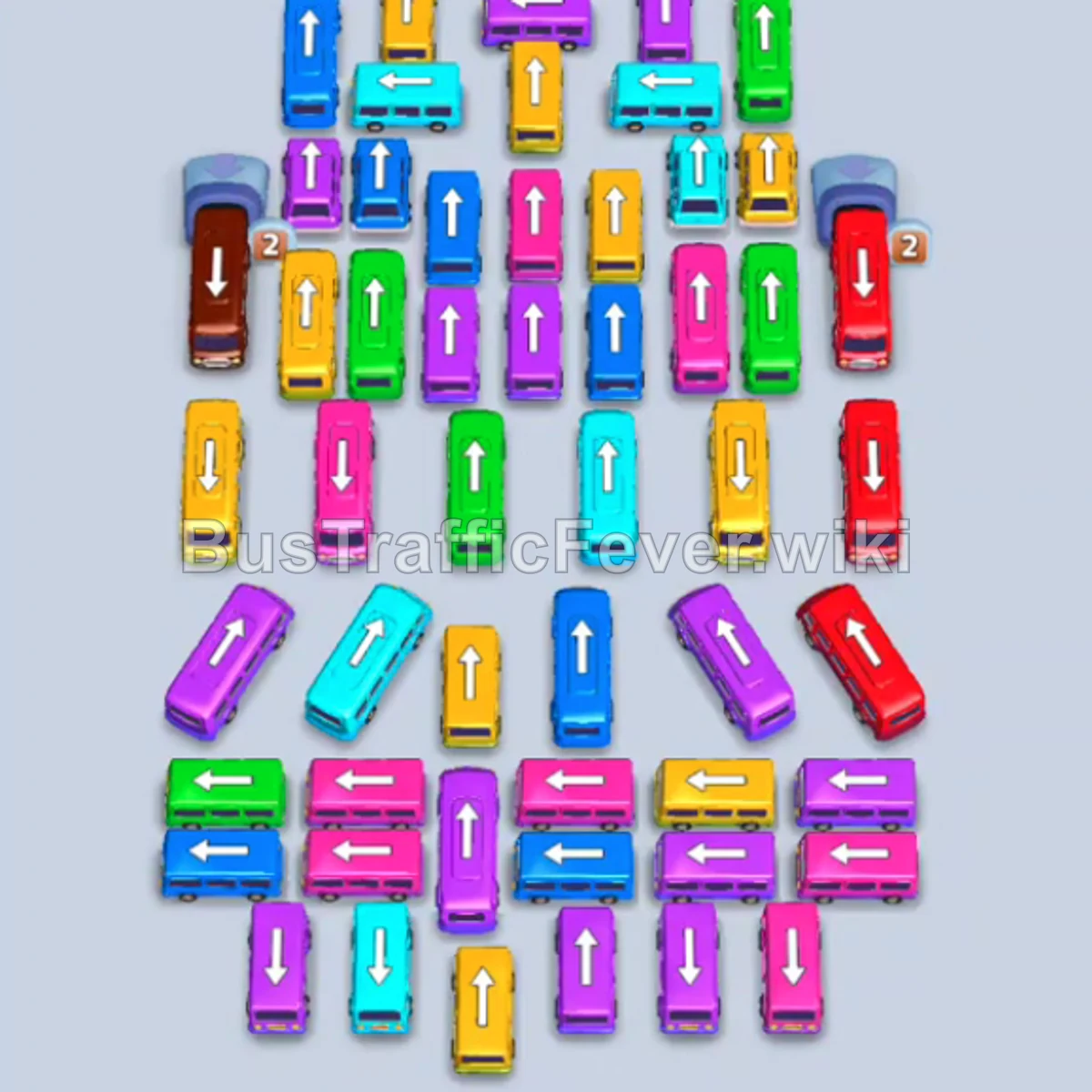
Bus Traffic Fever Level 155 Answer & Walkthrough Solution

Quick answer
The key to Level 155 is unblocking the tight central cluster by dispatching buses around the perimeter first. Take advantage of the 5 parking bays to stage vehicles while matching the incoming passenger rings (Brown, Pink, Cyan/Blue, Green, Yellow, and Red).
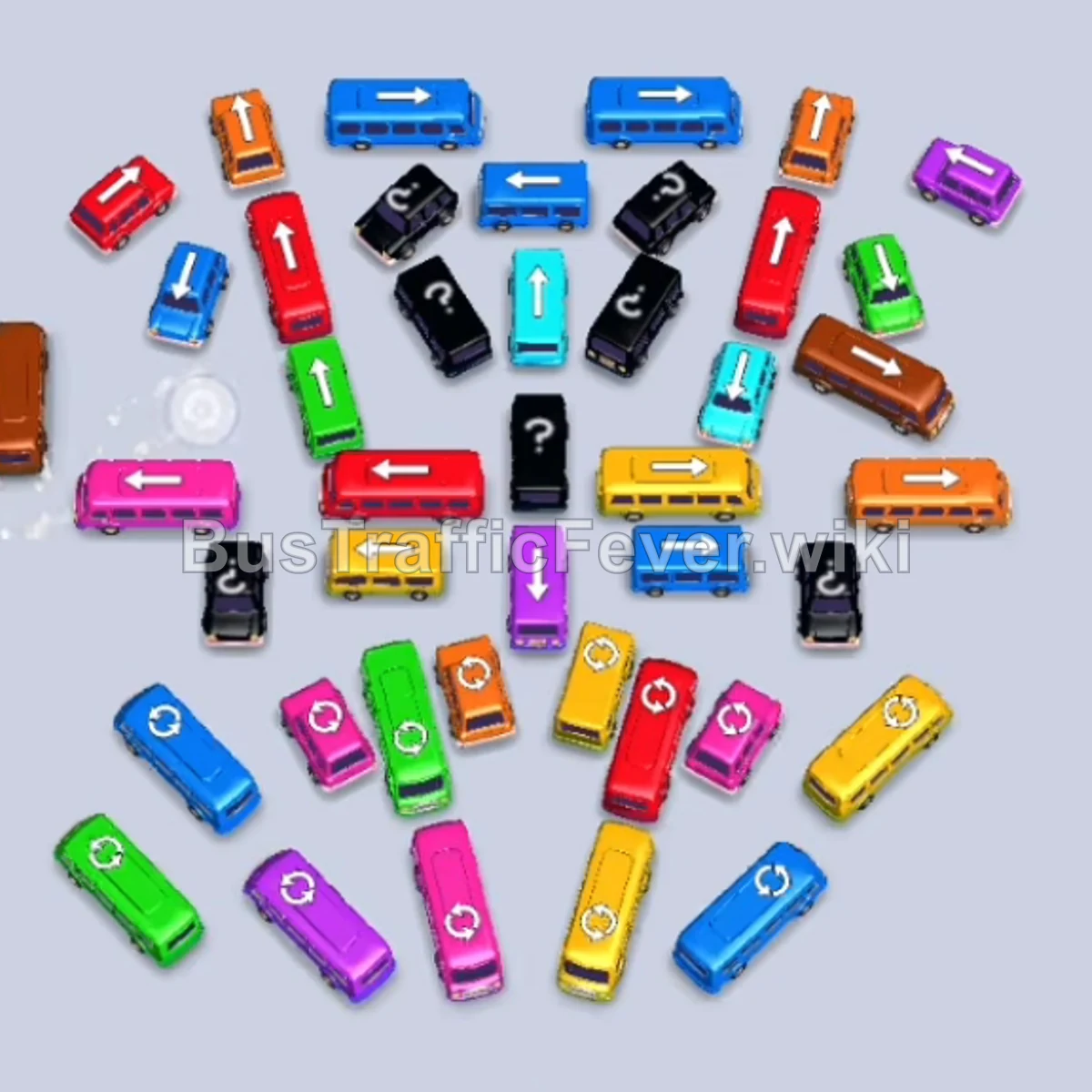
Step-by-step solution
Phase 1: Clearing the Outer Perimeter & Large Queues
- Tap the Brown bus on the far-left edge facing downward. It enters slot 1 and collects the front group of brown passengers.
- Tap the Pink/Magenta bus on the middle-left facing right. It moves into slot 2 to take in the incoming pink passengers.
- Tap the Pink/Magenta bus at the bottom-left corner facing downwards. It moves into slot 3, clearing out the large pink crowd alongside the previous bus.
- Tap the Orange bus in the middle-right area facing right. It parks in slot 2 (filling empty space as pink buses clear).
- Tap the small Pink bus in the lower-middle cluster facing downwards. It parks in slot 4 and quickly boards the remaining pink stragglers before exiting.
Phase 2: Rotating Colors & Unblocking Lower Clusters
- Tap the Blue bus on the far bottom-left facing left. It enters a parking slot, rapidly picks up blue passengers, and departs.
- Tap the Red bus on the left side facing left. It parks in an open bay and boards red passengers.
- Tap the Green bus at the bottom-left facing downwards. It enters the queue and absorbs the green passengers.
- Tap the small Pink bus in the lower-central area facing downwards. It boards the pink line and departs immediately.
- Tap the Blue bus on the lower-right facing left. It enters an open bay to start collecting the large cyan/blue crowd.
Phase 3: Breaking Open the Center
- Tap the Orange bus in the bottom-middle area facing down. It clears out the orange passenger segment.
- Tap the Purple bus in the lower-middle cluster. It boards purple passengers and departs.
- Tap the Blue bus at the top-middle facing right. It enters a parking bay and finishes off the blue passenger wave.
- Tap the small Pink bus near the bottom center facing right/up. It picks up the tail end of pink passengers.
- Tap the Brown bus on the middle-right facing right. It moves to a parking bay to board the incoming brown crowd (allowing the first brown bus to finally leave).
Phase 4: Clearing Center Lanes & High-Volume Crowds
- Tap the Blue bus in the upper-middle area facing left. It enters the bay and absorbs the cyan/blue line.
- Tap the Blue bus at the very top facing right. It clears out remaining blue passengers.
- Tap the Yellow bus in the center area facing right. It parks in an open bay and takes the large yellow wave.
- Tap the Orange bus in the lower center facing right. It clears orange passengers and departs.
- Tap the Orange bus at the bottom facing downwards. It clears the next orange group.
- Tap the Purple bus on the middle-left facing left. It takes the purple line and frees space in the middle.
- Tap the Blue bus in the upper cluster facing right. It boards blue passengers and leaves.
Phase 5: Final Cleanup & Victory
- Tap the Green bus in the upper-right facing up.
- Tap the Green bus in the center facing left. It boards green passengers and clears the center lane.
- Tap the Red bus in the middle facing left. It enters a bay to collect the red queue.
- Tap the Orange bus at the lower-middle facing right.
- Tap the Teal/Cyan bus in the center facing right.
- Tap the Yellow bus in the center facing left.
- Tap the Red bus on the left facing downwards.
- Tap the remaining Green and Cyan vehicles in sequence as their colors reach the boarding area to complete the level.
Tips for success
- Track the Ring Conveyor: Watch the circular passenger ring at the top to see which color is arriving next so you don’t overload your parking bays with unneeded colors.
- Keep at Least 1–2 Bays Open: Avoid sending large buses into all slots at once; smaller buses leave much faster and keep bays circulating.
- Prioritize Arrow Exits: Vehicles can only exit if their directional arrow path is unobstructed. Always free vehicles that unblock multiple other buses.
More Bus Traffic Fever help
Continue with the Level 154 walkthrough, review the core rules in how to play Bus Traffic Fever, or browse all level solutions to jump to another number.