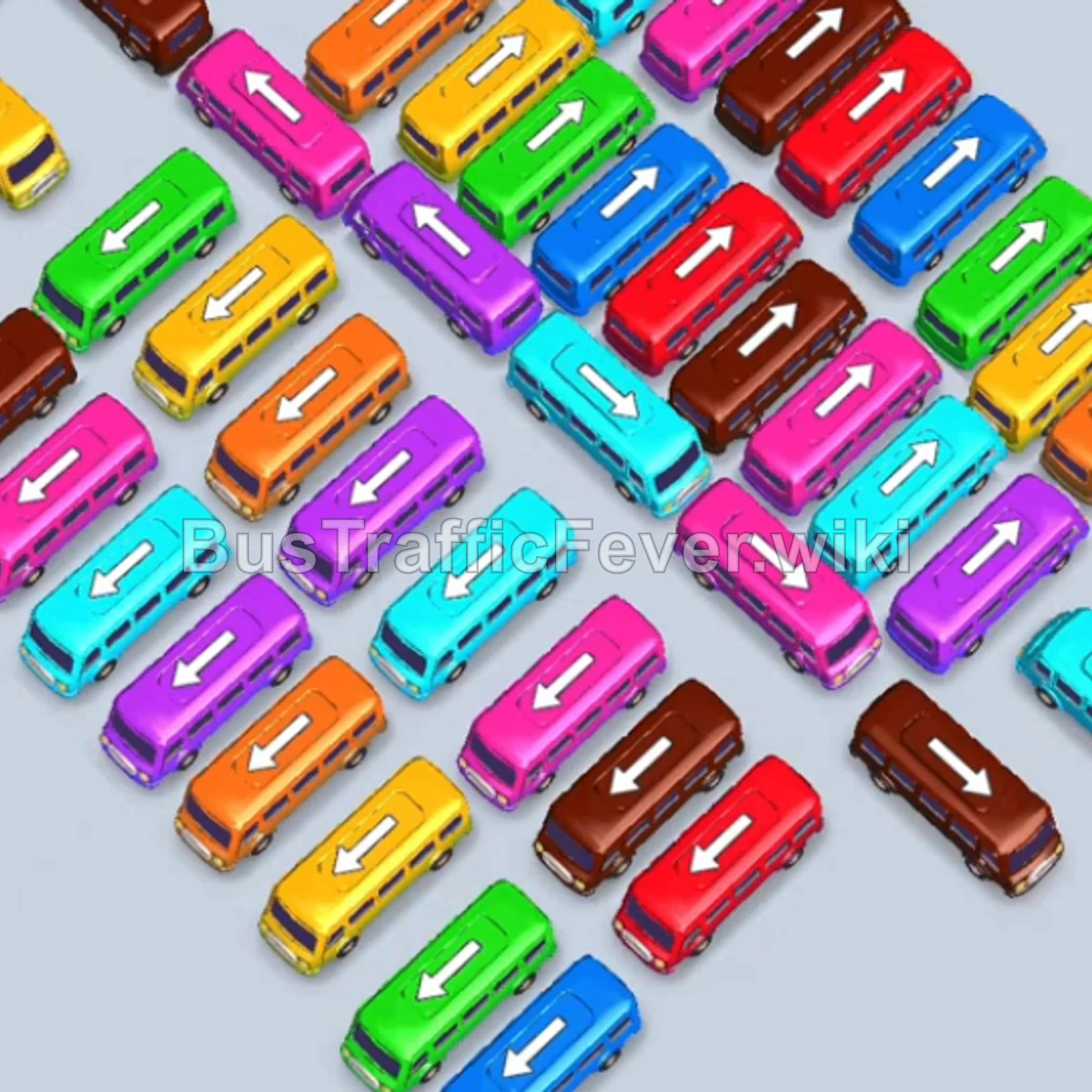
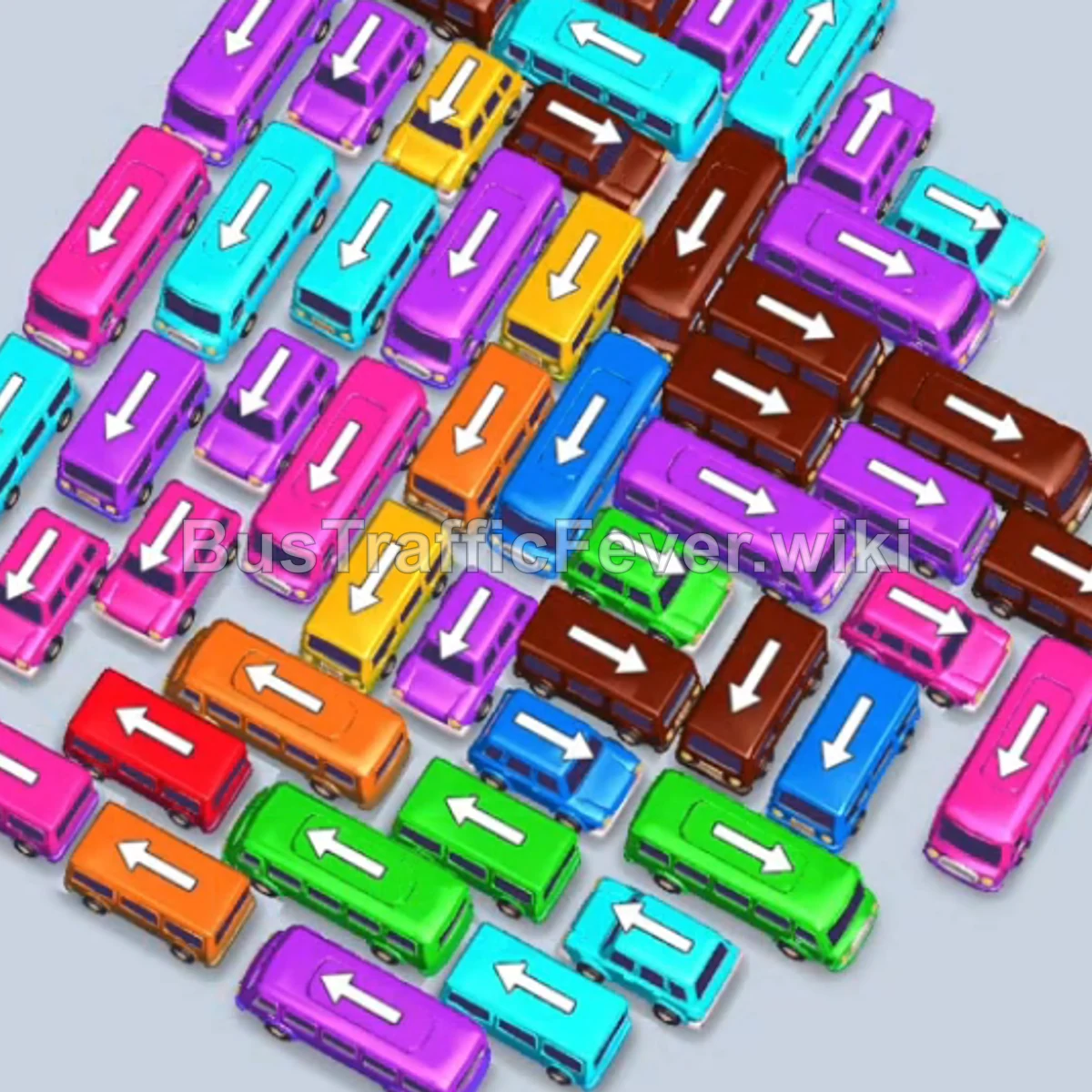
Bus Traffic Fever Level 130 Answer & Walkthrough Solution


Quick answer
Tap the Green bus at the bottom left. Green passengers board and it departs immediately. Tap the Purple bus on the far right pointing downward into slot 1. Tap the Green bus in the middle right pointing down into slot 2.
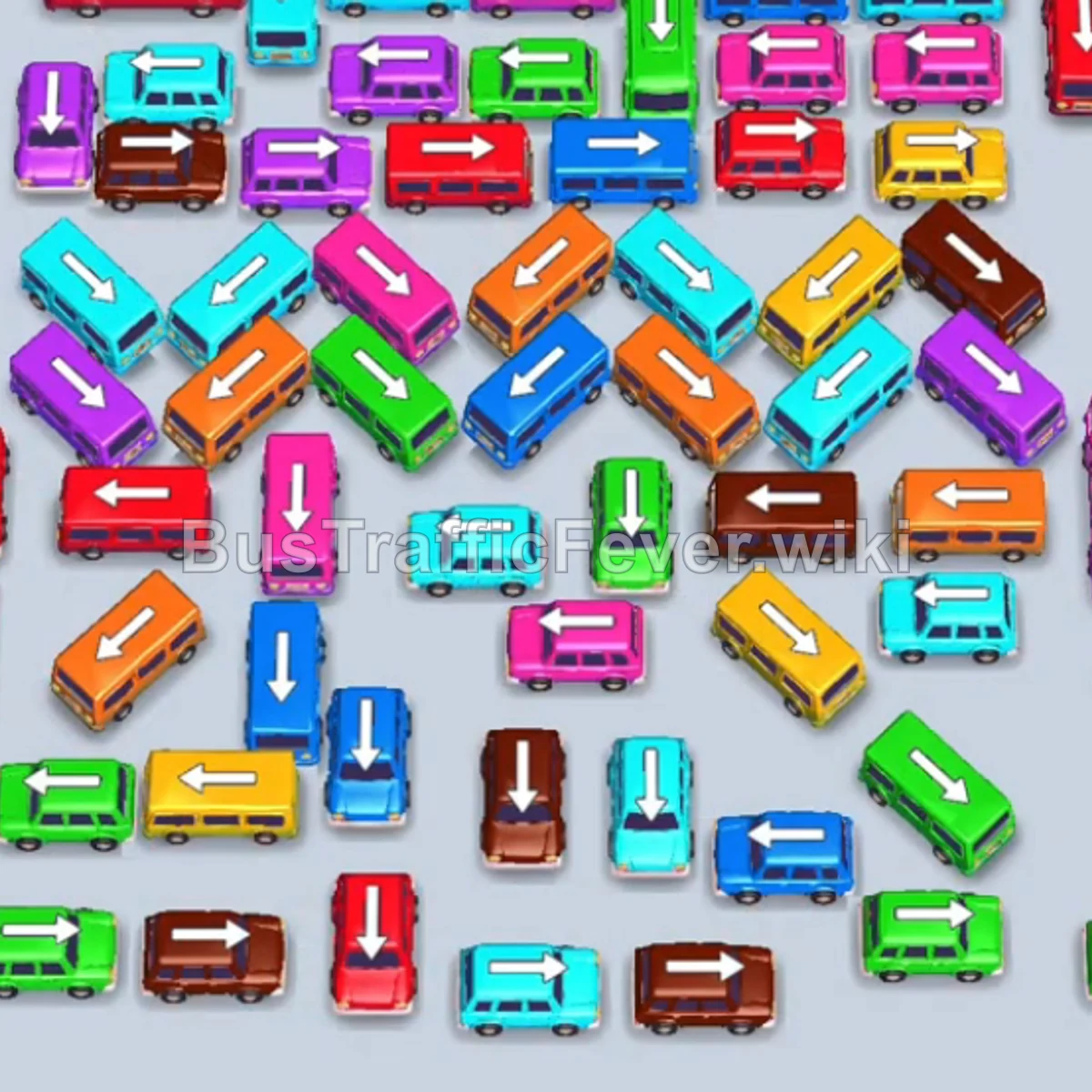
Step-by-step solution
Phase 1: Perimeter Clearing & Queue Matching
- Tap the Green bus at the bottom left. Green passengers board and it departs immediately.
- Tap the Purple bus on the far right pointing downward into slot 1.
- Tap the Green bus in the middle right pointing down into slot 2. Green passengers board and it departs.
- Tap the Green bus pointing up into slot 2, then tap the Yellow bus pointing up into slot 3. Both board their passengers and depart.
- Tap the Red bus pointing up into slot 2.
- Tap the Blue bus pointing up into slot 3. Blue passengers board and it departs.
- Tap the Green bus pointing down into slot 3, then tap the Brown bus pointing up into slot 4. Brown passengers board and it departs.
- Tap the Cyan bus pointing down into slot 4. Cyan passengers board and it departs.
- Tap the Brown bus pointing left into slot 4. Brown passengers board and it departs.
- Tap the Cyan bus pointing left into slot 4. Cyan passengers board and it departs, followed by the Green bus in slot 3 finishing and departing.
Phase 2: Unblocking Central Layers
- Tap the Brown bus pointing left into slot 3. Brown passengers board and it departs.
- Tap the Blue bus pointing down into slot 3. Blue passengers board and it departs.
- The Red bus in slot 2 finishes boarding and departs.
- Tap the Pink bus pointing up into slot 2. Pink passengers board and it departs.
- Tap the Yellow bus pointing down into slot 2. Yellow passengers board and it departs.
- Tap the Red bus pointing right into slot 2. Red passengers board and it departs.
- Tap the Red bus pointing left into slot 2. Red passengers board and it departs.
- Tap the Red bus pointing left into slot 2. Red passengers board and it departs.
- Tap the Green bus pointing up into slot 2. Green passengers board and it departs.
- Tap the Pink bus into slot 2, the Red bus into slot 3, and the Orange bus into slot 3.
- Tap the Pink bus pointing left into slot 4. Pink and Orange passengers board and all three vehicles depart.
Phase 3: High-Density Wave Cycling
- Tap the Cyan bus pointing up into slot 2. Cyan passengers board and it departs.
- Tap the Brown bus pointing up into slot 2. Brown passengers board and it departs, followed by the Purple bus in slot 1.
- Tap the Blue bus pointing down into slot 1. Blue passengers board and it departs.
- Tap the Orange bus pointing down into slot 1. Orange passengers board and it departs.
- Tap the Purple bus, Purple bus, Yellow bus, and Red bus into slots 1–4. Red and Yellow passengers board and depart.
- Tap the Pink bus into slot 1, then tap the Green bus into slot 2. Green passengers board and depart.
- Tap the Blue bus into slot 2, then tap the Green bus into slot 3. Both board passengers and depart.
- Tap the Blue bus into slot 2 and the Red bus into slot 3. Both board passengers and depart.
- Tap the two Cyan buses into slots 2 and 3. Both board cyan passengers and depart.
- Tap two Purple buses and one Cyan bus into slots 2–4. Purple and Cyan passengers board and depart.
- Tap the Brown bus, followed by the Orange bus. Both board passengers and depart, allowing the Pink bus in slot 1 to complete and depart.
Phase 4: Final Sequence & Boarding
- Tap the Pink bus into slot 1 and the Purple bus into slot 2. Purple passengers board and depart.
- Tap the Brown bus into slot 1, the Cyan bus into slot 2, and the Purple bus into slot 3. Purple and Brown passengers board and depart.
- Tap the Green bus into slot 1. Green and Cyan passengers board and depart.
- Tap two Cyan buses and one Orange bus into the open slots. Cyan and Orange passengers board and depart.
- Tap the Yellow bus into slot 1, the Cyan bus into slot 2, and the Green bus into slot 2. Cyan and Green passengers board and depart.
- Tap the Pink bus into slot 2. Pink passengers board and depart.
- Tap the Blue bus, Pink bus, and Cyan bus into the open slots. Cyan, Pink, and Blue passengers board and depart.
- The Yellow bus in slot 1 completes its boarding and departs.
- Tap the Cyan bus, Red bus, Pink bus, and Orange bus into slots 1–4.
- Cyan, Pink, Red, and Orange passengers will board simultaneously and all remaining vehicles will depart to complete the level!
Tips for success
- Prioritize Outer Free Vehicles: Target buses along the edges that have an unblocked forward arrow so you can continuously rotate your parking spaces.
- Match Bus Sizes to Queues: Small buses hold 16 or 24 passengers while buses hold 40. Pair the correct vehicle size to the incoming passenger count to clear slots in a single wave.
- Maintain Open Slots: Always leave at least one or two slots empty so you can extract blocking vehicles without filling the dock completely.
More Bus Traffic Fever help
Continue with the Level 129 walkthrough, review the core rules in how to play Bus Traffic Fever, or browse all level solutions to jump to another number.