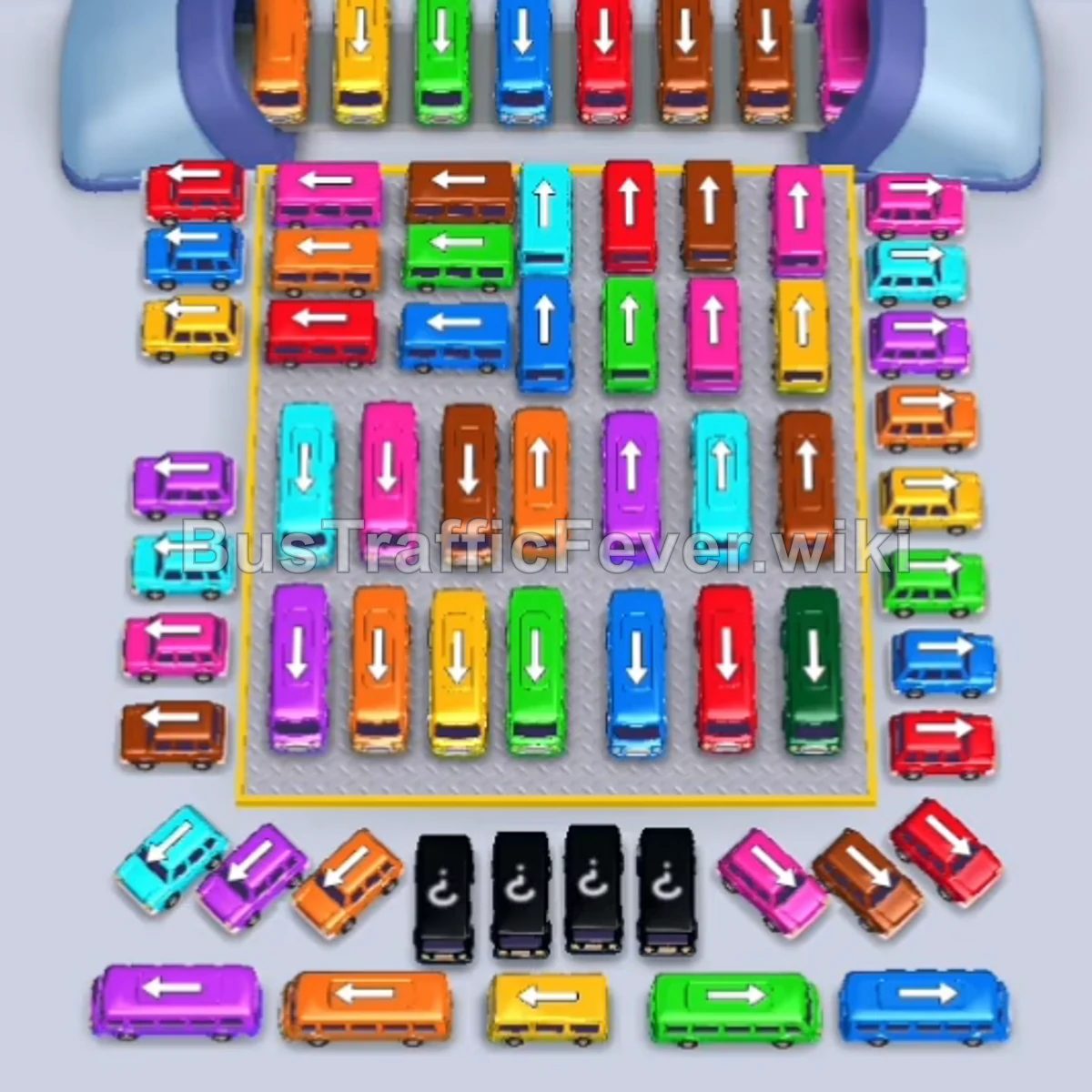
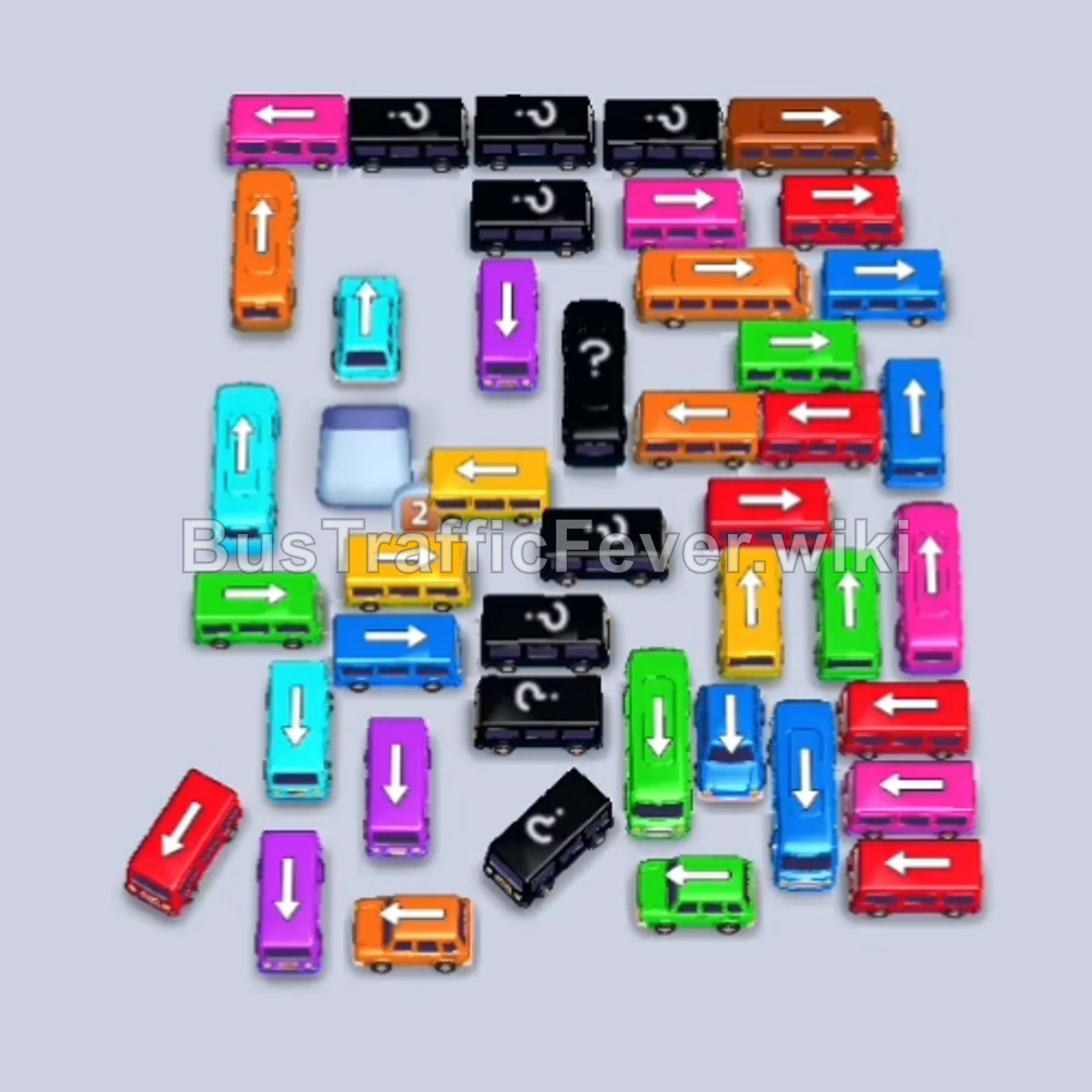
Bus Traffic Fever Level 216 Answer & Walkthrough Solution

Quick answer
Level 216 features a massive, heavily interwoven traffic grid with vehicles pointing in every cardinal direction, surrounded by a two-sided looping crowd. To prevent gridlock across the limited parking bays, focus on systematically peeling away the outer perimeter vehicles on the left and right flanks. This opens up clear exit avenues for the larger central buses (holding 40 passengers) to step in and absorb huge batches of matching crowd colors before clearing the remaining small buses.
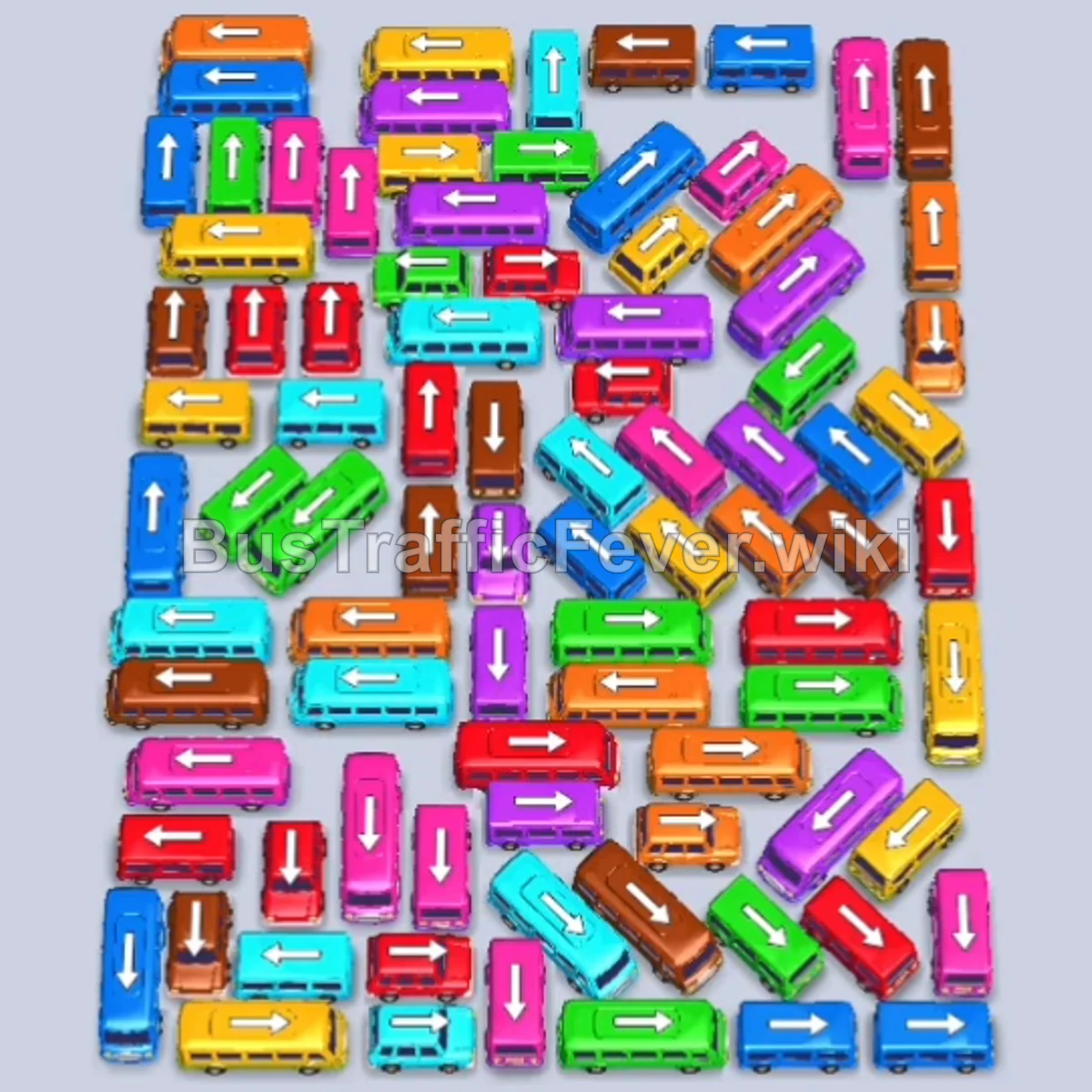
Step-by-step solution
Phase 1: Unlocking the Outer Edges & Early Departures
- Tap the Pink bus on the upper left (facing down). It enters the first slot to board waiting pink passengers.
- Tap the Blue bus in the upper-center lane to clear the upper corridor.
- Tap the Pink bus on the upper-right edge.
- Tap the Red bus on the upper-right edge.
- Tap the second Pink bus in the upper-right section. It finishes the pink group and clears the bay.
- Tap the Red bus on the far-right edge.
- Tap the large Yellow bus on the upper left. It absorbs yellow passengers and immediately departs.
- Tap the Cyan bus on the far-right edge (facing down).
- Tap the Green bus on the middle-right side (facing right) to catch incoming green passengers and leave.
- Tap the Cyan bus in the upper-right area.
- Tap the Pink bus on the middle-left side. Once full, it drives away.
- Tap the Green bus on the far-right perimeter. It boards and departs.
- Tap the Yellow bus on the upper left to absorb the next yellow line.
- Tap the Brown bus in the upper-center row (facing right).
- Tap the Purple bus in the upper-right corner. It boards purple passengers and departs.
Phase 2: Clearing the Upper Rows & Middle Core
- Tap the Cyan bus in the upper-center lane (facing left).
- Tap the Orange bus in the upper-right lane. It fills and leaves.
- The parked Cyan bus finishes boarding and departs.
- Tap the Purple bus on the upper right (facing right). It absorbs purple passengers and drives away.
- Tap the Blue bus along the far-left outer edge (facing left). It fills and clears.
- Tap the Yellow bus on the far-right perimeter (facing down).
- Tap the Orange bus on the middle-left side (facing left).
- Tap the Green bus in the middle-right area. Both the Yellow and Green buses fill and depart.
- Tap the Blue bus in the upper-center lane. It clears out blue passengers.
- Tap the Pink bus along the far-left edge.
- Tap the Cyan bus on the far-right edge. Both buses fill and depart in quick succession.
- Tap the Green bus in the middle-right section. It departs immediately upon boarding.
- The Orange bus fills and departs.
- Tap the Orange bus in the top-right corner to clear.
- Tap the Purple bus in the middle-center column.
- The Brown bus completes boarding and departs.
Phase 3: Dismantling the Lower-Center Grid & Heavy Buses
- Tap the Orange bus on the upper-left side (facing up).
- Tap the Blue bus on the far left. It absorbs blue passengers and leaves.
- Tap the Pink bus at the top right. It fills and departs.
- Tap the Red bus in the middle-right lane.
- Tap the Pink bus in the middle-left lane. It departs once full.
- Tap the Yellow bus on the middle left.
- Tap the Cyan bus on the far left (facing up).
- The Orange bus and Red bus finish their respective passengers and depart.
- Tap the Green bus on the middle left. It boards and leaves.
- Tap the Red bus in the middle-right lane.
- Tap the Purple bus on the upper left. It boards and leaves.
- Tap the Purple bus in the center lane. It boards and leaves.
- Tap the Brown bus in the lower-center row. It fills and departs.
- The Yellow bus completes boarding and departs.
- Tap the Green bus on the far left (facing up). It absorbs green passengers and drives away.
- Tap the Yellow bus in the top-left section.
- Tap the Brown bus in the top-center row.
- Tap the Blue bus in the top-right lane. The Brown and Red buses fill and depart.
- Tap the Cyan bus on the far left. It absorbs cyan passengers and leaves.
- Tap the Pink bus in the lower-center lane.
- Tap the Blue bus on the middle-right. Both the Pink and Blue buses fill and depart.
- Tap the Orange bus on the lower right. It boards and clears.
- Tap the Brown bus in the upper-center lane.
- Tap the Green bus on the far left. Both the Green and Brown buses depart.
- The Yellow bus finishes and leaves.
Phase 4: Final Sequence & Cleanup
- Tap the Red bus on the upper left (facing down). It fills and departs.
- Tap the Purple bus on the far left.
- The Blue bus finishes boarding and departs.
- Tap the Cyan bus on the far left. It boards and leaves.
- Tap the Red bus in the upper center. It departs.
- Tap the Pink bus in the middle right.
- Tap the Orange bus on the far left. It fills and leaves.
- The Purple bus completes boarding and departs.
- Tap the Yellow bus on the far right.
- Tap the Brown bus at the bottom left.
- Tap the Cyan bus on the far left. Both buses fill and depart.
- Tap the Red bus on the lower right. It leaves.
- Tap the Pink bus on the far left. It absorbs pink passengers and leaves.
- Tap the Purple bus at the lower left.
- Tap the Orange bus at the lower left. Both buses fill and depart.
- Tap the Pink bus on the far left. It fills and departs.
- Tap the Blue bus on the upper left.
- Tap the Purple bus in the center lane.
- Tap the Green bus in the center lane. It boards and leaves.
- Tap the Red bus in the center lane. It boards and leaves.
- Tap the Green bus in the lower-center column. It boards and departs.
- Tap the Yellow bus in the center. It leaves.
- Tap the Red bus in the middle lane.
- Tap the Brown bus in the center. It boards and departs.
- Tap the Red bus in the center. It departs.
- Tap the Cyan bus in the center. It fills and leaves.
- Tap the Yellow bus in the center. It leaves.
- Tap the Blue bus on the far left.
- Tap the Green bus in the center.
- Tap the Red bus in the center.
- Tap the Purple bus in the center. The Green, Blue, and Purple vehicles board and depart.
- Tap the Orange bus on the far left. It departs.
- Tap the Yellow bus in the center.
- Tap the second Yellow bus in the center to finish off the yellow queue.
- Tap the final Orange bus at the bottom right to complete the level.
Tips for success
- Clear Outer Flanks First: Vertical vehicles along the left and right borders block dozens of horizontal buses inside the main block. Clearing perimeter slots early opens multiple escape routes.
- Capitalize on 40-Capacity Buses: Deploy high-capacity buses (Yellow, Green, Cyan, Orange) only when their matching color group is actively queueing at the gate so they don’t clog a bay.
- Maintain At Least Two Empty Parking Bays: Never allow all 5 bays to fill up with stagnant vehicles; keep a rotation space available so you can pull out blocking vehicles in tight jams.
More Bus Traffic Fever help
Continue with the Level 215 walkthrough, review the core rules in how to play Bus Traffic Fever, or browse all level solutions to jump to another number.