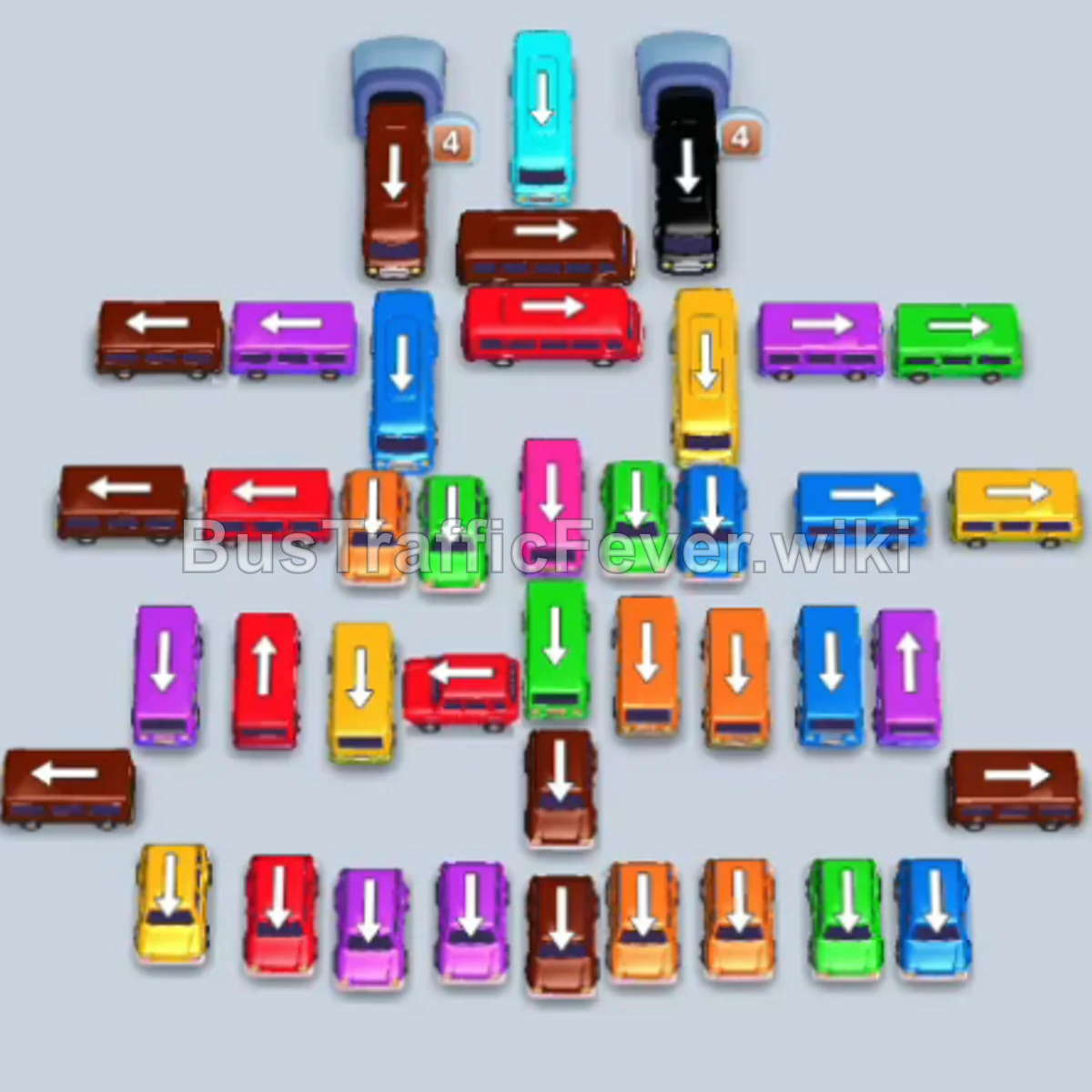
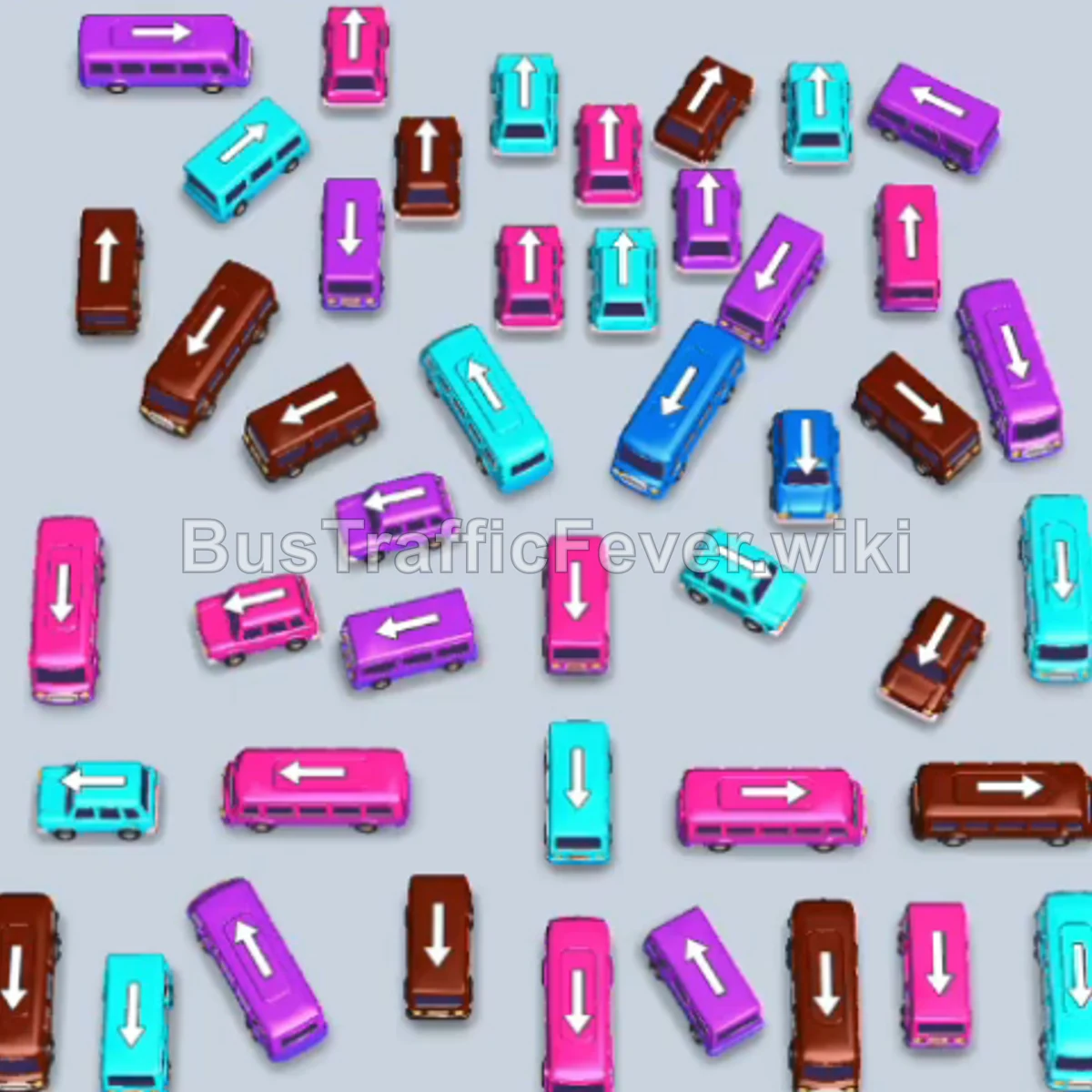
Bus Traffic Fever Level 270 Answer & Walkthrough Solution

Quick answer
Start with the vertical purple bus on the mid-left side in the first waiting bay to load purple passengers. Next, tap the vertical cyan bus near the upper-right corner, then the horizontal cyan bus at the top center. Continue with the vertical purple bus slightly right of center.
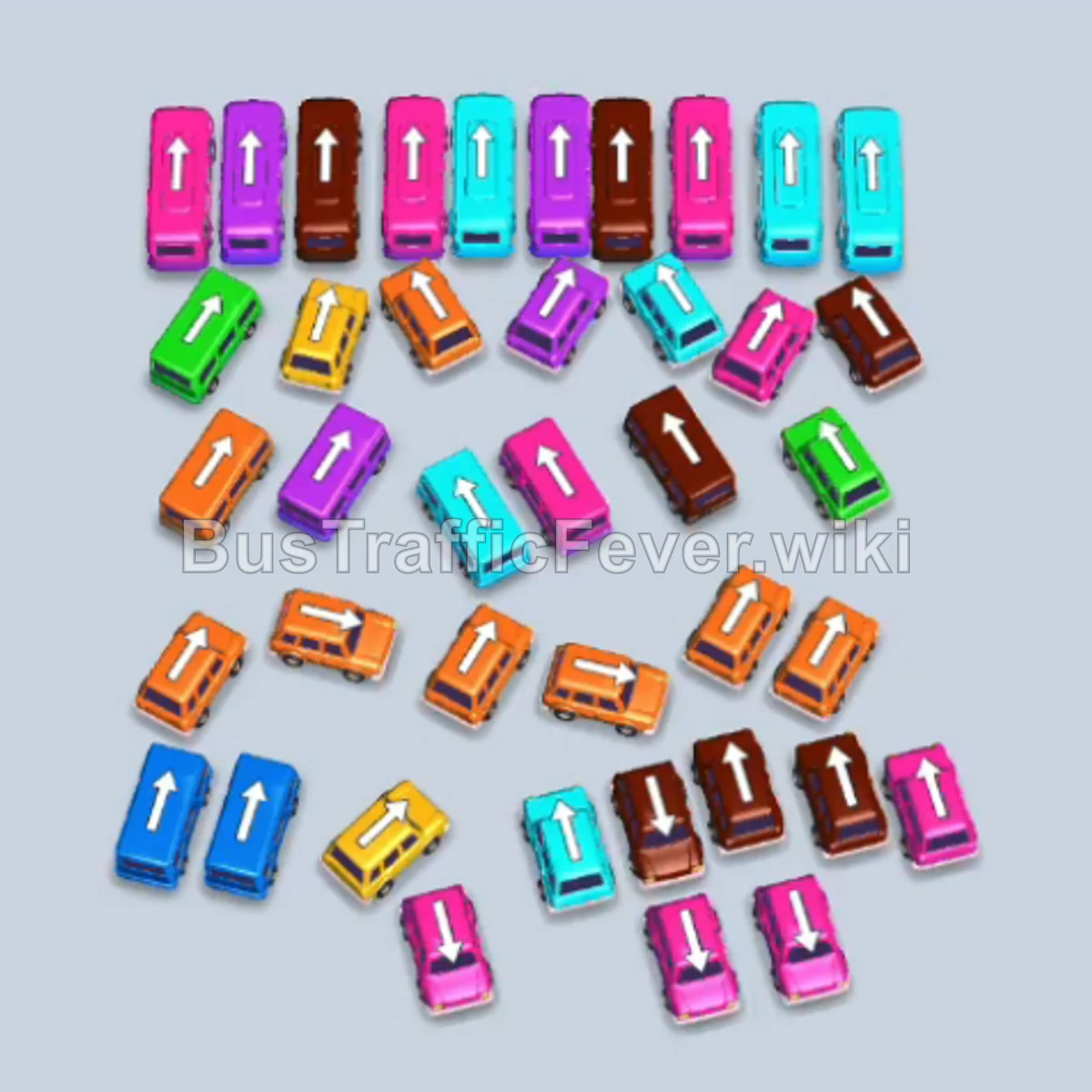
Step-by-step solution
Phase 1: Clearing Purple and Cyan Blocks
- Tap the vertical purple bus on the mid-left side to take the first waiting bay and load purple passengers.
- Tap the vertical cyan bus near the upper-right corner.
- Tap the horizontal cyan bus at the top center.
- Tap the vertical purple bus slightly to the right of the center.
- Tap the vertical brown bus directly below the top center to park, clearing the way for queued passengers to shift.
- Tap the horizontal purple bus in the upper-left cluster to collect purple passengers.
- Tap the vertical cyan bus in the center cluster.
- Tap the vertical purple bus in the lower-right area.
- Tap the horizontal cyan bus along the upper-right edge.
- Tap the vertical cyan bus near the lower-right corner.
- Tap the horizontal purple bus near the top left corner.
- Tap the vertical orange bus in the center area.
- Tap the horizontal purple bus in the middle row to collect the next purple passengers.
- Tap the vertical orange bus in the upper-right corner.
- Tap the vertical cyan bus at the bottom left to clear out cyan passengers.
Phase 2: Unravelling the Center Cluster
- Tap the vertical brown bus from the lower-right area into an open bay.
- Tap the vertical brown bus in the center cluster.
- Tap the horizontal yellow bus in the mid-left area.
- Tap the vertical purple bus near the lower center.
- Tap the horizontal brown bus near the top edge.
- Tap the vertical orange bus in the lower-right corner.
- Tap the vertical brown bus in the center column.
- Tap the horizontal yellow bus near the middle-left edge.
- Tap the vertical orange bus in the center.
- Tap the vertical brown bus along the bottom right.
- Tap the horizontal purple bus near the center.
- Tap the vertical cyan bus on the bottom-left edge.
- Tap the vertical purple bus near the center-right.
- Tap the vertical yellow bus in the upper-right area.
- Tap the horizontal cyan bus at the bottom edge.
Phase 3: Emptying the Board
- Tap the vertical brown bus at the lower right.
- Tap the horizontal orange bus in the middle row.
- Tap the vertical green bus on the left side.
- Tap the horizontal orange bus slightly below center.
- Tap the horizontal green bus at the top center.
- Tap the vertical orange bus in the lower center.
- Tap the horizontal purple bus at the bottom-left.
- Tap the vertical yellow bus on the upper-right side.
- Tap the horizontal green bus in the upper right.
- Tap the vertical orange bus near the lower center.
- Tap the horizontal cyan bus near the bottom right.
- Tap the vertical orange bus just above the bottom row.
- Tap the vertical yellow bus at the right edge.
- Tap the horizontal cyan bus at the bottom center.
- Tap the horizontal brown bus at the bottom right.
- Tap the vertical cyan bus in the center.
- Tap the vertical orange bus in the center.
- Tap the vertical brown bus on the lower right.
- Tap the vertical cyan bus on the lower left.
- Tap the vertical blue bus on the lower left.
- Tap the final blue bus to finish boarding the last passengers and complete the level.
Tips for success
- Watch the 5-bay limit: With only 5 parking slots available, do not send a vehicle forward unless its corresponding passengers are already at the front or within immediate reach of the queue.
- Match vehicle counts to queue bursts: The passengers arrive in large blocks of purple, cyan, and orange; timing multiple buses of the same color concurrently ensures bays empty quickly.
- Prioritize freeing locked inner buses: Clear the vehicles blocking central columns first so that trapped corner buses become completely unobstructed by the end of the stage.
More Bus Traffic Fever help
Continue with the Level 269 walkthrough, review the core rules in how to play Bus Traffic Fever, or browse all level solutions to jump to another number.