Bus Traffic Fever Level 139 Answer & Walkthrough Solution

Quick answer
Tap the Yellow VIP Bus at the bottom left (40 capacity). The first stream of yellow passengers will board and clear the bus. Tap the Light Blue bus on the middle-left outer edge. It parks in the first slot. Tap the Brown bus near the upper-middle right.
Step-by-step solution
Phase 1: Clearing the Outer Perimeter & Initial Queues
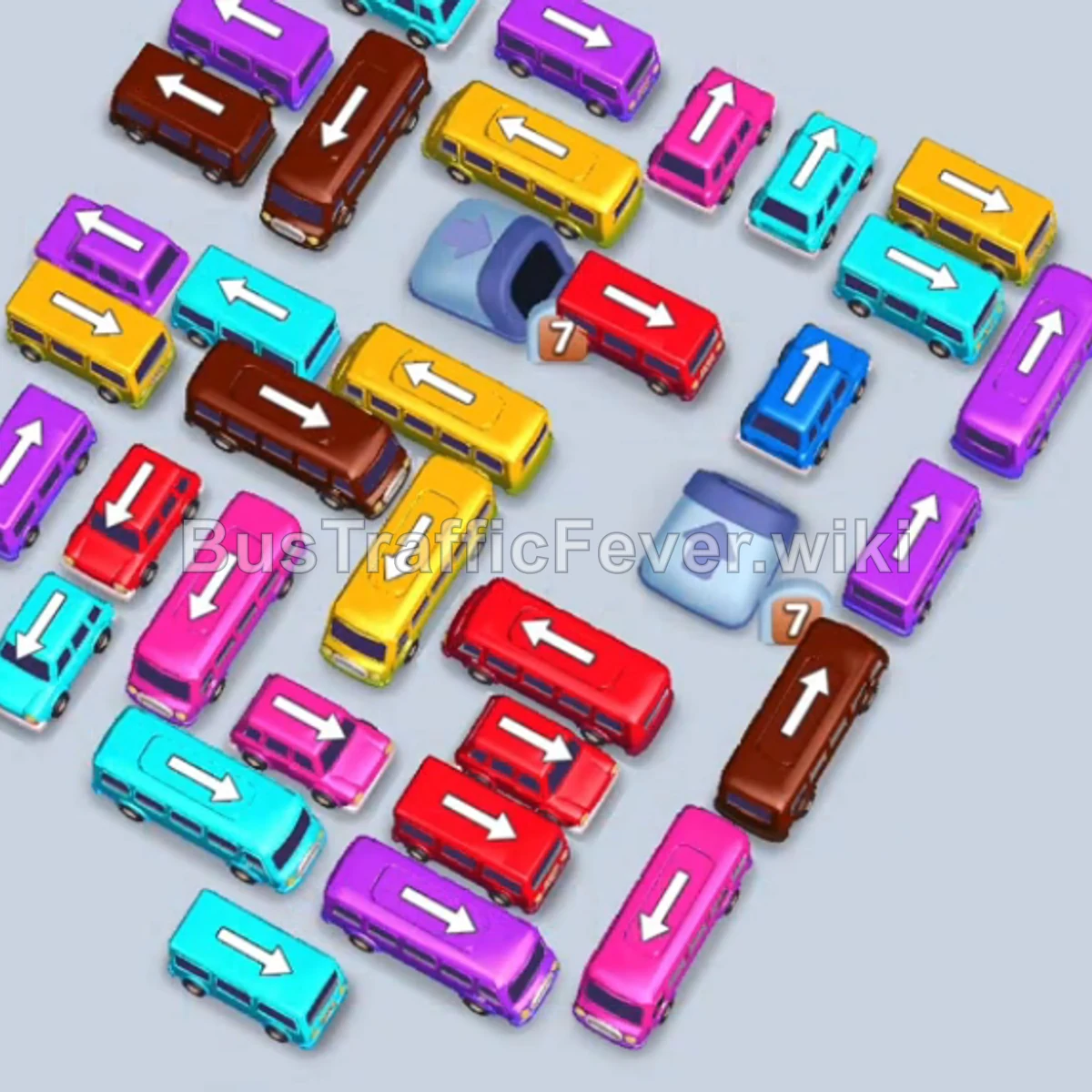
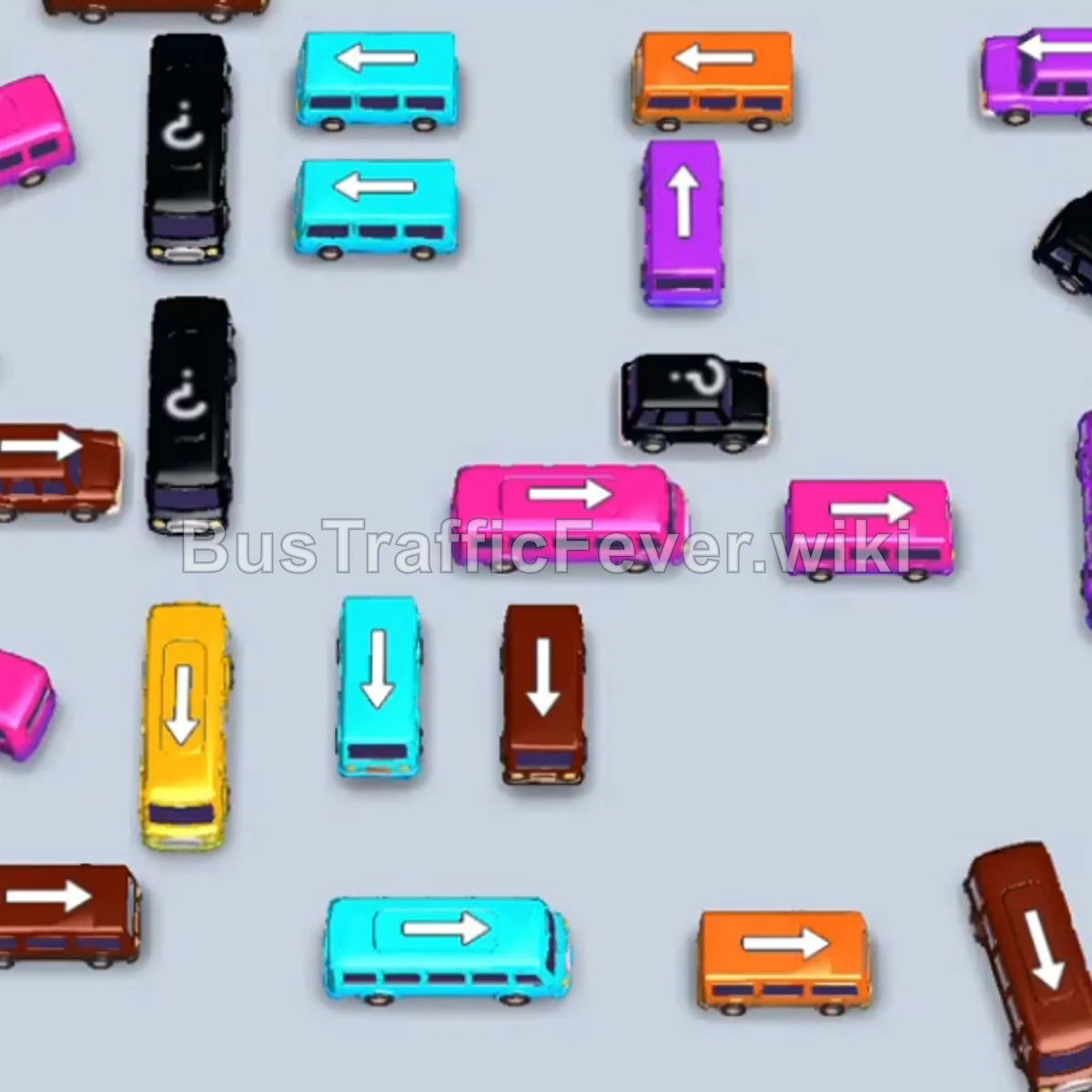
- Tap the Yellow VIP Bus at the bottom left (40 capacity). The first stream of yellow passengers will board and clear the bus.
- Tap the Light Blue bus on the middle-left outer edge. It parks in the first slot.
- Tap the Brown bus near the upper-middle right. Brown passengers will immediately board, clearing it.
- Tap the Yellow bus at the bottom center. Yellow passengers will board and clear the vehicle.
- Tap the Light Blue bus on the outer left edge. It moves into the second parking slot.
- Tap the Purple bus on the upper-right edge. Purple passengers board and clear it.
- Tap the Brown bus on the upper-left side into a parking slot.
- Tap the Yellow bus at the top left. Yellow passengers board to clear it, followed by brown passengers boarding the parked Brown bus.
- Tap the Yellow bus at the top center. Yellow passengers board and the bus drives away.
- The queue shifts to light blue; passengers fill both parked Light Blue buses, freeing up the parking slots.
Phase 2: Unblocking Outer Layers & Freeing Lanes
- Tap the Purple bus on the top-right curve. Purple passengers board and clear the vehicle.
- Tap the Pink bus on the far top-left edge. Pink and remaining light blue passengers board, clearing both buses.
- Tap the Brown bus at the bottom-right corner. Brown passengers board and clear it.
- Tap the Brown VIP Bus on the left side of the inner ring. It parks in the first slot.
- Tap the Light Blue bus in the center ring. Light blue passengers board immediately.
- Tap the Pink bus on the middle-right. Pink passengers board to clear it.
- Brown passengers board the parked Brown VIP Bus (reducing remaining capacity to 8).
- Tap the Purple bus exposed on the right side. Purple passengers board and clear it.
- Tap the Yellow VIP Bus from the upper-middle ring. Yellow passengers board and it leaves.
- Remaining brown passengers finish boarding the parked Brown VIP Bus, clearing the slot.
Phase 3: Multi-Vehicle Congestion & Color Waves
- Tap the Brown VIP Bus at the bottom-left corner into slot 1.
- Tap the Yellow bus next to it into slot 2.
- Tap the Green bus in the center into slot 3.
- Tap the Purple bus on the middle-right into slot 4.
- Passengers board the Purple, Green, Yellow, and Brown vehicles simultaneously in sequence, clearing all slots.
- Tap the Purple bus in the center ring. Purple passengers board and it clears.
- Tap the Yellow bus in the upper-left cluster. Yellow passengers board and clear it.
- Tap the Light Blue bus on the top edge. Light blue passengers board and clear it.
- Tap the Purple bus from the upper ring. Purple passengers board and it drives off.
- Tap the Brown bus at the top edge into a parking slot. Brown passengers board and clear it.
Phase 4: Center Unlocking & Tunnel Vehicles
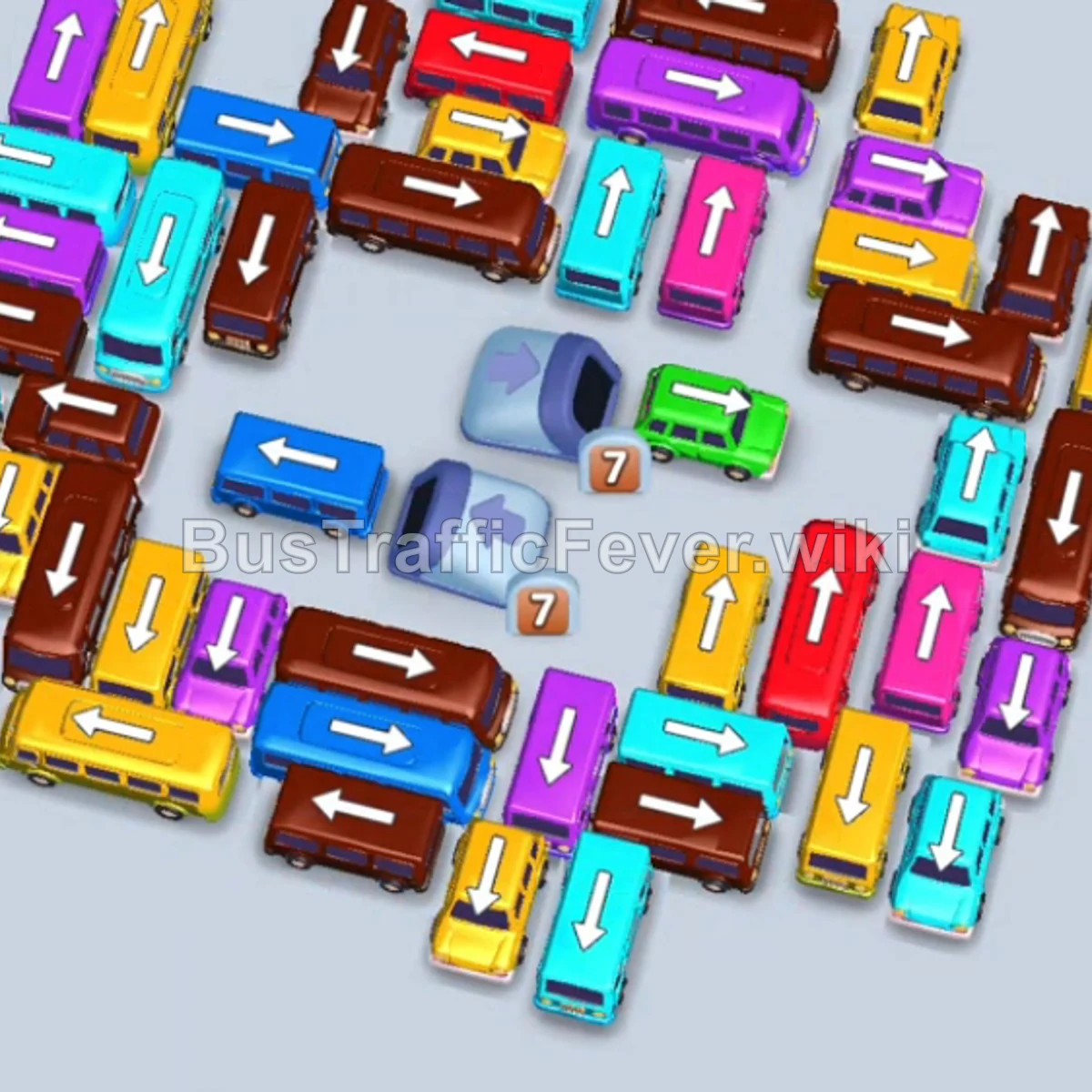
- Tap the Brown VIP Bus on the left into the first slot.
- Tap the Light Blue bus next to the center tunnel into the second slot.
- Tap the Light Blue bus inside the upper tunnel. Light blue passengers board both buses and clear them.
- Tap the Brown VIP Bus from the outer bottom edge into slot 1. Brown passengers board.
- Tap the Light Blue VIP Bus from the upper center. Light blue passengers board and clear it.
- Tap the Pink bus near the center into slot 2. Pink passengers board and clear it.
- Tap the Brown bus in the center. Brown passengers board the remaining capacity of the brown buses and clear them.
- Tap the Yellow VIP Bus on the bottom left. Yellow passengers board and clear it.
- Tap the Brown bus on the left. Brown passengers board and clear it.
- Tap the Yellow bus at the bottom left. Yellow passengers board and clear it.
- Tap the Light Blue VIP Bus from the center ring. Light blue passengers board and clear it.
- Tap the Brown VIP Bus near the bottom right. Brown passengers board and clear it.
Phase 5: Final Vehicle Extraction & Victory
- Tap the Light Blue bus at the bottom edge. Light blue passengers board and clear it.
- Tap the Green VIP Bus from the center. Green passengers board and clear it.
- Tap the Brown VIP Bus on the bottom left. Brown passengers board and clear it.
- Tap the Dark Blue VIP Bus from the center. Dark blue passengers board and clear it.
- Tap the Brown bus from the bottom center into slot 2. Brown passengers board and clear it.
- Tap the Pink bus from the bottom-left area. Pink passengers board and clear it.
- Tap the Dark Blue bus on the left into slot 1. Dark blue passengers board and clear it.
- Tap the Brown bus in slot 2. Brown passengers board and clear it.
- Tap the Purple bus into slot 3. Purple passengers board and clear it.
- Tap the Red VIP Bus on the right into slot 4. Red passengers board and clear it.
- Tap the Dark Blue bus into slot 1. Dark blue passengers board and clear it.
- Tap the Yellow bus into slot 2. Yellow passengers board and clear it.
- Tap the Brown bus in slot 3. The final brown passengers board and clear the board to achieve Perfect!
Tips for success
- Anticipate Passenger Stream Colors: Check the loop at the top to see which color comes next, allowing you to prep parking slots ahead of time.
- Prioritize High-Capacity VIP Buses: Always send larger buses (24–40 capacity) when long chains of matching passenger colors approach.
- Manage Parking Slots: Keep at least 2 parking slots open at all times to prevent gridlock while unblocking inner tunnel buses.
More Bus Traffic Fever help
Continue with the Level 138 walkthrough, review the core rules in how to play Bus Traffic Fever, or browse all level solutions to jump to another number.