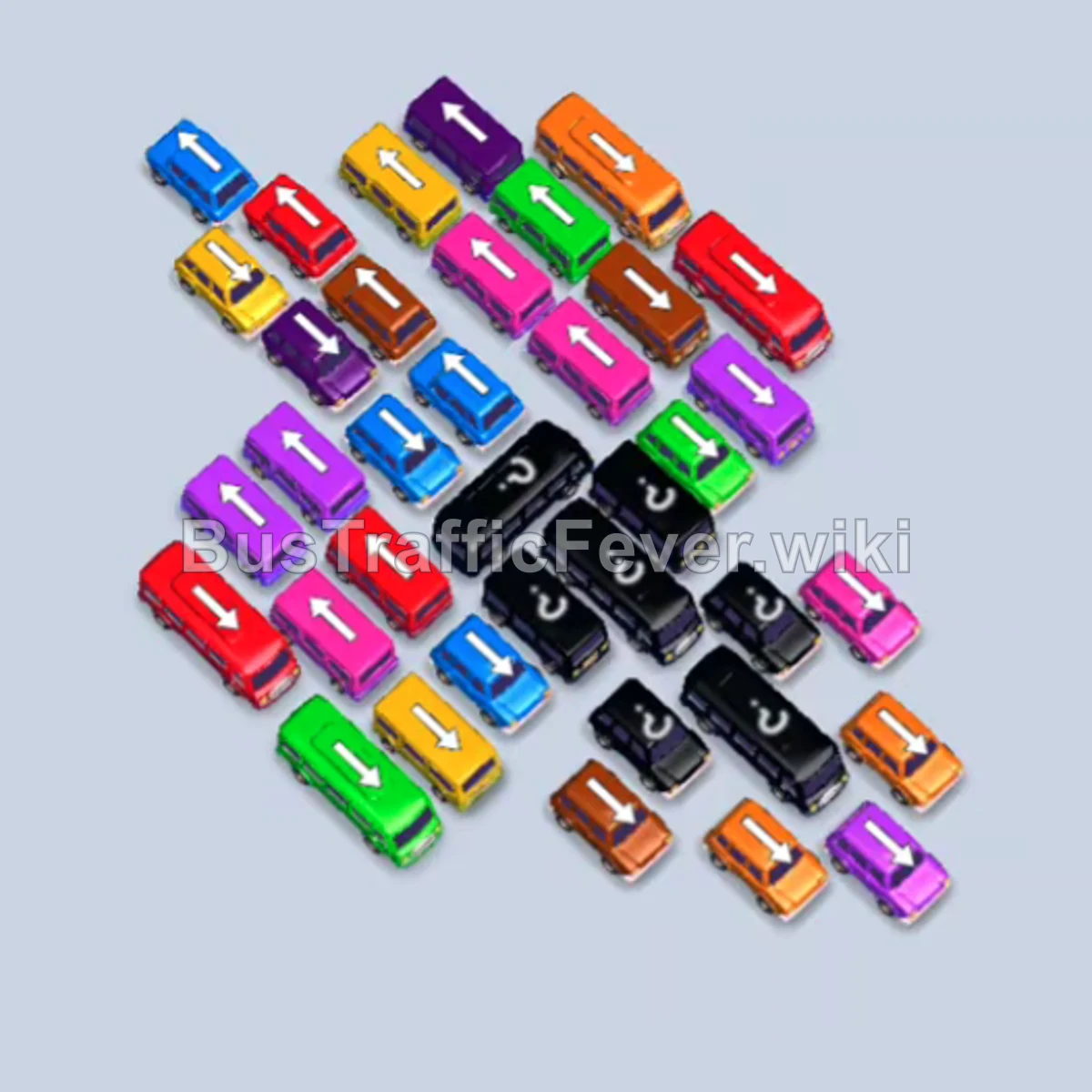
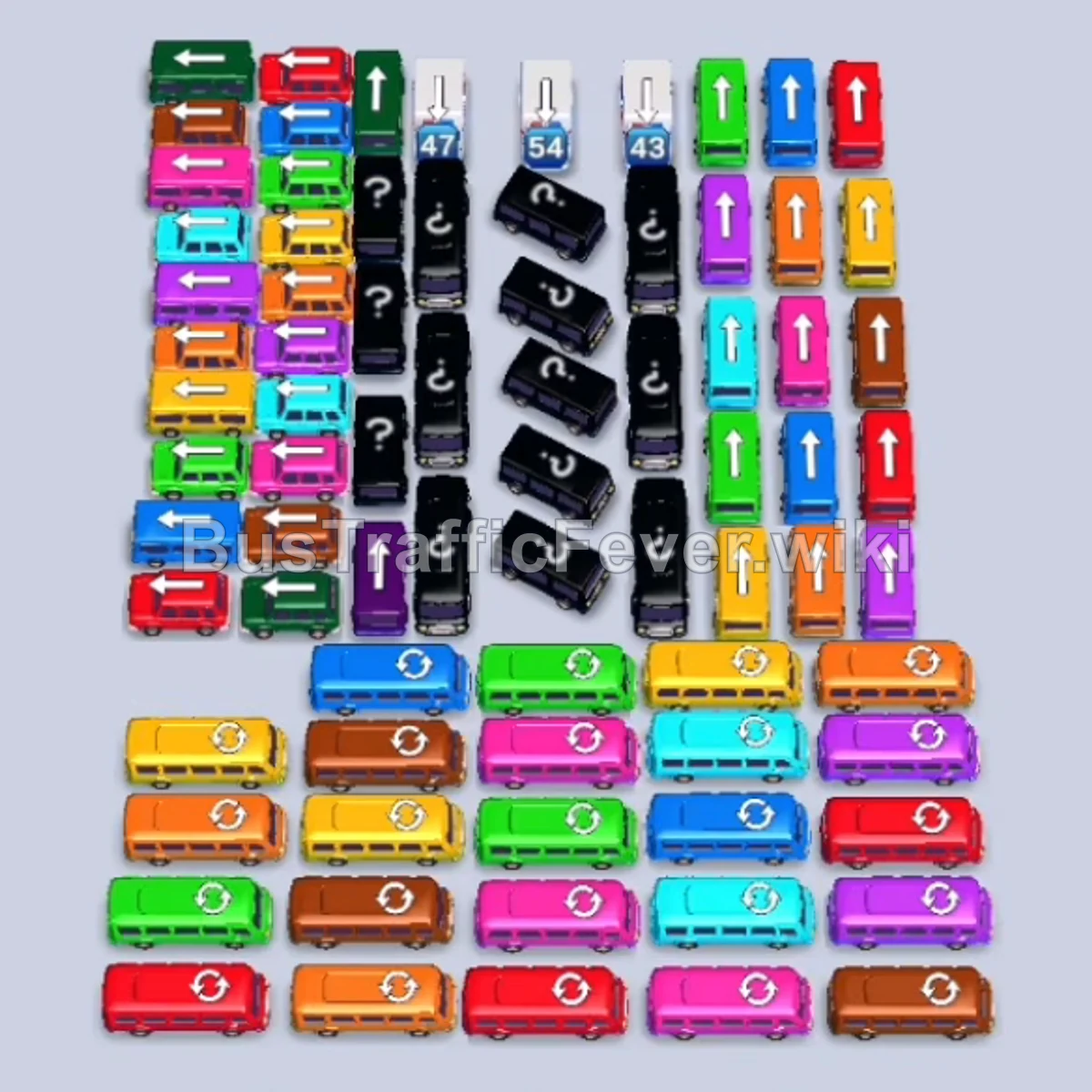
Bus Traffic Fever Level 159 Answer & Walkthrough Solution

Quick answer
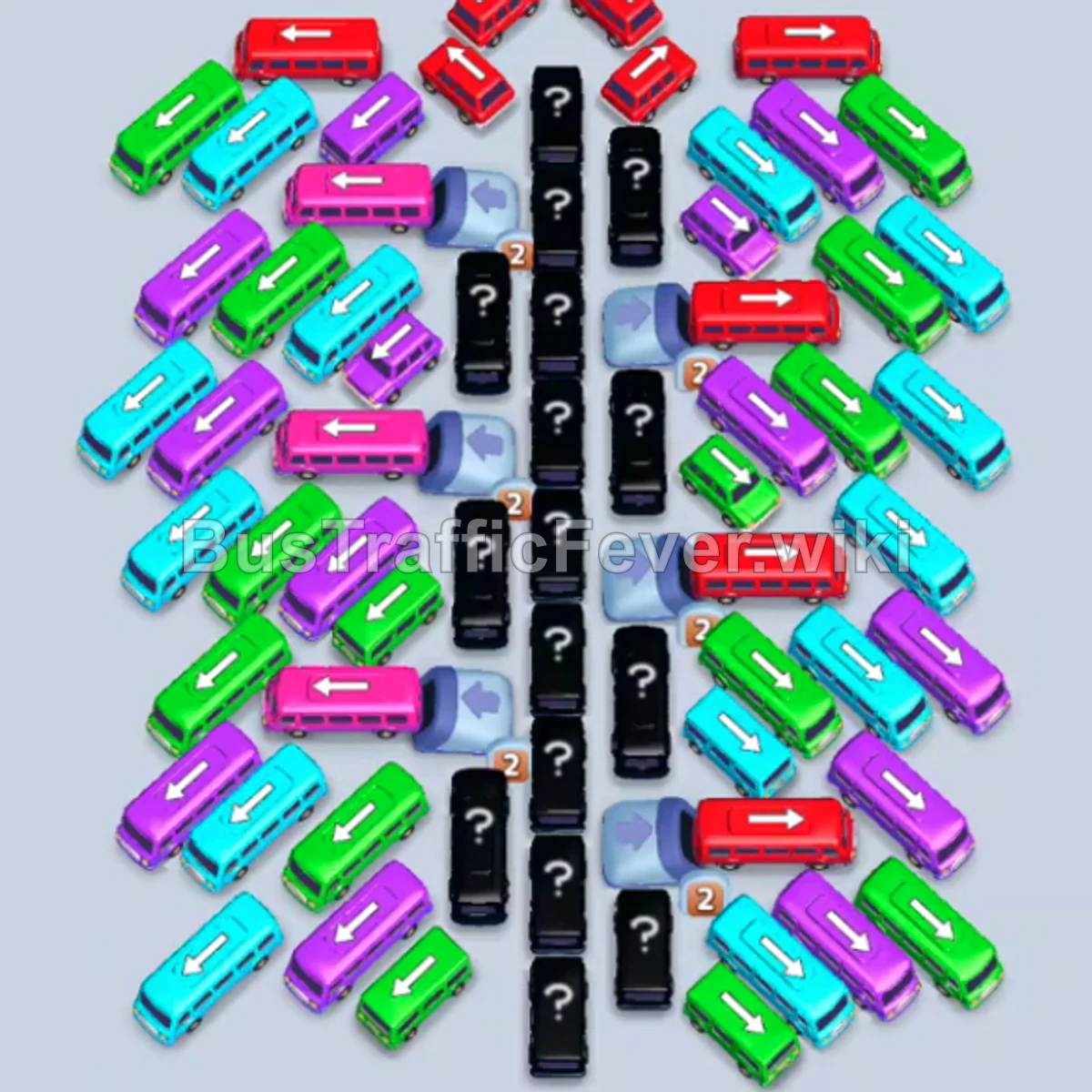
Level 159 presents a massive arrowhead formation centered around a central spine of mystery vehicles (?). The solution lies in systematically shaving down the outer diagonal wings from the top and sides, rapidly cycling small buses to keep parking slots open, and gradually freeing the central mystery column.
Step-by-step solution
Here is the detailed step-by-step guide to complete Level 159:
Phase 1: Opening the Outer Canopy & High-Capacity Anchors
- Tap the Red bus at the top center facing left/up into slot 1.
- Tap the Red bus at the top right facing right into slot 2. Both red buses board passengers and depart immediately.
- Tap the Green bus on the upper-left edge facing left into slot 1.
- Tap the Red bus on the upper-right edge facing right into slot 2.
- Tap the Cyan bus on the far-left edge facing left into slot 3.
- Tap the Pink bus on the upper-left edge facing left into slot 4. Pink passengers board and it departs.
- Tap the Red bus on the upper-right edge facing right into slot 4. Red passengers finish filling both red vehicles, and both depart.
Phase 2: Unlocking the Upper Wings & Color Transitions
- Tap the Cyan bus on the far-left edge facing left into slot 2.
- Tap the Brown bus on the upper-right edge facing right into slot 4. Cyan and brown passengers board; the Cyan bus departs.
- Tap the Brown bus on the right edge facing right into slot 2. It boards brown passengers and departs.
- Tap the Orange bus in the upper-right area facing up into slot 4. Orange passengers board and it departs.
- The Green bus in slot 1 and Cyan bus in slot 3 finish boarding and both depart.
- Tap the Pink bus on the upper-left edge facing left into slot 1.
- Tap the second Pink bus on the left edge facing left into slot 2. Pink passengers board both buses; slot 1 departs.
- Tap the Green bus in the upper-right area facing right into slot 3.
- Tap the Cyan bus on the upper-right edge facing right into slot 4.
- The Pink bus in slot 2 completes boarding and departs.
Phase 3: Clearing the Mid-Flanks & Fast-Turnover Waves
- Tap the Red bus on the left edge facing left into slot 2. Red passengers board and it departs.
- The Green bus in slot 3 and Cyan bus in slot 4 finish boarding and depart.
- Tap the Red bus in the upper-center facing up into slot 2. It boards and departs.
- Tap the Cyan bus in the upper-center facing up into slot 3. It boards and departs.
- Tap the Purple bus on the left edge facing left into slot 1.
- Tap the Yellow bus on the bottom-right facing right into slot 4. Yellow passengers board and it departs; the Purple bus in slot 1 follows right after.
- Tap the Cyan bus on the right edge facing right into slot 2. It boards and departs.
- Tap the Red bus on the left edge facing left into slot 1. Red passengers board and it departs.
- Tap the Red bus on the right edge facing right into slot 2. It boards and departs.
- Tap the Cyan bus on the right edge facing right into slot 3. It boards and departs.
- Tap the Yellow bus on the left edge facing up into slot 3. It boards and departs.
- Tap the Yellow bus on the bottom-right facing right into slot 4. It boards and departs.
Phase 4: Peeling the Lower Wing Layers
- Tap the Pink bus on the upper-left facing right into slot 2. It boards and departs.
- Tap the Cyan bus on the left edge facing right into slot 2. It boards and departs.
- Tap the Pink bus on the left edge facing right into slot 3. It boards and departs.
- Tap the Pink bus on the right edge facing right into slot 4. It boards and departs.
- Tap the Orange bus at the bottom-left facing up into slot 3. It boards and departs.
- Tap the Cyan bus on the left edge facing right into slot 2. It boards and departs.
- Tap the Cyan bus on the right edge facing right into slot 3. It boards and departs.
- Tap the Green bus on the far-left edge facing left into slot 1. It boards and departs.
- Tap the Purple bus on the top-right facing right into slot 2. It boards and departs.
- Tap the Red bus at the top center facing right into slot 2. It boards and departs.
- Tap the Red bus at the top center facing down into slot 1. It boards and departs.
- Tap the Red bus on the far-right edge facing down into slot 1. It boards and departs.
- Tap the Green bus on the right edge facing right into slot 2. It boards and departs.
- Tap the Brown bus on the right edge facing left into slot 3. It boards and departs.
Phase 5: Dismantling the Spine & Final Sweep
- Tap the Red bus on the right edge facing right into slot 2. It boards and departs.
- Tap the Purple bus on the left edge facing right into slot 2. It boards and departs.
- Tap the Cyan bus on the bottom-left facing right into slot 1. It boards and departs.
- Tap the Green bus on the far-left facing right into slot 1. It boards and departs.
- Tap the Purple bus on the upper-left facing right into slot 1. It boards and departs.
- Tap the Cyan bus on the left edge facing right into slot 1. It boards and departs.
- Tap the Red bus on the left edge facing right into slot 1.
- Tap the Cyan bus on the left edge facing right into slot 2. Cyan passengers board and it departs.
- Tap the Purple bus on the left edge facing right into slot 2. It boards and departs.
- Tap the Green bus on the left edge facing right into slot 2. It boards and departs.
- Tap the Green bus on the left edge facing right into slot 2. It boards and departs.
- Tap the Cyan bus on the top-right facing right into slot 2. It boards and departs.
- Tap the Purple bus at the bottom-left facing right into slot 2. It boards and departs, followed by the Red bus in slot 1.
- Tap the Blue bus on the left edge facing right into slot 1.
- Tap the Yellow bus at the top center facing down into slot 2. Yellow passengers board and it departs; the Blue bus follows shortly after.
- Tap the Pink bus on the far-left facing right into slot 1.
- Tap the Blue bus on the far-left facing right into slot 2.
- Tap the Pink bus on the left facing right into slot 3.
- Tap the Orange bus on the left facing right into slot 4. Orange passengers board and it departs.
- Tap the Green bus on the right edge facing right into slot 4. It boards and departs.
- Tap the Green bus on the far-left facing right into slot 4. It boards and departs.
- Tap the Purple bus on the upper-left facing right into slot 4. It boards and departs; the Blue bus in slot 2 departs.
- Tap the Blue bus in the center facing right into slot 2.
- Tap the Cyan bus at the bottom-left facing right into slot 4. It boards and departs.
- Tap the Pink bus on the right edge facing right into slot 4. It boards and departs.
- Tap the Red bus on the right edge facing right into slot 4. It boards and departs; the Blue bus in slot 2 departs.
- Tap the Cyan bus on the right edge facing right into slot 2. It boards and departs.
- Tap the Green bus on the far-left facing right into slot 2. It boards and departs.
- Tap the Cyan bus on the right edge facing right into slot 2. It boards and departs.
- Tap the Red bus on the right edge facing right into slot 2.
- Tap the Blue bus on the right edge facing right into slot 4. Both board and depart.
- Tap the Green bus on the far-left facing right into slot 2. It boards and departs.
- Tap the Cyan bus on the right edge facing right into slot 2. It boards and departs.
- Tap the Purple bus on the far-right facing right into slot 2. It boards and departs.
- Tap the Red bus on the right edge facing right into slot 2. It boards and departs.
- Tap the Green bus on the right edge facing right into slot 2.
- Tap the Purple bus on the far-left facing right into slot 4. Both board and depart.
- Tap the Blue bus on the right edge facing right into slot 2. It boards and departs.
- Tap the Green bus on the right edge facing right into slot 2. It boards and departs.
- Tap the Red bus on the left edge facing right into slot 2. It boards and departs.
- Tap the Brown bus revealed from the central spine facing up into slot 2. It boards brown passengers and departs.
- Tap the Green bus in the center facing right into slot 2. It boards and departs.
- Tap the Purple bus on the right facing right into slot 3. It boards and departs.
- Tap the Cyan bus on the far-right facing right into slot 2. It boards the final cyan passengers to complete the level with “Perfect! +20”!
Tips for success
- Shave the Wings Evenly: Avoid completely emptying one wing while neglecting the other; keep both sides balanced so vehicles blocking the central spine can be accessed from either direction.
- Keep High-Volume Slots Moving: Large 40-capacity buses take longer to board. Make sure you don’t park more than two large buses at the same time unless their color is actively flowing through the queue.
- Unlock the Center Early: The central column of mystery vehicles holds crucial keys to mid-game colors. Whenever an opening appears towards the center, tap it immediately to reveal what lies ahead.
More Bus Traffic Fever help
Continue with the Level 158 walkthrough, review the core rules in how to play Bus Traffic Fever, or browse all level solutions to jump to another number.