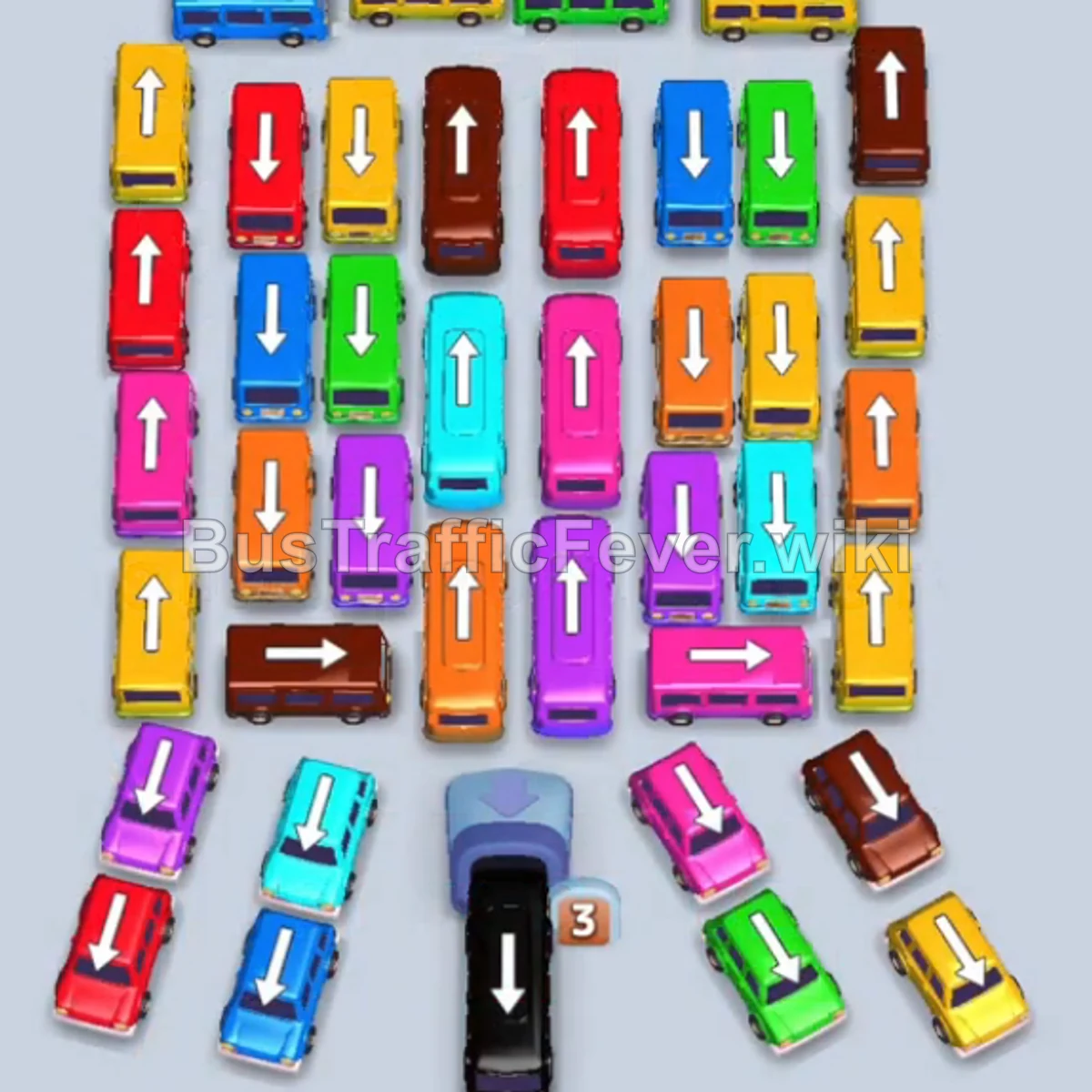
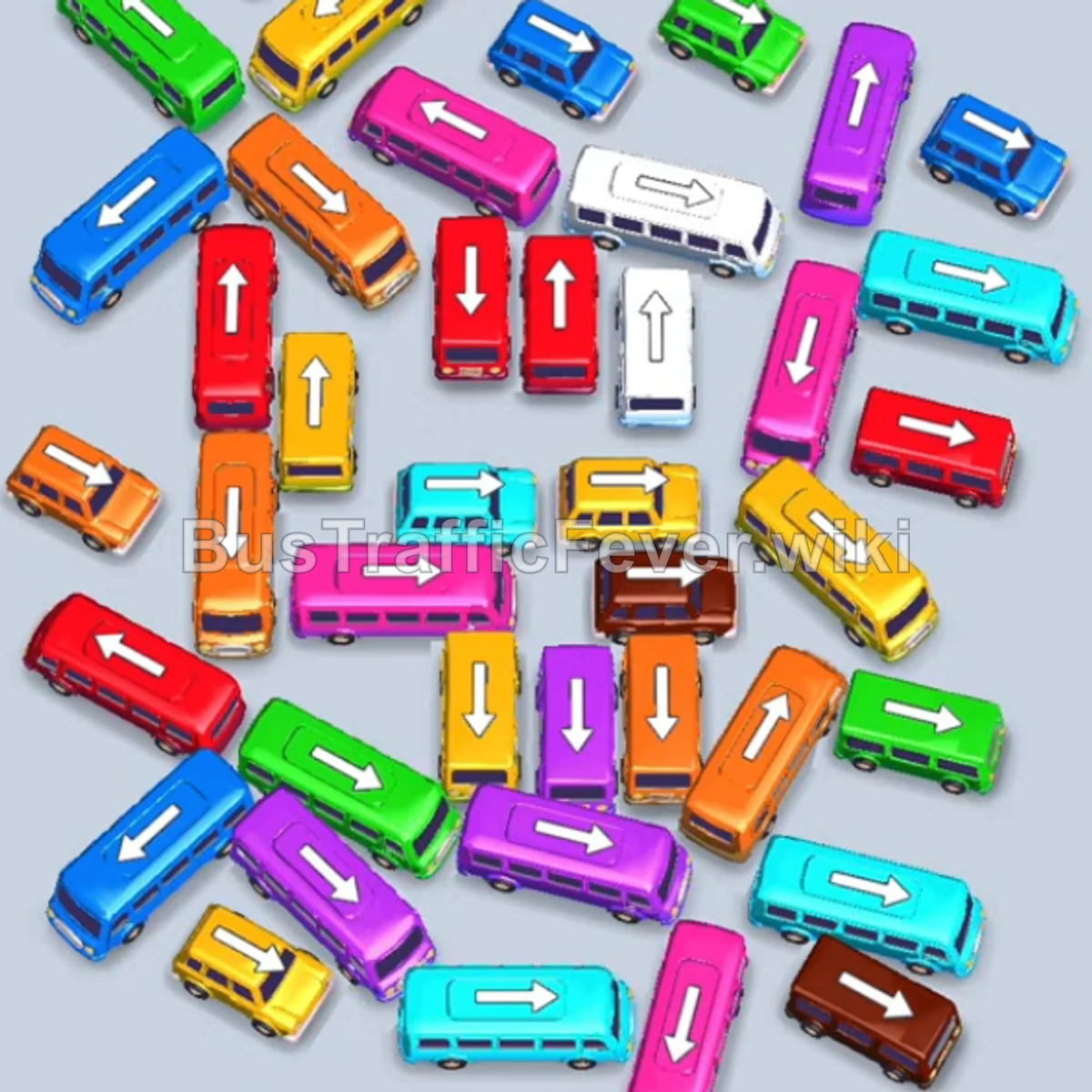
Bus Traffic Fever Level 61 Answer & Walkthrough Solution

Quick answer
Tap the Red bus (capacity 16) on the middle-left facing left. It enters a parking slot to pick up the incoming red passengers. Tap the Blue bus (capacity 24) on the middle-left facing down. Blue passengers board and it clears.
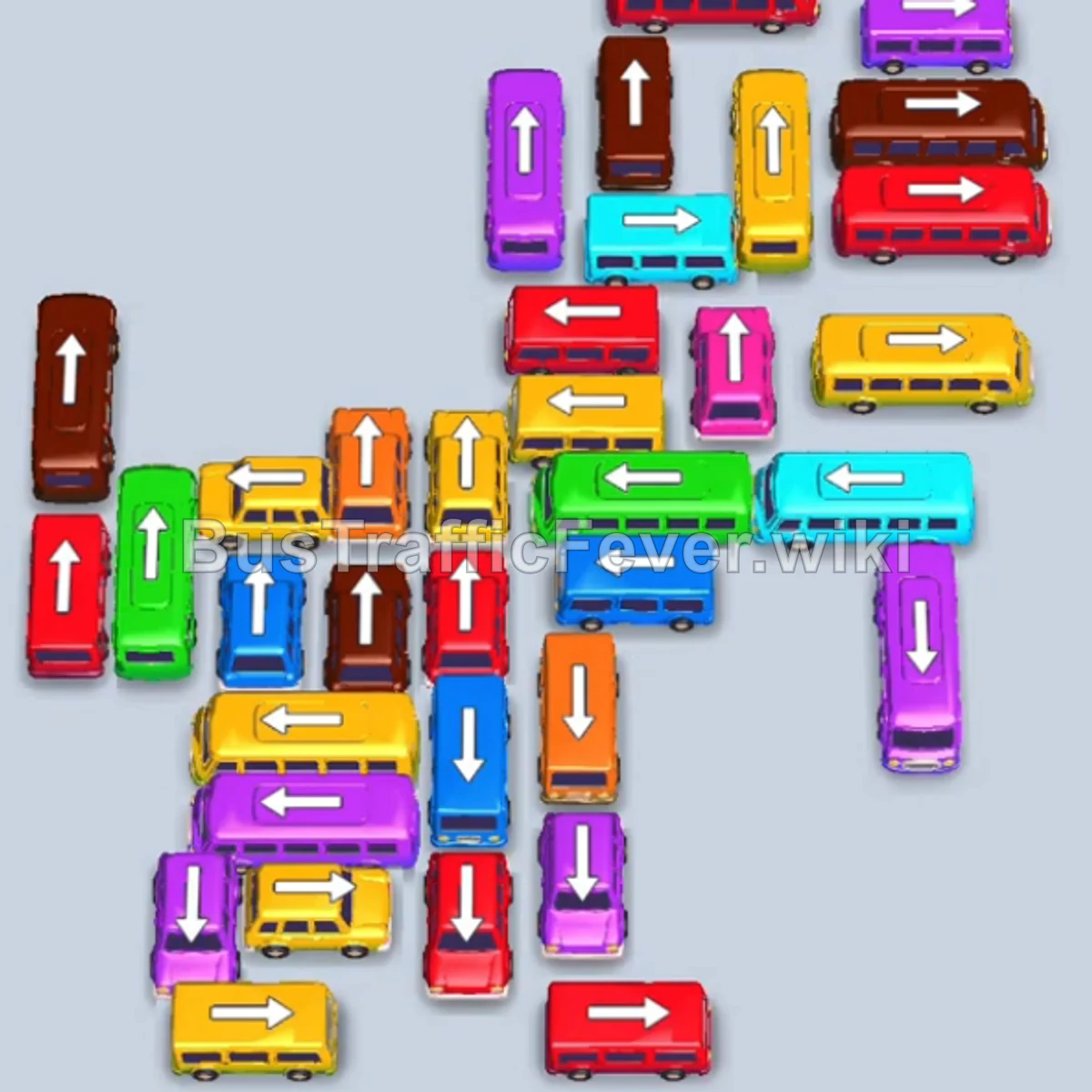
Step-by-step solution
Phase 1: Initial Clearance & Outer Gridlock
- Tap the Red bus (capacity 16) on the middle-left facing left. It enters a parking slot to pick up the incoming red passengers.
- Tap the Blue bus (capacity 24) on the middle-left facing down. Blue passengers board and it clears.
- Tap the Brown bus (capacity 40) on the middle-left facing up into a parking slot.
- Tap the Red bus (capacity 16) at the bottom-left. It picks up the remaining red passengers and departs.
- Tap the Red bus (capacity 16) at the top-right facing left. It loads the next group of red passengers and departs.
- Tap the Green bus (capacity 40) on the far-left facing up into a parking slot.
- Tap the Yellow bus (capacity 16) at the bottom-left. Yellow passengers board immediately and it leaves.
- Tap the Blue bus (capacity 24) on the left facing right. Blue passengers board and it departs.
- Green passengers now board the previously parked Green bus, allowing it to leave.
- Tap the Green bus (capacity 40) in the upper center facing right. It collects the remaining green passengers and exits.
Phase 2: Unblocking Mid-Lane Vehicles
- Brown passengers begin boarding the Brown bus parked in Phase 1.
- Tap the White bus on the far-right facing down to park and clear the right-side bottleneck.
- The Brown bus completes boarding and departs.
- Tap the Red bus (capacity 24) at the top center facing left into a parking slot.
- Tap the Purple bus (capacity 16) at the bottom-left.
- Tap the Purple bus on the far-right facing down.
- Red passengers board the parked Red bus, while purple passengers board the Purple bus.
- Tap the Purple bus (capacity 24) on the bottom-right facing up.
- Tap the Red bus (capacity 24) on the upper-left facing right. It gathers red passengers and departs.
- Tap the Orange bus (capacity 16) at the top center facing left.
- Tap the Brown bus (capacity 40) at the top-right.
- Orange and Brown passengers board their respective vehicles.
Phase 3: Managing Dense Colored Waves
- Tap the Purple bus (capacity 40) at the top facing left into a parking slot.
- Tap the Purple bus (capacity 16) in the upper-middle area.
- Tap the Yellow bus (capacity 16) in the center.
- Tap the Yellow bus (capacity 24) on the left facing up.
- Yellow passengers board both yellow vehicles and they depart.
- Tap the Yellow bus (capacity 24) at the bottom-left to pick up the next yellow wave.
- Tap the Red bus (capacity 16) at the top-center facing right.
- Tap the Blue bus (capacity 24) on the upper-right.
- The purple passenger wave begins boarding the parked Purple buses, which then depart.
Phase 4: Final Sequence & Cleanup
- Tap the Red bus (capacity 40) on the right side facing up.
- Tap the Brown bus (capacity 24) at the top-right.
- Tap the Green bus (capacity 40) on the left side facing up.
- Tap the Cyan/Light Blue bus (capacity 40) in the middle facing up.
- Tap the Purple bus (capacity 40) on the right facing down.
- Tap the Brown bus (capacity 40) at the top-right.
- Red, Green, Brown, and Purple passengers simultaneously board their parked vehicles.
- Tap the Red bus (capacity 40) at the top-right as space clears.
- Tap the Yellow bus (capacity 16) at the top-right.
- Tap the Cyan bus (capacity 22) on the bottom-right.
- Tap the Purple bus (capacity 40) on the bottom-right facing up.
- Tap the Yellow bus (capacity 40) on the bottom-left facing right.
- Tap the Orange bus (capacity 19) in the bottom-center facing up.
- Tap the Magenta/Purple bus (capacity 16) in the center facing up.
- Tap the Yellow bus (capacity 16) on the right side.
- Finally, the last group of yellow passengers board the remaining Yellow bus to achieve a Perfect Level 61 clear!
Tips for success
- Anticipate the Circular Track: Passenger rings rotate continuously; watch the color segments arriving next so you can pre-position large buses in the parking bays.
- Prioritize High-Capacity Buses: Deploying 40-capacity buses early (even before their color arrives) prevents multiple smaller vehicles from clogging the board.
- Keep Parking Slots Fluid: Avoid filling all parking spaces with blocked colors—always ensure at least 1–2 open slots are available to free up stuck vehicles.
More Bus Traffic Fever help
Continue with the Level 60 walkthrough, review the core rules in how to play Bus Traffic Fever, or browse all level solutions to jump to another number.