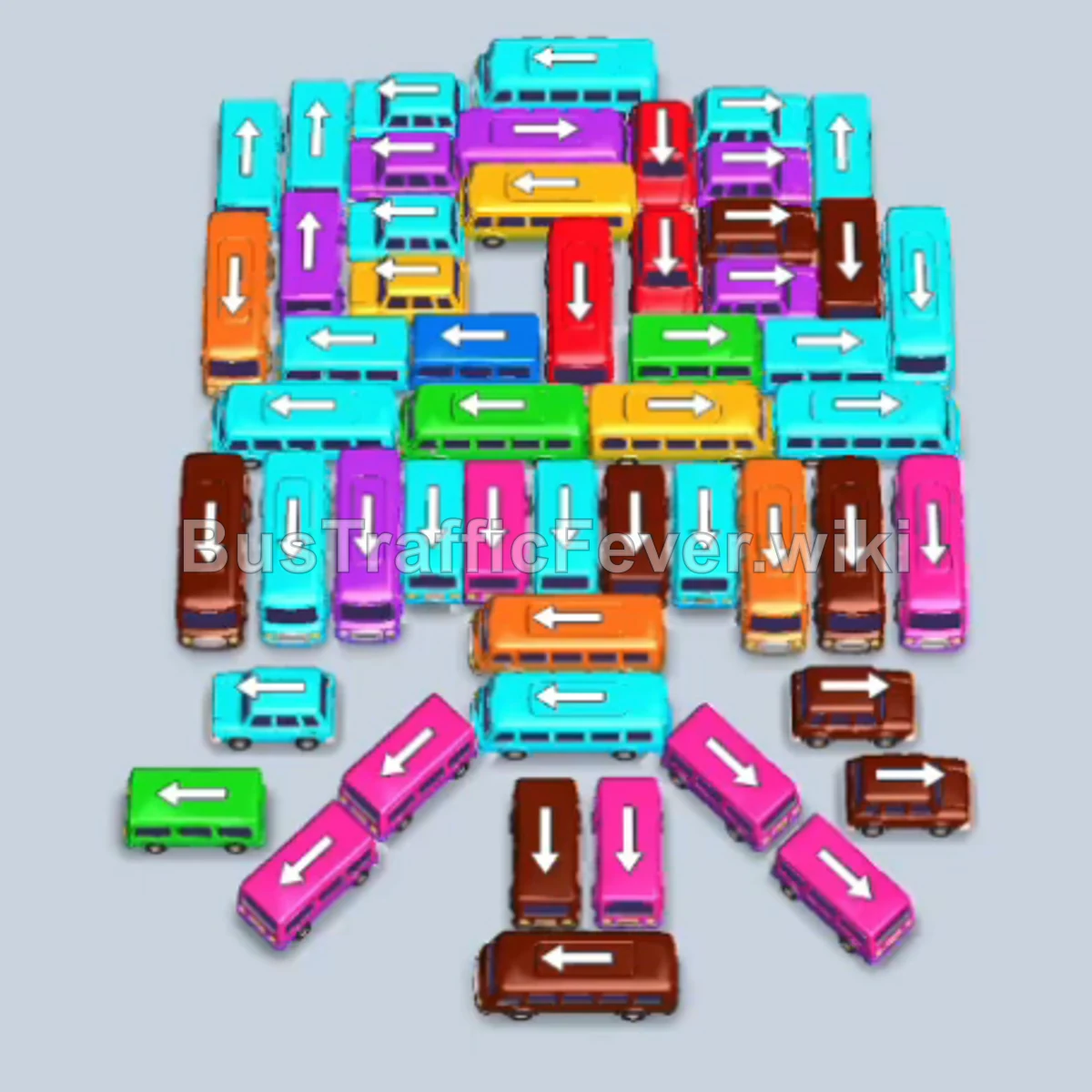
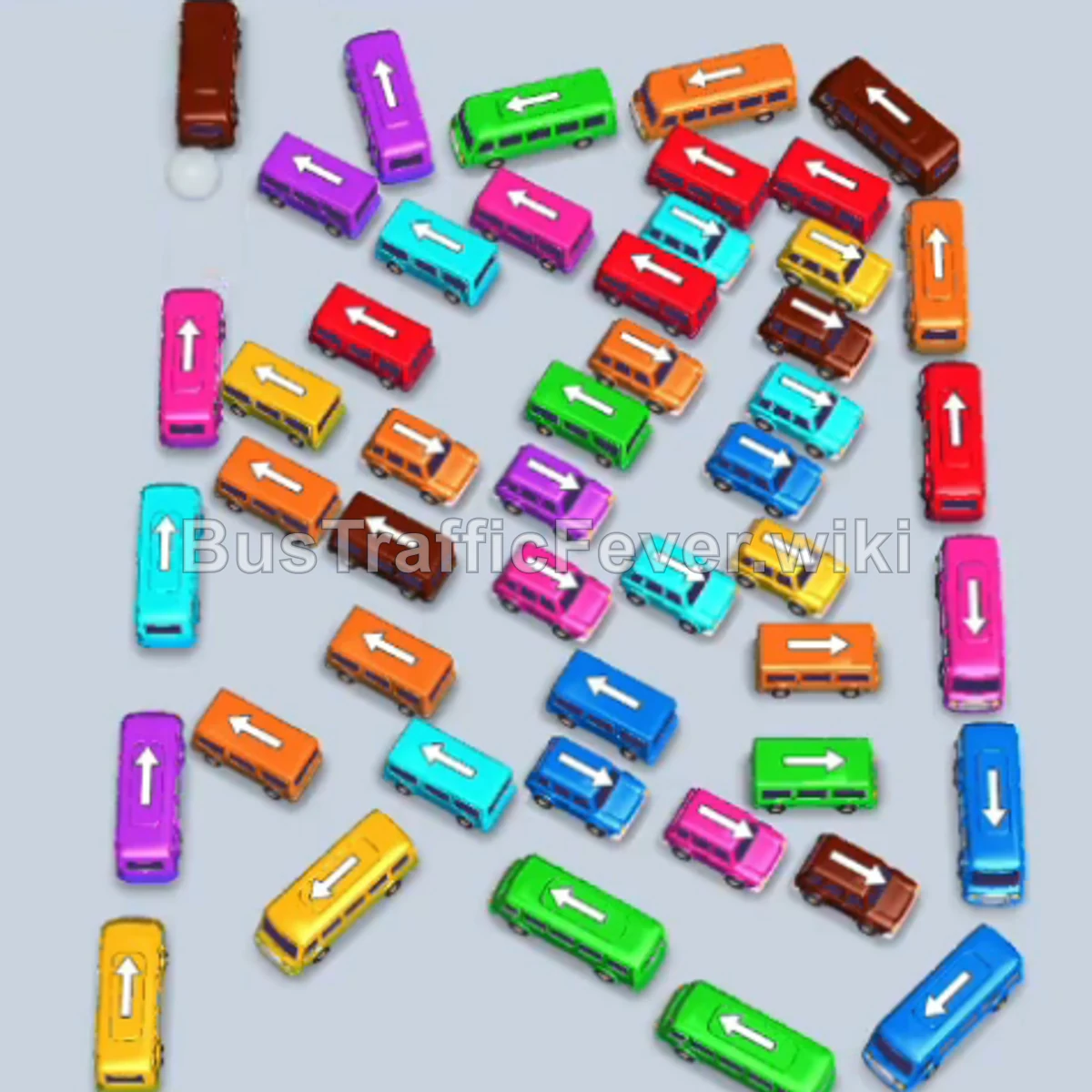
Bus Traffic Fever Level 273 Answer & Walkthrough Solution

Quick answer
Level 273 features a crowded parking lot packed with short buses and long buses, alongside tight passenger queues requiring multiple colors (orange, pink, brown, red, blue, and green). The main challenge is managing the limited parking slots while untangling interlocking vehicles. The optimal strategy relies on taking advantage of an extra parking slot early on, quickly clearing outer orange, pink, and brown buses to relieve pressure on the waiting line, and then systematically peeling away layered buses to let the long queues board efficiently.
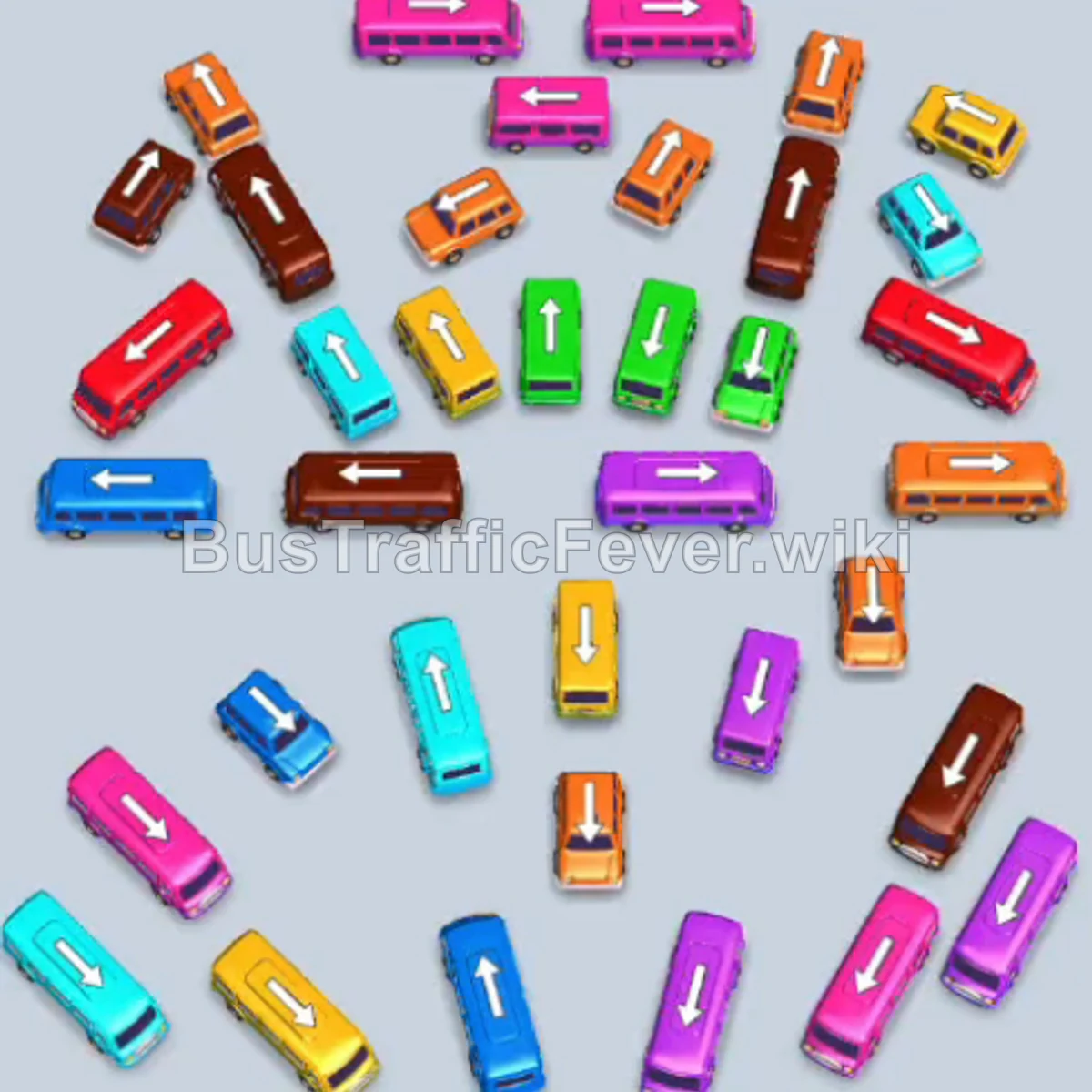
Step-by-step solution
Phase 1: Unlocking Space and Clearing Early Queues
- Tap the vertical orange bus near the top left of the lower lot to pick up the leading orange passengers.
- Unlock the extra parking slot using the container prompt to expand your staging capacity to 5 slots.
- Tap the vertical pink bus situated on the mid-left side; it enters the lot and takes pink passengers.
- Tap the horizontal pink bus at the top center to board the rest of the pink crowd.
- Tap the horizontal light blue bus on the upper right side to slide it into a slot.
- Tap the vertical brown bus on the mid-right edge to pick up incoming brown passengers.
- Tap the vertical orange bus in the lower-middle section; it boards remaining orange passengers and drives away.
- Tap the horizontal red bus in the upper-middle section to start taking incoming red passengers.
- Tap the vertical light blue bus in the lower-left area to park it in reserve.
- Tap the vertical pink bus at the lower right to clear the pink queue.
- Tap the vertical red bus in the middle center to collect more red passengers.
- Tap the vertical brown bus just below the center to load the next brown passengers.
Phase 2: Clearing the Mid-Level Jam
- Tap the horizontal brown bus on the middle-left side to load the remaining brown passengers.
- Tap the horizontal pink bus near the bottom right to board the pink queue.
- Tap the vertical red bus near the bottom right corner to complete the red queue in line.
- Tap the vertical cyan bus on the far right edge to move into parking.
- Tap the vertical yellow bus in the lower-center column to park and wait.
- Tap the vertical green bus on the lower right to clear its path and park.
- Tap the horizontal purple/violet bus on the upper middle-right to slide into a slot.
- Tap the horizontal light blue bus in the upper-middle area to board blue passengers.
- Tap the horizontal yellow bus in the middle to clear space in the center lane.
- Tap the vertical brown bus on the left side to finish the brown queue and depart.
- Tap the vertical light blue bus in the lower-middle zone to pick up blue passengers.
Phase 3: Emptying the Final Batches
- Tap the vertical orange bus at the very top of the remaining cluster to pick up orange passengers.
- Tap the vertical cyan/blue bus on the far left to take cyan passengers.
- Tap the vertical brown bus near the bottom right to board remaining brown commuters.
- Tap the vertical red bus at the bottom left to clear the final red passengers.
- Tap the vertical yellow bus near the center to board waiting yellow passengers.
- Tap the vertical blue bus in the lower-left area to load blue passengers.
- Tap the two remaining vertical green buses at the bottom to board the final green passengers and clear the level.
Tips for success
- Expand parking early: The extra parking container unlocked right after the first move provides crucial leeway to store mismatched colors without triggering a gridlock failure.
- Prioritize long buses: Whenever a high-capacity horizontal bus is freed (such as the pink, red, and brown buses), send it immediately to absorb large chunks of passenger lines and leave fewer stray passengers blocking the queue.
- Work outside-in: Target the outer edges of the vehicle pile first to loosen the interior vehicles, preventing deep deadlocks in the center column.
More Bus Traffic Fever help
Continue with the Level 272 walkthrough, review the core rules in how to play Bus Traffic Fever, or browse all level solutions to jump to another number.